Welcome to the Inedo Forums! Check out the Forums Guide for help getting started.

If you are experiencing any issues with the forum software, please visit the Contact Form on our website and let us know!

  • 0 Votes
    2 Posts
    23 Views
    gdivisG
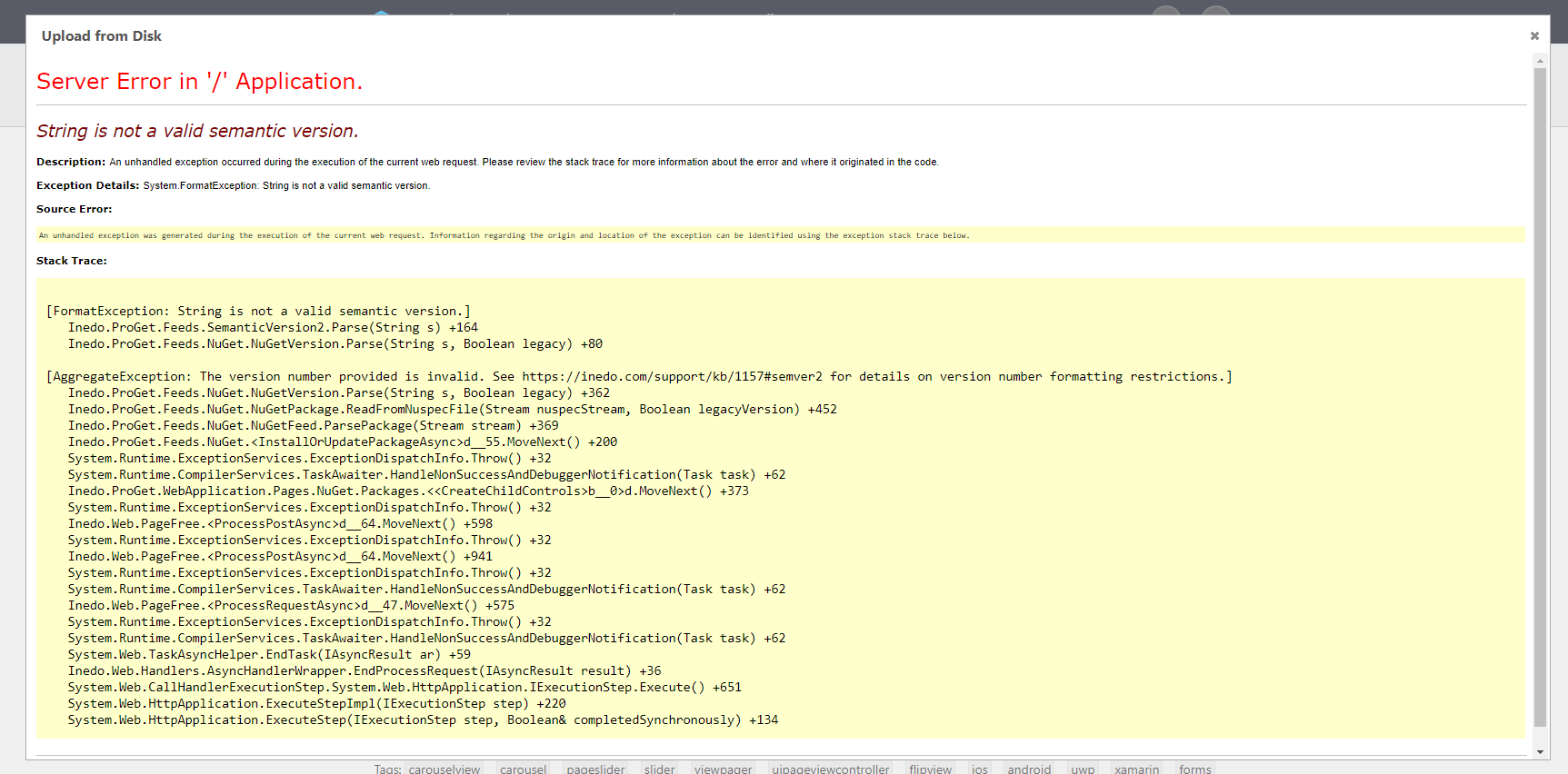
    Hi, Thanks for letting us know. Looks like the error message is wrong - actually the problem is caused by build metadata being present in a version number that is not a semver2 version. We've filed this as PG-1655 to make parsing these versions more permissive - it will be fixed in the next ProGet release (5.2.23), currently scheduled for Jan-17.
  • 0 Votes
    2 Posts
    13 Views
    atrippA
    Hello; this will probably be the fastest route to fix things -- https://docs.inedo.com/docs/desktophub/troubleshooting
  • 0 Votes
    2 Posts
    40 Views
    apxltdA
    We definitely want to add these as first-class Operations in our Windows extensions, but in the mean time the best route is to use the PSDsc Operation to invoke the Windows Feature DSC Resource PSDSC WindowsFeature ( Name: Web-Server, Ensure: present ); Hope that helps!
  • 0 Votes
    9 Posts
    19 Views
    ?
    You got it working though :)
  • ProGet 5.1.15 Web Server crashes

    Support proget windows
    7
    0 Votes
    7 Posts
    16 Views
    ?
    Hi, i am upgrade my old installlation 5.0.10 to Proget 5.1.20.7 today. And i run into the same issue. My Port customization has been overwritten in the C:\ProgramData\Inedo\SharedConfig\ProGet.config. I fixed it manually and now it works.
  • Error initializing extensions manager

    Support proget nuget windows
    8
    0 Votes
    8 Posts
    16 Views
    ?
    Hi Tod, Thanks for looking into this. I just checked and can confirm that the last time we received this error it matched up with an app pool recycle. I'm not sure yet whether this is the source of all our timeouts, but that's certainly given us something to work with. I'll post again if we suspect any other Proget related issues. Thanks again.
  • 0 Votes
    4 Posts
    28 Views
    T
    For the Windows service, the only requirements for the service account are (assuming default file system package store configuration) read/write access to the directory where the underlying packages are stored (default is in ProgramData), read/write access to the service installation directory (default is in Program Files), and granted access to the ProGet database role named ProGetUser_Role. For the web application (Windows service or IIS application pool identity), the requirements are the same as the Windows service, plus read/write access to the website installation directory. Note again that the Desktop Hub installation privileges is orthogonal to the account that ProGet runs as, since it would obviously require more privilege to create/update/grant in the database and also create subfolders in Program Files & %ProgramData%. As an extra word of caution, if D: is a mapped drive, be sure to use the full UNC path in configuration settings within ProGet.
  • 0 Votes
    3 Posts
    6 Views
    benB
    Hello Leandro, Feeds_GetLicenseUrls hasn't existed since 4.7.0. It's possible that the error you encountered was from a custom extension which is not compatible with 5.0. ProGet 5.0 uses the Inedo.SDK NuGet package instead of the Inedo.ProGet.SDK NuGet package, and loads extensions that end in .inedox instead of .progetx.
  • ProGet services fail to start after reboot.

    Support windows proget service
    4
    0 Votes
    4 Posts
    91 Views
    ?
    It would be the Windows Event/error Logs, specifically the Windows Service Manager. If ProGet isn't able to run/load, then it wouldn't be able to log anything.
  • 0 Votes
    3 Posts
    23 Views
    ?
    Hi Alana, Thanks for your reply. I ended up submitting a bug Ticket which I need to respond to. But in response to your comment, The Agent and the runtime user are both the same account. Aside from the simple script above, I also tried to get it to return the value, and it would only return 's' in once case, error in another , or indicate the value was part of a Dictionary, which I'm guessing is meaning its within an array. Tod Hoven is my contact for the issue that I will be working with, but at the moment my BuildMaster instance is offline, so I will be following-up once our environment is back online. I'll try and remember to update this thread with the fix once we have it... -Trent
  • Business case for replacing Scheduled Tasks with Otter

    Support otter windows
    2
    0 Votes
    2 Posts
    7 Views
    ?
    Otter wasn't designed as general-purpose task schedule, but the orchestration jobs can certainly accomplish similar purposes. On the agent roadmap, we do have "impersonation" as a feature... which means you could run commands and scripts under different user contexts. I wonder if you could use use Otter to configure the schedule jobs across your servers? We don't have operations to configure scheduled tasks, but certainly you could use PowerShell DSC (or write an operation to do this) to configure scheduled tasks.
  • Proget filtering packages

    Support visual-studio windows net proget
    2
    0 Votes
    2 Posts
    22 Views
    ?
    As of ProGet 4.7.4, we are no longer performing any server-side filtering based on target framework. Can you confirm that you are on the latest version?
  • 0 Votes
    2 Posts
    20 Views
    ?
    Please note that this (or any multi-node) installation requires a ProGet Enterprise or ProGet Load Balanced License to be purchased. ProGet Basic and ProGet Free only permit a single server to be used in a single installation. That said, we recommend IIS because it's the easiest to support (by your own network admin team) and has many configuration options. In theory, you could probably use the integrated server. A HA configuration ought to use a SQL Cluster, otherwise you have a single point of failure.
  • Docker image push kills the iis server

    Support windows proget
    1
    0 Votes
    1 Posts
    7 Views
    No one has replied
  • Windows Container support in the Docker feeds?

    Support proget windows
    5
    0 Votes
    5 Posts
    15 Views
    ?
    We will have full support for Windows containers in ProGet 4.7.10, which is scheduled for release tomorrow.
  • 0 Votes
    3 Posts
    7 Views
    J
    Alana, I knew they are in the legacy side but I couldn't find a easy way to find/use them if I'm creating a new plan but I didn't think of creating a new legacy one then converting it later (firm smack to my forehead!) Thanks!
  • Can't commincate with Windows agent

    Support agents windows buildmaster
    4
    0 Votes
    4 Posts
    54 Views
    ?
    Hi, Version number for the Windows agent shows 34.0.0.1 in add/remove programs. '#justsaying' David
  • 0 Votes
    3 Posts
    17 Views
    ?
    In my original example that I used, the web user did have permissions. In fact, the user I used was the admin user. I did both create a special user with delete attributes and test the admin user. Both results were the same. Success was reported, but the package never really was deleted. I'm not using a feed APIKey, I'm only using users that have appropriate rights to do certain things, like delete.
  • 0 Votes
    3 Posts
    3 Views
    ?
    Thank you. That was the solution. I had already rebooted once, because the Windows Powershell update required it. I rebooted the machine again and now BuildMaster is reporting the correct version. Thanks again.
  • 0 Votes
    2 Posts
    7 Views
    ?
    FYI - that's the "Operation" for our Otter product, but the BuildMaster Action works about the same... But in either case you will need to have an agent installed in order to stop the app pool on that server. Alternatively, you could use powershell script to do it, but that would require additional ports and the like be open on the remote server (RPC, maybe?)


