Welcome to the Inedo Forums! Check out the Forums Guide for help getting started.

If you are experiencing any issues with the forum software, please visit the Contact Form on our website and let us know!

  • 0 Votes
    2 Posts
    15 Views
    rhessingerR
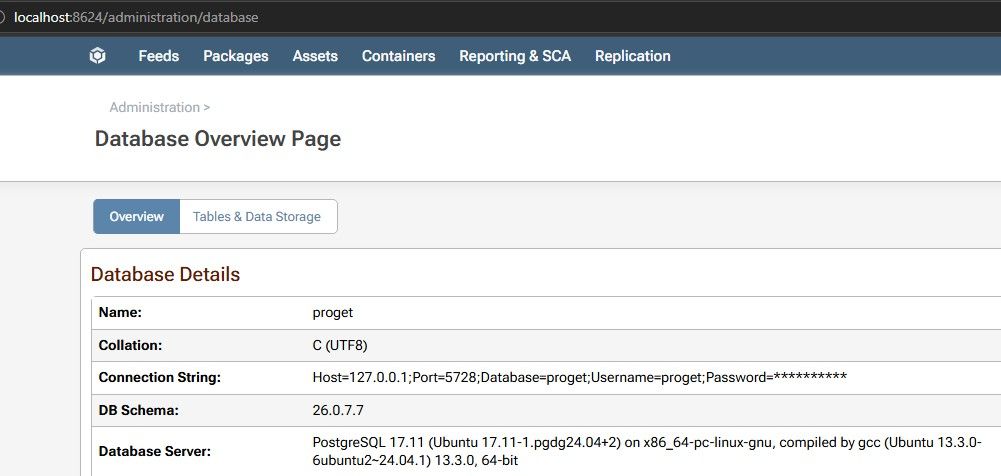
    Hi @hardik.turakhia, When you say external (org) PostgreSQL database, are you referring to a PostgreSQL database you are already hosting in your network and the one that is in the docker compose was for testing? Or are you just trying to host PostgreSQL in a separate container than ProGet, but both controlled by that single Docker compose file? If you are not using HA/Load Balancing, we recommend using the Embedded database. In a HA/Load Balancing environment, we recommend using InedoDB. If you are still planning to use an external PostgreSQL database (InedoDB or PostgreSQL directly), here are some things to get you started. First, only InedoDB or ProstgreSQL 17 is supported. With that said, your ProGet service in your compose file is not quite right. You have duplicate volumes and your environment variables are using unsupported keys. A good starting point for you should be to review our Docker Compose guide and our Docker guide. Based on that, here is a better ProGet service node that can get you started. pg: image: proget.inedo.com/productimages/inedo/proget:26.0.9 container_name: proget restart: unless-stopped ports: - "8624:80" volumes: - ./proget-packages:/var/proget/packages networks: - proget environment: - PROGET_POSTGRES_CONNECTION_STRING: Server=postgres;Port=5432;Database=proget;Password=Pass@123;Username=root; - PROGET_ENCRYPTION_KEY: ${ENC_KEY} I removed the volumes for database and backups since you are planning to use an external database. I'm also using ./proget-packages/ for the volume mount. You had duplicates specified in your volume mounts, so update that path if you want to store it elsewhere. Then you need to specify the connection string for your PostgreSQL database in the PROGET_POSTGRES_CONNECTION_STRING environment variable. Lastly, I added the encryption key environment variable. You can generate this initially using head -c16 /dev/urandom | xxd -p -c32, then you will want to make sure you do not change it going forward. That should be enough to get you up and running. For other volumes you might want to use see our other volumes section in our Docker guide. For other supported environment variables, see our supported environment variables section in our Docker guide. Thanks, Rich
  • 0 Votes
    2 Posts
    13 Views
    atrippA
    Hello; this will probably be the fastest route to fix things -- https://docs.inedo.com/docs/desktophub/troubleshooting