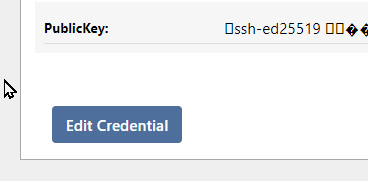
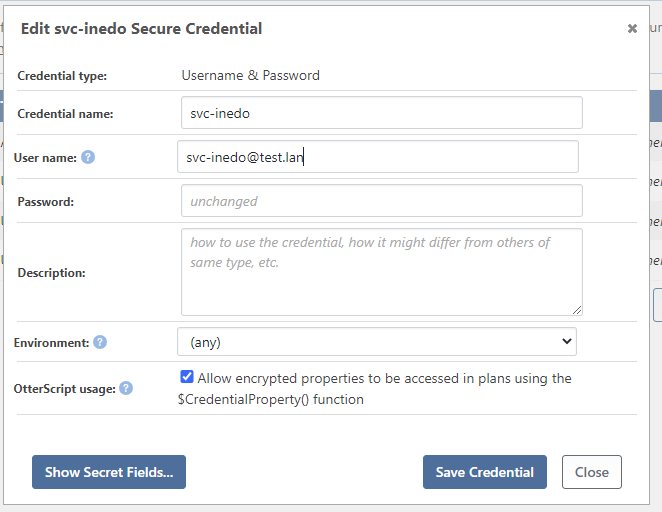
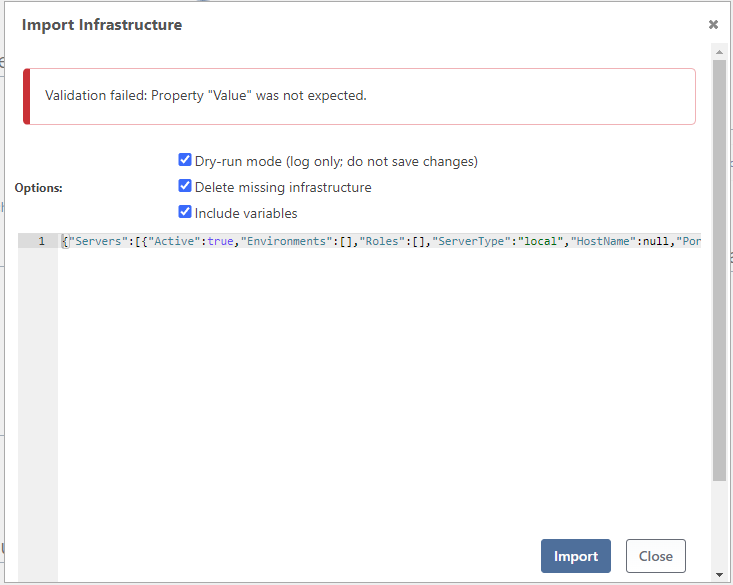
I thought to, but the encryption key is set in the docker-compose file and I moved all the data to the new server.
Is there any way to check the encryption key on the new server ?
================
I am using the following config:
- docker-compose.yml
- .env
- config/sql/01.sql
- config/entrypoint.sh
docker-compose.yml
version: '3.8'
services:
  otter:
    image: proget.inedo.com/productimages/inedo/otter:${OTTER_VERSION:-22}
    container_name: otter
    restart: unless-stopped
    environment:
      OTTER_SQL_CONNECTION_STRING: "${OTTER_SQL_CONNECTION_STRING}"
      TZ: "${TZ:-Europe/Paris}"
      OTTER_ENCRYPTION_KEY: "${OTTER_ENCRYPTION_KEY}"
    volumes:
      - ${OTTER_ROOT:-./volumes}/data:/var/otter
    ports:
      - "${OTTER_PORT:-8080}:80"
    networks:
      net-otter:
      net-sql:

    depends_on:
      - otter-sql

  otter-sql:
    image: mcr.microsoft.com/mssql/server:${OTTER_MSSQL_VERSION:-2022-latest}
    user: root
    container_name: otter-sql
    restart: unless-stopped
    ports:
      - "${OTTER_MSSQL_PORT:-1433}:1433"
    networks:
      net-sql:

    environment:
      TZ: "${TZ:-Europe/Paris}"
      ACCEPT_EULA: Y
      MSSQL_SA_PASSWORD: "${OTTER_MSSQL_SA_PASSWORD:-P@ssw0rd}"
      MSSQL_PID: "${OTTER_MSSQL_EDITION:-Express}"
# Optional if using persisted storage locations (https://docs.microsoft.com/en-us/sql/linux/sql-server-linux-docker-container-configure?view=sql-server-ver15&pivots=cs1-bash#persist)
    volumes:
      - ${OTTER_ROOT:-./volumes}/sql/data:/var/opt/mssql/data
      - ${OTTER_ROOT:-./volumes}/sql/log:/var/opt/mssql/log
      - ${OTTER_ROOT:-./volumes}/sql/secrets:/var/opt/mssql/secrets
      - ./config/sql:/docker-entrypoint-initdb.d
    restart: always
    working_dir: /docker-entrypoint-initdb.d
    command: sh -c ' chmod +x ./entrypoint.sh; ./entrypoint.sh ${OTTER_MSSQL_SA_PASSWORD:-P@ssw0rd} & /opt/mssql/bin/sqlservr;'

networks:
  net-otter:
  net-sql:
.env
TZ=Europe/Paris
REGISTRY_PUBLIC=proget.ocapiat.fr/public-docker
REGISTRY_PRIVE=proget.ocapiat.fr/internal-docker

OTTER_MSSQL_SA_PASSWORD=StrongP@ssw0rd
OTTER_MSSQL_EDITION=Express
OTTER_MSSQL_PORT=1450
OTTER_MSSQL_VERSION=2022-CU5-ubuntu-20.04

OTTER_VERSION=22
OTTER_PORT=8080
OTTER_ROOT=./volumes/otter

OTTER_SQL_CONNECTION_STRING="Data Source=tcp:otter-sql,1433;Initial Catalog=Otter; User ID=sa; Password=${OTTER_MSSQL_SA_PASSWORD:-P@ssw0rd}"
OTTER_ENCRYPTION_KEY=Str@ngEncrypti0nKey

POSTFIX_IMAGE_VERSION=1.0.0
POSTFIX_IMAGE=${REGISTRY_PRIVE}/maestro/postfix-relay
01.sql
USE MASTER;
GO
IF NOT EXISTS (SELECT name FROM sys.databases WHERE name = 'OTTER')
CREATE DATABASE [Otter] COLLATE SQL_Latin1_General_CP1_CI_AS
GO
#!/bin/bash
sleep 3s
# run the init script to create the DB and the tables in /table
for entry in "*.sql"
do
  echo executing $entry
  /opt/mssql-tools/bin/sqlcmd -S localhost -U sa -P $1 -i $entry
done