@atripp
Good to know 
Thanks
Welcome to the Inedo Forums! Check out the Forums Guide for help getting started.
If you are experiencing any issues with the forum software, please visit the Contact Form on our website and let us know!
P
Offline
Posts
-
RE: OTTER / Long time for Linux server for first configuraiton collection
@atripp
Servers are registered using api -
RE: OTTER / List variable not working correctly
@atripp
This was working in Otter 3. For me, this is a regression
I am using map expression because I have to pass a group of variable which are interdependant
So I am sure the others sysadmin and dev people will use the right set of parameters.Example
I have a script for creating VM and I need to pass 3 variables (Modele, OS and Template)%(Modele: Ubuntu 20.04, OS:Linux, Template:GI-DCS-UBUNTU-20.04.1-20210121) %(Modele: W2019 GUI FR 2010, OS:Windows, Template:GI-DCS-W2019-FR-GUI-20201026) %(Modele: W2019 CORE FR 2010, OS:Windows, Template:GI-DCS-W2019-FR-CORE-20201026) %(Modele: W2019 GUI FR 2006, OS:Windows, Template:GI-DCS-W2019-FR-GUI-20200624) %(Modele: W2022 CORE FR 2202, OS:Windows, Template:GI-W2022-FR-CORE-21H2) %(Modele: W2022 GUI FR 2202 21H2, OS:Windows, Template:GI-W2022-FR-GUI-21H2)I made a test with the apostrophe escape symbol and I have this error
Beginning execution run... **Indexer is only valid on list or map values.** Execution run succeeded. Cleaning up temporary files on Linux/SSH (10.100.4.70:2666)... -
OTTER - [ whichlist] Server Roles page
Hello
It could be nice to have the environnement from the Assigned Servers list:
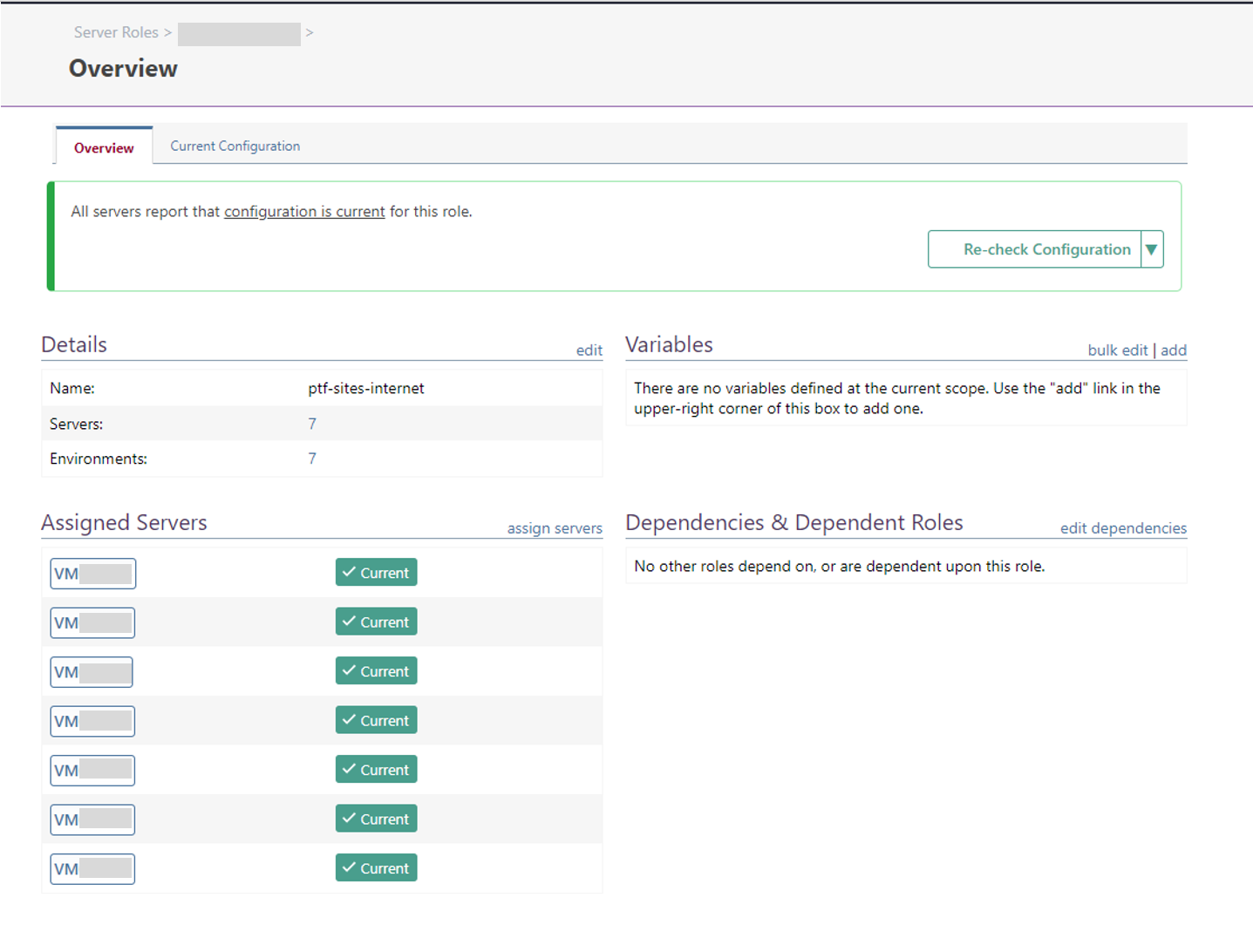
could be this:
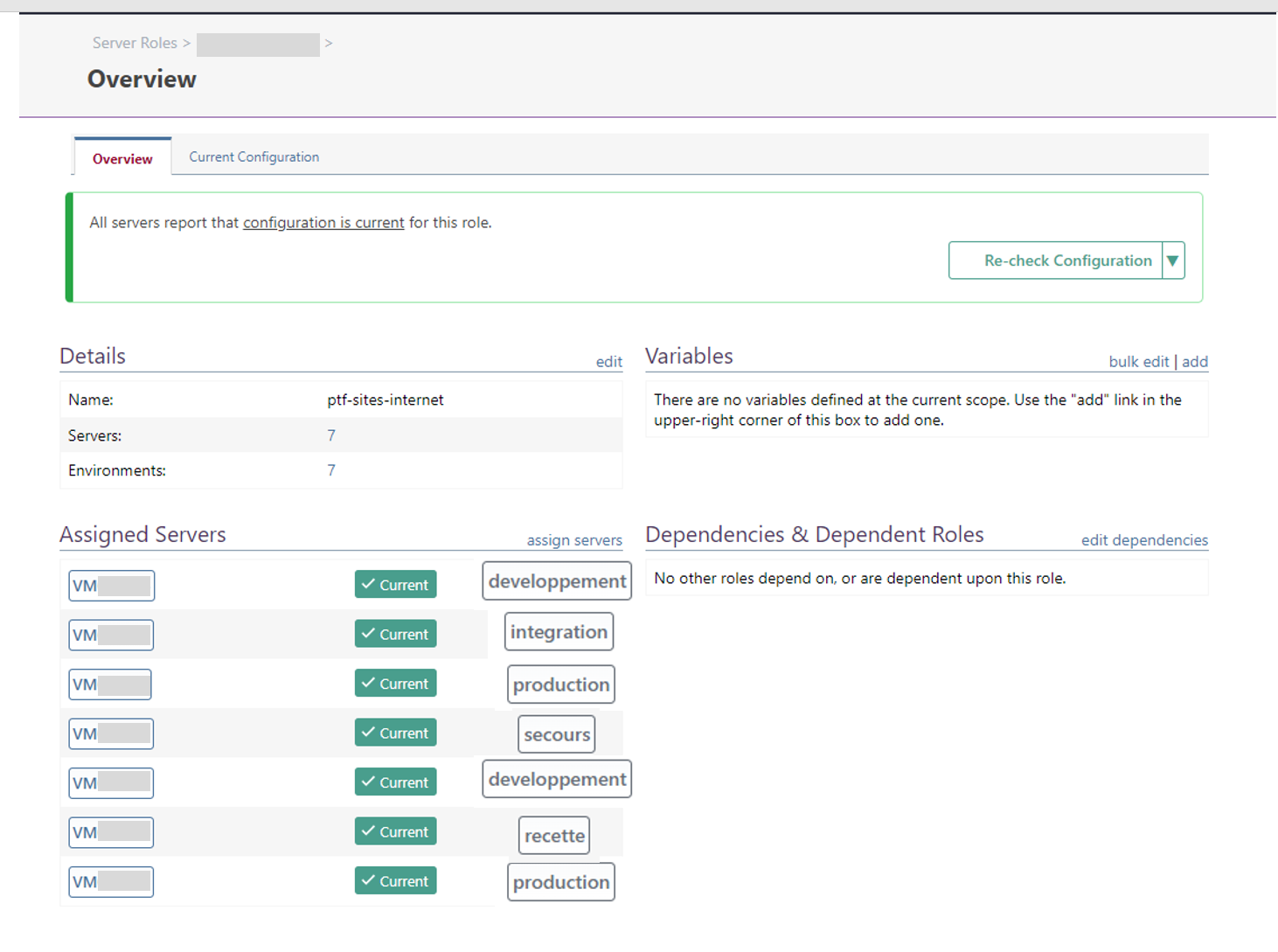
Best regards
Philippe -
OTTER / List variable not working correctly
Hello
List variable seems to be buggy
Create a test otter script : test-hello.otter
Log-Debug Hello $ServerName;Create a job template :
- script : test-hello.otter
- template variables:
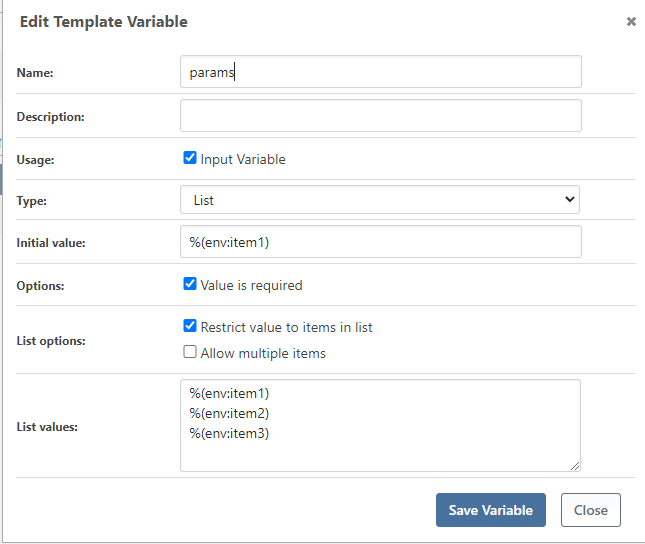
Create the job with default value ==> Job failed
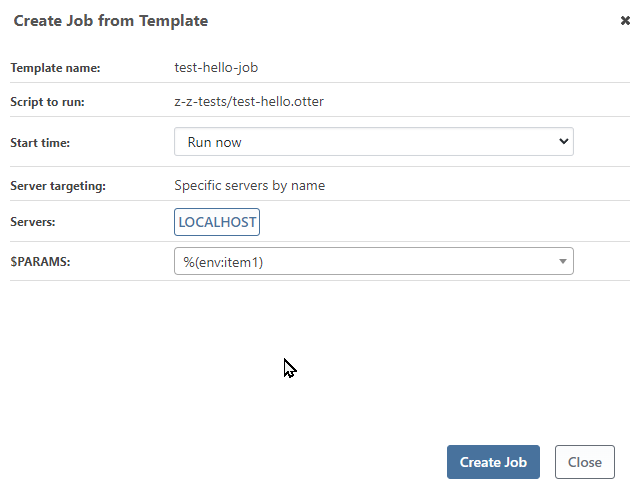
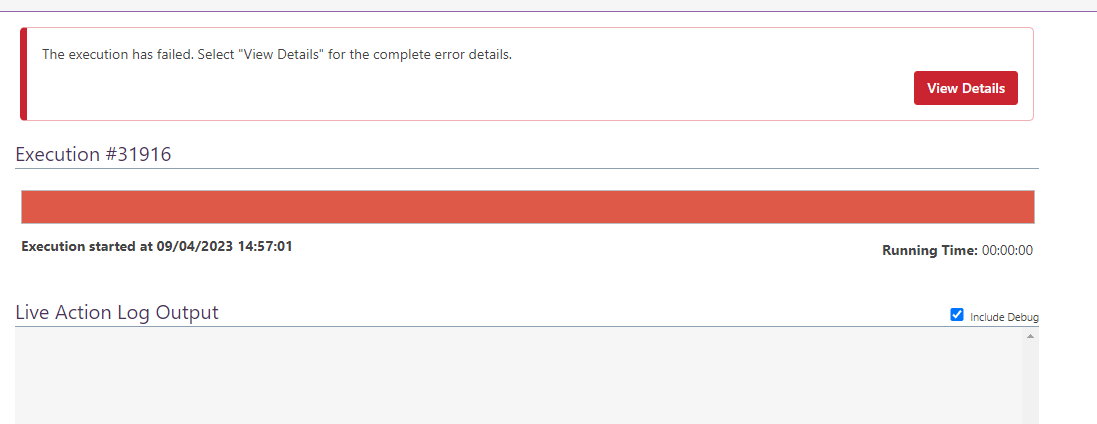
Create the job and select item2 value ==> Job failed
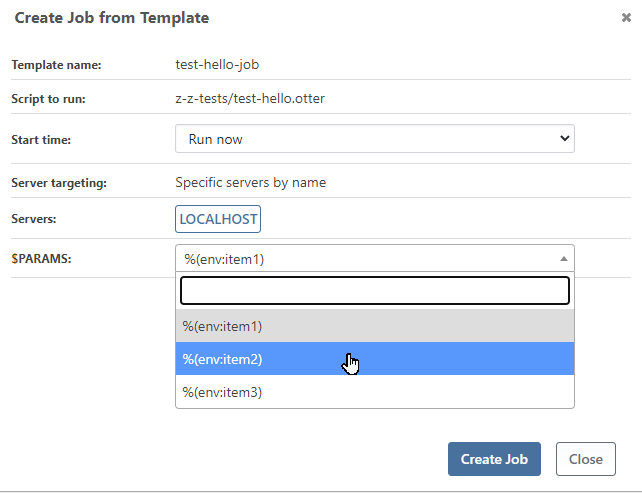
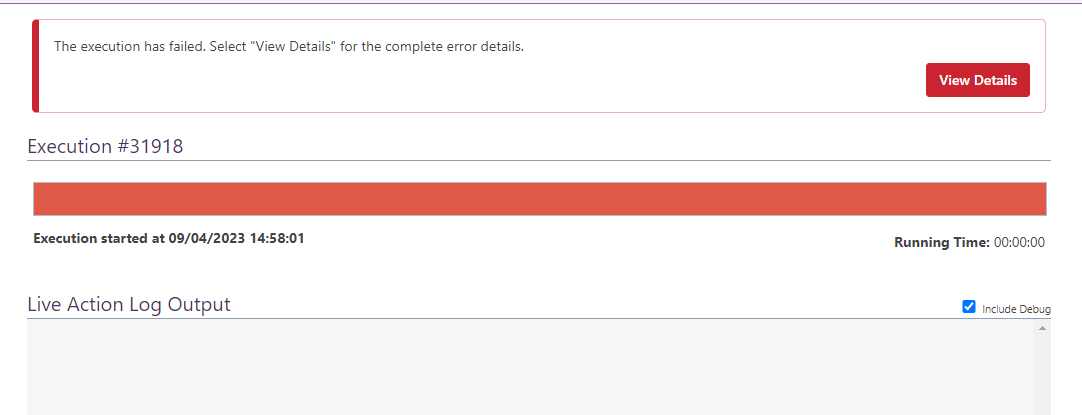
Create the job and select the last item value ==> Job completed
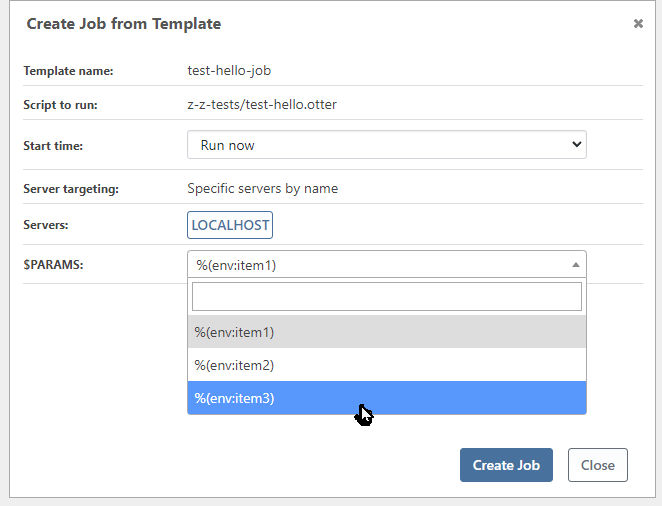

Whatever the number of items in the list, only the last item is working

Cordially
Philippe -
RE: OTTER / Long time for Linux server for first configuraiton collection
I created 4 servers (linux) and register to otter.
Start Server checker.
After few minutes, otter reports the server need to be remediated.It is looking good if I start server checker on" rather the runnig "check configuraiton" from the server itself
Thanks for the tips
-
RE: OTTER / Long time for Linux server for first configuraiton collection
@atripp
I will make a test with few servers and check how long it takes . -
RE: OTTER / Long time for Linux server for first configuraiton collection
@atripp said in OTTER / Long time for Linux server for first configuraiton collection:
How soon after you add the server do you run a configuration run?
YES
When you say "reset otter", do you mean the Otter Service?
I restart the docker stack -
Are you able to cancel those executions? Like, if you navigate to them?
No action (link) is available to stop them
Does running the Server Checker task (on the Service Page, same page that shows Execution Dispatcher) cause them to kick off? What output do you see when you run that task, if not?
Sometimes, when I restart the server checker, the configuration run thru
I have to make more consistent tests, but the problem occurs when I register several servers in the same time.
-
RE: BM - Help needed for Git checkout
@atripp said in BM - Help needed for Git checkout:
shexec echo hello world;
I have no issue to run a shexec. This is just the git-checkout.
The server is also configured thru Otter without any problems ...I am using artifact captured from localhost so it is OK for me
I will make other tests later
-
RE: BM - Help needed for Git checkout
from sshd log, the bm server make a connection, create the tmp folder and nothing else happen since I cancel the job
2023-08-29 14:41:46 # VM004073 # info # sshd[1887]: # Accepted publickey for root from 10.101.4.65 port 35342 ssh2: ED25519 ***************************** 2023-08-29 14:41:46 # VM004073 # info # sshd[1887]: # pam_unix(sshd:session): session opened for user root(uid=0) by (uid=0) 2023-08-29 14:41:47 # VM004073 # info # systemd-logind[833]: # New session 74 of user root. 2023-08-29 14:41:47 # VM004073 # info # systemd: # pam_unix(systemd-user:session): session opened for user root(uid=0) by (uid=0) 2023-08-29 14:48:25 # VM004073 # info # sshd[1887]: # Received disconnect from 10.101.4.65 port 35342:11: Normal disconnect 2023-08-29 14:48:25 # VM004073 # info # sshd[1887]: # Disconnected from user root 10.101.4.65 port 35342 2023-08-29 14:48:25 # VM004073 # info # sshd[1887]: # pam_unix(sshd:session): session closed for user root 2023-08-29 14:48:25 # VM004073 # info # systemd-logind[833]: # Session 74 logged out. Waiting for processes to exit. 2023-08-29 14:48:25 # VM004073 # info # systemd-logind[833]: # Removed session 74. -
RE: BM - Help needed for Git checkout
I ran on localhost (ia the buildmaster server) and the chekout is working fine.
Same script on target server => not working
I will capture and make an artifact to overcome the problem
Do you thin this is a bug or is it something I misused ?
Best regards
Philippe
-
RE: BM - Help needed for Git checkout
@atripp said in BM - Help needed for Git checkout:
There's a lot of logs missing, so we can't really see where it's failing. Does it work if you're checking out to a Windows server (maybe localhost?)
In fact, it never ends. - more than one hour running
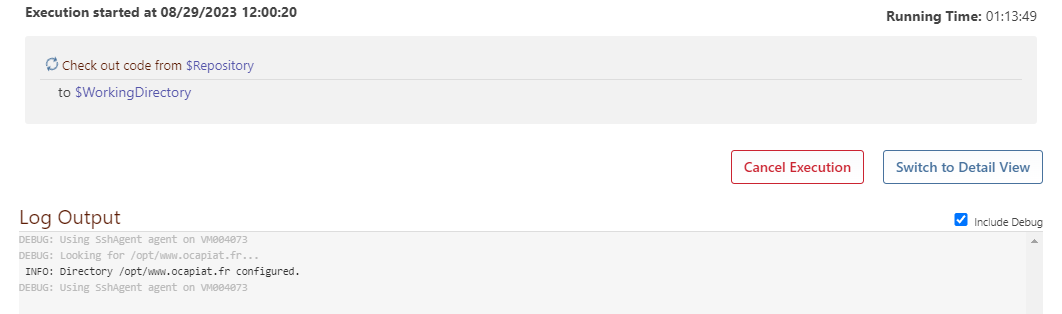
And I made a test on localhost build it is a docker setup
so I have the same resultI will make some tests
-
BM - Help needed for Git checkout
Hi,
I have some problem to make git-checkout running properly
I created one application linked to gitlab repository.
This part is working fine
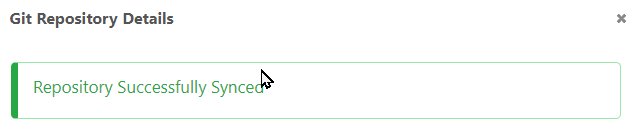
I created a pipelinestage and I ran this script :
set $DestFolder = /opt/${ApplicationName};
Ensure-Directory $DestFolder;
{
    Git::Checkout-Code
    (
        To: $DestFolder,
    );
}
As I understand, the Git::Checkout-code will grab the code from $Repository, but it can't reach the gitlab server
 .
.I have done a second application, where I am using Git::Checkout-Code but I had all the expected variables manually and it is working fine.
I thought if the application is linked to the git repo, it is transparent and I don't need to add the infor i n the checkout function.Something is missing but I don't know what exactly, any advice, example is welcome
Thanks
Philippe -
OTTER / Long time for Linux server for first configuraiton collection
Hello
When I register new linux server, first routine configuration does not work smoothly.
It is stucked with this msg :DEBUG: 2023-08-29 07:16:37Z - Building OtterScript configuration for server "VM004070" to target 2 roles...
I need to reset otter to run through and start the remediation
Any thoughts ?
The roles are very simple (just an ensure-directory and one ensure-file)
OTTER 2022.12 / Docker
Best Regards
Philippe -
RE: BM - [whishlist] Display multiple pipeline in Application page
@apxltd
I'll wait for v2024 
-
BM - [whishlist] Display multiple pipeline in Application page
Hello Inedo Team
It could be nice to display all the pipelines defined for one application, instead having only the last updated.
But I don't know if it is a good wish :)I know, this mean I have multiple release for the same application, but I don't want to make one application for each pipeline.
As we can have multiple pipelines for one application, why not ? - not doing it for developpement complexity would be a good excuse -Illustration :
I have 3 pipelines defined for one application
- install-keepalived
- install-haproxy
- config-haproxy
Actually, if I run the 3 pipelines, I have this
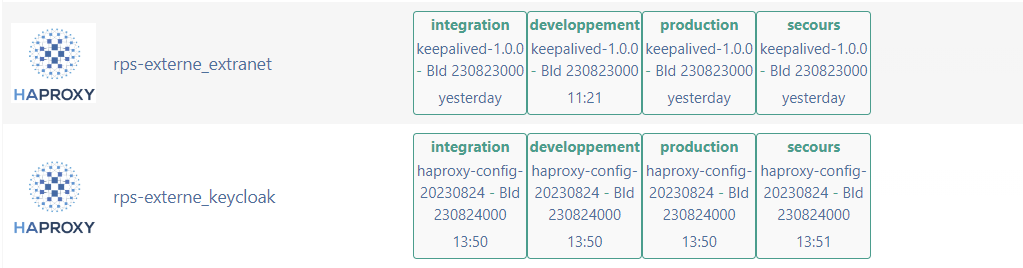
I could nice to have this
text colors are the one set for the pipeline and should be as background color for the line)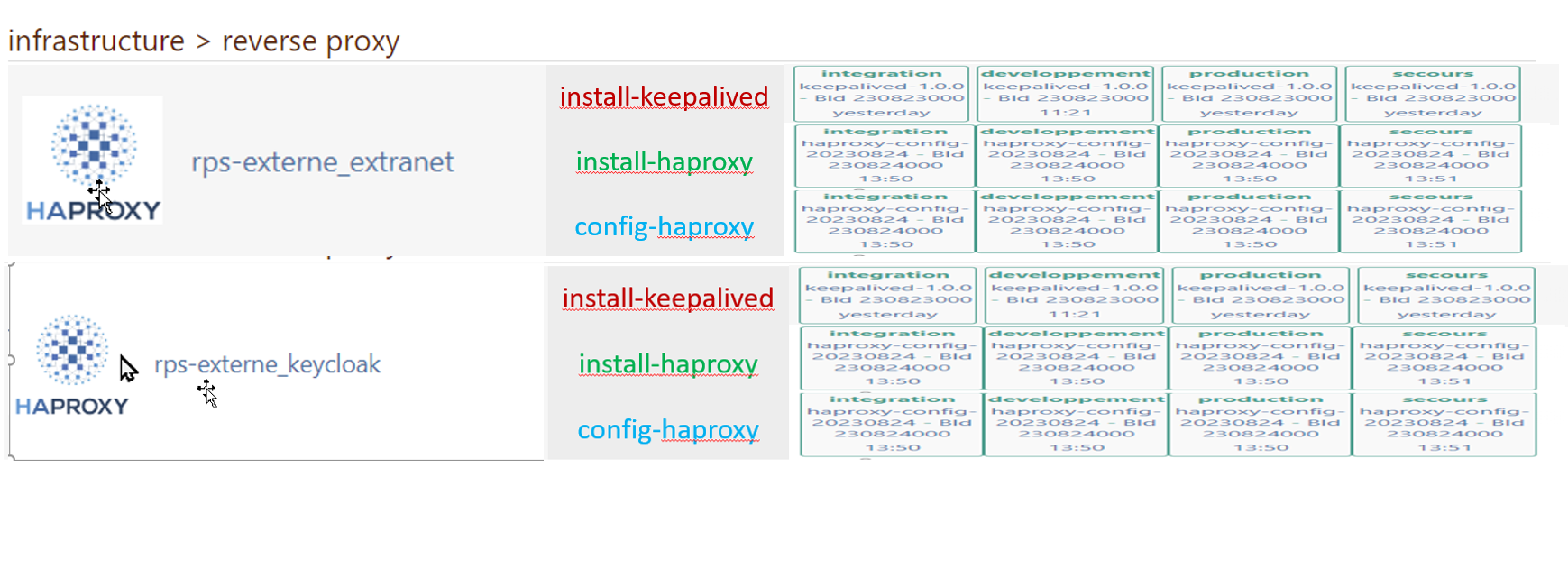
Best regards
Philippe -
RE: OTTER / Docker - Move to a new server - lost connection to linux server - (Finally it is working fine !)
Hi @atripp
Oups,
After your reply, I checked the ssh config on the target server and I forgot I allowed ssh root connection only from the Otter / BM server.Match Address XXX.XXX.XXX.XXX PermitRootLogin prohibit-passwordChanging the address solved the error
My bad

Thank you for your time
-
RE: OTTER / Docker - Move to a new server - lost connection to linux server - (Finally it is working fine !)
@atripp
I can see the secured variables pages (I guess they are encrypted)