Hi @rhessinger ,
Confirmed on v7.0.7; thank you for saving my sanity on was it previously checked or not !!
Regards,
Paul
Welcome to the Inedo Forums! Check out the Forums Guide for help getting started.
If you are experiencing any issues with the forum software, please visit the Contact Form on our website and let us know!
Hi @rhessinger ,
Confirmed on v7.0.7; thank you for saving my sanity on was it previously checked or not !!
Regards,
Paul
Hi @rhessinger ,
Sorry I didn't get to the pre-release; but I have test 1.12.3 and this is now working as expected, thank you.
Regards,
Paul
Hi Support,
Could you take a look at editing Release Template Variables please?
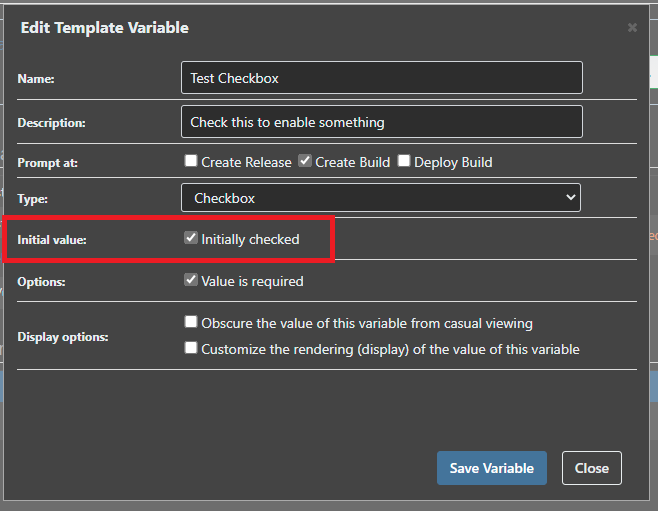
It doesn't appear that the current Initial Values (at least) are read when editing an existing variable which is an easy way to get tripped up if not paying attention !
i.e. creating this Variable, the Initial value = false
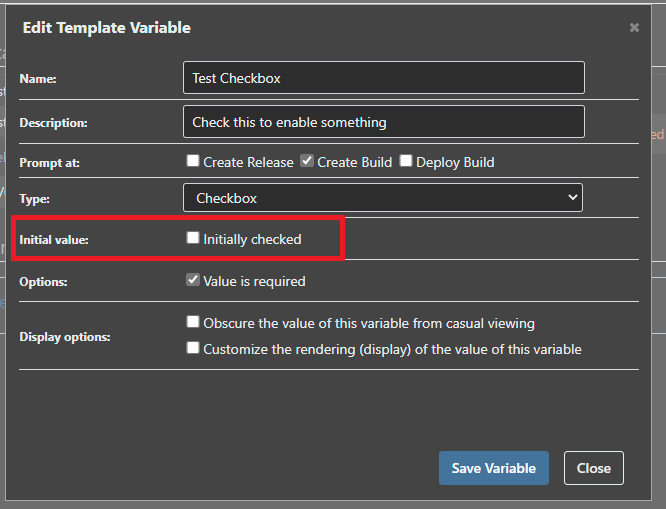
This is confirmed :

But if I now edit the Variable, its set to True :
Thanks,
Paul
Hi @stevedennis ,
Sorry, but I don't think I will be able to share the configuration files; but let me see if I can provide some examples to see if you can guide me on this.
I've also now had a play with Text Templates and there seems to be positives and negatives.
I run a distributed architecture application made up of many components across multiple servers.
We already combine the configuration to a suitable template as the various component applications by making use of the appSettings File attribute to point to a common file so for example myapp.exe.config and web.config will both use :
<appSettings file="C:\ProgramData\application.config">
This common application.config file is what I'm trying to template for the version control feature.
The predominant reason being if a new setting is added, it simply means I can update the template to push the new setting out.
application.config might look something like this as an example :
<?xml version="1.0" encoding="utf-8"?>
<appSettings>
<add key="Database" value="Server=1.1.1.1;User Id=user;Password=password;Initial Catalog=mydb;" />
<add key="InstanceId" value="1" />
<add key="Trigger" value="manual" />
</appSettings>
As I have a Test and Production environment which will have different settings in this common appplication.config file, I can use the Key/Value Pair template to cover this requirement.
<?xml version="1.0" encoding="utf-8"?>
<appSettings>
<add key="Database" value="Server=1.1.1.1;User Id=user;Password=password;Initial Catalog=$Database;" />
<add key="InstanceId" value="$InstanceId" />
<add key="Trigger" value="$Trigger" />
</appSettings>
Testing Key/Value Pair
Database = Test
InstanceID = $InstanceID
Trigger = Auto
Production Key/Value Pair
$Database = Prod
InstanceID = $InstanceID
$Trigger = Manual
InstanceId is bit more tricky, this is used if I have more than once instance of the same component installed in the same system; based on the Variable order of precedence I have been testing using a default Global Configuration Variable of
$InstanceID = 1
Then on specific servers introducing the Variable as required i.e.
$InstanceID = 2
So far I believe this fits in with Configuration File Templates, and seems to work as I can deploy the right Configuration File Instance to the right environment.
Based on my use (abuse?) of the variables, it seems I cannot manually deploy a configuration file however.
The reason for this request on the forum, is that a single Configuration File supports adding multiple templates within the single configuration file; but you cannot select which template is deployed from the Configuration File.
My particular use case to have multiple templates for the same configuration file is whilst application.config is common depending on the particular deployment and particular server role there can be a number of additional settings; i.e. conceptually the configuration file is deployed where
Instance = Environment
Template = Role
But Templates with Key/Value pairs lets me keep all this together in one interface.
Therefore whilst my 'default' template might be as first shown, I might have a second template version
<?xml version="1.0" encoding="utf-8"?>
<appSettings>
<add key="Database" value="Server=1.1.1.1;User Id=user;Password=password;Initial Catalog=$Database;" />
<add key="InstanceId" value="$InstanceId" />
<add key="Trigger" value="$Trigger" />
<add key="WebKey" value="$WebKey" />
</appSettings>
The reason this is separate is not all deployments will require the WebKey , and only the web server roles actually require this key.
Therefore based on a If block, I could select Deploy the configuration file version I want by selecting both the environment and template.
I believe I can accomplish something similar using Text Template
<?xml version="1.0" encoding="utf-8"?>
<appSettings>
<add key="Database" value="Server=1.1.1.1;User Id=user;Password=password;Initial Catalog=$Database;" />
<add key="InstanceId" value="$InstanceId" />
<add key="Trigger" value="$Trigger" />

<% if $RoleName == Web { %>
<add key="WebKey" value="$WebKey" />
<% } %>

</appSettings>
However I would need to introduce another level of complexity that WebKey would be different between Testing and Production.
Text Templates also come with the disadvantage that they don't support versioning, and I would need to specify all the Variables between Test and Production environments within each environment.
Typing this up I think has actually helped solidify some thoughts:-
I feel like I'm potentially heading to a precarious configuration with Variables assigned in several different places, global, environment, roles, and application?
Thanks,
Paul
Hi @atripp ,
I've tested v7.0.6 and I'm sorry to report this isn't quite right still..
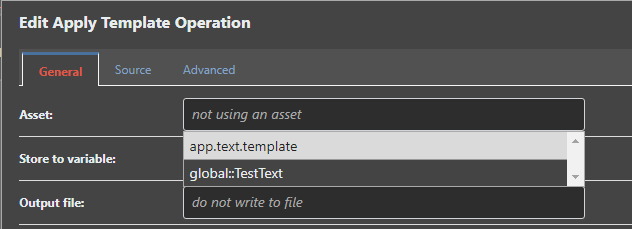
Whilst the Apply Template Operation now finds and allows you to select the Local Application text template
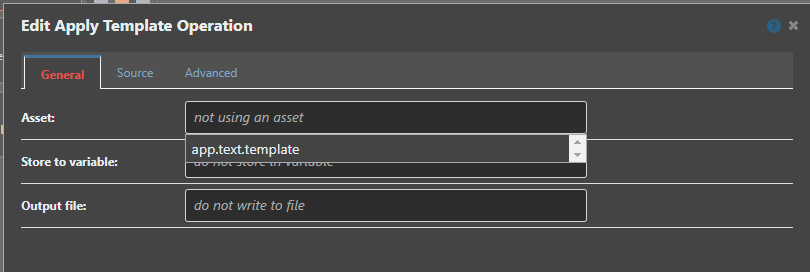
It now no longer finds the global template(s) and I'm assuming the expected behaviour should be both the local application and global templates are listed in the Asset drop down ?
Thanks,
Paul
Hi @rhessinger ,
Thank you, 7.0.6 looks much better !
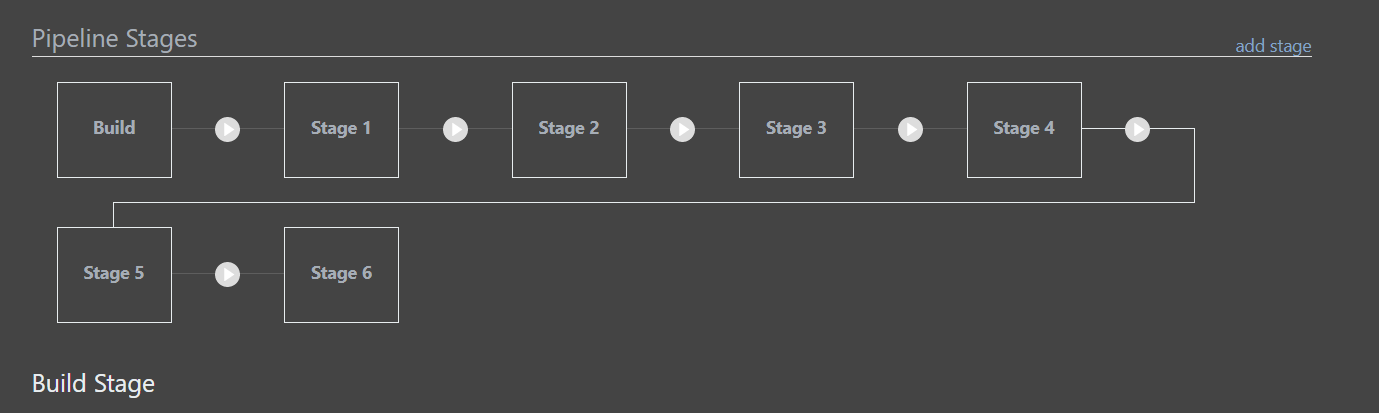
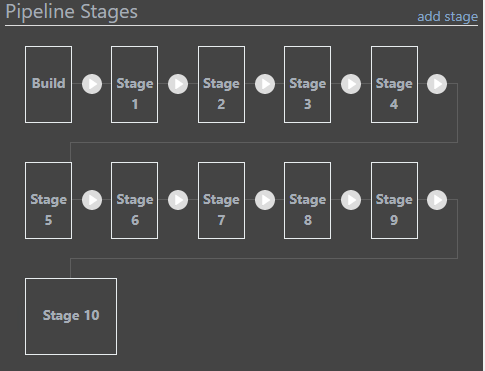
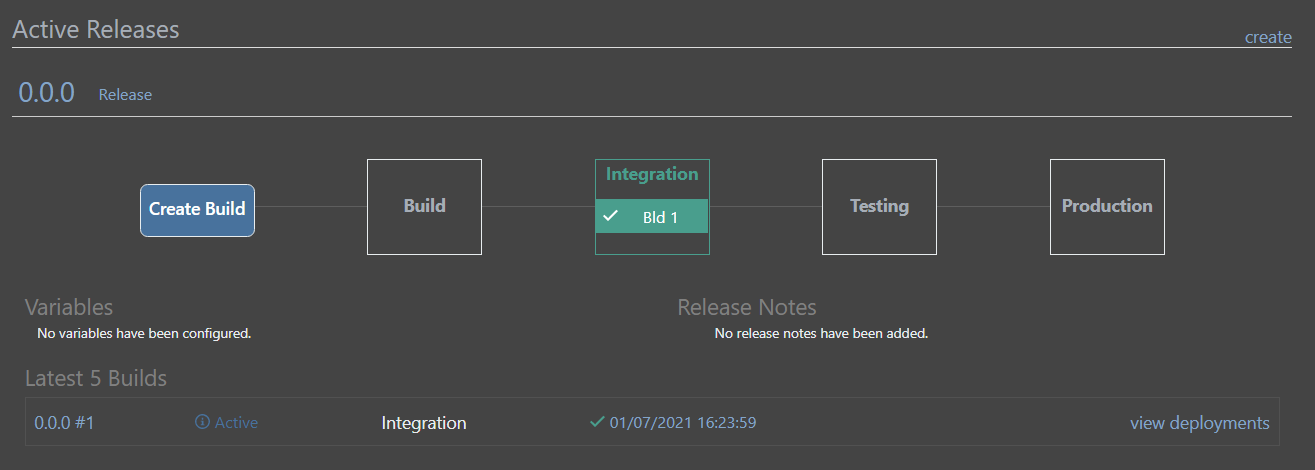
Accepting this is an edge case; but the top of the line into the 2nd row does not stay centred on the stage box as you resize the width :
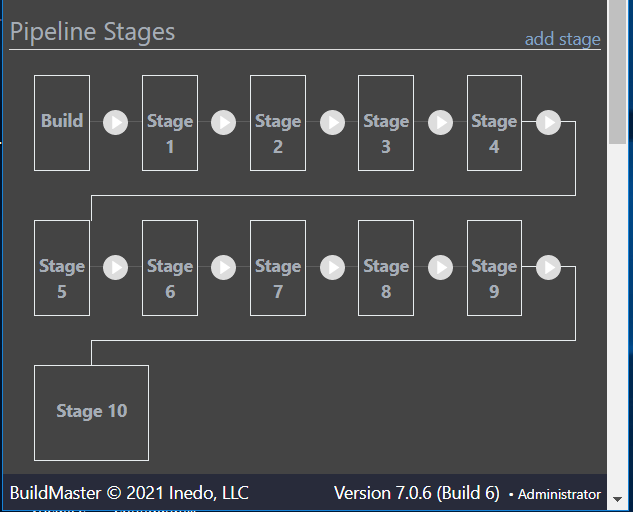
Also OCD coming up..now this is fixed I've noticed the cross row link line is 'solid white' {the same as the box edge} versus the one within the row which appears more 'grey' .. can the styling be updated to match ?
Thanks,
Paul
Hi @atripp ,
Super, thank you.
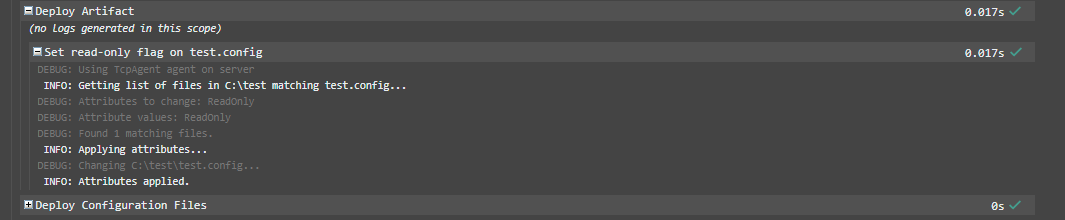
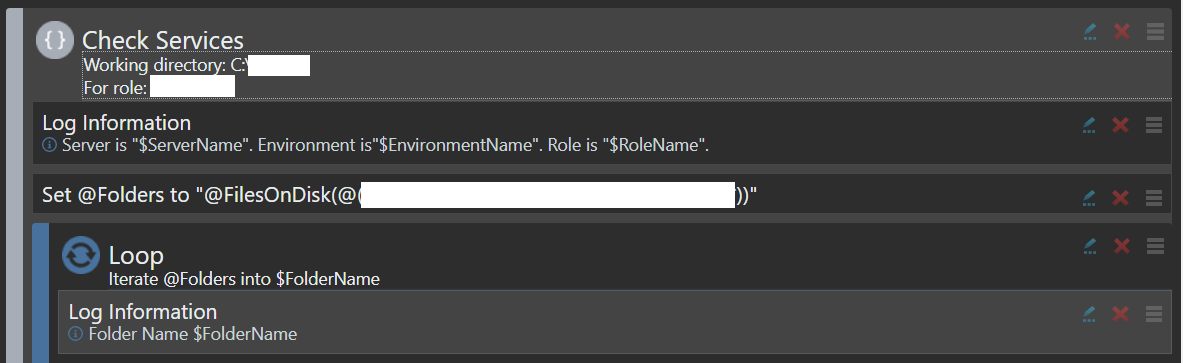
Maybe I'm abusing this function at the moment, but my for use case I've been looking at setting files to be ReadOnly before using a Deploy Artifact Operation which has 'Overwrite read-only files' set as false.
If the Artifact has a default configuration file; but I'm upgrading a system where this configuration file already exists what is the best approach to keep the current file ?
Is there a better method you can suggest ?
Thanks,
Paul
Hi Support,
If I remove the "Issues" and "Database" options:
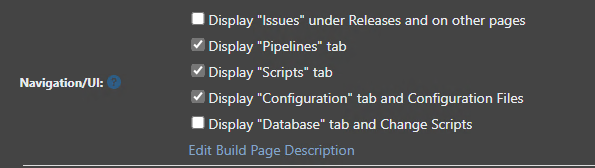
Can you confirm the expected Impact please, not convinced on the behaviour here based on the description of 'Display "Issues under Releases and on other pages' ?
The Database 'Tab' is removed :


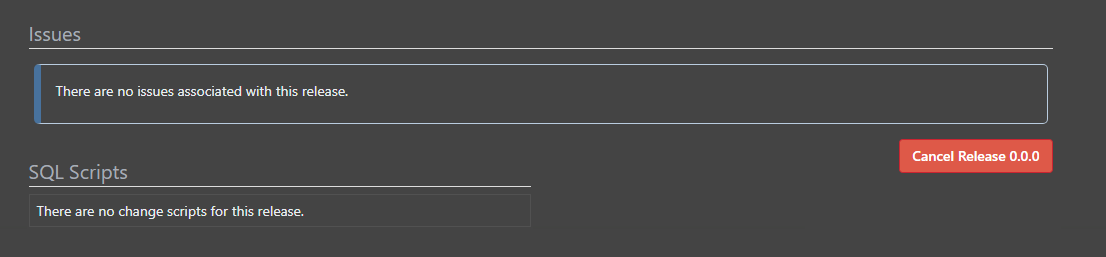
But the database and issues remain on the Application Overview page:
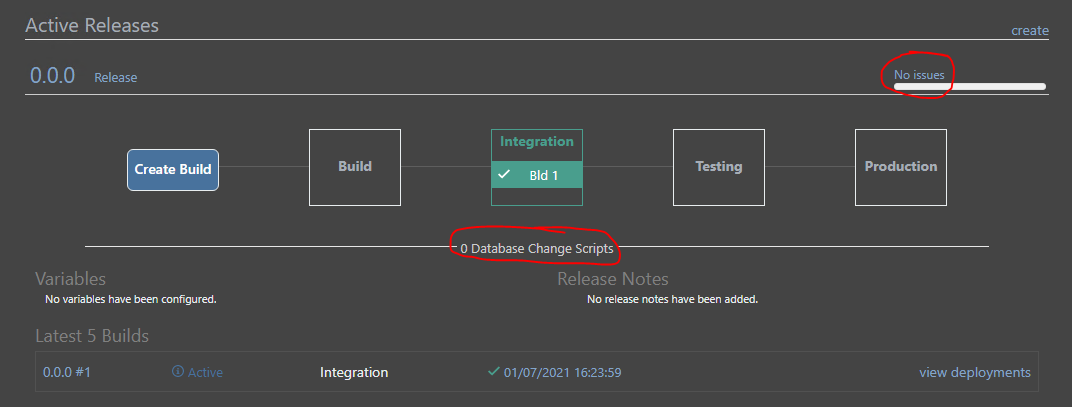
And the release Overview page :
Thanks,
Paul
Hi @NanciCalo,
Thanks for the response.
In our case everything is on a 'dark' network, so nothing has Internet access so I am completing offline installs!
Client browser is on the dark network management side so has no Internet access.
I can build a case that would allow the BuildMaster server to use a proxy to get its updates for both software versions and extensions, however I won't be able to build a case that the consoles have any internet access, especially just to display icons !
If there was an option in the advanced configuration/proxy that I could set to just not pull the icons or something to remove the apparent timeout delay rather than proxying the request that would work for me at least !
Thanks,
Paul
Hi @stevedennis,
Thank you for the update.
The Inedo Agent v49 is installed on the remote server(s) if it helps to confirm.
Thanks,
Paul
Hi Support,
This may be similar to https://forums.inedo.com/topic/3266/pscall-does-not-work-for-script-created-at-application-level/8
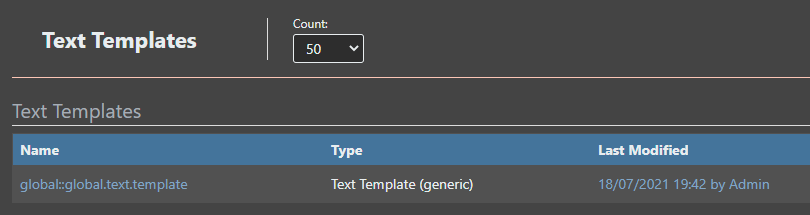
If I have a Global Text Template:
And a Local Application Text Template:
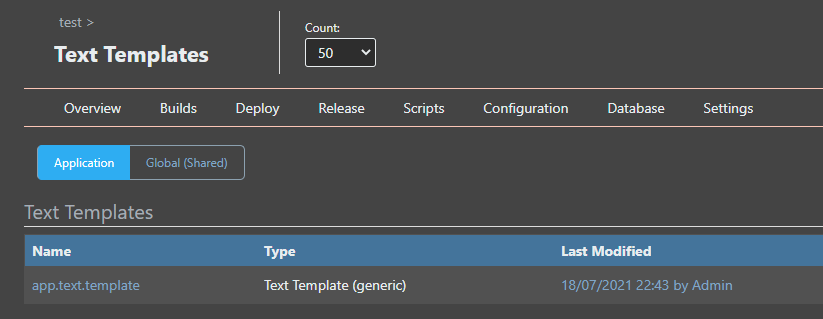
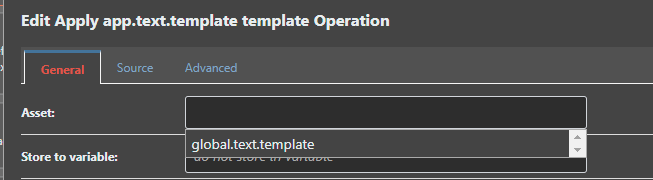
The Apply Template Operation in the Asset drop down box only lists the Global Text Templates.
(I can however manually type the name of the Local Application Text Template and it works..)
Thanks,
Paul
Hi Support,
Could someone help with the 'Set File Attributes' Operation please?
I'm configuring the operation like this :
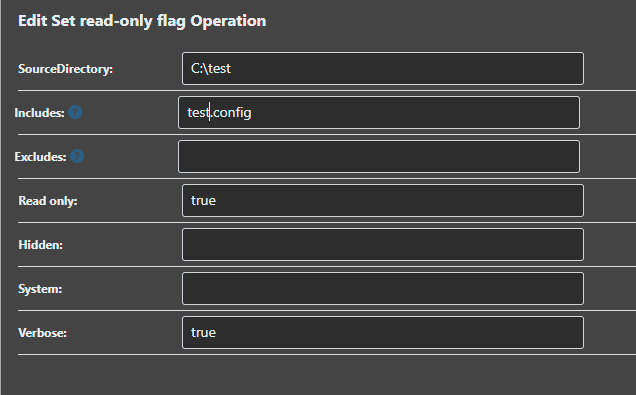
And the log shows that no file attributes have been specified ?

The read only flag isn't being set.. so am I missing something, or could you take a look please?
Thanks,
Paul
Hi @rhessinger,
Excellent news, thank you.
Regards,
Paul
Hi Support,
This might be an edge case; but if you don't ask .. you don't get..
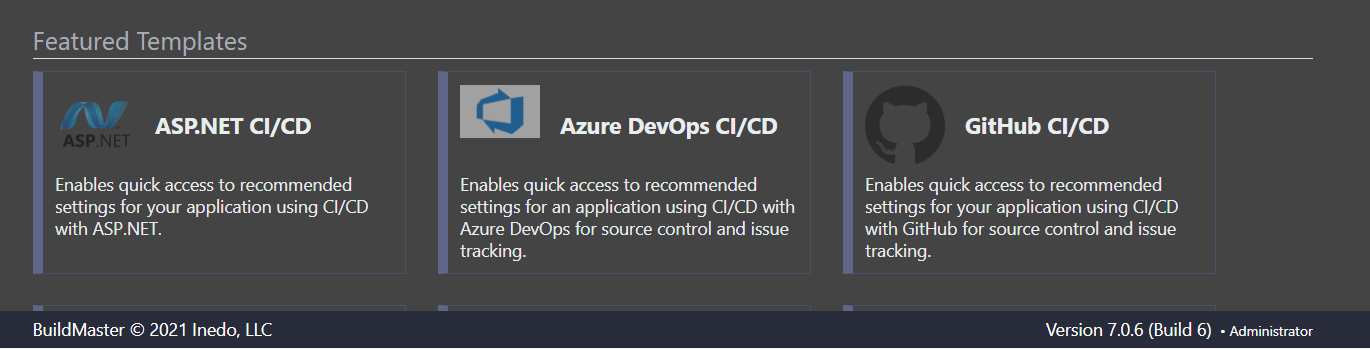
In configuring a Proxy Server for BuildMaster to use, when creating a new application the templates from proget.inedo.com are loaded however the icons are missing as the external url is passed to the client browser which doesn't have Internet Proxy access so therefore the icons are not loaded.
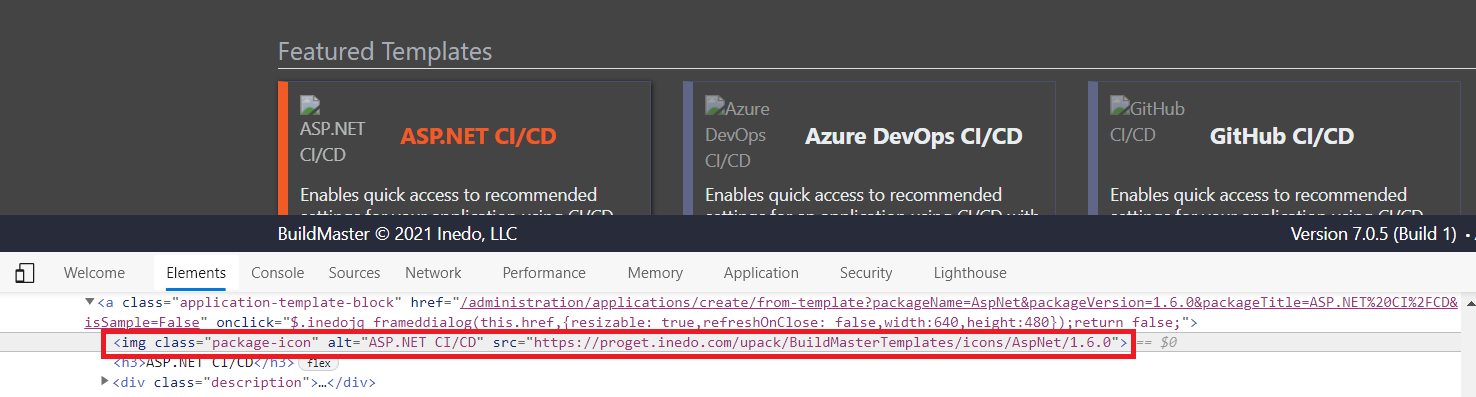
Could anything be done to cover the scenario where BuildMaster has a proxy configuration, but the client browsers are remote and do not have Internet access ?
Side question, can the online templates simply be deleted ? (and replaced with our own internal template source ?)

Thanks,
Paul