Inedo Community Forums Forums
    • Recent
    • Tags
    • Popular
    • Login
    1. Home
    2. paul_6112
    3. Posts

    Welcome to the Inedo Forums! Check out the Forums Guide for help getting started.

    If you are experiencing any issues with the forum software, please visit the Contact Form on our website and let us know!

    P Offline
    • Profile
    • Following 0
    • Followers 0
    • Topics 26
    • Posts 72
    • Groups 0

    Posts

    Recent Best Controversial
    • BuildMaster v2023 'Deploys'

      Hi Support,
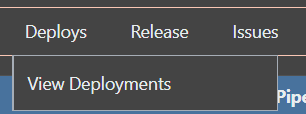
      Sorry, I know change moves things on, and this is just personal comment, but the use of the word 'Deploys' should it not be 'Deployments' ?

      Menu Bar ;
      28ebe3e1-8f7c-426d-bb00-aad86fbb519c-image.png
      Application Menu Bar ;
      6e5cc2c3-ec59-489c-b8a8-23d7cbd84fe9-image.png

      Given the submenu, is actually 'View Deployments'
      5bc5164b-2933-4506-b977-477567075966-image.png

      Thanks,
      Paul

      posted in Support
      P
      paul_6112
    • BuildMaster 2023.4 Automatic Agent Update

      Hi Support,
      How do I get the Inedo Agent to automatically update please?

      From the support article;
      https://docs.inedo.com/docs/inedoagent-installation-upgrading
      There is specifically the link to automatic updates;
      https://docs.inedo.com/docs/buildmaster/administration/agents#automatic-updates

      However, despite having an older v46 and v49 agents (which desperately need upgrading) I'm not obviously seeing or being offered any way to upgrade to the latest agent automatically...

      I've tried on both a Proxy connected system and directly on the internet to attempt to rule out any kind of connection problem.

      Thanks,
      Paul

      posted in Support
      P
      paul_6112
    • BuildMaster 2023.4 Unable to Create Application from Template

      Hi Support,
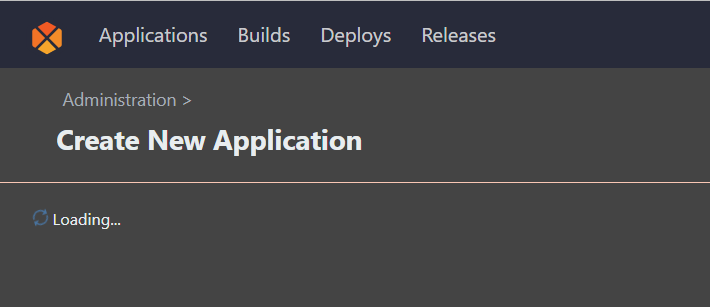
      When attempting to create a new application from a Template, the process just freezes showing 'Loading' ;
      afff9fe5-755b-4278-a7d1-e8bd50e85b1d-image.png

      This does need to support a request via Proxy for the Online Templates, but I have tested this with a directly connected Internet machine and this error is also present.

      In the error log, a message can be seen;

      An error occurred in the web application: Value cannot be null. (Parameter 'sourceInfo')
      

      Details;

      URL: http://buildmaster:8622/0x44/BuildMaster.WebApplication/Inedo.BuildMaster.Web.WebApplication.Pages.Applications.CreateApplicationFromTemplatePage/GetTemplates
      Referrer: http://buildmaster:8622/administration/applications/new/from-template
      User: Admin
      User Agent: Mozilla/5.0 (Windows NT 10.0; Win64; x64) AppleWebKit/537.36 (KHTML, like Gecko) Chrome/103.0.5060.134 Safari/537.36 Edg/103.0.1264.77
      Stack trace: at Inedo.BuildMaster.Packages.DecrepitProGetClient..ctor(SecureResources sourceInfo, ICredentialResolutionContext context)
      at Inedo.BuildMaster.Packages.DecrepitProGetClient.GetTemplatesSource()
      at Inedo.BuildMaster.Web.WebApplication.Pages.Applications.CreateApplicationFromTemplatePage.GetTemplates(AhHttpContext context)
      at Inedo.Web.AhWebMiddleware.InvokeAsync(HttpContext context)
      

      Thanks,
      Paul

      posted in Support
      P
      paul_6112
    • BuildMaster 2023.4 Proxy Support for Extension Updates

      Hi Support,
      We have been working away on v7, but overdue time for an upgrade !

      With a Proxy configured and allowing;
      my.indeo.com
      proget.indeo.com

      I've noticed that the Administration Extensions Page does not appear to actually connect to be able to see the latest Extension Versions, nor does the Available Extensions list populate.

      Here is the Scripting Extension;
      93bd2a8b-e83d-4d59-a0ca-78c3033d0ac0-image.png
      Which on a Internet connected version shows a warning for v2.0.3 as v2.4.0 is listed in the missing column.

      Likewise the Available Extensions is empty;
      61fd7994-1b49-4e33-9d74-d53b6aa31176-image.png

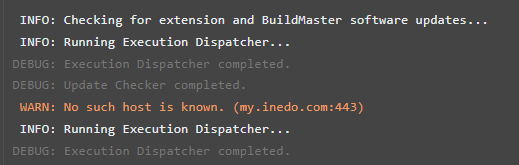
      When running the 'Update Checker' from the service status a warning is shown, leading me to believe this may not be attempting the connection via the proxy;
      b09e0de4-0b12-4cf4-9119-a8bdce0d1a69-image.png

      Thanks,
      Paul

      posted in Support
      P
      paul_6112
    • RE: BuildMaster Multiple Application Deployment

      Hi @stevedennis ,
      Perfect, thank you.

      Regards,
      Paul

      posted in Support
      P
      paul_6112
    • BuildMaster Multiple Application Deployment

      Hi Support,
      Accepting I could attempt to test this; but I'm looking for a 'formal' answer for clarity.
      If I have servers with the Inedo Agent installed, can they cope with multiple jobs at the same time ?
      e.g. If I have a target Server1 that has App1 and App2 on and these are seperate applications defined on BuildMaster, if I create a new release for both App1 and App2 can these both be deployed at the same time to Server1 or is there any blocking that would occur ?

      Thanks,
      Paul

      posted in Support
      P
      paul_6112
    • BuildMaster Release Status

      Hi Support,
      Could you give me some guidance on using Releases and Builds please?

      I think I have a request to be able to be able to manually set the Release Status to anything, like I can with a Build Status, however I'm not sure if I have confused myself into a corner here !

      Sorry for the ramble and wall of text..

      I'm learning BuildMaster to deploy software releases and I have a software release for example that has a version of 1.1 and a build of 1234.

      1. What I have been doing so far is to create the release with the 3 digit release number i.e. 1.1.1234 and then just accepting a build number of #1 simply as a placeholder.

      This gives a result that looks something like this:
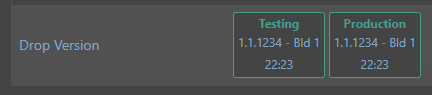
      58b3688b-1fb4-4e96-8b51-7485e1d0de2d-image.png

      1. I think I would rather create the release with a 2 digit release number i.e. 1.1 and a build of 1234 as I think this better matches our versioning.

      This gives a result that looks something like this:

      11d0253d-d85d-49df-b761-2b5b6dceeeb7-image.png

      Where am tying myself in a knots; if I then have a subsequent release of 1.1 and build 5678, with option (1) this is easy, I simply create this as release 1.1.5678 and Bld 1.
      However with option (2) as Release 1.1 was marked as Deployed I cannot add another build as there is no active release.

      There is an option to Restore the Release to Active Status
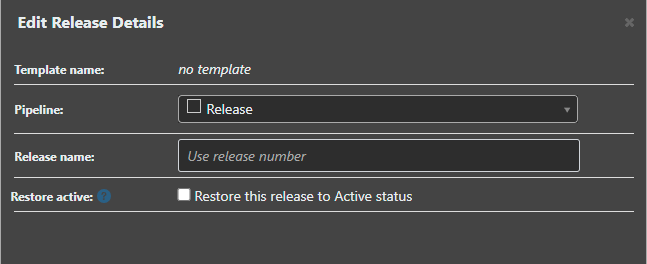
      4696b606-a827-44cc-80d0-792f6557db99-image.png

      But if I want to cancel this action, and not proceed with a build, I cannot then mark the Release back to Deployed..

      It looks as though I can set the last Build to Active, and then back to Deployed to get the Release back into a deployed state, but this feels like I am 'cheating' the system however !
      Could the Release status be set to any status like the Build status ?

      I have another scenario with different spin, we sometimes produce 'dev' builds that break the numbering, they have a release of 0.0 and a build of 9998 for example.
      Option (1) is again easy as the release is 0.0.9998 but I end up with the spurious Bld 1
      Option (2) means I have a release of 0.0 that will end up with various builds in..

      Is my approach reasonable overall ?

      Thanks,
      Paul

      posted in Support
      P
      paul_6112
    • RE: BuildMaster Artifacts Overview Filtering

      Hi @atripp,
      Thank you for the update, the refresh trick to be able to filter by a release is handy until you can get to this.

      Thanks,
      Paul

      posted in Support
      P
      paul_6112
    • BuildMaster Artifacts Overview Filtering

      Hi Support,
      Could someone take a look into the filtering on the BuildMaster Hosted Artifacts please?

      411b5926-a9a0-4d61-a171-e1860a3a305f-image.png

      My expected behaviour is to be able to select a Specific Application, and then a release; but the release and build only ever show 'any' so I cannot filter the list beyond Application level.

      Thanks,
      Paul

      posted in Support
      P
      paul_6112
    • RE: InedoHub Installer Offline

      Hi @gdivis,
      I've just installed v7.0.14 and the behaviour seems improved.

      On the original thread track;
      Using hub v1.3.7 the upgrade from v7.0.13 to v7.0.14 went through without getting stuck.

      After upgrade, both Test and Production web pages were able to load in less than 2 minutes.
      There is CPU spiking; but seems more spread out and the max memory is now two thirds of what it was; however within 6 minutes of startup its back around the 160MB - 350MB (it was idling at 160MB before upgrade) which is a definite improvement.

      Thanks,
      Paul

      posted in Support
      P
      paul_6112
    • RE: BuildMaster Dark Theme

      Hi @rhessinger,
      Thanks for the fix in 7.0.14
      Loving your work once again !!

      a5e9bb54-bdf1-41ac-b4a9-c4e29e00c4b3-image.png

      Regards,
      Paul

      posted in Support
      P
      paul_6112
    • RE: BuildMaster Server Agent Type

      Hi Rich,
      Just installed 7.0.14; thanks for the fix 👍

      Regards,
      Paul

      posted in Support
      P
      paul_6112
    • RE: InedoHub Installer Offline

      Hi @Dan_Woolf,
      Virtual 2vCPU and 4GB Ram.
      SQL Express 2019 is also installed.

      The two build master services are currently now idling at ~160mb ram and ~60mb ram.
      After the upgrade startup, it easily hits over 1gb ram; however during that 10 minutes there was no obvious CPU contention.

      I've got 45 Indeo Agent Servers on Test and 76 Inedo Agent Servers on Production so after startup its got to confirm the ready status; but limited 'manual' application jobs which I'm experimenting pushing software updates so its not got loads to catch up on...

      Thanks,
      Paul

      posted in Support
      P
      paul_6112
    • RE: InedoHub Installer Offline

      Hi @gdivis ,

      I've upgraded both servers from v7.0.12 to v7.013 using Hub v1.3.7.

      Neither installer got stuck; but there was the initial CPU and memory spike after install.
      The slight concern is it took over 10 minutes for the web page to become available.

      Thanks,
      Paul

      posted in Support
      P
      paul_6112
    • BuildMaster Server Agent Type

      Hi Support,
      Sorry, another minor niggle, but I think its an interesting one :-)

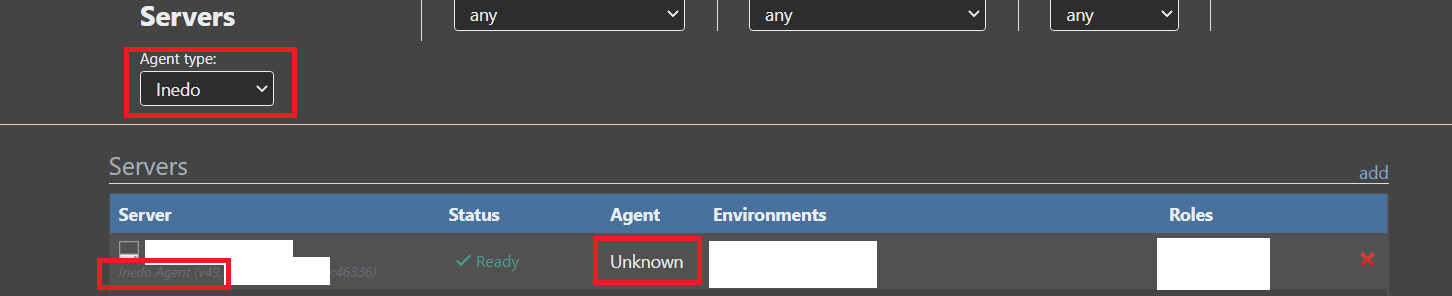
      On the Servers page, the Agent type in the servers list for Inedo agents is displayed as 'Unknown'

      ef13e12d-a3d0-4c29-a07c-157e1c588ffe-image.png

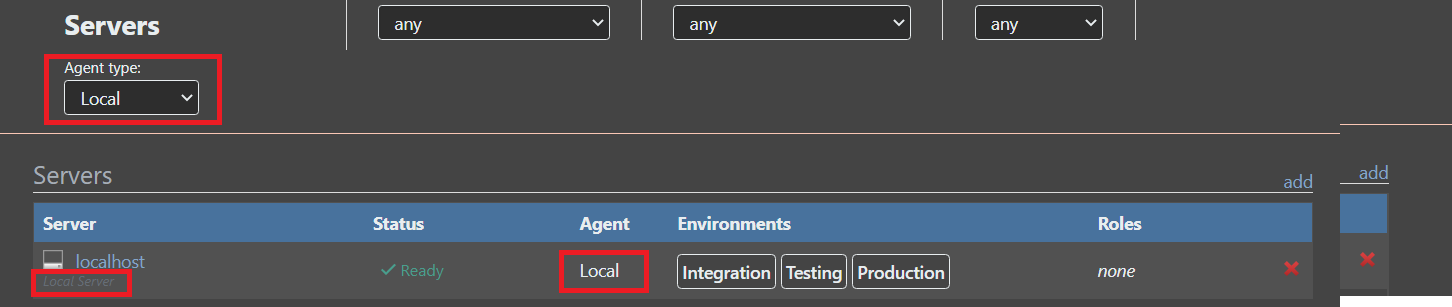
      Versus the Local being correctly listed
      a50dcc2b-e3b0-4c5a-bfa3-937c9cf45f78-image.png

      Thanks,
      Paul

      posted in Support
      P
      paul_6112
    • RE: InedoHub Installer Offline

      Hi @gdivis,
      Each version used its own hub version that it downloaded so no..

      My process is to use InedoHub on an internet connection workstation to create an offline installer.
      These are then run on the servers, so its a self contained Hub and Installers, therefore bit puzzled on the versioning here...

      v7.0.9 upgrade used hub v1.3.1
      v7.0.10 upgrade used hub v1.3.7
      v.7.0.11 upgrade used hub v1.3.6
      v7.0.12 upgrade used hub v1.3.7

      I'll update this on the next installs that are done on v1.3.7 +

      Thanks,
      Paul

      posted in Support
      P
      paul_6112
    • BuildMaster Dark Theme

      Hi Support,
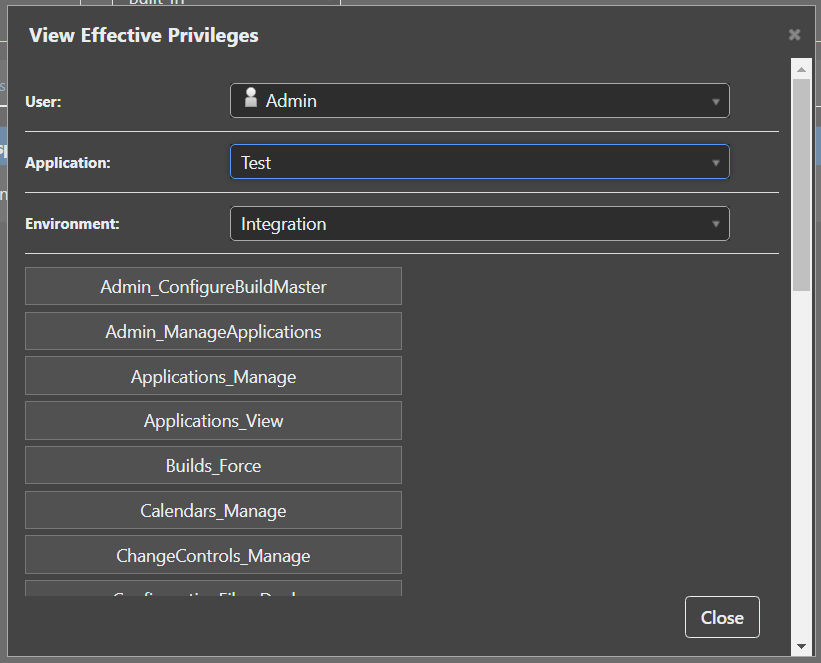
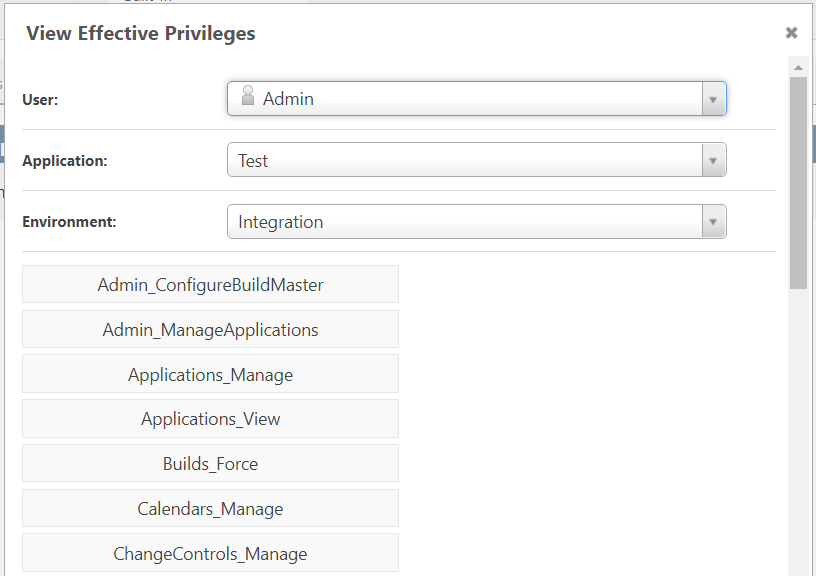
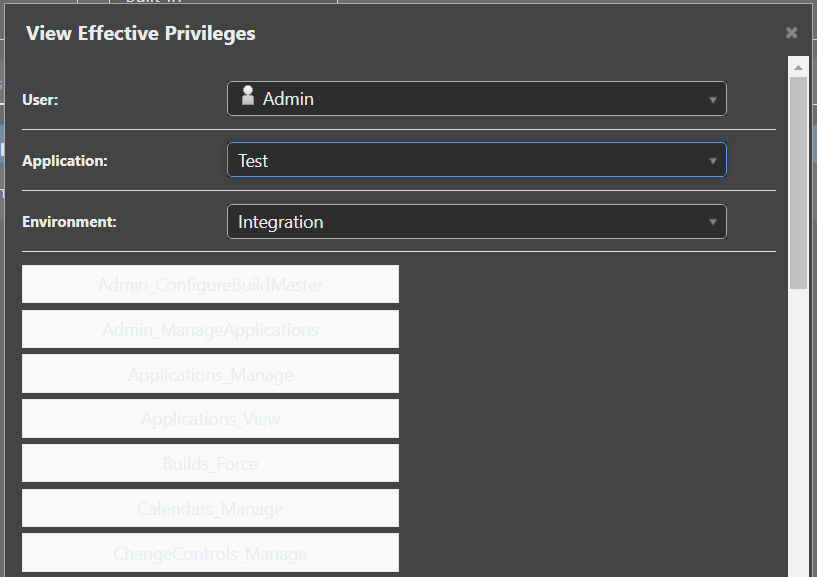
      Could someone take a look at the Dark Theme on the Administration / Security / Test Privileges please?

      It doesn't quite work out..

      a2949859-9239-49ea-a05a-99fce4df1823-image.png

      79c990df-9131-4219-9dfe-31edf9d9313f-image.png

      Thanks,
      Paul

      posted in Support
      P
      paul_6112
    • RE: InedoHub Installer Offline

      Hi @atripp,
      Sorry for slow response got a bit buried in work..

      I've just down 8 upgrades for you as a test...and 1 got stuck, but it was not consistent between the two servers.

      Test Server

      • Version 7.0.8 (Build 1) - Start
      • Version 7.0.9 (Build 2) - Hub Installer completed okay, initial CPU spike after install. Took several minutes for Webpage to be available.
      • Version 7.0.10 (Build 5) - Hub Installer completed okay, initial CPU spike after install.
      • Version 7.0.11 (Build 2) - Hub Installer completed okay, initial CPU spike after install.
      • Version 7.0.12 (Build 4) - Hub Installer completed okay, initial CPU spike after install.

      Production Server

      • Version 7.0.8 (Build 1) - Start
      • Version 7.0.9 (Build 2) - Hub Installer completed okay, initial CPU spike after install. Took several minutes for Webpage to be available.
      • Version 7.0.10 (Build 5) - Hub Installer completed okay, initial CPU spike after install.
      • Version 7.0.11 (Build 2) - Hub Installer got stuck, initial CPU spike after install.
      • Version 7.0.12 (Build 4) - Hub Installer completed okay, initial CPU spike after install.

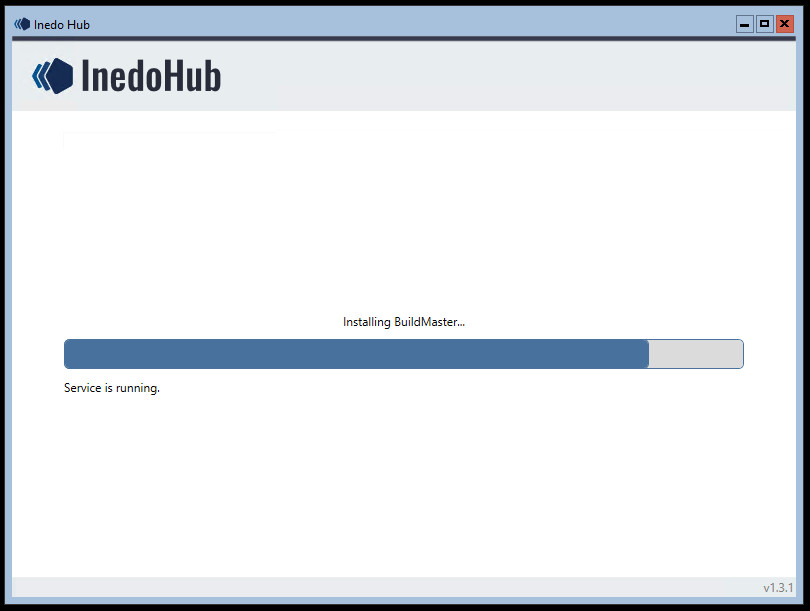
      This is the same as the original post where it gets stuck :
      a0e48173-0d00-40f2-a64d-7ce066b02d16-image.png

      Thanks,
      Paul

      posted in Support
      P
      paul_6112
    • RE: InedoHub Installer Offline

      Hi @atripp,
      If there is any additional logging I can provide or you can increase debug log level in any places to help narrow this down, happy to take a look.

      This could be coincidence as I expect the operations don't change between builds - but perhaps there is some subtle difference here and this gives you anything to think about.

      • Upgrade from v7.0.6 to v7.0.7 I saw the problem on two servers (hence this forum post)
      • Upgrade from v7.0.7 to v7.0.8 however the two servers both upgraded without issue. (Although there is a large memory balloon after the upgrade service starting ?)

      Thanks,
      Paul

      posted in Support
      P
      paul_6112
    • InedoHub Installer Offline

      Hi Support,
      I'm noticing some strange behaviour with the newer Hub versions if you could assist please?

      I use the Hub on an internet connected machine to create an offline installer.
      I then copy this to a Windows Server 2019 Core server, and run the Hub to upgrade my version fully offline.

      I've been working my way through the various v7.0.0 builds recently with the associated InedoHub.exe versions, and I'm seeing some of them them get 'stuck'

      For example :

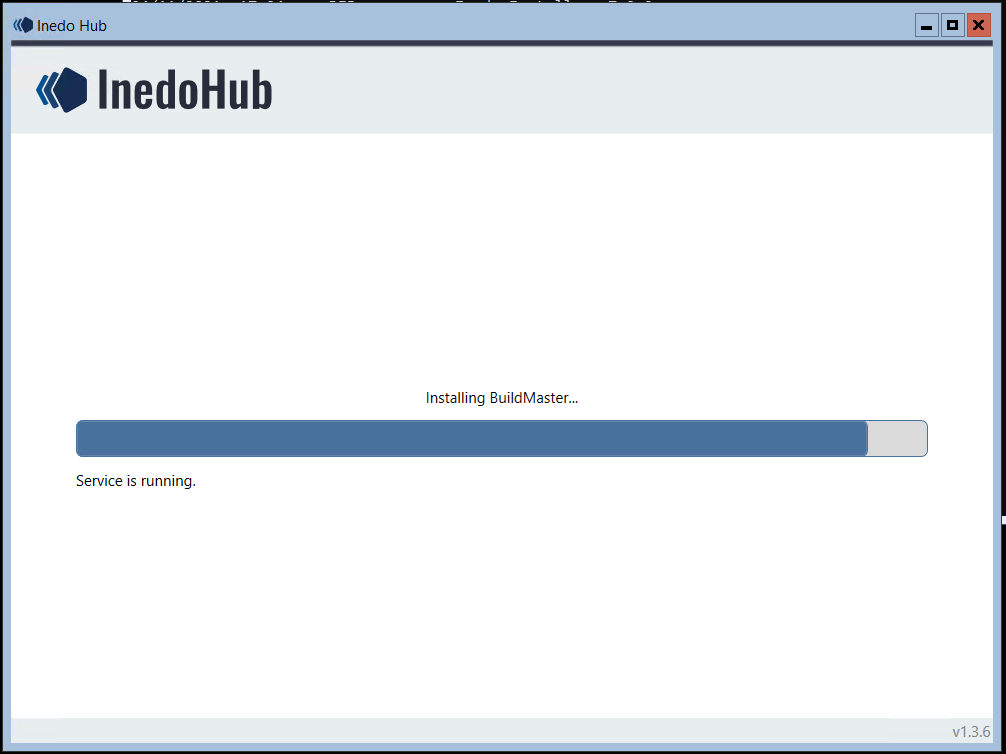
      8eb07ed2-95f8-421c-bc8f-eff28e509d5c-image.png

      The install appears to have actually finished however, the services started back up and the version is showing as upgraded.

      However the hub is sat doing something ?
      1fbf1c20-bf1e-44ae-a4cf-ebc233c990b1-image.png

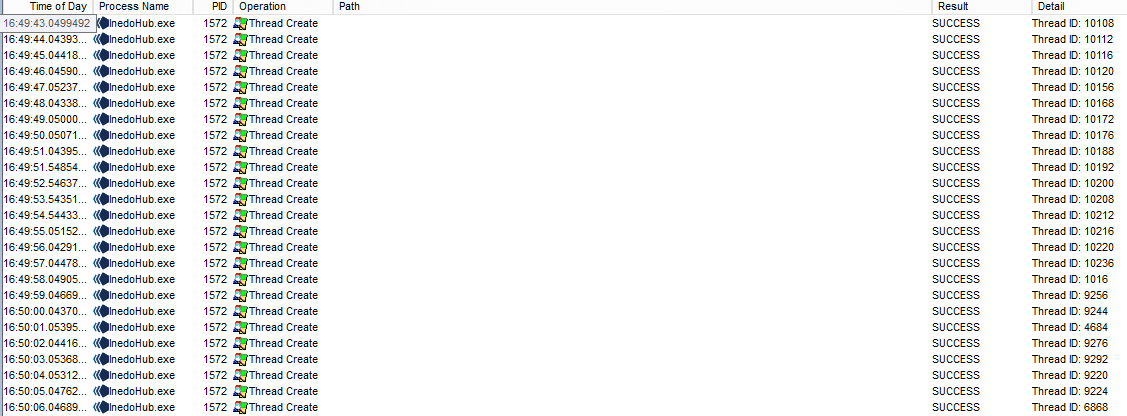
      Process Monitor shows it creating 100's of Threads..
      ed9bf860-8eda-4fbc-8ce0-8b6e66caf385-image.png

      Thanks,
      Paul

      posted in Support
      P
      paul_6112
    • 1 / 1