Hi Alana,
Proxy support has fixed the list of templates now being available;
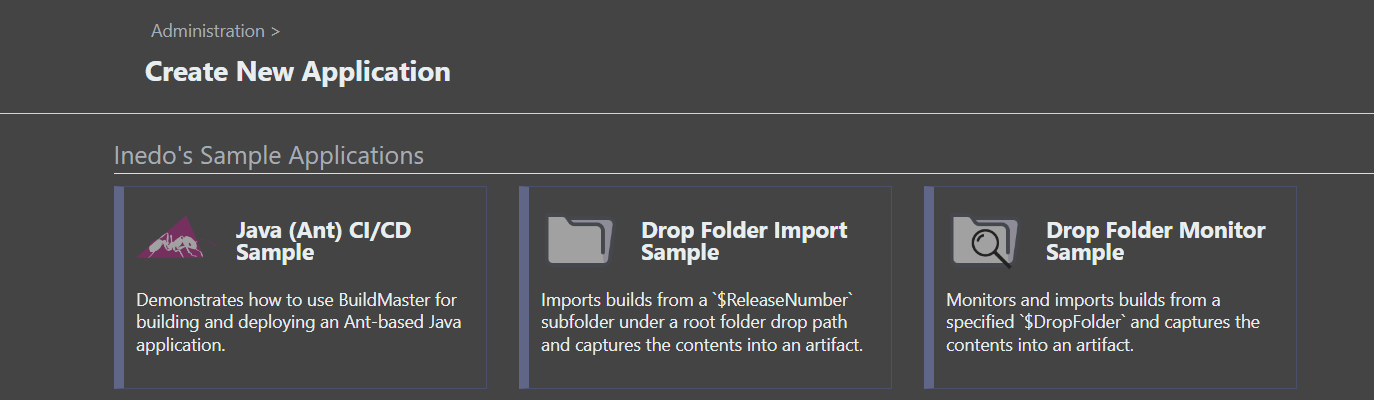
But the deployment fails, I guess this request is not hitting the proxy;

Thanks,
Paul
Welcome to the Inedo Forums! Check out the Forums Guide for help getting started.
If you are experiencing any issues with the forum software, please visit the Contact Form on our website and let us know!
Hi Alana,
Proxy support has fixed the list of templates now being available;
But the deployment fails, I guess this request is not hitting the proxy;
Thanks,
Paul
@rhessinger said in BuildMaster v2023 PSCall:
Hi @paul_6112,
What version of the Scripting extension do you have installed? This bug should be fixed in v2.4.0 of the Scripting extension. If it is not currently version 2.4.0, can you try updating that extension and see if that fixes the issue?
Thanks,
Rich
Thanks Rich,
This does appear to work okay on BuildMaster 2023.5 and Scripting 2.4.0

Hi Rich,
Tested this on 2023.5;
The extension page does now load and can see the extensions, and appears to work okay to update an extension.
However, the Icon list appears to be broken as these are not proxied via BuildMaster, but its direct Browser access.
You did fix this on a previous ticket on BM 7 ; so don't know if the same fix can be applied to BM 2023 please?

Thanks,
Paul
Hi Alana,
Using IIS was the simplest repro I could come up with for you to easily replicate, sorry..
I can confirm that something as basic as Get-Date does work;
$PSEval(Get-Date)
This is a 'raw' powershell example output;
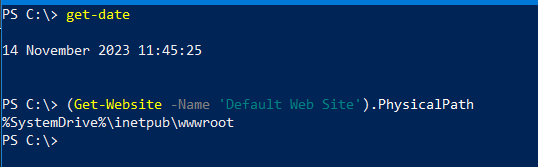
We did try adding ' | out-string' to force any formatting for PSEval but this didn't make a difference.
I've tried your example and tried to come up with something else you should have by default (although you will have to change the InterfaceAlias to whatever yours is called..
Raw PowerShell Output;

BuildMaster 2023 Script;
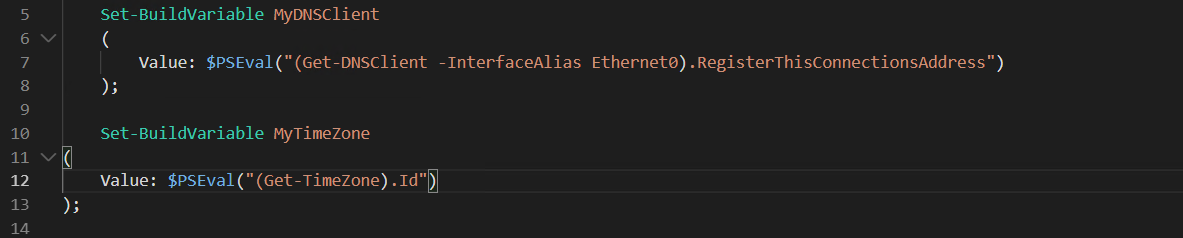
Build Output;
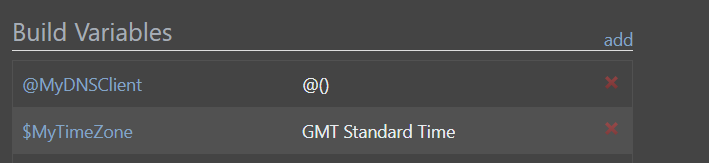
So why does your example want to return a String (?) and my example want to return a List (?)
Thanks,
Paul
Hi Rich,
Ah, its 2.0.3 ; and due to the Proxy issue doesn't report that there was a newer version..
I note v2023.5 is now released, will see if can upgrade and get a newer version of the extension;

Thanks,
Paul
Hi Support,
When adding a PSCall in the editor, it appears there is an unexpected error;
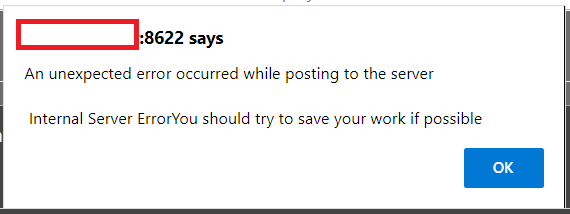
Thanks,
Paul
Hi Support,
Given this Otterscript;
Set-BuildVariable Web
(
    Value: $PSEval("(Get-Website -Name MyWebSite).PhysicalPath")
);
This correctly sets the Variable;
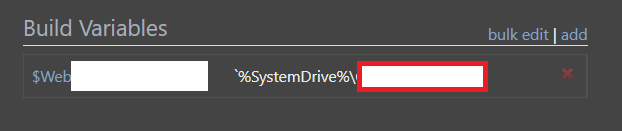
After upgrading to BuildMaster v2023; it seems this is broken with the Variable output being;

Also the engine syntax highlighting is not happy with the brackets;
BuildMaster 7, the text in quotes is picked including the brackets is highlighted in green;

Vs BuildMaster 2023, the syntax highlight is not correctly following the brackets within the quotes, i.e. the middle bracket is white..

Thanks,
Paul
Hi Alana,
Well.... technically none of your software is supported since you are a free user
https://inedo.com/buildmaster/pricing
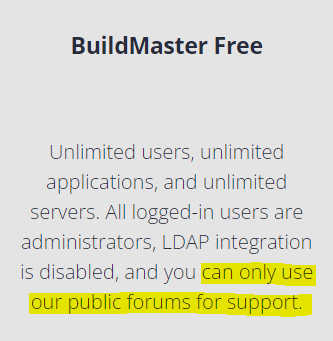
I'm currently getting my money's worth on this forum after an upgrade to v2023 
Thanks,
Paul
Hi Rich,
Brilliant, thank you for the update.
Regards,
Paul
Hi Rich,
Excellent, thank you very much for the fix and update.
Regards,
Paul
Hi Alana,
Thanks for the confirmation about v49;
However, and sorry for flogging a dead horse if you will forgive the expression, back to Security teams in a similar position to the jQuery issue..
On this page;
https://docs.inedo.com/docs/inedoagent-versions
Its clearly stated that v51 is a supported version, and v49 is an unsupported version.
The language used is "you should install the latest version"
And a clear upgrade statement around unsupported versions;

How can I justify to the security teams that I am running unsupported software version, as its black and white at that level..
2nd question, so I can actually test that the automatic upgrade does work, which version of the Agent should be installed to prove it would take place ?
Thanks,
Paul
Hi Support,
Minor GUI niggle, noticed that the Colour Picker selection is always expanded by default when opening a dialog, for example the 'Edit Pipeline Details';

Thanks,
Paul
Sorry to drag this older topic back up, however we do have to appease security teams.
This same JQuery vulnerability was also previously reported on BuildMaster v7.
http://buildmaster:8622/resources/InedoLib/jquery-1.11.3.min.js
And I note that the same library is still in use in v2023, its just been renamed;
http://buildmaster:8622/resources/InedoLib/jquery.min.js

This was picked up by nessus on BuildMaster v7;
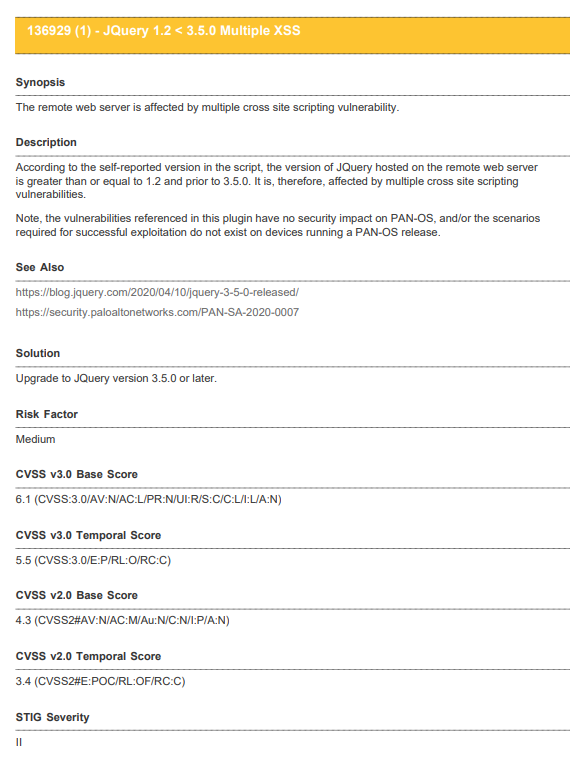

Thanks,
Paul
Hi Alana,
Thanks for the help, I'll be honest I was after one of your samples again..
How would you see this to clone it ?
And if we have our own Template, we now need to maintain this as an application to be able to Clone it ?
I've added the feed with success on an Internet connected machine, but by real environment is via Proxy and this seems to have the same issue as I have reported for Extension Updates in that the Proxy is not apparently being used for the connection;
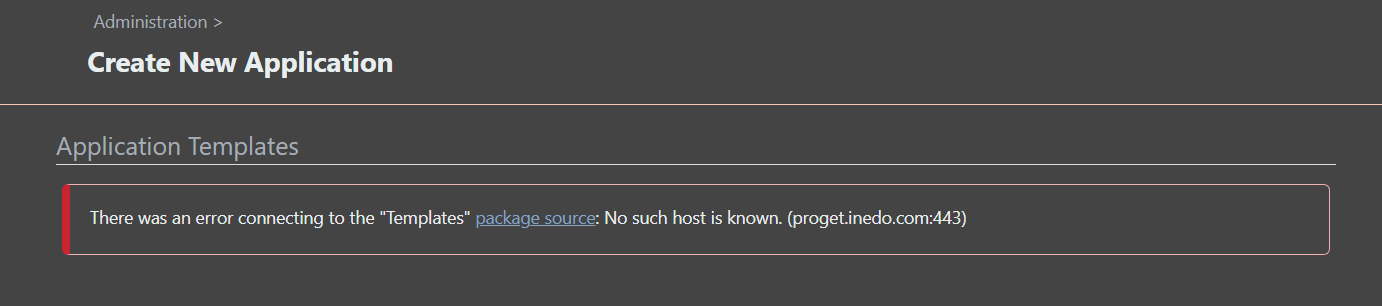
Thanks,
Paul
Hi Alana,
Hhhmm, as per the release notes;
https://docs.inedo.com/docs/inedoagent-versions
v49 is listed as an unsupported version with a critical bug..
My expectation was v49 agents would therefore be upgraded to v51..
I admit I did install a v46 agent as an older supported version to see if it would be upgraded.
Thanks,
Paul
Hi Alana,
I've restarted both the BuildMaster Web Service and BuildMaster Service and the error is still present on running the update task, and the Extensions Page has not updated.
Thanks,
Paul
Hi @atripp ,
Opps, how embarrassing, yes that is a typo error in my post..
I can confirm the Proxy Settings are correct, and the test does report success;


And just to prove a failure for a different URI;

The BuildMaster Update page does report the current version..so if this is connected via the Proxy then this is working;

Thanks,
Paul
Hi Support,
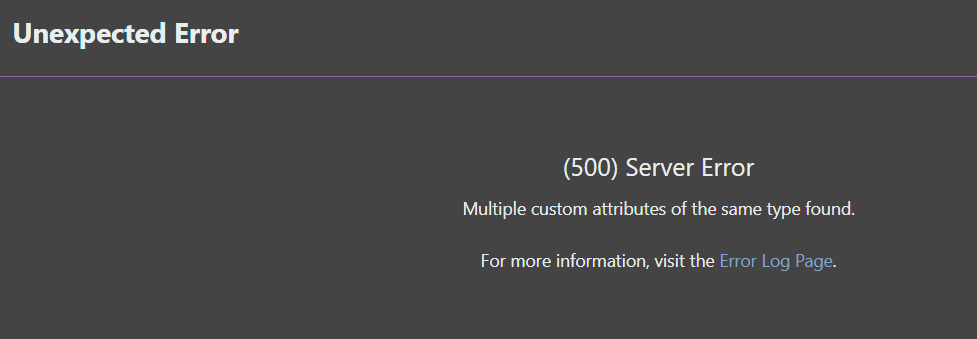
The Reference Documentation links for Operations and Functions both appear to return HTTP 500 errors;
Message
An error occurred in the web application: Multiple custom attributes of the same type found.
Details
URL: http://otter:8626/reference/operations
Referrer: http://otter:8626/reference/operations
User: Admin
User Agent: Mozilla/5.0 (Windows NT 10.0; Win64; x64) AppleWebKit/537.36 (KHTML, like Gecko) Chrome/103.0.5060.134 Safari/537.36 Edg/103.0.1264.77
Stack trace: at System.Attribute.GetCustomAttribute(MemberInfo element, Type attributeType, Boolean inherit)
at Inedo.Otter.WebApplication.Pages.Reference.ExtensibleReferencePageBase.ExtensibleItem..ctor(Type type)
at Inedo.Otter.WebApplication.Pages.Reference.OperationsListingPage.DocItem.Create(Type type)
at System.Linq.Enumerable.SelectEnumerableIterator`2.MoveNext()
at System.Linq.Enumerable.WhereEnumerableIterator`1.ToArray()
at System.Linq.Buffer`1..ctor(IEnumerable`1 source)
at System.Linq.OrderedEnumerable`1.GetEnumerator()+MoveNext()
at System.Collections.Generic.List`1..ctor(IEnumerable`1 collection)
at System.Linq.Enumerable.ToList[TSource](IEnumerable`1 source)
at Inedo.Otter.WebApplication.Pages.Reference.ExtensibleReferencePageBase.GetAllExtensibleItems()
at Inedo.Otter.WebApplication.Pages.Reference.ExtensibleReferencePageBase.CreateChildControls()
at Inedo.Otter.WebApplication.Pages.OtterSimplePageBase.InitializeAsync()
at Inedo.Web.PageFree.SimplePageBase.ExecutePageLifeCycleAsync()
at Inedo.Web.PageFree.SimplePageBase.ProcessRequestAsync(AhHttpContext context)
at Inedo.Otter.WebApplication.Pages.Reference.ExtensibleReferencePageBase.ProcessRequestAsync(AhHttpContext context)
at Inedo.Web.AhWebMiddleware.InvokeAsync(HttpContext context)
Thanks,
Paul
Hi Support,
When logged into Otter and using the User Context Menu; Change Password;

An error message is displayed;
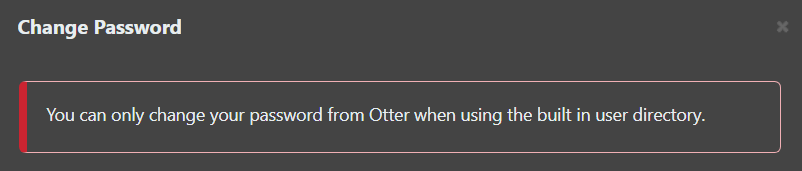
However, its the Built-in Directory that is enabled;
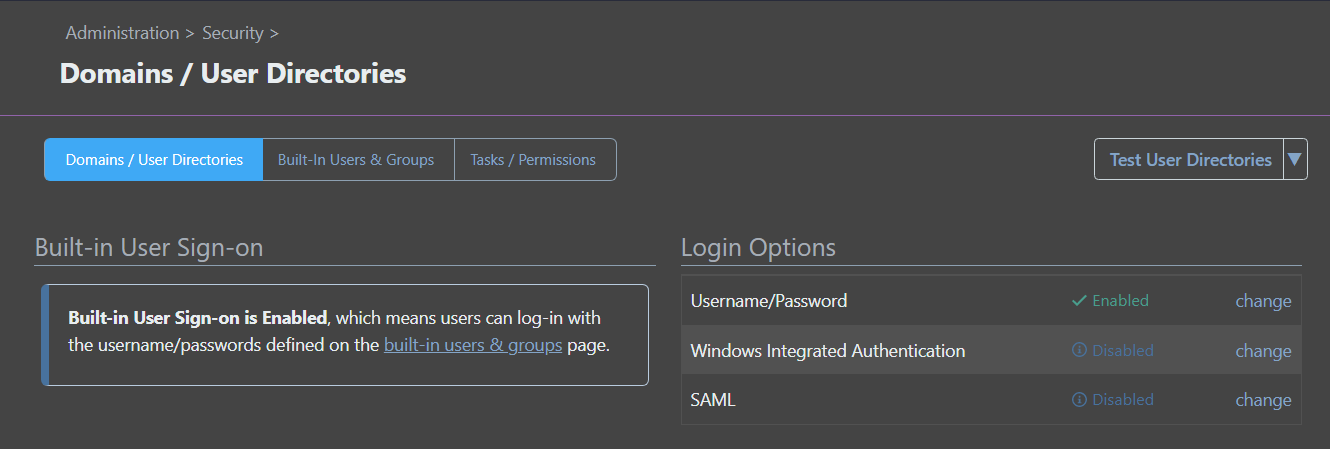
Thanks,
Paul
