Inedo Community Forums Forums
    • Recent
    • Tags
    • Popular
    • Login
    1. Home
    2. OtterFanboy
    3. Topics

    Welcome to the Inedo Forums! Check out the Forums Guide for help getting started.

    If you are experiencing any issues with the forum software, please visit the Contact Form on our website and let us know!

    O Offline
    • Profile
    • Following 0
    • Followers 0
    • Topics 6
    • Posts 12
    • Groups 0

    Topics

    • O

      InedoAgent Silent Install

      Watching Ignoring Scheduled Pinned Locked Moved Support
      3
      0 Votes
      3 Posts
      7 Views
      rhessingerR
      Hi @OtterFanboy, Good catch. I'll get the documentation updated shortly to reflect this. The older version of the Inedo Agent was only a 32-bit requirement, but we changed it to a 64-bit requirement in the newer agents. Unfortunately, I don't remember which version it changed in though. Thanks, Rich
    • O

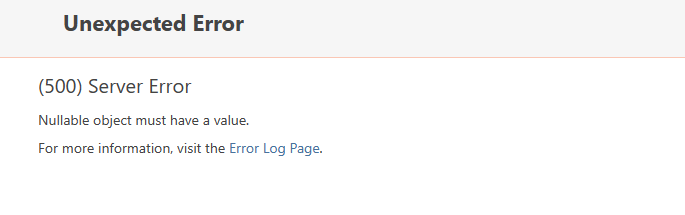
      Buildmaster - Gitea Tie In

      Watching Ignoring Scheduled Pinned Locked Moved Support
      11
      11
      0 Votes
      11 Posts
      26 Views
      atrippA
      Hi @pooms_7365 , Thanks, I found where the error is in the code; it was in displaying the "code has not been synced" message. Easy fix (BM-3845) and it will ship in next maintenance release :) And wow... 15gb! Cheers, Alana
    • O

      Buildmaster - Build Purge

      Watching Ignoring Scheduled Pinned Locked Moved Support
      3
      3
      0 Votes
      3 Posts
      7 Views
      stevedennisS
      Hi @OtterFanboy , I was able to identify/fix this as BM-3818; looks like the issue was purging a deployed build from a deployed release causes the overview page to crash. You can work-around this by finding that release on the main "Releases" tab and purging it too. Cheers, Steve
    • O

      Inedo Agent with Otter Bug - Legacy Powershell Instances

      Watching Ignoring Scheduled Pinned Locked Moved Support
      3
      0 Votes
      3 Posts
      19 Views
      O
      @stevedennis This is amazing, what a great feature.
    • O

      Otter - 500 Error On Clean Install

      Watching Ignoring Scheduled Pinned Locked Moved Support
      2
      0 Votes
      2 Posts
      7 Views
      atrippA
      Hello @OtterFanboy , Thanks for the bug report! We'll fix it via OT-483. That tab only displays if "Configuration drift:" is set to something other than "None", but there should be a "no roles" type of message instead of a crash. Cheers, Alana
    • O

      Otter Bugs

      Watching Ignoring Scheduled Pinned Locked Moved Support otter
      4
      0 Votes
      4 Posts
      47 Views
      atrippA
      @OtterFanboy got it, thanks! So this particular change is a bit more involved unfortunately. For example, if you clicked on "Windows Server", you wouldn't find any drifted servers - which would be confusing, because the environment would show as drift. I'll note this as something to think about for v2023
    • 1 / 1