Welcome to the Inedo Forums! Check out the Forums Guide for help getting started.
If you are experiencing any issues with the forum software, please visit the Contact Form on our website and let us know!
Buildmaster - Gitea Tie In
-
Hello,
I read interestingly about Gitea so tried to use it with Windows and Buildmaster and had a little trouble so would be grateful for some support.
Setup:
Buildmaster 2022.3
Git 2.39
Gitea 1.18.5Steps taken:
- clean install of BM
- clean install of git
- clean install of gitea using sql lite
- create new direcory c:\test
- add file.
- push to gitea
- try to create new application via git repository
- it says successsful
- go into applications it's not present
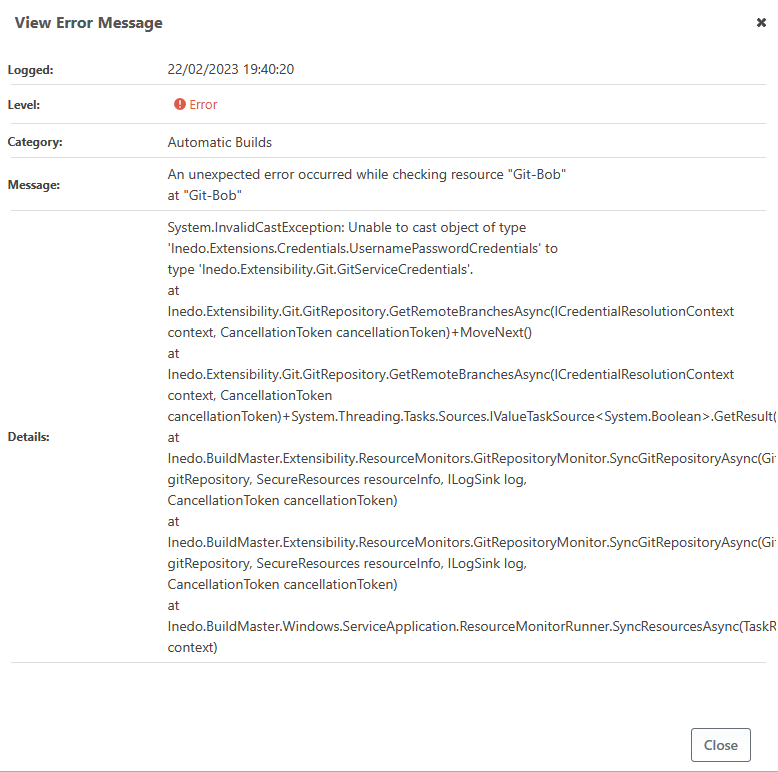
- go into error logs - get a cast error
"System.InvalidCastException: Unable to cast object of type 'Inedo.Extensions.Credentials.UsernamePasswordCredentials' to type 'Inedo.Extensibility.Git.GitServiceCredentials'.
at Inedo.Extensibility.Git.GitRepository.GetRemoteBranchesAsync(ICredentialResolutionContext context, CancellationToken cancellationToken)+MoveNext()
at"Bold text below not in anger but to distinguish between pictures

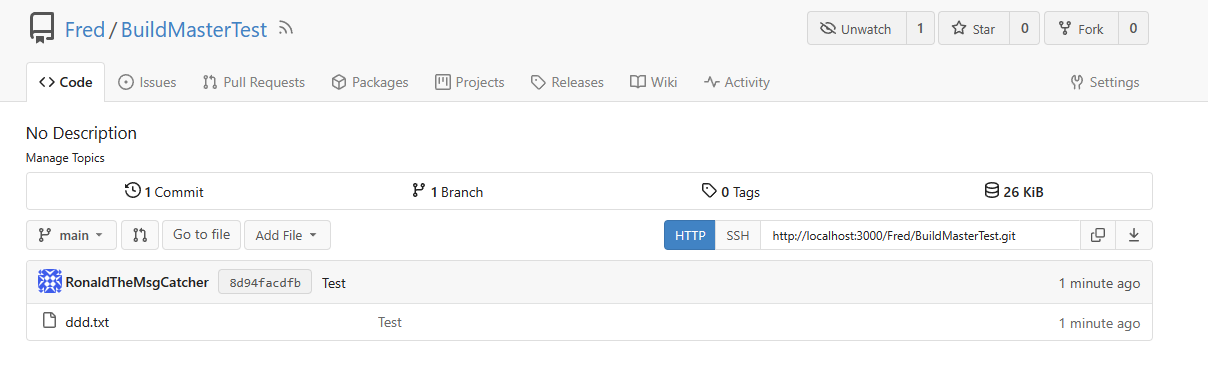
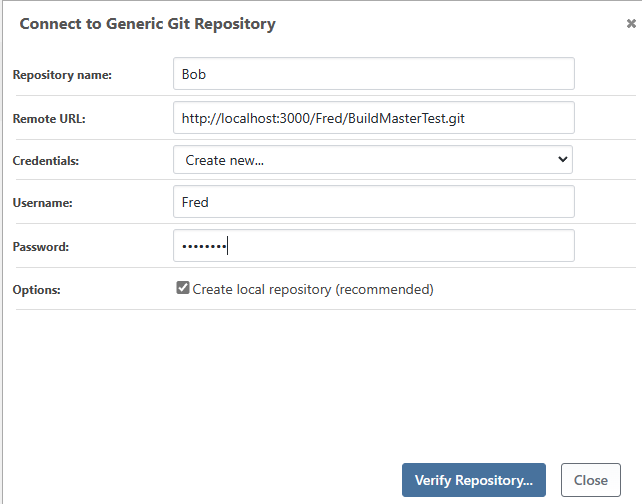
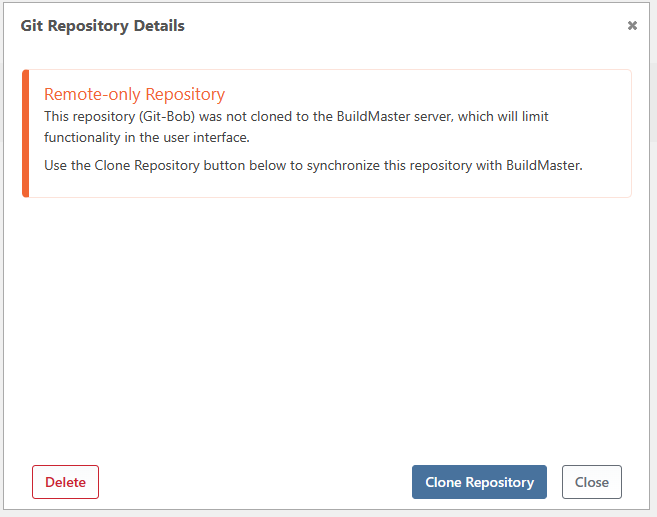
If i tried to do it the other way, create an Application, then create a connection I get the same error BUT if I choose not to synchronise it, it seems to fair better. Though I am still not sure its working correctly as the same error occurs in the logs?
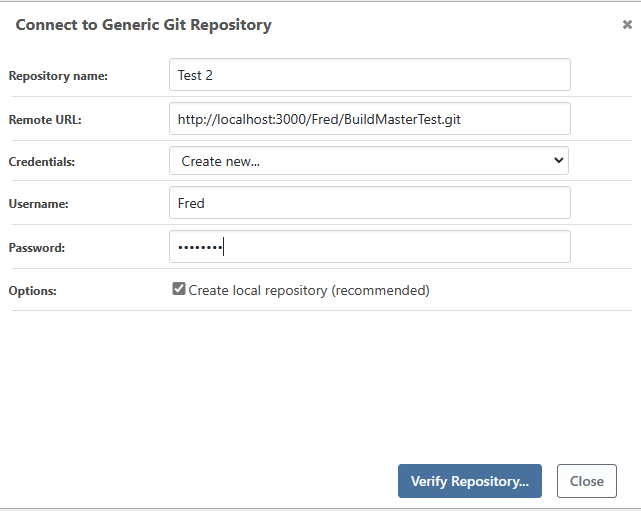
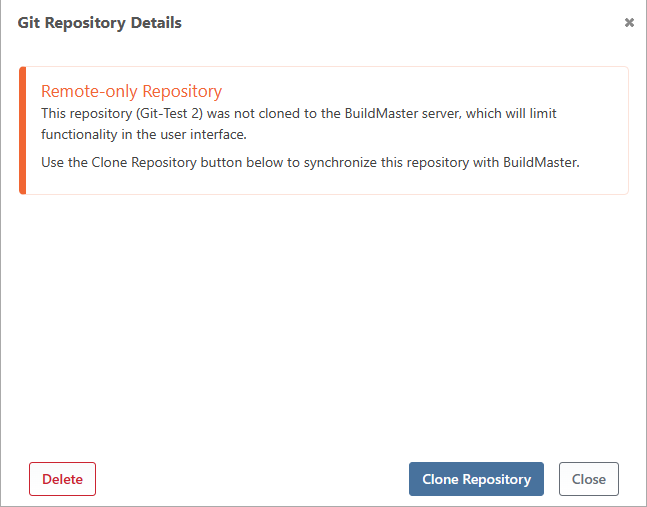
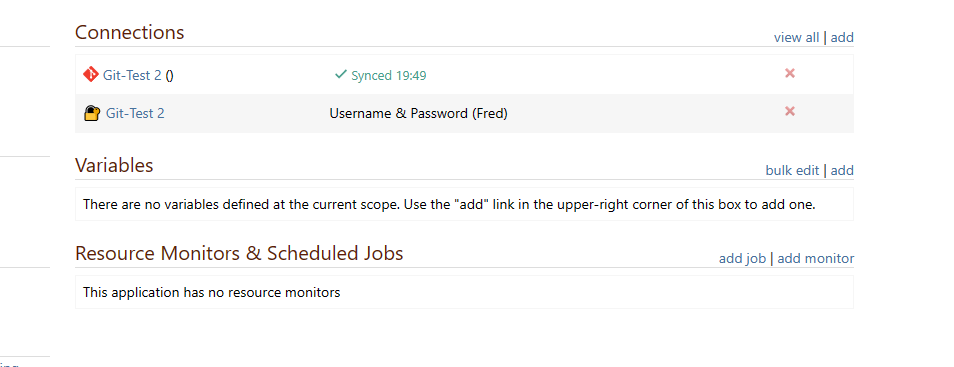
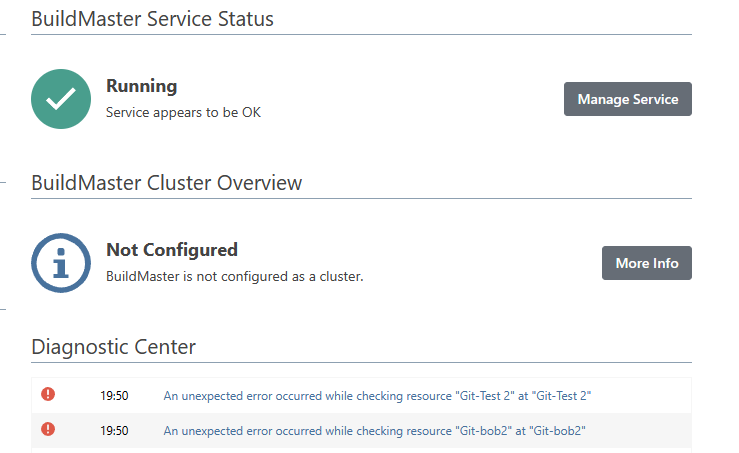
If you for instance go back into the Application and choose connections and then click on the connection for Git, the username and password shows as "Unknown", and clicking on the Edit button throws a server error.
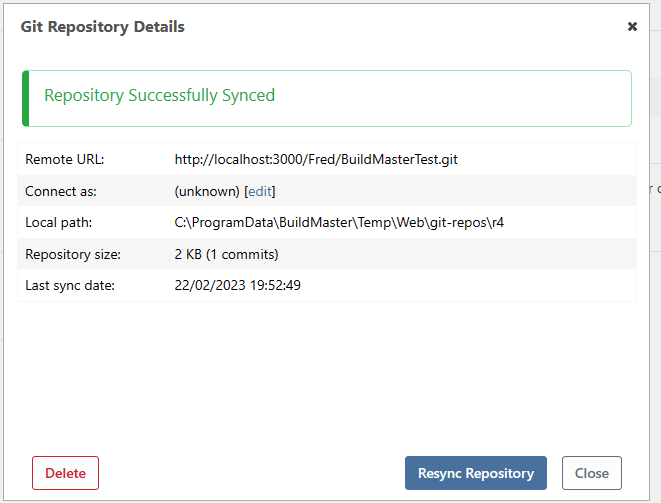
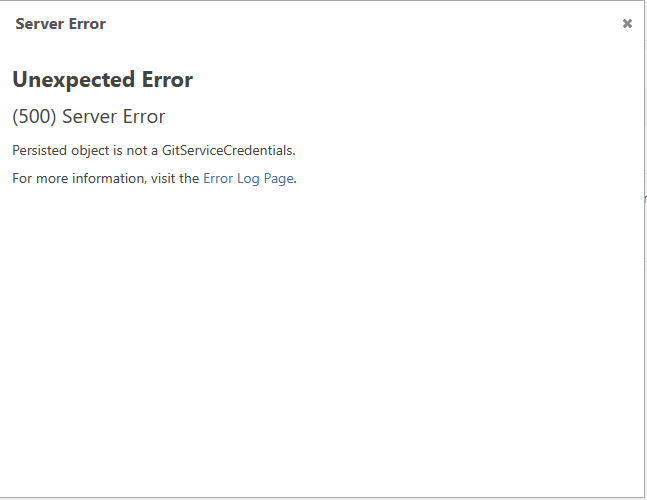
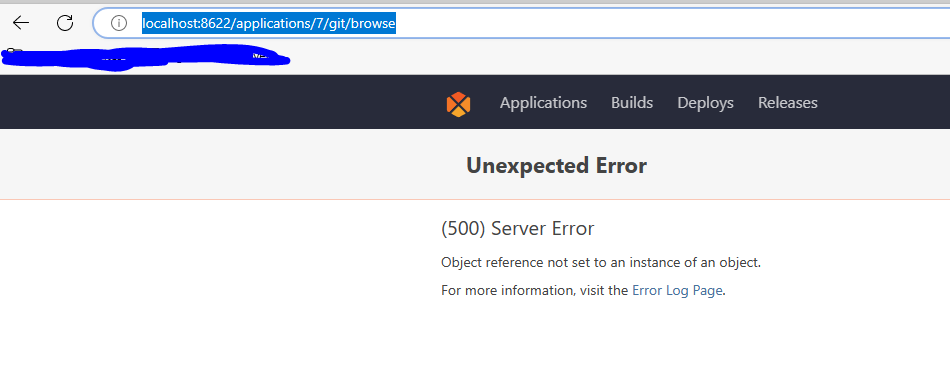
I also noticed that if the Browse Url is not populated when completing the Git connection you get a 500 error when trying to click on the Browse function under Git menu
-
Hi @OtterFanboy ,
Thanks for all the details :)
Looks like this is a regression/bug with browsing Generic Git repositories. That's a brand-new 2022 feature, and we're still working out kinks with it. We'll investigate and get it fixed ASAP!
Stay tuned :)
Cheers,
Steve -
@OtterFanboy forgot to mention, we did plan to build a first-class Gitea integration, so you could browse your repositories (just like GitHub etc.), but didn't get it in time. It's still on our list!
-
Thank you, it would be great to get it working as this is a key feature for our use case. Not worried about the Gitea bit for now.
-
Hi @OtterFanboy ,
FYI, Generic Git repo browsing in the UI has now been fixed as BM-3822 and will be included in the next maintenance release (March 10). If you'd liek a patch/prerelease sooner, just let me know!
Cheers,
Alana -
Amazing, thank you so much.
-
Many thanks for the excellent fixes put in. Can I trouble you to look at a couple of niggles please?
-
Clicking on Git - Files produces a 500 error when using a standalone Git instance (http://localhost:8622/applications/1/git/browse).
-
Clicking on the first Commit link ID produces a 500 error when using a standalone Git instance.
-
When adding Git on a per application level, the first time that you create a connection, with new credentials, the connection adds successfully but won't sync. It shows as "not synced". Digging into the error logs shows "System.InvalidCastException: Unable to cast object of type 'Inedo.Extensions.Credentials.UsernamePasswordCredentials' to type 'Inedo.Extensibility.Git.GitServiceCredentials'." At this point the Git browse menu appears in the header navigation bar but cannot be used (all 500 errors).
To get around this, go back and add it again but select the credentials created in the previous step rather than typing them this time. The repository syncs and adds successfully. If you are trying to reproduce this on a system that has successfully added this repo with credentials before, ensure you remove it from the Global Services and Credentials screen or the bug will not appear (http://localhost:8622/secure-credentials)
- When trying to add a new credential for Git standalone with the same username as a previous entry, without specifying a new credential name under the advanced options, you receive a SQL FK exception rather than a user message "the credential with that username is already added". - "2627
141Credentials_CreateOrUpdateCredential22`Violation of UNIQUE KEY constraint 'UQ__Credentials'. Cannot insert duplicate key in object 'dbo.Credentials'. The duplicate key value is (<NULL>, Git-test1, <NULL>, <NULL>). Transaction count after EXECUTE indicates a mismatching number of BEGIN and COMMIT statements. Previous count = 1, current count = 0."
Please pass on my thanks to all involved in this which makes a real difference - the ability to have a Pipeline linked in to standalone Git with building on commit is amazing, using the same agent as Otter is just the icing on the cake.
-
-
Hi @OtterFanboy ,
Thanks for the feedback and for finding additional bugs; I just fixed these as BM-3826 - at least I think.
- Files was definitely broken (I must never have tested it last time)
- That was probably related to something else (syncing issues?)... but hard to say; in theory, it should give a "red error box" when there's a problem w/ Git instead of a 500
- This flow was using the wrong properties to create the resource name
- Same

I also corrected the "new application flow" so that Rakko will do a "repository detection" to help select a pattern to use.
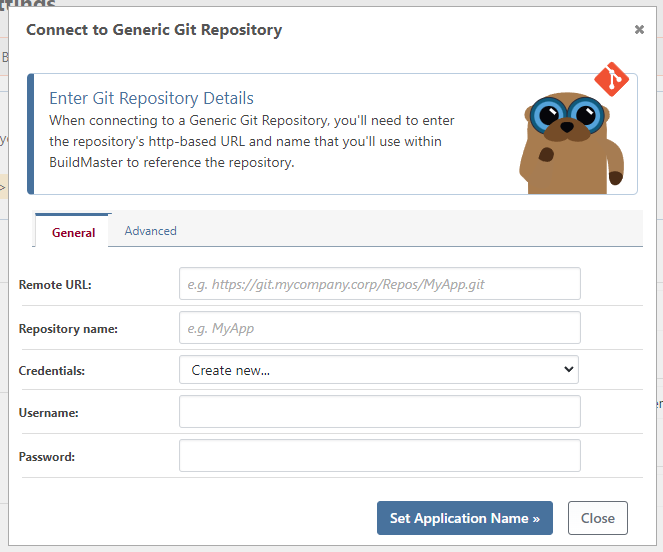
Let us know if you find other UI bugs (browsing, etc.) with the "Generic Git" repository; it should work the same as Git-service integrations, but we didn't do very good regression testing on it.
-
I had similar problem when I try connecting to my local Gitea as a Generic GIt Repository but it keep cloning it
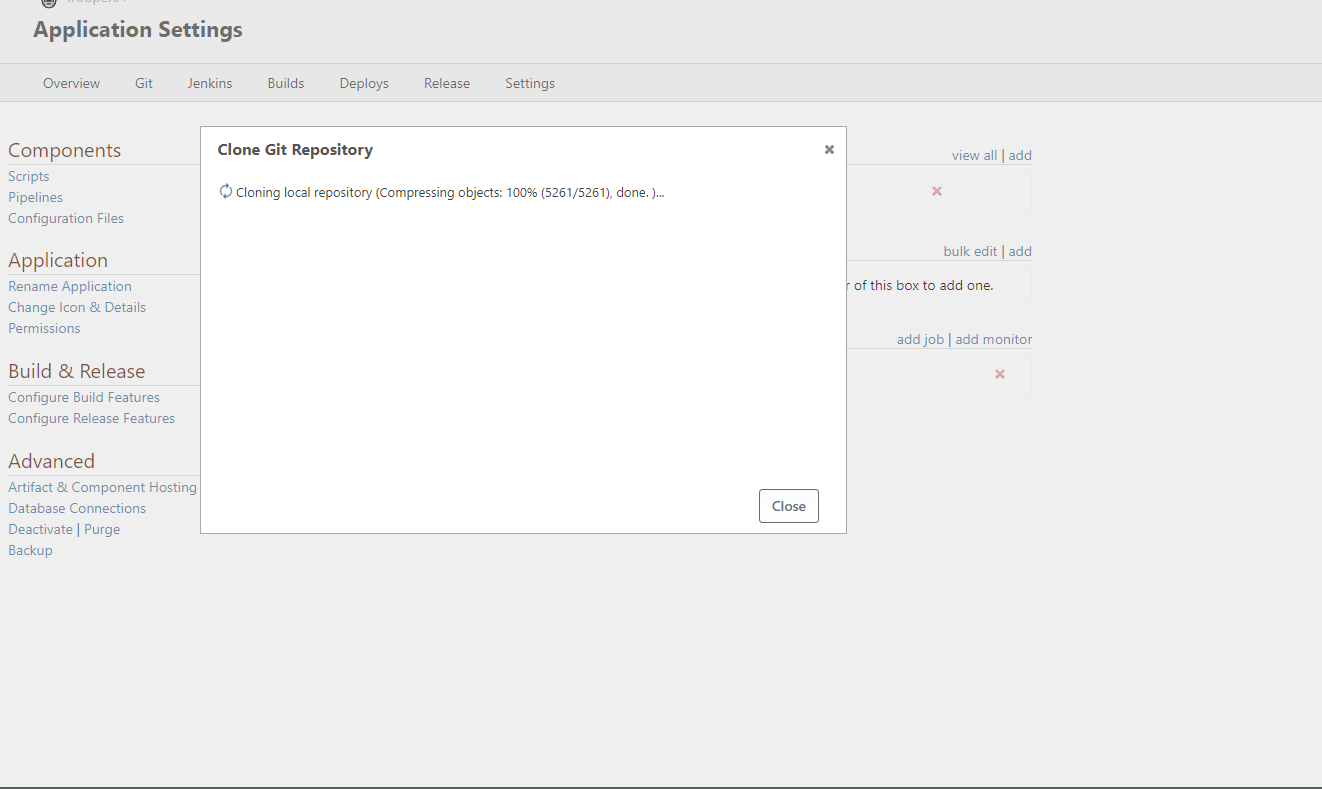
and when I click close it show that connection is not sync
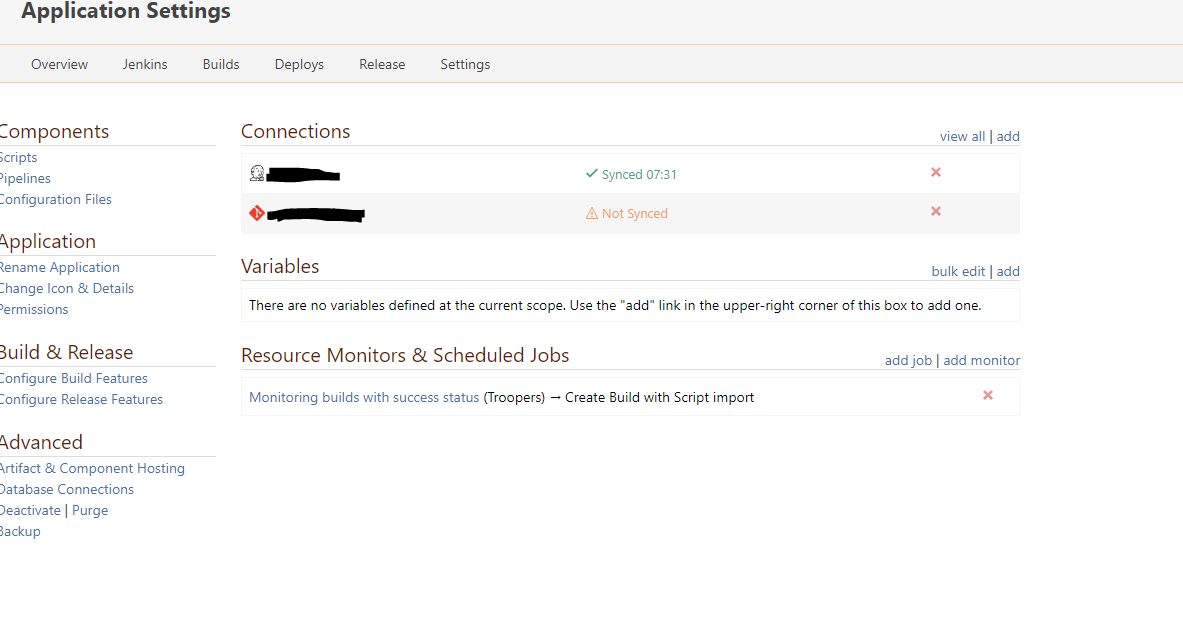
In Git tab it showing Server Error 500 and lead to error message here
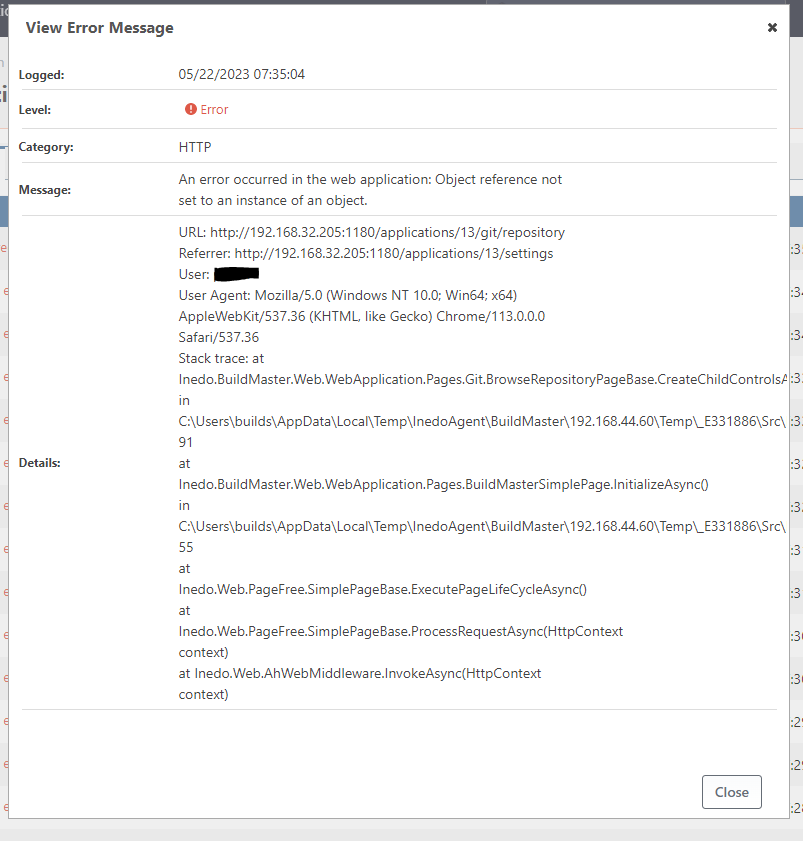
-
@pooms_7365 said in Buildmaster - Gitea Tie In:
I had similar problem when I try connecting to my local Gitea as a Generic GIt Repository but it keep cloning it
and when I click close it show that connection is not sync
In Git tab it showing Server Error 500 and lead to error message here
It work now I just give it a time to clone repo, because my Git repo is almost 15Gb.
-
Hi @pooms_7365 ,
Thanks, I found where the error is in the code; it was in displaying the "code has not been synced" message. Easy fix (BM-3845) and it will ship in next maintenance release :)
And wow... 15gb!
Cheers,
Alana


Hello! It looks like you're interested in this conversation, but you don't have an account yet.
Getting fed up of having to scroll through the same posts each visit? When you register for an account, you'll always come back to exactly where you were before, and choose to be notified of new replies (either via email, or push notification). You'll also be able to save bookmarks and upvote posts to show your appreciation to other community members.
With your input, this post could be even better 💗
Register Login