Welcome to the Inedo Forums! Check out the Forums Guide for help getting started.

If you are experiencing any issues with the forum software, please visit the Contact Form on our website and let us know!

  • Logs configuration

    5
    0 Votes
    5 Posts
    23 Views
    A
    Thanks for this information. I will monitor ProGet through the /health endpoint and forget the logs monitoring. Thanks again and have a good day.
  • Trigger build by NuGet release

    3
    0 Votes
    3 Posts
    8 Views
    J
    Hi @atripp Thanks, that looks easy enough, So I will get to it :-) Justin
  • Get Git Source not getting from correct branch

    buildmaster git
    11
    0 Votes
    11 Posts
    36 Views
    S
    Hi David, I came across your post and noticed that you're experiencing an issue with Git source providers in BuildMaster. I understand that you're trying to use the "Get Git Source" command but can only get the source from the master branch. Based on the command you provided, it looks like you have the syntax partially correct. However, it seems that the code is being picked up from the master branch instead of the production branch that you specified. Have you tried specifying the branch name with the "refs/heads/" prefix? For example: bash Copy code Branch: refs/heads/PRODUCTION This may help in correctly identifying the production branch. Additionally, you mentioned that you have deleted the repo details from C:\BuildMaster_WEBTMP\SrcRepos, but are still facing the same issue. Have you tried clearing your Git credentials and re-entering them? It's possible that the issue may be related to authentication. Plus I was researching on Elmedia Player for Mac, and As someone who's been using Elmedia Player for Mac for quite some time, I can definitely say that it's a great media player that offers a lot of useful features. One thing I particularly appreciate about Elmedia Player is its ability to play virtually any video or audio format that you throw at it.
  • Unable to push images to self hosted Proget

    6
    0 Votes
    6 Posts
    19 Views
    M
    Kindly consider this closed. I deleted my nginx ingress controller completely and redeployed it from scratch (including the ingress) and voila! I was able to push and pull images again. I suspect my ingress controller might have got wonky, but its logs didn't show anything out of the norm.
  • Otter Offline Installer

    2
    0 Votes
    2 Posts
    8 Views
    atrippA
    Hi @Bob_4018 , Thanks for the heads-up! We've resolved this, and the link should now work: http://cdn.inedo.com/downloads/otter/OtterInstaller22.0.9_Offline.exe Cheers, Alana
  • Merge feeds

    2
    0 Votes
    2 Posts
    16 Views
    atrippA
    Hi @martin-helgesen_8100 , You can aggregate multiple feeds using connectors: https://docs.inedo.com/docs/proget-feeds-connector-overview If you want to put all the packages in one feed, then after adding the connector you can use a "feed downloader": https://docs.inedo.com/docs/proget-feed-importing Cheers, Alana
  • Download snupkg possible?

    3
    0 Votes
    3 Posts
    13 Views
    J
    Thanks! Looking forward to that.
  • BuildMaster and Otter SQL connection issue (Docker/ Linux)

    6
    0 Votes
    6 Posts
    11 Views
    rhessingerR
    Hi @informatique_1359, Good catch! I updated the Docker-Compose docs to reflect that. Thanks, Rich
  • 0 Votes
    5 Posts
    18 Views
    E
    I have justed tested some uploads with 2022.24 and it seems to work fine now, thanks!
  • Package license definition

    proget
    23
    0 Votes
    23 Posts
    81 Views
    S
    Hi @apxltd, thanks for the insights! I half expected this to be way more complicated than I had hoped for, but one can dream...
  • Error when adding server via WMI

    8
    0 Votes
    8 Posts
    42 Views
    J
    I hate to say this, but its working now. Without making any configuration changes, I uninstalled Otter via the Inedo hub, rebooted the server, then reinstalled Otter. I was then able to add an agentless server without issue. I'm obviously happy that it's now working, but I'm sorry for making you look into this. Thanks.
  • Assets do not return Last-Modified header (anymore?)

    11
    0 Votes
    11 Posts
    27 Views
    rhessingerR
    Hi @pfeigl, Thanks for letting us know. It looks like this is related to how HEAD requests were handled. I went and added that header to head requests also. This will be tracked in PG-2300 and will be released in ProGet 2022.25. Thanks, Rich
  • InedoAgent Silent Install

    3
    0 Votes
    3 Posts
    7 Views
    rhessingerR
    Hi @OtterFanboy, Good catch. I'll get the documentation updated shortly to reflect this. The older version of the Inedo Agent was only a 32-bit requirement, but we changed it to a 64-bit requirement in the newer agents. Unfortunately, I don't remember which version it changed in though. Thanks, Rich
  • HTTPS with self hosted ProGet and internal web server

    13
    0 Votes
    13 Posts
    126 Views
    T
    @lm said in HTTPS with self hosted ProGet and internal web server: There is updated documentation with step-by-step instructions here: Thank you. I was confused by the section "IIS & Web Hosting on Windows". I only searched in "ProGet". It should also be mentioned to open the other port as well which should be pretty obvious but who knows. I now only need someone here to provide a certificate.
  • Implementing custom user directory

    7
    0 Votes
    7 Posts
    21 Views
    rhessingerR
    Hi @testintergraph_2317, It looks like there was a hiccup in the release of the updated InedoCore extension. You should now see the ability to upgrade to the InedoCore v2.2.1 version. That includes AD v4. Sorry about the confusion there. Thanks, Rich
  • Upack push returns "Operation was cancelled by user"

    4
    0 Votes
    4 Posts
    9 Views
    atrippA
    Hi @priyanka-m_4184 , thanks for updating; yes in this case, it must be a really large package file? 30min is long time, and the upack client must be timing out then.
  • Proget PGScan - How does this work with Dotnet SPA and NPM?

    12
    0 Votes
    12 Posts
    59 Views
    rhessingerR
    Hi @arozanski_1087, I just wanted to let you know that we just released a new version of pgscan, 1.4.2. Going forward it will automatically scan npm packages anytime it is scanning for NuGet packages using a .NET solution or project, there will not be any new parameter needed to enable the search. We are still working on adding yarn support, but that one will take us a bit of time to add. We will update you when that one is ready to be used. Thanks, Rich
  • Buildmaster - Build Purge

    3
    3
    0 Votes
    3 Posts
    7 Views
    stevedennisS
    Hi @OtterFanboy , I was able to identify/fix this as BM-3818; looks like the issue was purging a deployed build from a deployed release causes the overview page to crash. You can work-around this by finding that release on the main "Releases" tab and purging it too. Cheers, Steve
  • 0 Votes
    13 Posts
    110 Views
    E
    I tested the new version (local, brand-new installation) and now all corrections to version numbers are consistent. Thanks for the quick fix!
  • Is it possible to have feed-specific assessments of vulnerabilities?

    6
    0 Votes
    6 Posts
    20 Views
    stevedennisS
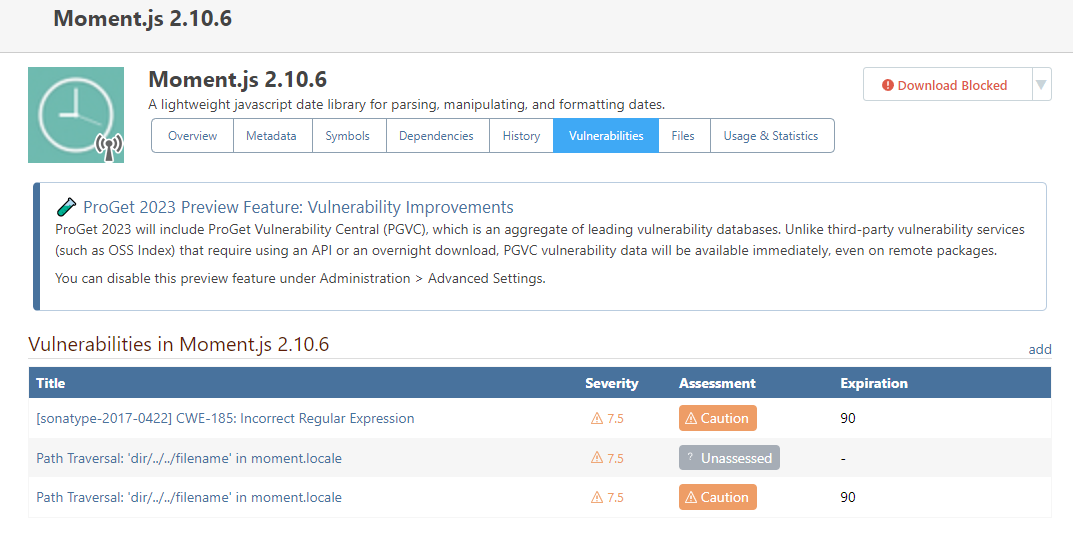
    Hi @joacim-svensson_8194 , That should have worked, but it's of course possible there's a bug. Can you confirm steps? Is this basically what you did? Create Two feeds (Feed1 and Feed2), download a vulnerable package in each feed Create Two Vuln Sources (OssIndex1, OssIndex2), associate each to each feed Run the "Vuln Downloader" Job, and see two identical vulnerabilities added to ProGet Assess the vulnerabilities differently (1 = Block, 2= Ignore) Package should Blocked on Feed1, and allowed on Feed2 I want to make sure we're following the steps you did, so we can test this. Cheers, Steve
Inedo Website HomeSupport HomeCode of ConductForums GuideDocumentation