Inedo Community Forums Forums
    • Recent
    • Tags
    • Popular
    • Login
    1. Home
    2. markus.karthaus_8928

    Welcome to the Inedo Forums! Check out the Forums Guide for help getting started.

    If you are experiencing any issues with the forum software, please visit the Contact Form on our website and let us know!

    M Offline
    • Profile
    • Following 0
    • Followers 0
    • Topics 2
    • Posts 3
    • Groups 0

    markus.karthaus_8928

    @markus.karthaus_8928

    0
    Reputation
    1
    Profile views
    3
    Posts
    0
    Followers
    0
    Following
    Joined
    Last Online

    markus.karthaus_8928 Unfollow Follow

    Latest posts made by markus.karthaus_8928

    • RE: HTTPS: Failed to load certificate.

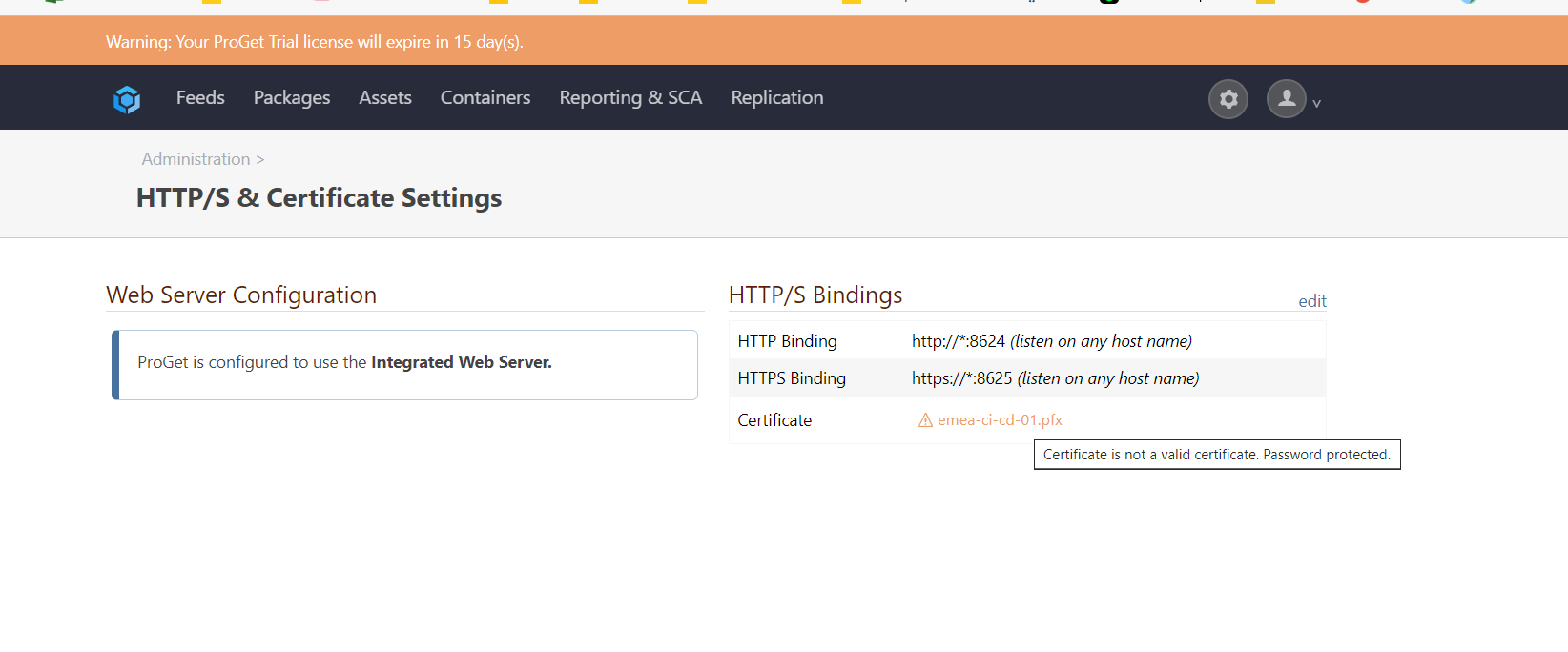
      My workaround to get an https connection is now: Change the config-file on server side to: <WebServer Enabled="true" Urls="http://:8624;https://:8625" CertFile="C:\temp\emea-ci-cd-01.pfx" Password="xyz". (pfx instead pem). Nothing change on webserver. Then https works. But webserver shows now an error.

      78b47dda-5e44-4b61-af81-fcae2ef7252c-image.png

      It is a not so nice solution but I can continue like this for now. What it really was or is, I don't know.

      posted in Support
      M
      markus.karthaus_8928
    • HTTPS: Failed to load certificate.

      Diagnostic Center shows follow error:

      Failed to load certificate for HTTPS connections. The key contents do not contain a PEM, the content is malformed, or the key does not match the certificate.

      System.Security.Cryptography.CryptographicException: The key contents do not contain a PEM, the content is malformed, or the key does not match the certificate.
      at System.Security.Cryptography.X509Certificates.X509Certificate2.ExtractKeyFromEncryptedPem[TAlg](ReadOnlySpan1 keyPem, ReadOnlySpan1 password, Func1 factory, Func2 import)
      at System.Security.Cryptography.X509Certificates.X509Certificate2.CreateFromEncryptedPem(ReadOnlySpan1 certPem, ReadOnlySpan1 keyPem, ReadOnlySpan1 password) at System.Security.Cryptography.X509Certificates.X509Certificate2.CreateFromEncryptedPemFile(String certPemFilePath, ReadOnlySpan1 password, String keyPemFilePath)
      at Inedo.Web.AhWebHost.<ConfigureServices>g__configureSSL|16_6(ListenOptions listenOptions)

      Certificate is accept:
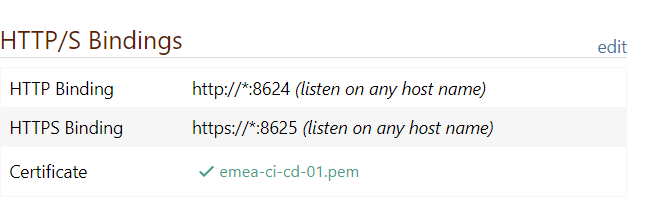
      8bcd53fe-5ee3-45d3-8f04-1119cf5811ae-image.png

      And I can see configuration serverside:

      e2422447-7d0d-4622-9521-8e7c1c5b9766-image.png

      Execution according to instructions: (pem craeted from pfx)

      HTTPS Binding to a Port (Advanced) (Experimental)

      I have checked the validity of the certificate. Does anyone have a hint or tip what went wrong here.
      posted in Support
      M
      markus.karthaus_8928
    • Acess denied "HTTP/S & Certificate Settings"

      ProGet 22.0.28 (Inedo Hub)
      Change to https access denied.
      Error by config "HTTP/S & Certificate Settings". Access denied warning when config will be save. Is there anything that i must be configure before?

      posted in Support
      M
      markus.karthaus_8928