@rhessinger additionally the "Create new user directory" white screen "bug" above also happens when you try to add a new (clair) Vulnerability source:
Thanks
Simon
Welcome to the Inedo Forums! Check out the Forums Guide for help getting started.
If you are experiencing any issues with the forum software, please visit the Contact Form on our website and let us know!
@rhessinger additionally the "Create new user directory" white screen "bug" above also happens when you try to add a new (clair) Vulnerability source:
Thanks
Simon
Hey @rhessinger,
I get the following error when selecting "use LDAPS":
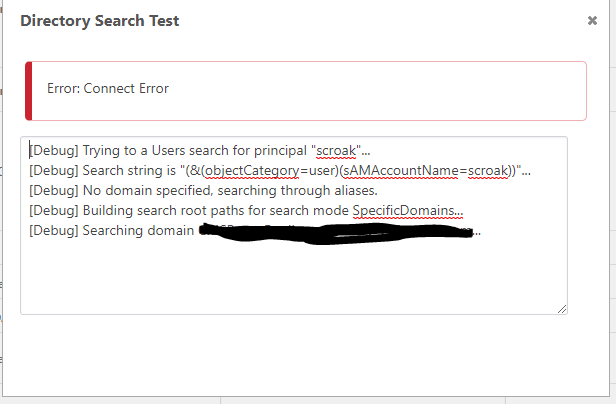
Unchecking the LDAPS box results in a successful connection/test.
My guess is that the docker image is unable to verify the SSL certificate of the LDAPS server, as the docker host is a Linux VM so it does not have a "root CA" certificate installed on it to verify the SSL cert of the domain controller.
Most other containerized applications all you to "skip the verification" like this example from Portainer:
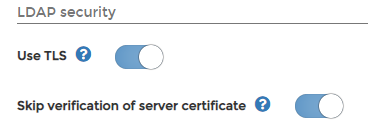
My previous forum post (linked to above) was a request to add this feature.
Alternatively if there if you guys can reference a root CA certificate that is installed on the containers file system I can see if I can "mount" it in the correct location. You'll just need to let me know where the certificate needs to be installed.
Additionally could you let me know the .Net 5 library you are using to provide this LDAP functionality?
Thanks
Simon
Thanks @rhessinger
Can confirm this workaround works.
However it looks like you guys still are not supporting LDAPS, I have another forum post here: https://forums.inedo.com/topic/3024/proget-docker-image-ldap-ldaps-support?_=1607379833333
Do you know if LDAPS in a docker container image will ever be supported?
Thanks
Simon
Hey Guys,
I've just configured LDAP/AD authentication on ProGet (.net5) V5.3.17 and also removed anonymous user access.
Therefore I am trying to setup docker image feed access from our docker hosts using API keys.
I've setup the api key like this:
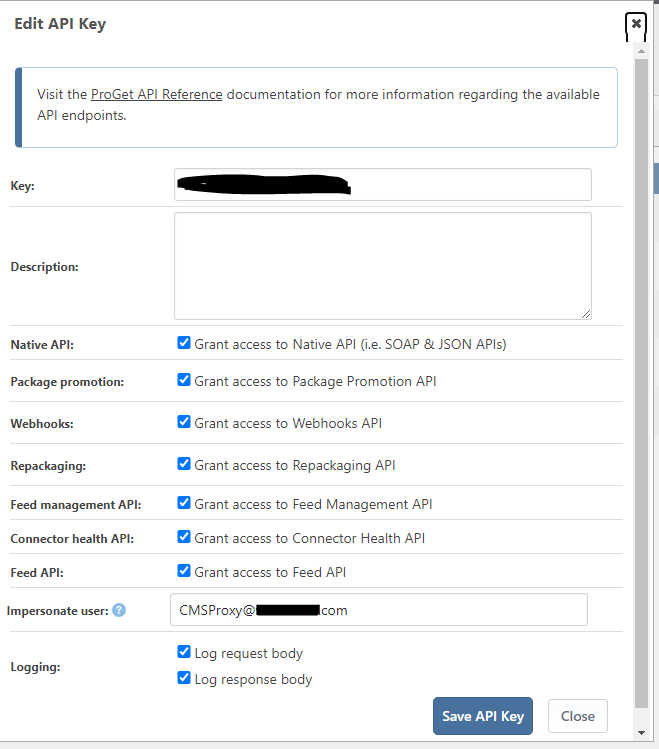
Using the "Impersonate user" username of an LDAP account that has administrator permissions set for it in the "Users & Tasks" form:
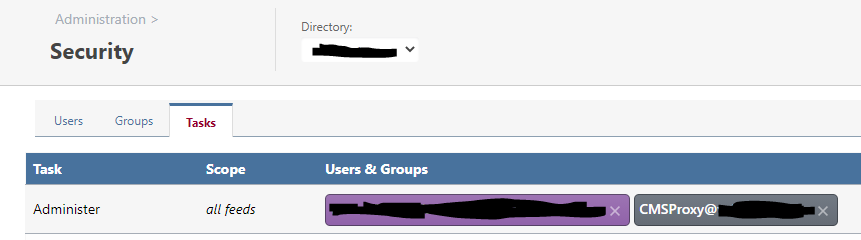
My plan is to reduce the amount of access this user has later.
But when I try to do a "docker login" using "api" as the username and the API key as the password I get this error:

If I remove the "impersonate user" field from the key and leave it blank I can login without issue.
Thanks
Simon
Hi @atripp
I have/did restart the container but no change:
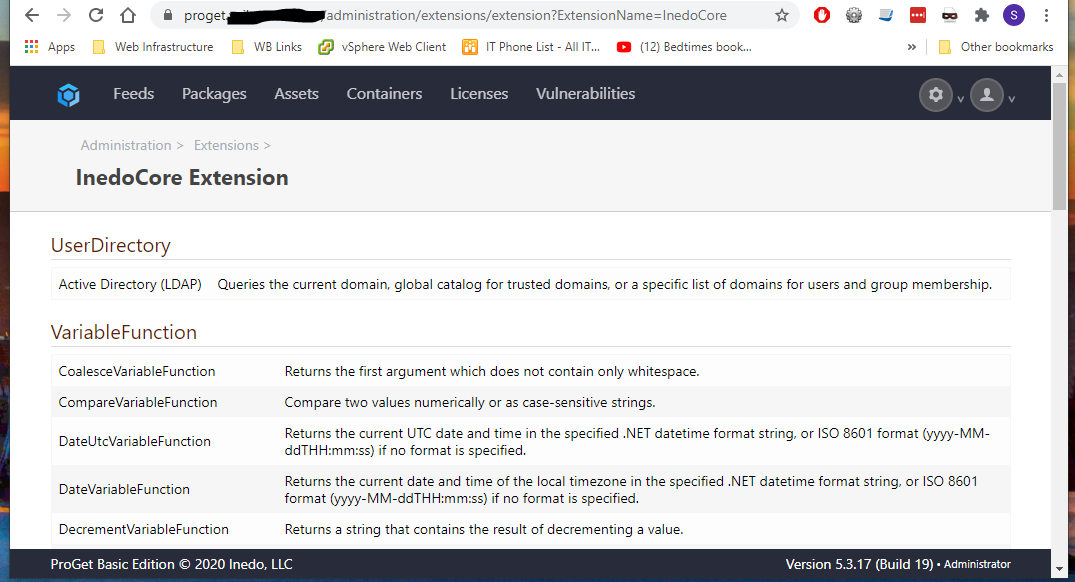
This is the InedoCore extension page:
Thanks
Simon
Hey Guys,
I'm Running ProGet 5.3.17 on a Docker host and I'm trying to configure an LDAP/AD connection for user authentication.
I'm following these instructions: https://docs.inedo.com/docs/various/ldap/advanced
But when I try to add an "Active Directory (LDAP)" connection I get the following blank screen:
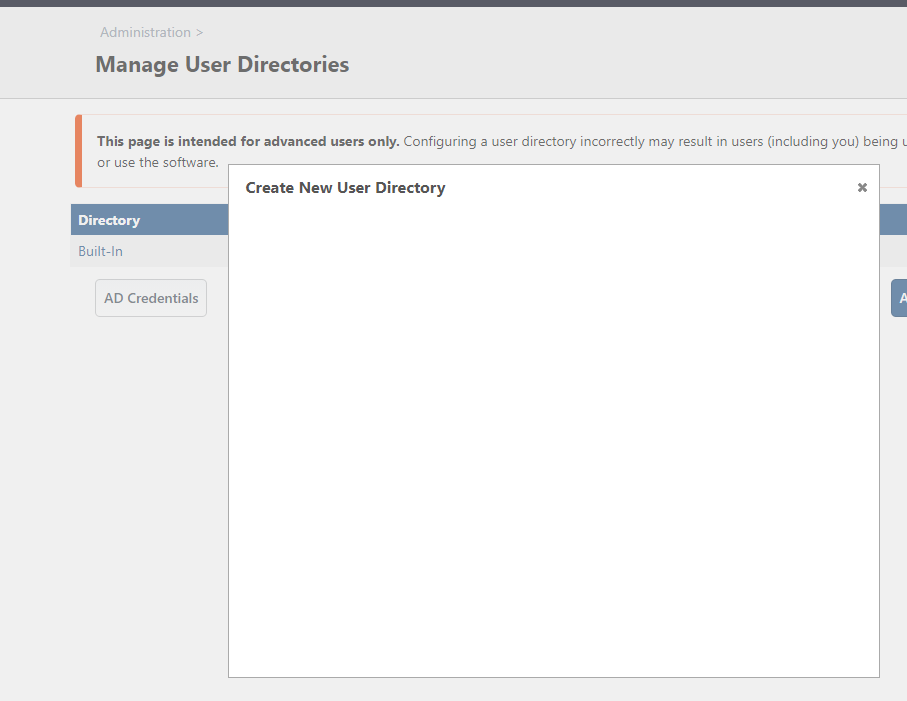
The error log shows this:
An error occurred in the web application: Could not load file or assembly 'InedoCore, Culture=neutral, PublicKeyToken=null'. The system cannot find the file specified.
Details:
URL: http://proget.xxxxx.com/administration/security/directories/edit?type=Inedo.Extensions.UserDirectories.ADUserDirectory%2CInedoCore
Referrer: https://proget.xxxxxxx.com/administration/security/create-new-directory
User: Admin
User Agent: Mozilla/5.0 (Windows NT 10.0; Win64; x64) AppleWebKit/537.36 (KHTML, like Gecko) Chrome/87.0.4280.66 Safari/537.36
Stack trace: at System.RuntimeTypeHandle.GetTypeByName(String name, Boolean throwOnError, Boolean ignoreCase, StackCrawlMarkHandle stackMark, ObjectHandleOnStack assemblyLoadContext, ObjectHandleOnStack type, ObjectHandleOnStack keepalive)
at System.RuntimeTypeHandle.GetTypeByName(String name, Boolean throwOnError, Boolean ignoreCase, StackCrawlMark& stackMark, AssemblyLoadContext assemblyLoadContext)
at System.Type.GetType(String typeName, Boolean throwOnError)
at Inedo.Web.HttpArgs.QualifiedTypeQueryStringArgumentAttribute.ConvertFromString(Type targetType, String value)
at Inedo.Web.HttpArgs.QueryStringArgumentAttribute.ConvertFromStringInternal(Type targetType, String value)
at Inedo.Web.HttpArgs.QueryStringArgumentAttribute.Decode(String argumentName, Type targetType, HttpContext context)
at Inedo.Web.HttpArgs.HttpArgumentProvider.HttpArgumentPage.InitializeArguments(IHttpHandler handler, HttpContext context)
at Inedo.ProGet.WebApplication.ProGetHttpModule.PostMapRequestHandlerAsync(HttpApplication app) in C:\InedoAgent\BuildMasterTemp\192.168.44.60\Temp\_E82850\Src\ProGet.WebApplication\ProGetHttpModule.cs:line 437
at Inedo.Web.AhWebMiddleware.InvokeAsync(HttpContext context)
My extensions look like this:
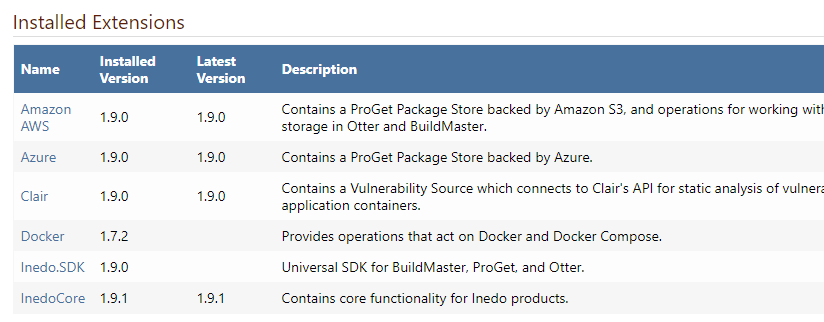
And advanced settings look like this:
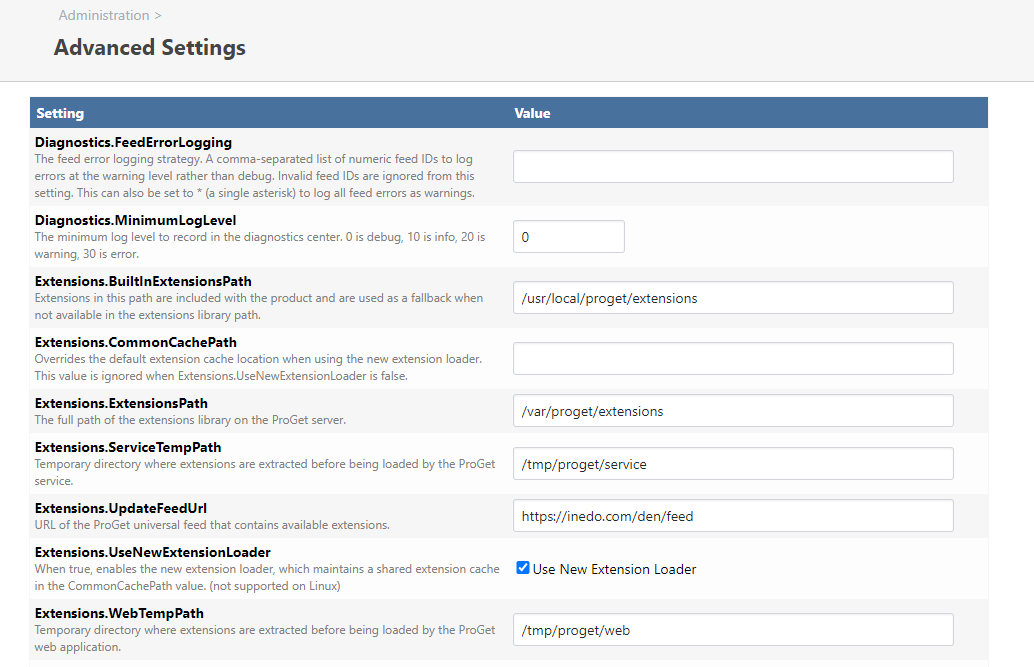
Any ideas?
Thanks
Simon
Hi @atripp
I've been struggling getting the new version of proget(core) working on our Docker (CentOs) hosts for a while and I can confirm this is the issue!
This can also be fixed when using a docker compose (stack) file by adding:
working_dir: /usr/local/proget
Would still be great to get this built in to the dockerfile during the next release however.
Thank you @shijiyong_6709 for figuring this out!
Simon
That's amazing! Thanks so much @rhessinger
You guys rock!
@atripp yes its easy to add using apt-get when required however if you have an issue where the container is automatically restarting (for some reason) you would need to install it after every restart.
Its pretty common to have this application installed in most container images.
Simon
@atripp thats amazing! Let me know when this releases. Happy to try it out in our Dev environment.
Thanks
Simon
Hi @atripp,
That's correct. I'm having issue getting my proget container talking to my clair container and I want to make sure proget can communicated with clair over their shared docker network.
So I connect to proget's container command line and try to issue "Ping clair" etc
Simon
Hi @atripp
Yep just the standard ping command. You can install it on your container image using something like the following in the dockerfile:
apt-get install iputils-ping.
Thanks
Simon
Hi @atripp,
I can try but with you guys using Mono it would be a challenge to find out where it would need to go.
I'm curious would using this method work with your code:
I'll investigate installing the certificate on the container now.
Thanks
Simon
Hi @atripp
Thanks for this. Unfortunately I am not a developer so couldn't really help in forking InedoCore. But I do have the ability to run and tests this in a CI container build, in a docker dev environment.
It would seam there is also limited logging so you would need to let me know how best to troubleshoot this implementation for you should it not work.
Let me know how I can help.
Thanks
Simon
Hi @rhessinger
Thanks for the quick response.
I can confirm that works but only when I de-select "Use LDAPS", given that Microsoft is the removing the ability to query AD using LDAP (instead making people query using LDAPS) in the very near future how can I get the LDAPS connection working?
My guess is that given that this docker container is not on a windows domain (and therefore does not have any domain ca certificates) it is unable to verify the LDAPS certificate.
Shouldn't there be an option to "ignore or skip certificate verification"
Thanks
Simon
Hey Guys,
Wondering if anyone has successfully configured LDAP/LDAPS login on the ProGet container image?
Most of the documentation references LDAP authentication working through IIS. Which is obviously not available on the Linux proget image.
In trying to set this up using LDAPS (preferred) I get the following:
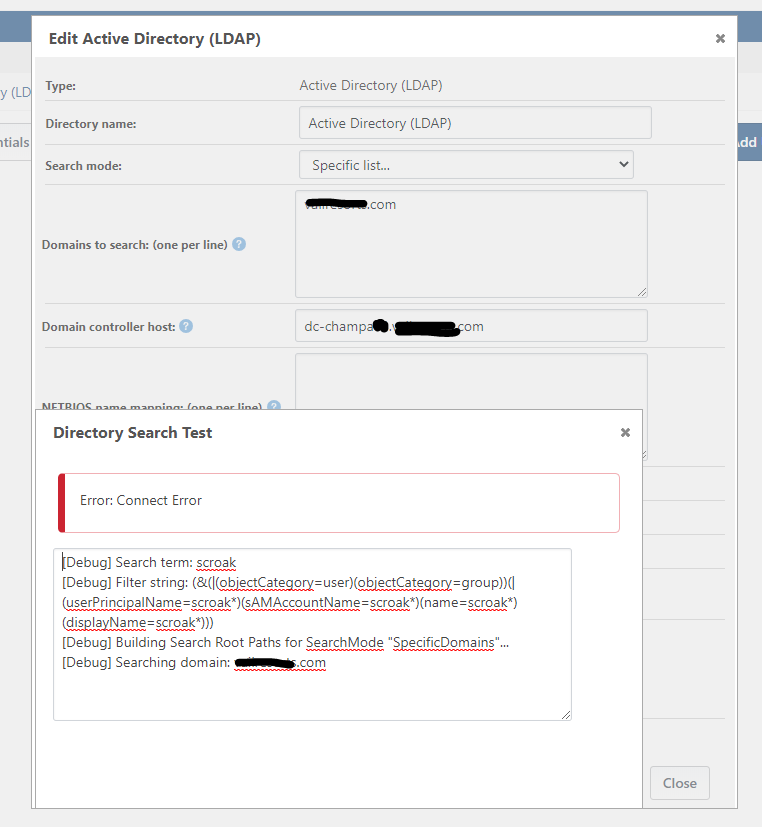
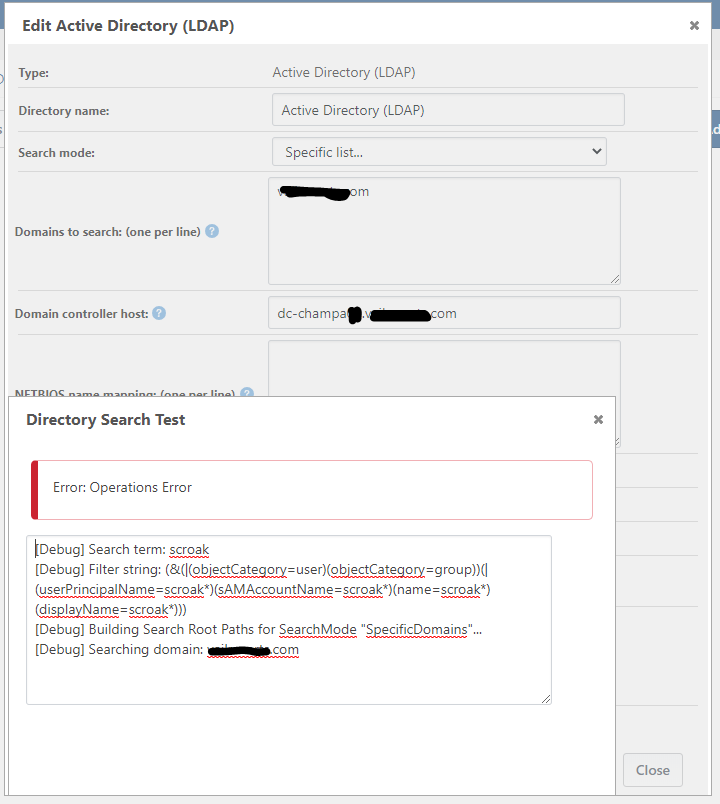
Unchecking LDAPS gives me this:
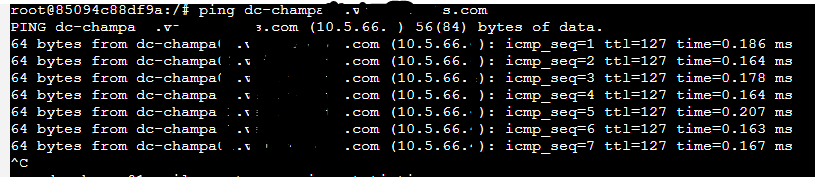
I can ping the domain controller from the containers command line:
Nothing is showing up in the event log.
Running Proget V5.3.7.
Thanks
Simon
Hey Guys,
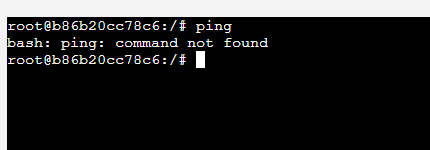
Wondering if you could update a future proget container image to include "ping", this is very useful when troubleshooting.
Thanks
Simon
Hi @atripp
I've created a PR and added an expanded section on Environment variables.
I would suggest creating a new page called running on Linux docker swarm and I can add some example stack files/notes to that page later.
Thanks
Simon
Amazing thanks @atripp
Let me know what version this appears in I would love to try it out.
Thanks
Simon