Welcome to the Inedo Forums! Check out the Forums Guide for help getting started.
If you are experiencing any issues with the forum software, please visit the Contact Form on our website and let us know!
S
Offline
Posts
-
RE: ProGet Feed Managment API add variable to existing feed issue.
ProGet version 5.2.30 running as a docker image.
Thanks
Simon
-
ProGet Feed Managment API add variable to existing feed issue.
Hi Everyone,
I'm having a specific issue with the Feed Management API. I'm unable to CREATE new variables on an existing feed using :
api/management/feeds/update/{feed-name}For the purposes of these screenshots I'm using the Boomerang (Chrome Plugin) like this, although the same thing happens with my PowerShell script.
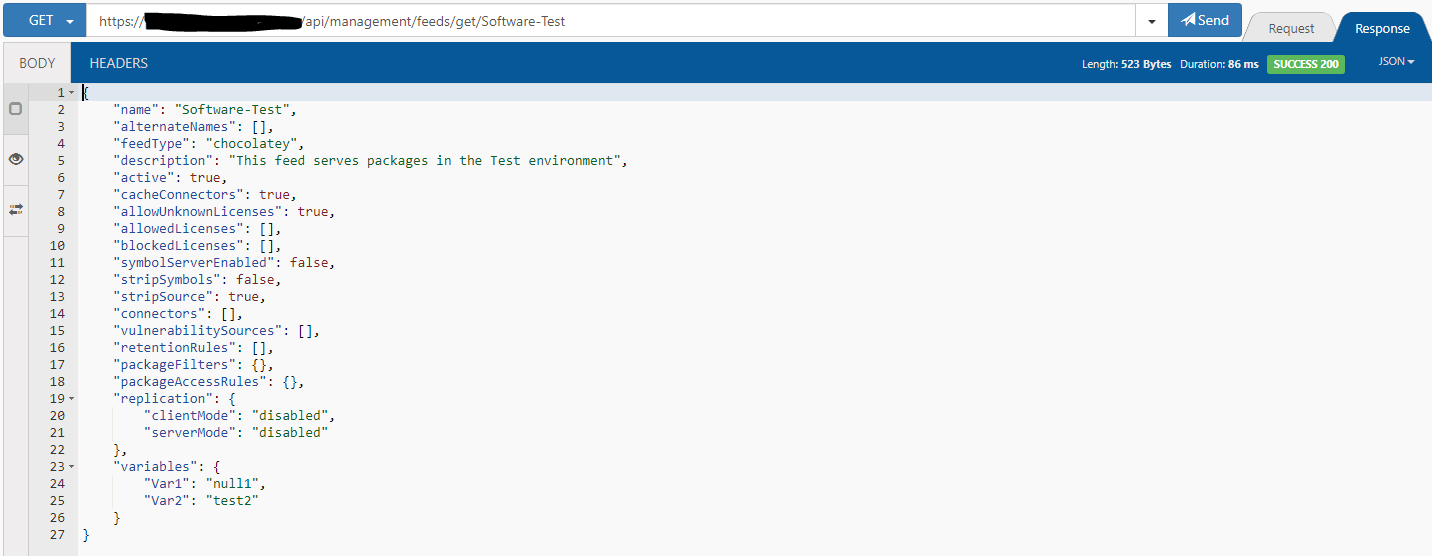
The API key I am using is impersonating the "Admin" user so it shouldn't be permissions issue.Get request:

Get response:
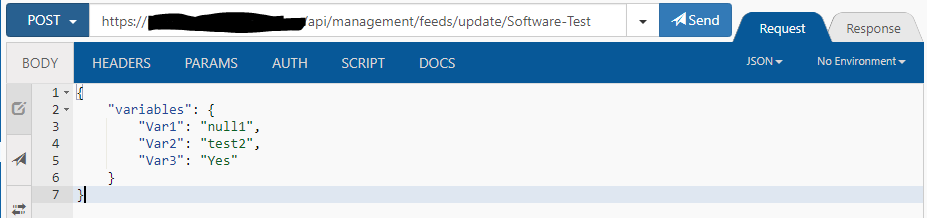
Update post request:
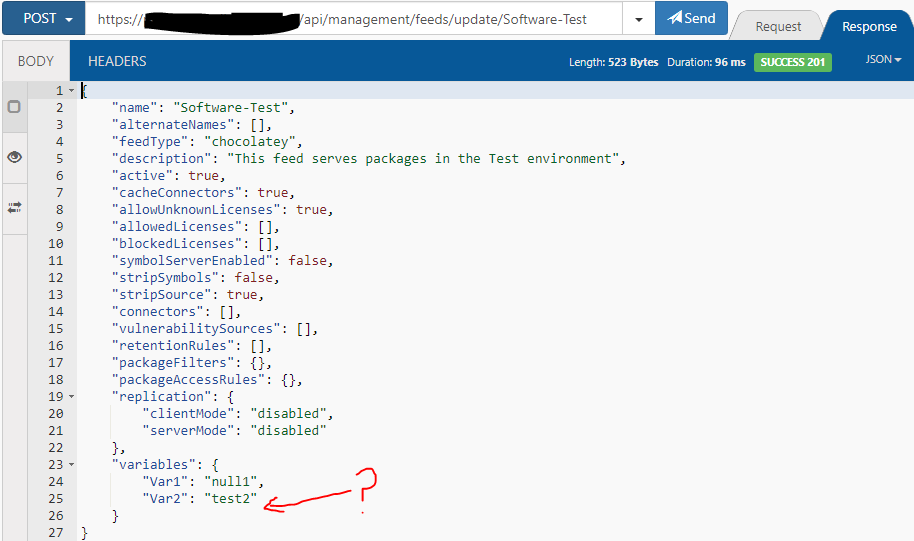
Update post Response returns 201 response code but "Var3" isn't added:
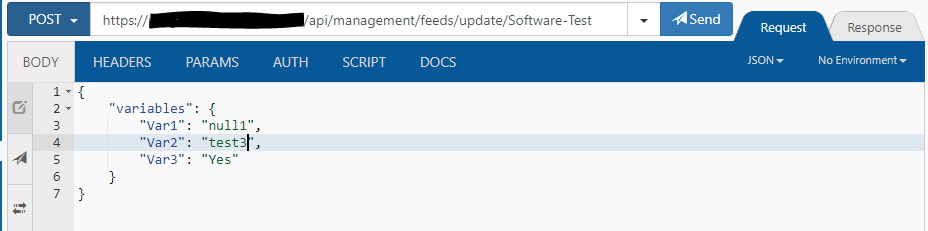
Updating an existing variable works:
Update response:
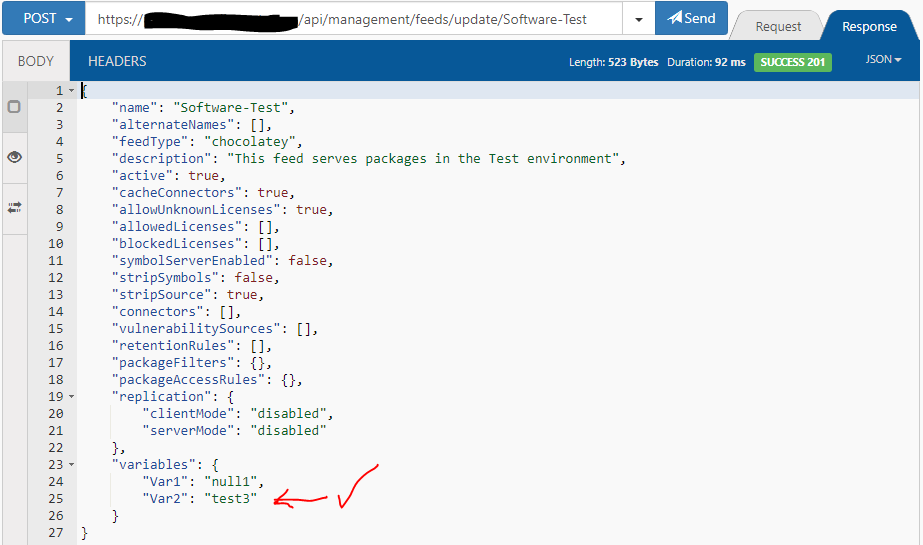
Any ideas? Is this a known bug?
Thanks in advance.
Simon -
RE: ProGet Issues using api/package-deployment/ to record chocolatey deployments
Adding an "Impersonate user" fixed this issue.
Thanks for all your help!
Simon
-
RE: ProGet Issues using api/package-deployment/ to record chocolatey deployments
Hi Thanks for the response,
I now get this:
User not authorized to download packages for feed Software-Test.My API access looks like this:
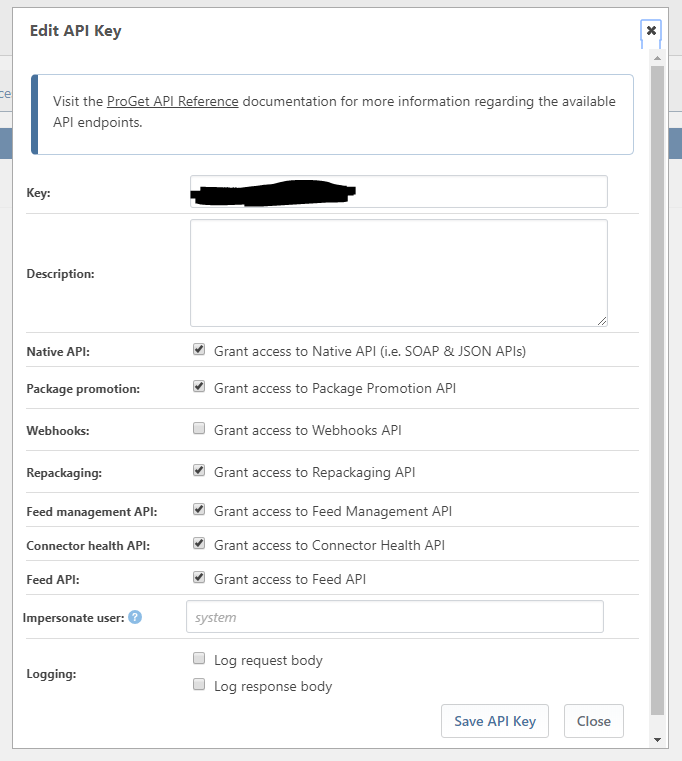
Yes this is ProGet for Linux, I'm actually running the docker image available here:
https://hub.docker.com/r/inedo/proget/buildsCould you send me a link to the related error? Is there a fix?
Thanks
Simon
-
ProGet Issues using api/package-deployment/ to record chocolatey deployments
Hey Guys,
I'm using ProGet to host a Chocolatey package feed.
Everything is working great except I'm trying to use the package-deployment api to record when a package has been deployed to a particular machine.
I'm using the following code in my chocolatey package install powershell script as described here (https://docs.inedo.com/docs/proget/reference/api/package-deployment-api)
$data = @{
    FeedName="Software-Test"
    Application="Chocolatey"
    Description="Installed by Chocolatey"
    Target="$env:COMPUTERNAME"
    PackageName="$env:ChocolateyPackageName"
    Version="$env:ChocolateyPackageVersion"
}

$headers = @{
    'content-type' = 'application/json'
    'X-ApiKey' = '{hidden key}'
}
Invoke-RestMethod -Method Post -Uri 'https://{proget url}/api/package-deployment/' -Body ($data | ConvertTo-JSON) -Headers $headers
But the API is returning the message below which is making the package install script fail:
ERROR: Cannot access a disposed object.
Object name: 'Stream has been closed'.
This also happens using a stand alone SOAP client (boomerang).
I'm getting the following message in the proget admin diagnostic center:
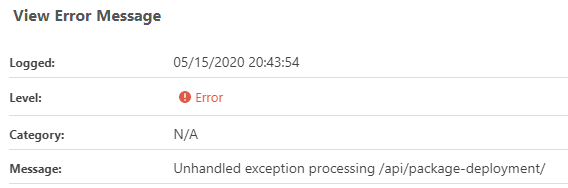
With the following stack trace:System.ObjectDisposedException: Cannot access a disposed object. Object name: 'Stream has been closed'. at System.Web.IntPtrStream.Read (System.Byte[] buffer, System.Int32 offset, System.Int32 count) [0x00043] in <b4f0b153c02f4f0588d3f7549d75281b>:0 at System.IO.Stream+<>c.<BeginReadInternal>b__40_0 (System.Object <p0>) [0x0000b] in <c453bf849bb84e719dbec0475e99db95>:0 at System.Threading.Tasks.Task`1[TResult].InnerInvoke () [0x0002b] in <c453bf849bb84e719dbec0475e99db95>:0 at System.Threading.Tasks.Task.Execute () [0x00000] in <c453bf849bb84e719dbec0475e99db95>:0 --- End of stack trace from previous location where exception was thrown --- at System.IO.Stream.EndRead (System.IAsyncResult asyncResult) [0x0004d] in <c453bf849bb84e719dbec0475e99db95>:0 at System.IO.Stream+<>c.<BeginEndReadAsync>b__45_1 (System.IO.Stream stream, System.IAsyncResult asyncResult) [0x00000] in <c453bf849bb84e719dbec0475e99db95>:0 at System.Threading.Tasks.TaskFactory`1+FromAsyncTrimPromise`1[TResult,TInstance].Complete (TInstance thisRef, System.Func`3[T1,T2,TResult] endMethod, System.IAsyncResult asyncResult, System.Boolean requiresSynchronization) [0x00000] in <c453bf849bb84e719dbec0475e99db95>:0 --- End of stack trace from previous location where exception was thrown --- at System.IO.Stream.CopyToAsyncInternal (System.IO.Stream destination, System.Int32 bufferSize, System.Threading.CancellationToken cancellationToken) [0x000a6] in <c453bf849bb84e719dbec0475e99db95>:0 at Inedo.Web.Handlers.Api.ApiKeySecuredHandler.LogApiAccess (System.Web.HttpRequest request, System.Byte[] responseBody, Inedo.Web.Handlers.Api.ApiKeySecuredHandler+WrappedApiKey apiKey, System.Int32 responseCode) [0x00154] in <552cf13df3c1427b87b305d8f051c033>:0 at Inedo.Web.Handlers.Api.ApiKeySecuredHandler.ProcessRequestInternalAsync (System.Web.HttpContext context) [0x004d7] in <552cf13df3c1427b87b305d8f051c033>:0 at Inedo.Web.Handlers.Api.StandardApiHandler.ProcessRequestAsync (System.Web.HttpContext context) [0x0006e] in <552cf13df3c1427b87b305d8f051c033>:0Any ideas on how to fix this? I'm running ProGet 5.2.30
Thanks
Simon