Inedo Community Forums Forums
    • Recent
    • Tags
    • Popular
    • Login
    1. Home
    2. parthu.reddy
    3. Topics

    Welcome to the Inedo Forums! Check out the Forums Guide for help getting started.

    If you are experiencing any issues with the forum software, please visit the Contact Form on our website and let us know!

    P Offline
    • Profile
    • Following 0
    • Followers 1
    • Topics 29
    • Posts 61
    • Groups 0

    Topics

    • P

      Not able to delete published docker images

      Watching Ignoring Scheduled Pinned Locked Moved Support
      5
      4
      0 Votes
      5 Posts
      27 Views
      atrippA
      Hi @parthu-reddy , This does not appear to be a "fat manifest". Two other things are coming to mind. First, are these referenced in any helm charts? If so, they won't get removed unless you delete the helm chart first. Second, how about trying a separate policy, "Delete untagged manifests"? That should clear out these images. Thanks, Alana
    • P

      nuget api calls blocking proget

      Watching Ignoring Scheduled Pinned Locked Moved Support
      4
      0 Votes
      4 Posts
      14 Views
      dean-houstonD
      Hi @parthu-reddy , Thanks for the additional information. Thinking about it further, I suspect this was a temporary network outage. It could have been DNS related, or who knows what. As for your configuration... 5000 is definitely too high; set this towards 100-500 max. If you're working on a load-balanced cluster, this should be done at the load balancer instead. I was incorrect about api.nuget.org, that is also used by the V3 API. I thought it was only V2. So please disregard. It's unlikely metadata caching will help, but you could try it. That's a relatively short-lived cache meant for traffic bursts, and it's not really going to help with a network outage. -- Dean
    • P

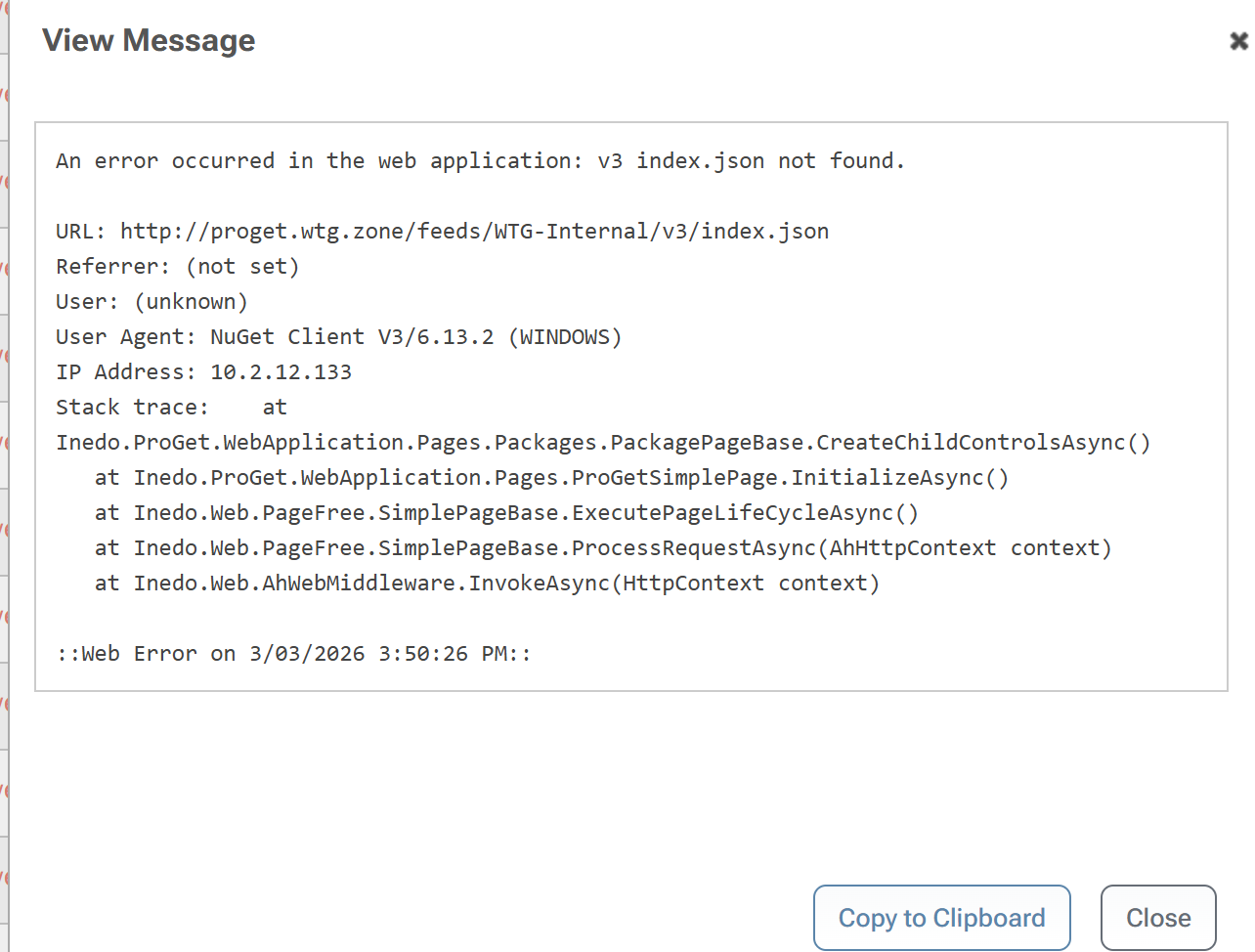
      An error occurred in the web application: v3 index.json not found.

      Watching Ignoring Scheduled Pinned Locked Moved Support
      2
      1
      0 Votes
      2 Posts
      7 Views
      atrippA
      It looks like someone (at IP 10.2.12.133) has configured the wrong URL in Visual Studio or something. They are trying to access the NuGet API via the wrong URL (note the /feeds vs /nuget at the base url). Cheers, Alana
    • P

      Dump files during proget restart analysis

      Watching Ignoring Scheduled Pinned Locked Moved Support
      2
      0 Votes
      2 Posts
      10 Views
      dean-houstonD
      Hi @parthu-reddy , Sorry on the slow reply, check out the link I sent you via t icket! Just let us know when you upload the files and we'll talke a look then! Thanks. -- Dean
    • P

      Deleting Debian feed and connectors didn't delete local index files

      Watching Ignoring Scheduled Pinned Locked Moved Support
      2
      1
      0 Votes
      2 Posts
      9 Views
      atrippA
      Hi @parthu-reddy , At this time, we don't have a disk cleanup procedure for local storage like this; we may add it in the future, but for the time being you can just delete them. The LocalStorage folder is ephemeral -- not quite "temp" storage, but the contents can be deleted. They will just be recreated next time it's needed. Thanks, Alana
    • P

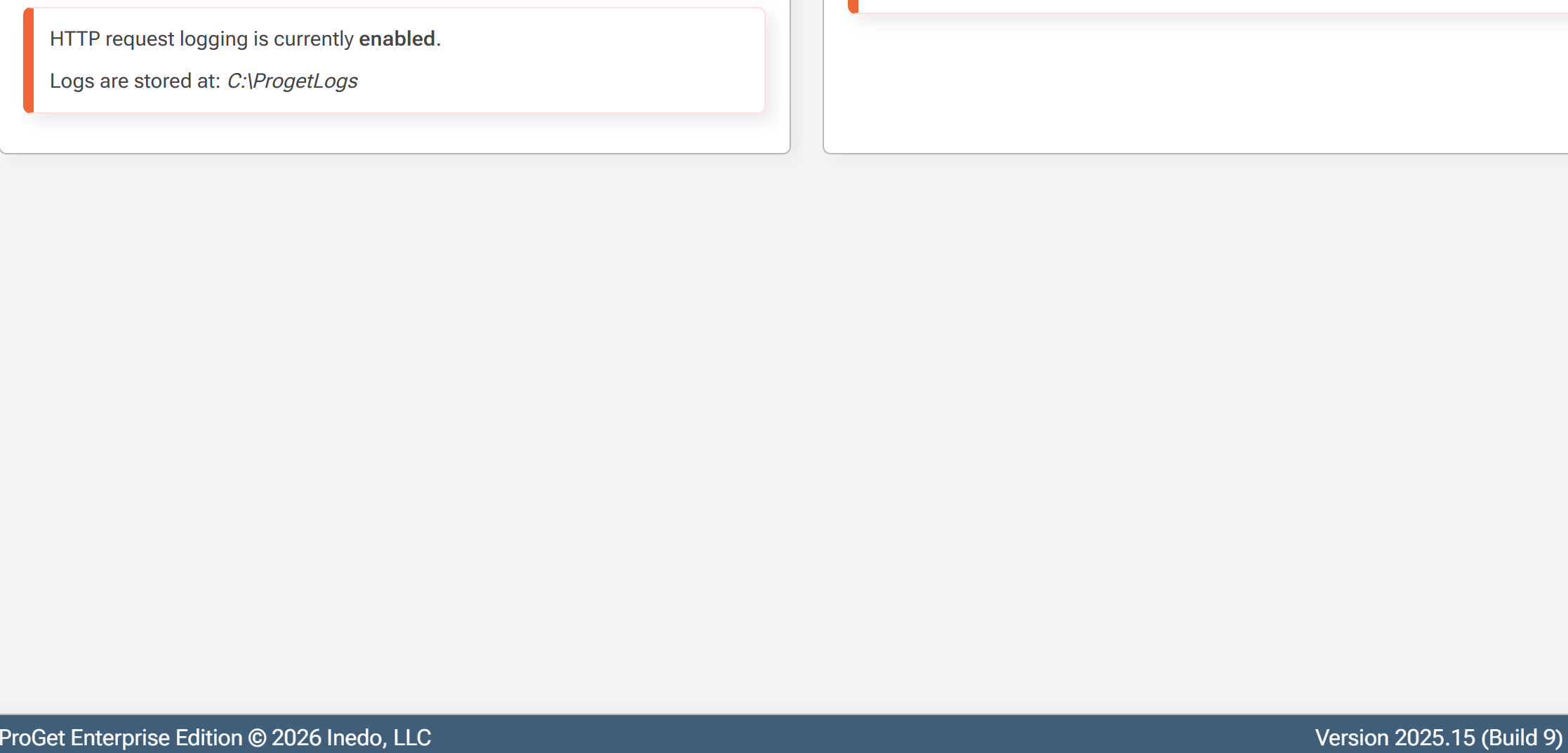
      Http Logs enabled on only one server

      Watching Ignoring Scheduled Pinned Locked Moved Support
      8
      3
      0 Votes
      8 Posts
      29 Views
      atrippA
      Hi @parthu-reddy , I'm not sure if there's a relation here, but perhaps. The "running out of disk space" is not surpsing if you're indexing mega-repositories like the public debian repos. They are gigabytes in size. Here's some more info about those: https://blog.inedo.com/inedo/proget-2025-14-major-updates-to-debian-feeds You definitely want to switch to Indexing Jobs when you connect to public repops. This can be set at operating system level (it's the %ProgramData% special folder) or in ProGet under Admin > Advanced Settings > LocalStorage. Anyway this is somethitng best brought up as a separate topic if you have follow-ups (if you don't mind), I'd hate to pollute this thread with debian/indexing questions :) Cheers, Alana
    • P

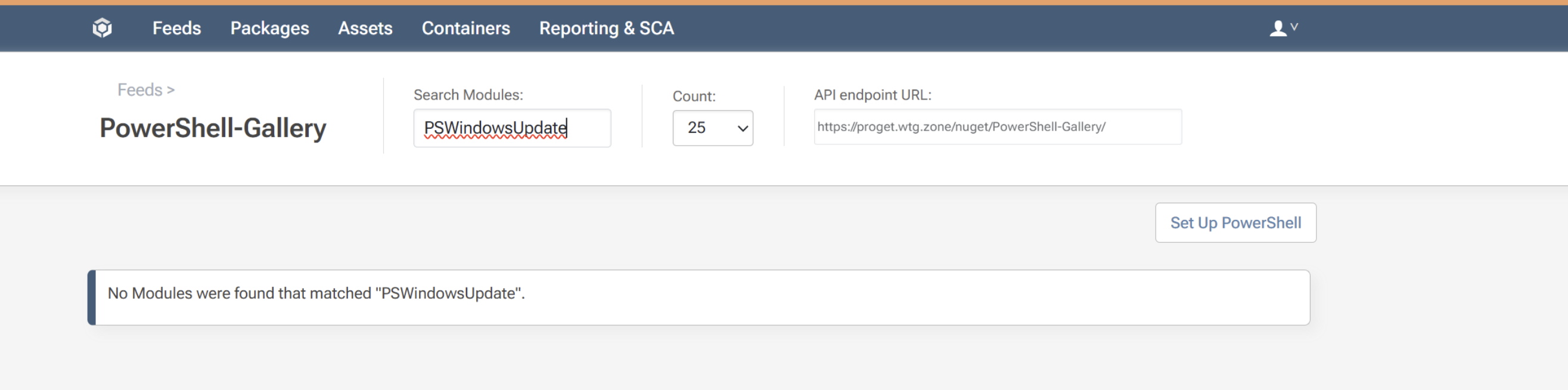
      Timeout while searching in powershell gallary for packages that are not cached

      Watching Ignoring Scheduled Pinned Locked Moved Support
      2
      3
      0 Votes
      2 Posts
      8 Views
      atrippA
      Hi @parthu-reddy , This error means that PowerShellGallery.com is taking too long to respond to that query. You can try increasing the connector timeout; it's 10 seconds by default. Maybe try 20 or 30 seconds? Just a guess. Unfortunately the PowerShellGallery seems to be in a state of abandonment these days and it performs really poorly. It's pretty buggy too. I would consider using a multi-feed, package-approval process to pull packages so you don't have to rely on the gallery's API. Cheers, Alana
    • P

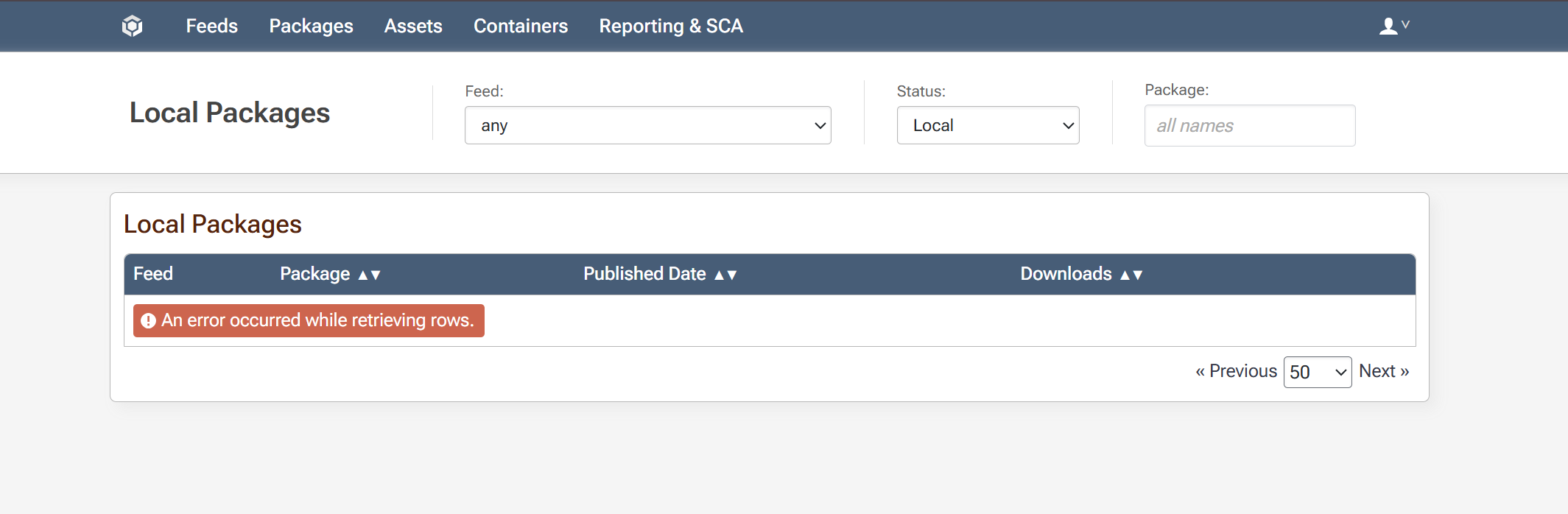
      Timeout while fetching Packages

      Watching Ignoring Scheduled Pinned Locked Moved Support
      2
      1
      0 Votes
      2 Posts
      16 Views
      atrippA
      Hi @parthu-reddy , This can particular occur when there are some issues with the database, such as outdated statistics or highly-fragmented indexes. This script should help fix this: https://proget.inedo.com/endpoints/Public/content/DefragmentIndexesWithRowCount.sql It coudl be something else, but the query that page uses seems to be mostly effected by those. Thanks, Alana
    • P

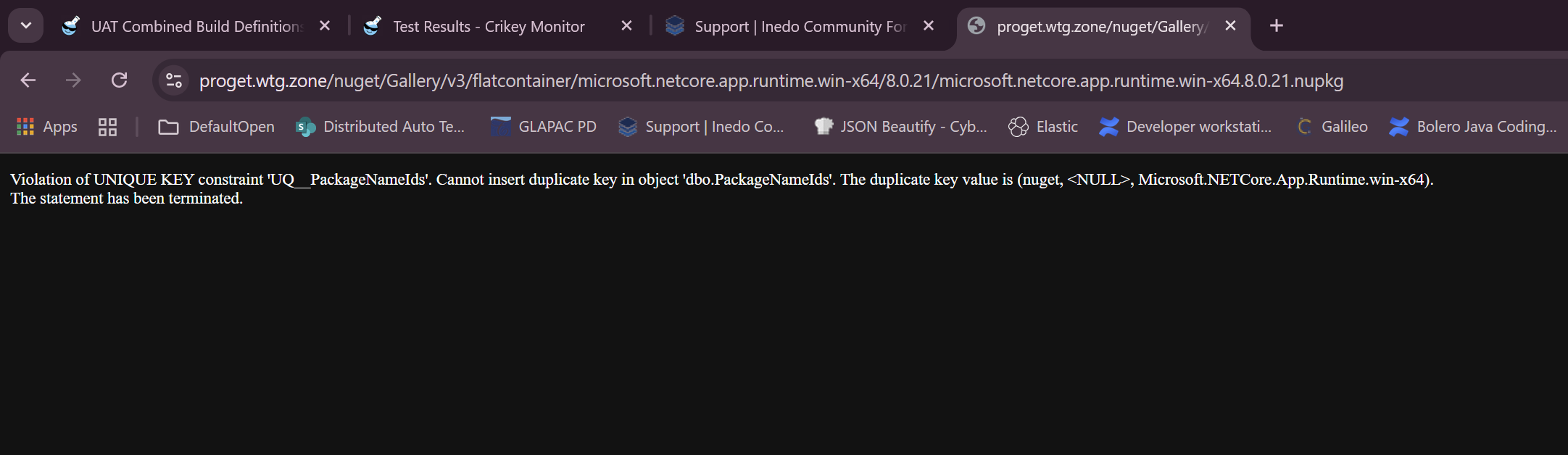
      Violation of UNIQUE KEY constraint 'UQ__PackageNameIds'.

      Watching Ignoring Scheduled Pinned Locked Moved Support
      7
      2
      0 Votes
      7 Posts
      15 Views
      atrippA
      Hi @pawel-ostrowski_5669, Actually the version you're using (2025.8) has a known regression relating these PackageIds that we already fixed via PG-3097. I didn't realize it until you told me the version and I found that issue. Anyway please try latest version of ProGet 2025, it should work. Thanks, Alana
    • P

      Unable to find docker image

      Watching Ignoring Scheduled Pinned Locked Moved Support
      2
      1
      0 Votes
      2 Posts
      15 Views
      stevedennisS
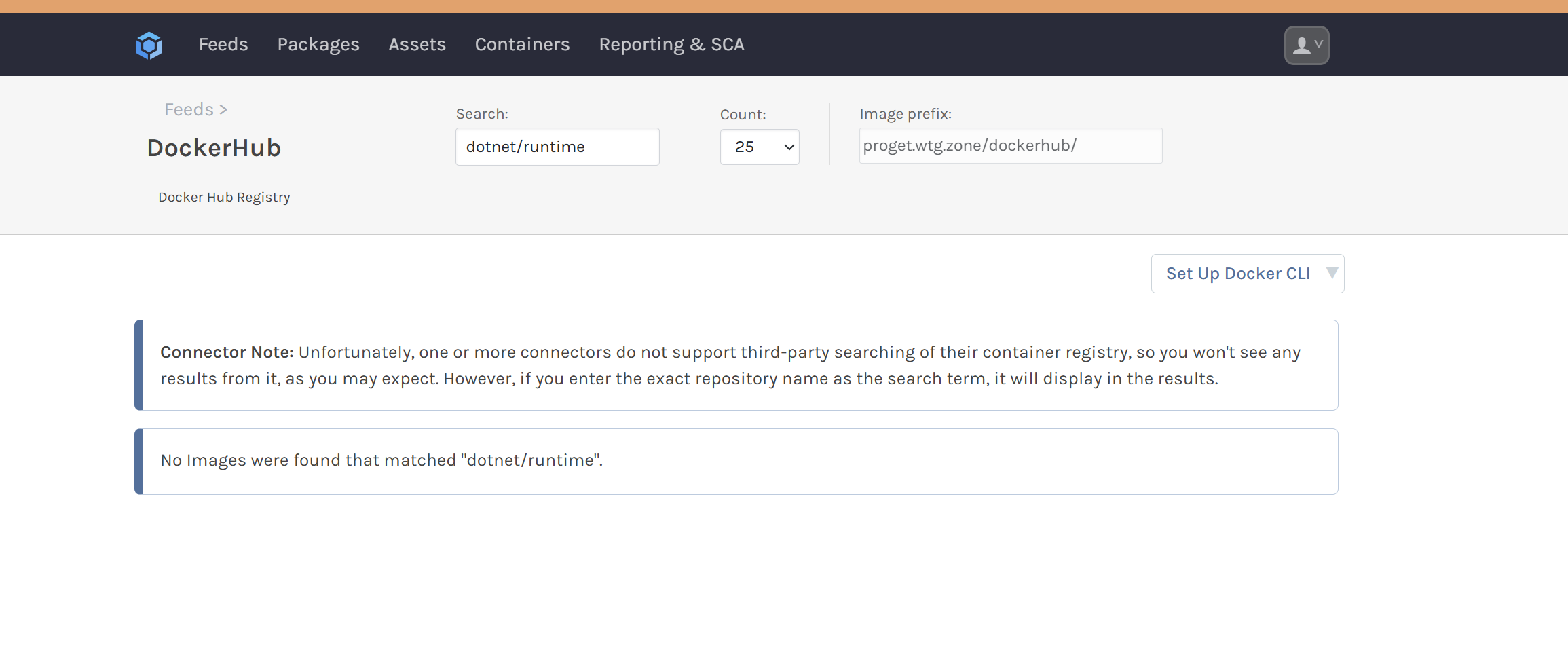
      Hi @parthu-reddy , That image is not actually hosted on Docker Hub, but in MCR (mcr.microsoft.com). Confusingly, the Docker Hub is now used to "advertise" third-party containers in other registries, in addition to its own. In this case, there are no "tags" published on the docker hub page, so you know it's just an "ad" and not a real image Thanks, Steve
    • P

      Proget maven migration

      Watching Ignoring Scheduled Pinned Locked Moved Support
      2
      0 Votes
      2 Posts
      6 Views
      atrippA
      Hi @parthu-reddy, ProGet 2025 supports existing Maven classic feeds; you should be able to migrate just as you were in ProGet 2024. Thanks, Alana
    • P

      Proget showing deleted versions of nuget packages

      Watching Ignoring Scheduled Pinned Locked Moved Support
      2
      1
      0 Votes
      2 Posts
      8 Views
      atrippA
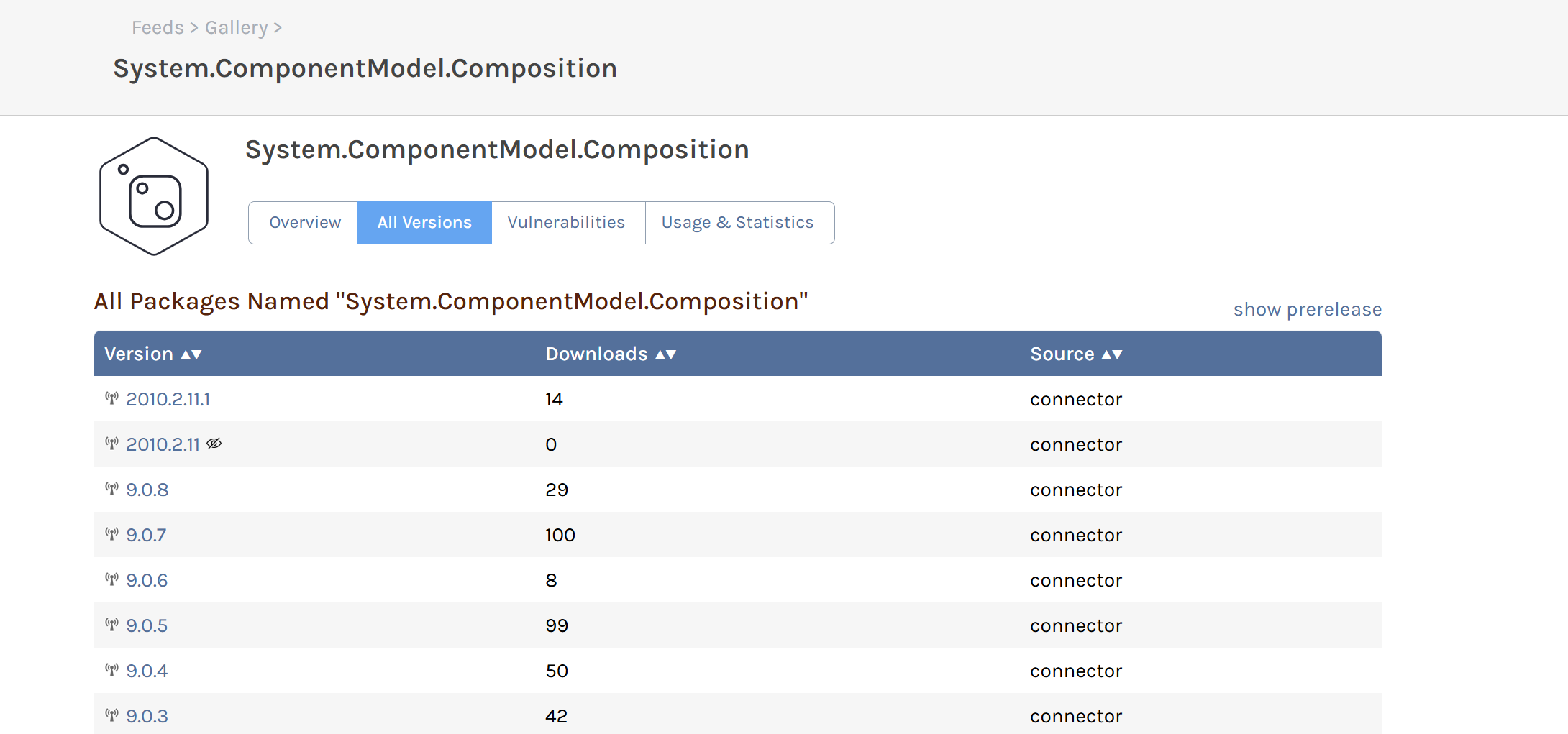
      Hi @parthu-reddy , This behavior is expected; these have a status of "unlisted", which you can see on NuGet.org if you look in the API or type in the URL directly: https://www.nuget.org/packages/System.ComponentModel.Composition/2010.2.11 https://www.nuget.org/packages/System.ComponentModel.Composition/2010.2.11.1 ProGet does not hide unlisted packages by design, but shows them with an unlisted icon instead. Thanks, Alana
    • P

      Not able to upload .spd files to proget assets

      Watching Ignoring Scheduled Pinned Locked Moved Support
      6
      4
      0 Votes
      6 Posts
      26 Views
      stevedennisS
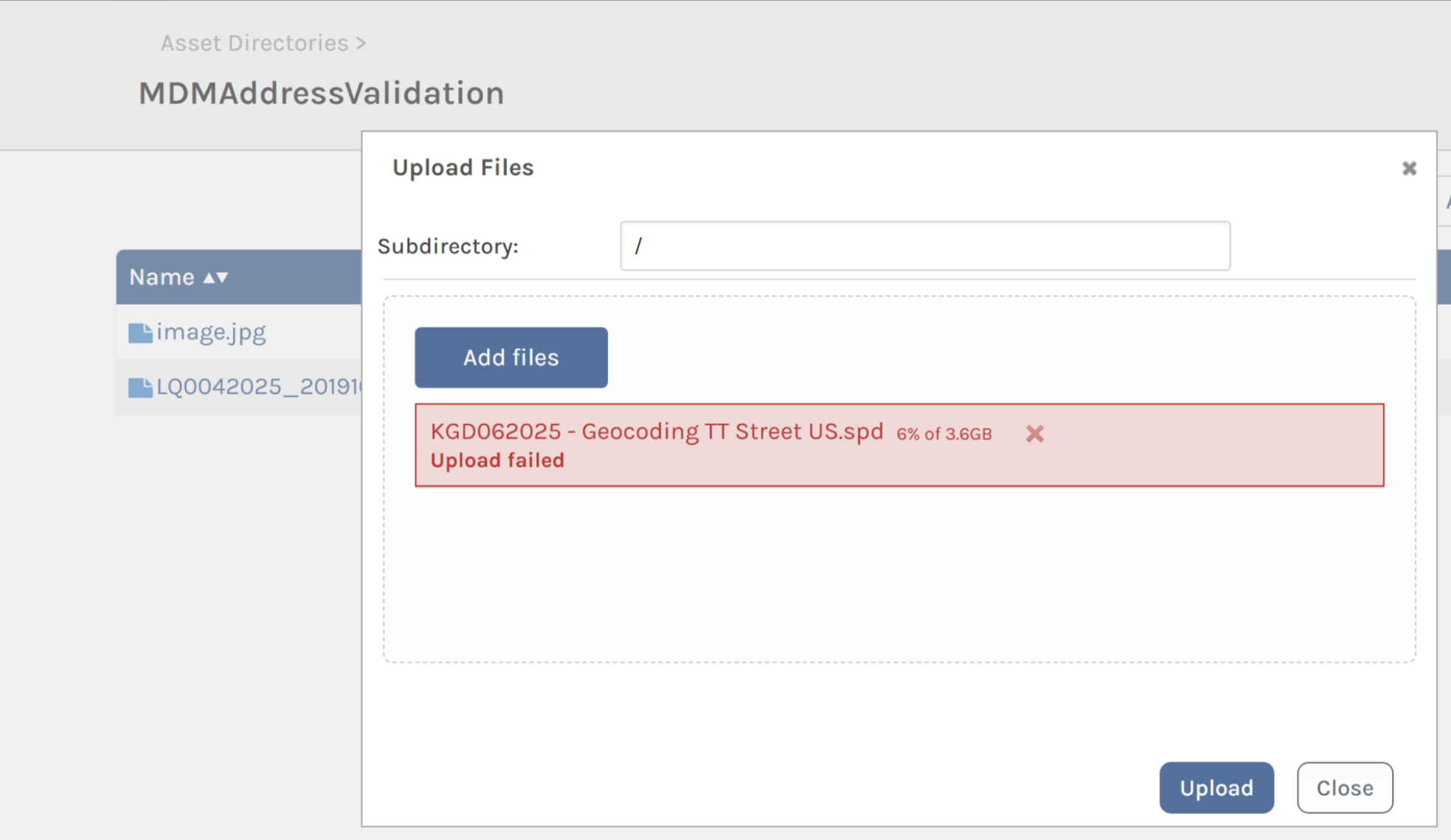
      Hi @parthu-reddy, Thanks for discovering/confirming that; unfortunately we're not able to reproduce this issue, as the multi-part / chunked uploads already take into account multiple servers. Chunked upload sessions are persisted in the shared database (ChunkedUploads table) Bytes are appended to a file stored in shared store Would you be able to dig into the request patterns a little more? I suspect there's "something" configured on the load-balancer that's "doing something weird" with these ranged requests. The Multipart Upload API explains what's happening behind the scenes, and you may find that using pgutil assets upload is easier to troubleshoot. Thanks, Steve
    • P

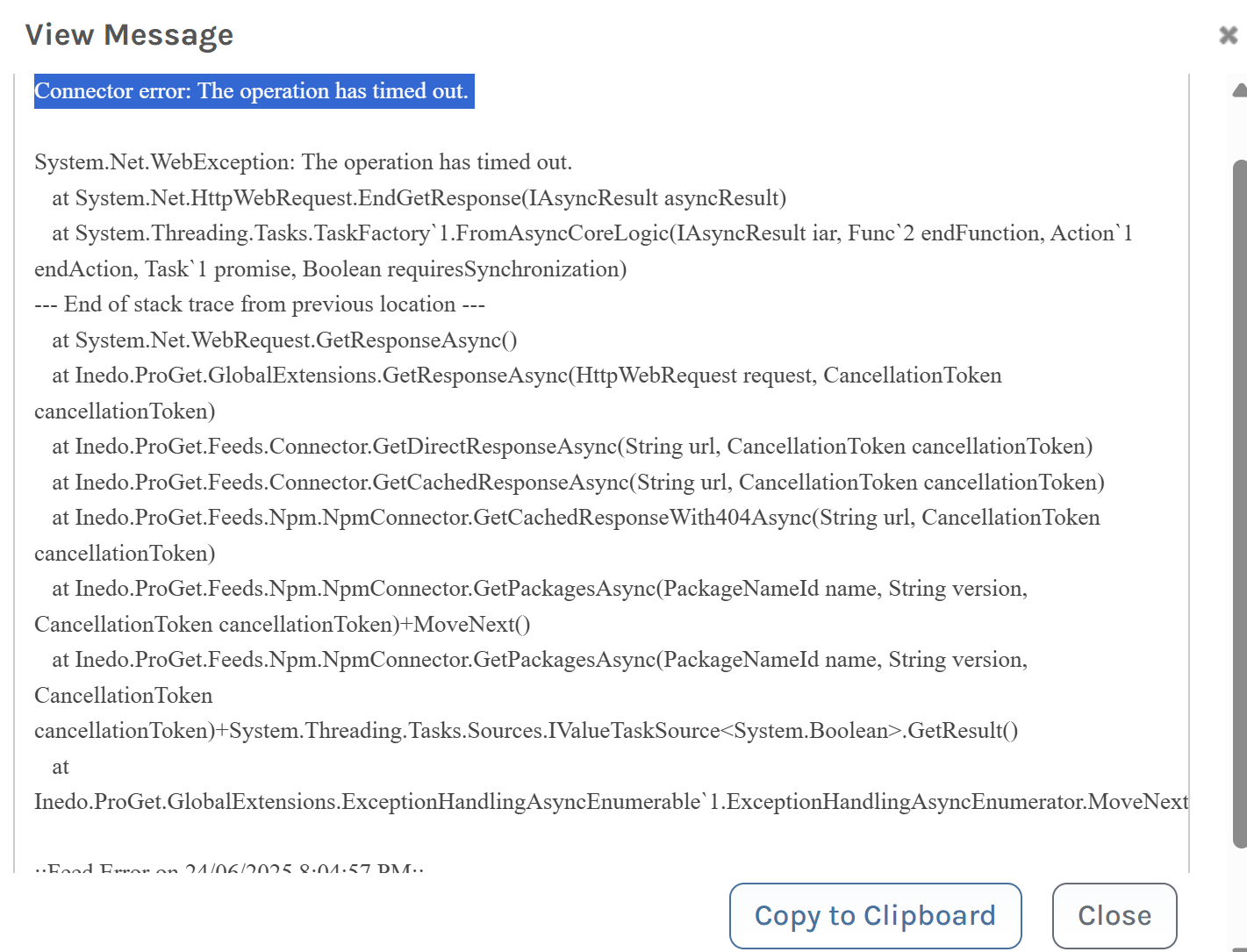
      Connector error: The operation has timed out.

      Watching Ignoring Scheduled Pinned Locked Moved Support
      2
      4
      0 Votes
      2 Posts
      13 Views
      stevedennisS
      Hi @parthu-reddy , These indicate that your network stack is being overloaded. npm can do this, as it's sending thousands of simultaneous requests to your server. Each of these requests require multiple database connections (network) and requests to remote registries (network). If you're using load balancing, you'll want to tweak the configuration to do rate limiting. For example, in npm it's this: https://blog.nginx.org/blog/rate-limiting-nginx Hope that helps, Steve
    • P

      Requests accepted by proget while using IIS

      Watching Ignoring Scheduled Pinned Locked Moved Support
      2
      0 Votes
      2 Posts
      9 Views
      stevedennisS
      Hi @parthu-reddy , First, please note that IIS is no longer recommended for ProGet 2024 and it is not supported in ProGet 2025: https://docs.inedo.com/docs/installation/windows/web#iis As for request limits, there are none. And it's not really a question that we can answer - a request can be anything from serving a cached image to doing a query with "chained connectors" that has to do a lot of network activity. It really depends on the types of feeds, configuration, etc. But a good "rule of thumb" is that 50-100 simultaneous connections will start to strain a server, and 10x that very likely be difficult to use. Hope that helps, Steve
    • P

      The process cannot access the file

      Watching Ignoring Scheduled Pinned Locked Moved Support
      2
      2
      0 Votes
      2 Posts
      6 Views
      dean-houstonD
      Hi @parthu-reddy , Nothing to worry about - there are a few ways this can happen, and unless it's happening a lot and/or causing problems with your end-users / pipelines / etc., you can ignore the message. -- Dean
    • P

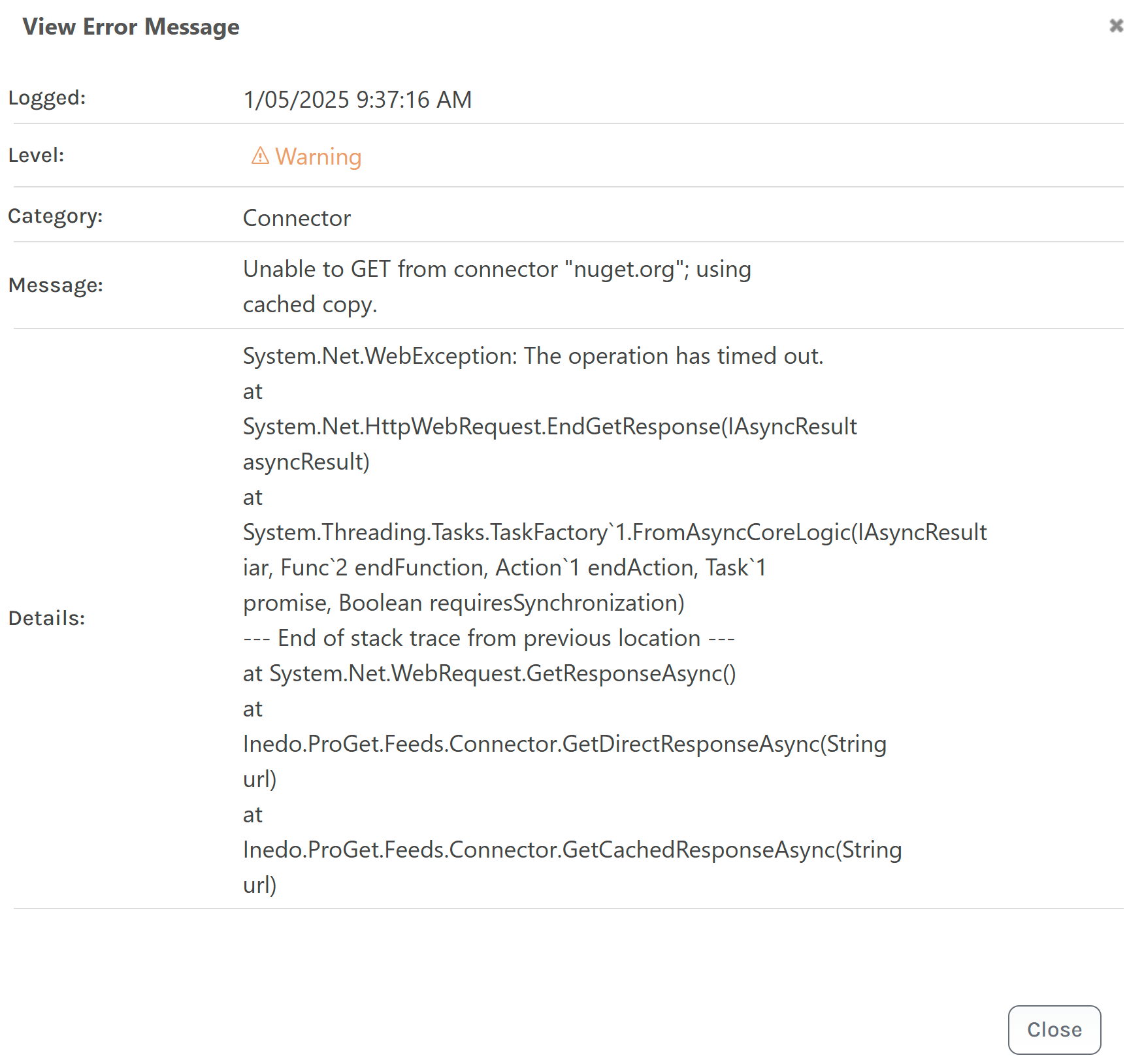
      Unable to GET from connector "nuget.org"; using cached copy.

      Watching Ignoring Scheduled Pinned Locked Moved Support
      10
      2
      0 Votes
      10 Posts
      40 Views
      atrippA
      Hi @parthu-reddy , This looks more related to Server Overload / Database than anything to me. Note how all the requests are coming in at exact same second. Can you throttle your load balancer a bit, so they don't all hit at the same time? Even a slight delay will help. FYI - we are tracking a recent regression to SQL Server analysis engine (???) that is causing one particular query (NuGet_GetPackage) to go incredibly slow under extreme traffic. For some reason, it's using the wrong plan suddly. It's been happening to a few users after a recent upgrade/patch to SQL Server. We have a work-around but would like to test it in the field against a user. Thanks, Alana
    • P

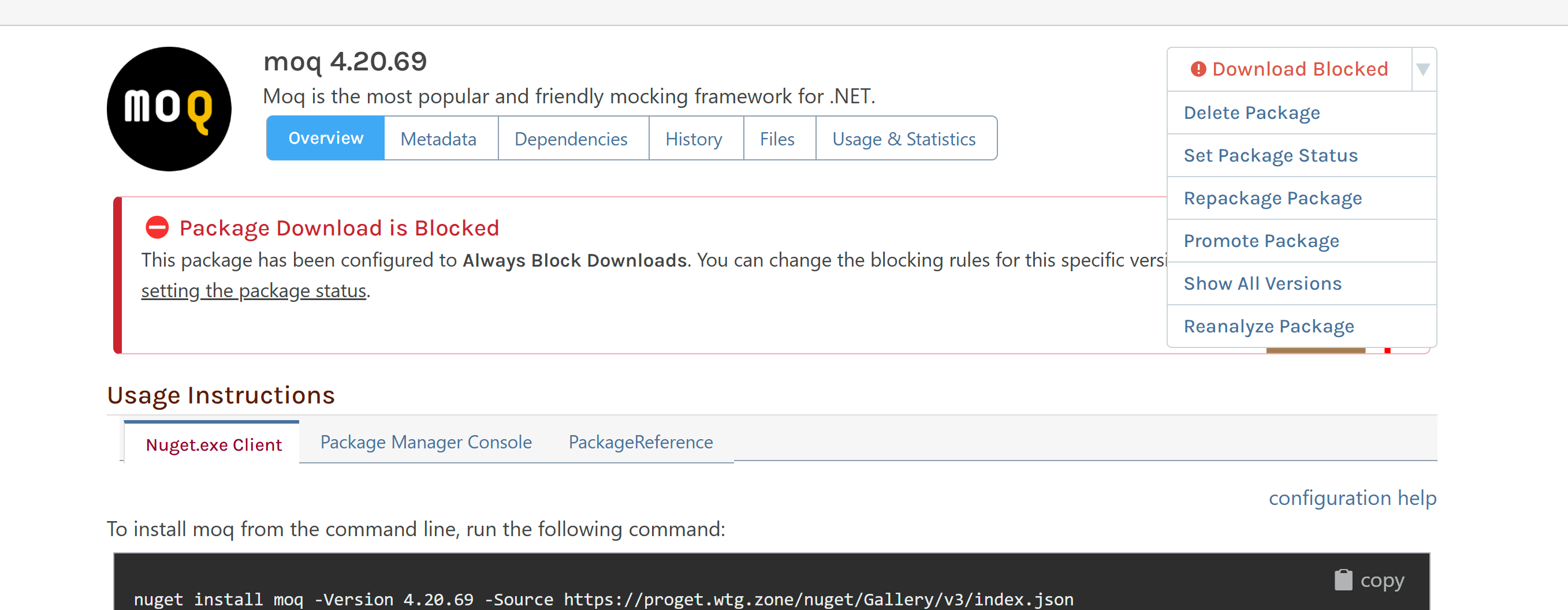
      Need info on blocking packages

      Watching Ignoring Scheduled Pinned Locked Moved Support
      2
      2
      0 Votes
      2 Posts
      7 Views
      atrippA
      Hi @parthu-reddy , This hasn't changed; to "Set Package Status", you need to first Pull the Package to the feed. From there, you can a compliance rule override of Always Block or Always Allow Downloads. Thanks, Alana
    • P

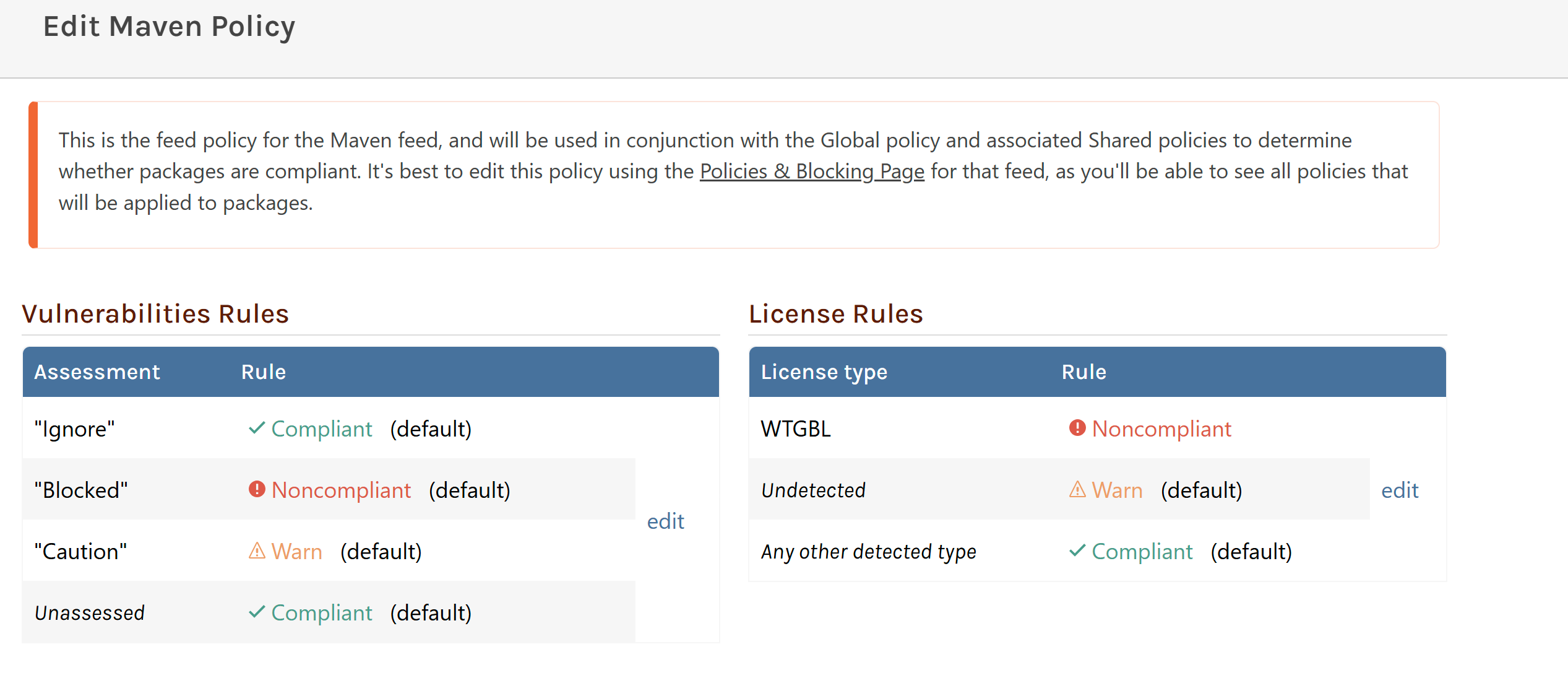
      Maven Policy not blocking Noncompliant packages

      Watching Ignoring Scheduled Pinned Locked Moved Support
      4
      1
      0 Votes
      4 Posts
      10 Views
      atrippA
      Hi @parthu-reddy , If you can provide my with some step-by-step instructions (reproduction case), then I can see if if there's a bug in ProGet. However we can't really change the "license file is embedded in the package file" technical requirement. That said... using custom licenses for blocking package is definitely inappropriate. Please do not do that. It will cause you headaches and probably business disruptions later. There are already tools to prevent users from downloading packages from ProGet, this is not how you want to do it. The easiest solution here is to align the security team's understanding/expectations align with reality. You don't want to try to configure ProGet in unrealistic ways that will lead to actual problems/risks. I suspect the security team is conflating "vulnerable packages" with "malware and viruses", so it'd be best to take this opportunity to educate them on how packages / ProGet works. ProGet can prevent users from downloading certain packages, but vulnerable packages are freely available on the internet for download. A vulnerable package is NOT some a "virus in a lab that can escape" and infect a system A package is just a library and cannot run on its own If a user has a copy of vulnerable package, they can't use it to "hack" a system with it nor will it cause any harm Vulnerable packages simply shouldn't be used as building blocks in your own applications Thanks, Alana
    • P

      An unexpected error occurred while migrating artifact metadata: 'xsi' is an undeclared prefix

      Watching Ignoring Scheduled Pinned Locked Moved Support
      9
      1
      0 Votes
      9 Posts
      13 Views
      dean-houstonD
      @parthu-reddy yes, but we do recommend migrating... There are some known bugs/quirks with Maven (Classic) feeds and we will not fix them. We will likely not migrate them to PostgresSQL, which means you won't be able to migrate to PostgreSQL in ProGet 2025+. So it's likely that ProGet 2027 will not support them.
    • 1 / 1