Welcome to the Inedo Forums! Check out the Forums Guide for help getting started.
If you are experiencing any issues with the forum software, please visit the Contact Form on our website and let us know!
nuget api calls blocking proget
-
Hi Team
We've a question on nuget api calls blocking proget.
We've been facing issue while connecting to proget recently, after some investigation with our IS team they have provided below info.
Looking at one of the failures from this morning, we can see that ProGet served no requests while it was busy establishing >200 outgoing connections
For the above time (09:15 AEST), it was 23.46.10.74 and 23.46.10.19, which according to the DNS audit logs is api.nuget.org.
SQL server seems healthy. But perhaps ProGet holds a table lock for longer than we want it to. A client successfully holding a lock isn't a "problem" from the perspective of MSSQL itself.
Is there any possibility that api calls to nuget is blocking proget servers?
Proget version we're using: Version 2025.15 (Build 9)
If possible we would like to know what calls are being send to nuget to analyze the requests being made.
Thanks
Parthu -
Hi @parthu-reddy,
Thanks for the detailed investigation notes. From what you've described, the behavior doesn't appear to be related to SQL Server locking. It's most certainly related to blocking/waiting on the 200+ outgoing connections to receive a response from
api.nuget.org.If
api.nuget.orgis running slow, then ProGet will run slow. There's really no way around this when you use connectors, as ProGet is effectively forwarding client requests.Most likely, someone or some build server is making legacy/V2 NuGet API requests (they look like ODATA/SQL queries on the url), and those are being forwarded. The V3 requests are just JSON files.
-- Dean
-
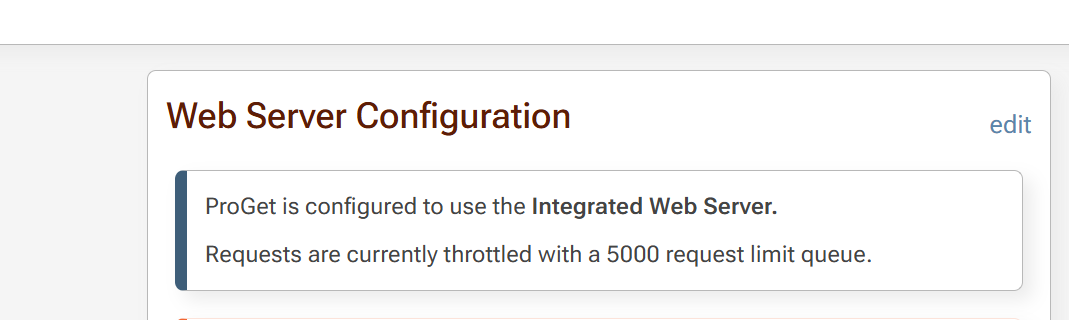
Thanks for confirmation, but we've a limit of 5000 concurrent requests on proget server
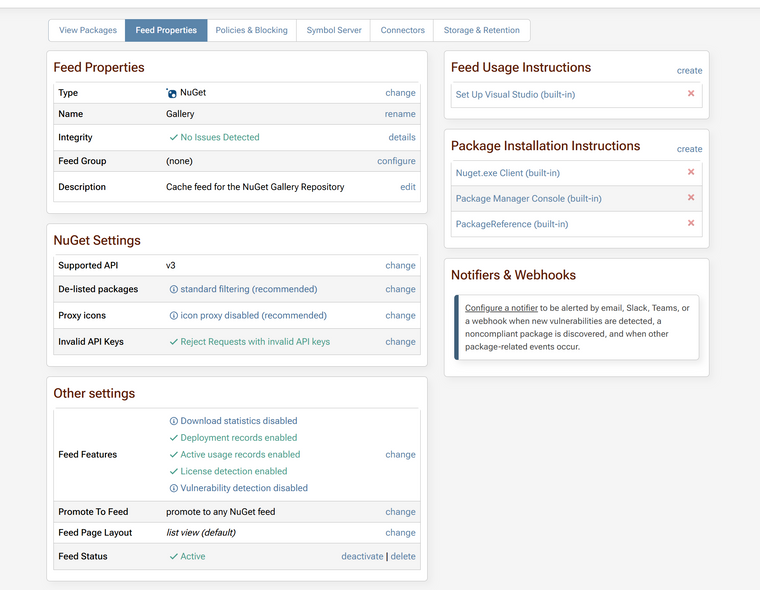
We only enabled v3 at feed level actully
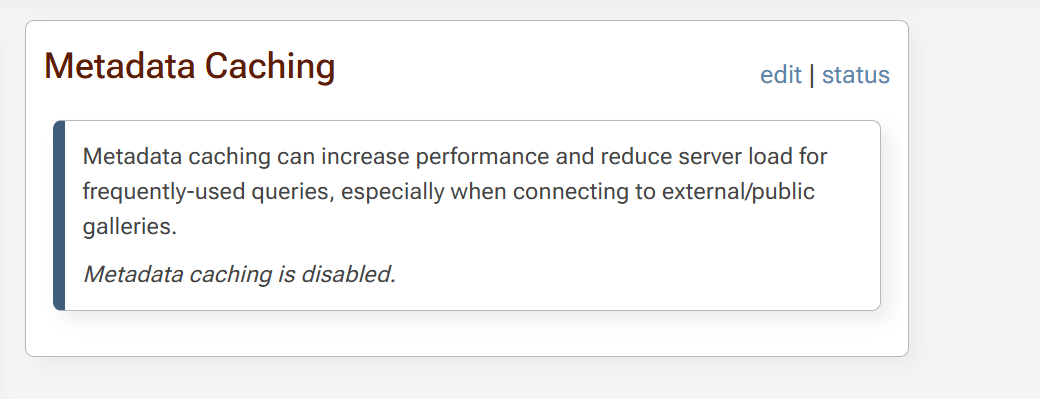
And we didn't enable metadata caching, should we enable this to avoid these issues?
-
Hi @parthu-reddy ,
Thanks for the additional information. Thinking about it further, I suspect this was a temporary network outage. It could have been DNS related, or who knows what.
As for your configuration...
5000 is definitely too high; set this towards 100-500 max. If you're working on a load-balanced cluster, this should be done at the load balancer instead.
I was incorrect about
api.nuget.org, that is also used by the V3 API. I thought it was only V2. So please disregard.It's unlikely metadata caching will help, but you could try it. That's a relatively short-lived cache meant for traffic bursts, and it's not really going to help with a network outage.
-- Dean

Hello! It looks like you're interested in this conversation, but you don't have an account yet.
Getting fed up of having to scroll through the same posts each visit? When you register for an account, you'll always come back to exactly where you were before, and choose to be notified of new replies (either via email, or push notification). You'll also be able to save bookmarks and upvote posts to show your appreciation to other community members.
With your input, this post could be even better 💗
Register Login