Inedo Community Forums Forums
    • Recent
    • Tags
    • Popular
    • Login
    1. Home
    2. ivan.magdolen_6846
    3. Topics

    Welcome to the Inedo Forums! Check out the Forums Guide for help getting started.

    If you are experiencing any issues with the forum software, please visit the Contact Form on our website and let us know!

    I Offline
    • Profile
    • Following 0
    • Followers 0
    • Topics 2
    • Posts 3
    • Groups 0

    Topics

    • I

      Access Proget Feed under system (computer) account

      Watching Ignoring Scheduled Pinned Locked Moved Support
      4
      0 Votes
      4 Posts
      16 Views
      atrippA
      Hi @ivan-magdolen_6846, An "Invalid credentials specified" basically translates to "invalid username/password". In this case, it doesn't matter that the user has permissions or not (authorization) -- they simply can't login (authentication). I would try this without chocolatey; you can simply visit the API urls in an "incognito" browser directly, and enter the username/password prompts from the browser. This should be a browser-prompt, and not the ProGet log-in page. Once you can access the API urls, that will give you an idea of whether the LDAP is workikng or not. Cheers, Alana
    • I

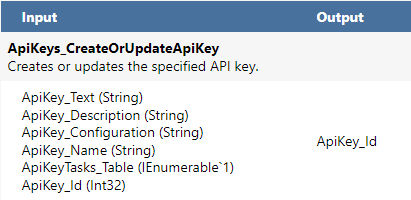
      Create System API key via API

      Watching Ignoring Scheduled Pinned Locked Moved Support
      2
      2
      0 Votes
      2 Posts
      19 Views
      atrippA
      Hi @ivan-magdolen_6846, It looks like you're on the right track with finding the XML for that key. Since you're automating the installation, and already have DBO access to the ProGet database, I would suggest just directly adding it to the database using that stored procedure. You can also add/edit some values (like license key) if you want to the Configuration table. Alternatively I guess you could try Admin:Admin as the API key, since that account will be created by default. I'm not sure if it will work with the native API however. Best, Alana
    • 1 / 1