Inedo Community Forums Forums
    • Recent
    • Tags
    • Popular
    • Login
    1. Home
    2. tames_0545
    3. Posts

    Welcome to the Inedo Forums! Check out the Forums Guide for help getting started.

    If you are experiencing any issues with the forum software, please visit the Contact Form on our website and let us know!

    T Offline
    • Profile
    • Following 0
    • Followers 0
    • Topics 2
    • Posts 5
    • Groups 0

    Posts

    Recent Best Controversial
    • RPM feed integration display issues on 25.0.5

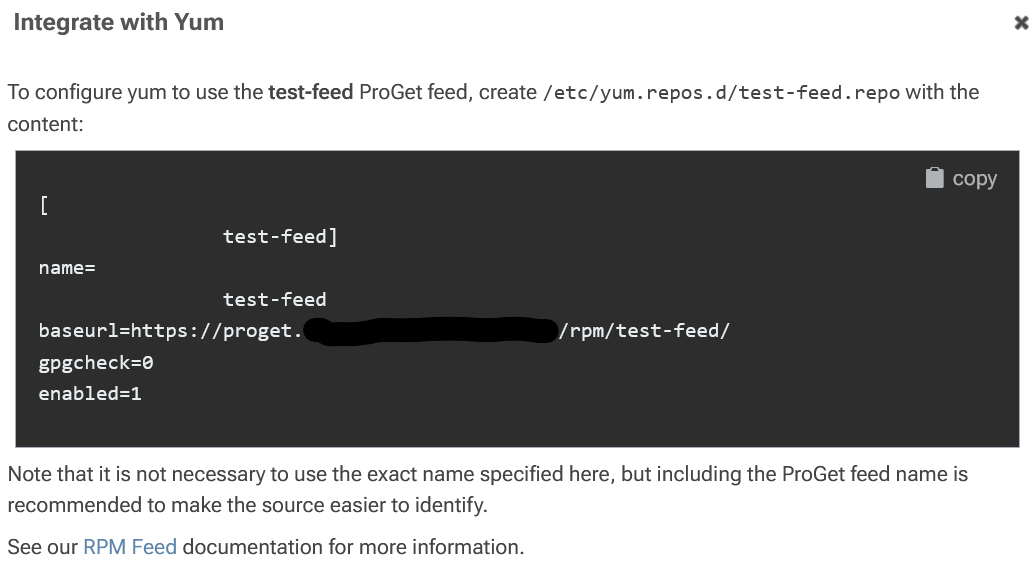
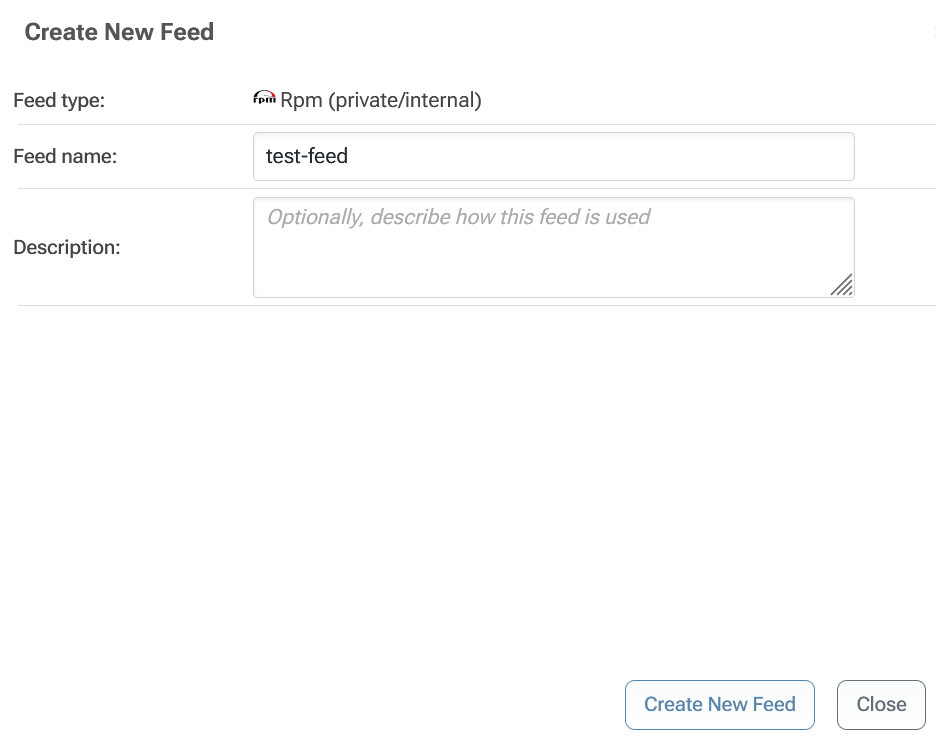
      Hello. RPM feeds seem to have an issue when showing the "Integrate with Yum" details. Here is an example with a test feed, but I am seeing it with any feed I create.

      d90b4687-5731-4b77-992d-58cf37084de3-image.png

      It is then showing some strange white spacing before the repo name:
      045746ff-645c-49ae-9bf1-33bb60df031d-image.png

      I'm typing the name in and not copy-pasting it, so shouldn't be anything I'm entering.

      I am running this on Linux with the Docker image.

      posted in Support
      T
      tames_0545
    • RE: ProGet Docker built in database fails after restart

      I figured it out. The container is changing the /var/proget/database directory ownership from root to the internal postgres user. I had created the directories using Puppet, which was putting them back to root as the owner.

      Thanks for the hints.

      posted in Support
      T
      tames_0545
    • RE: ProGet Docker built in database fails after restart

      I have removed the encryption key and connection string. I removed the proget directories and started again.

      Things ran well until reboot. After reboot, the web was available but it started throwing the following message:

      info: Microsoft.AspNetCore.Hosting.Diagnostics[1]
            Request starting HTTP/1.1 GET http://proget.example.com/feeds - - -
      fail: Microsoft.AspNetCore.Server.Kestrel[13]
            Connection id "0HNE94OV39U9F", Request id "0HNE94OV39U9F:00000001": An unhandled exception was thrown by the application.
            Inedo.ProGet.Web.Security.UserNotFoundException: Exception of type 'Inedo.ProGet.Web.Security.UserNotFoundException' was thrown.
               at Inedo.ProGet.WebApplication.ProGetHttpModule.AuthorizeRequestAsync(AhHttpApplication app) in C:\Users\builds\AppData\Local\Temp\InedoAgent\BuildMaster\192.168.44.60\Temp\_E576295\Src\src\ProGet\WebApplication\ProGetHttpModule.cs:line 264
               at Inedo.Web.InedoHttpModule.Inedo.Web.IAhWebModule.AuthorizeRequestAsync(AhHttpApplication app)
               at Inedo.Web.AhWebMiddleware.InvokeAsync(HttpContext context)
               at Inedo.Web.AhWebMiddleware.InvokeAsync(HttpContext context)
               at Inedo.Web.AhWebMiddleware.InvokeAsync(HttpContext context)
               at Inedo.Web.AhWebHost.<>c.<<Configure>b__22_0>d.MoveNext()
            --- End of stack trace from previous location ---
               at Microsoft.AspNetCore.Server.Kestrel.Core.Internal.Http.HttpProtocol.ProcessRequests[TContext](IHttpApplication`1 application)
      info: Microsoft.AspNetCore.Hosting.Diagnostics[2]
            Request finished HTTP/1.1 GET http://proget.example.com/feeds - 500 0 - 3.7097ms
      

      Eventually the web server stopped responding.

      It seems completely unrelated to what I was seeing before. However, it shows something is not stable.

      posted in Support
      T
      tames_0545
    • RE: ProGet Docker built in database fails after restart

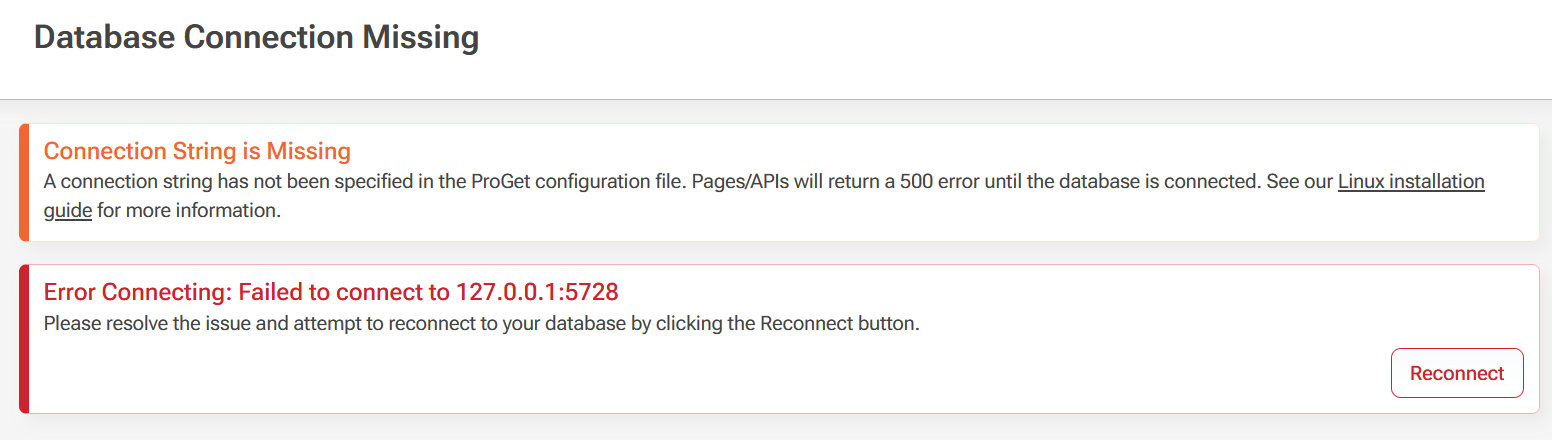
      I removed the connection string to try again. This time things are fine if I stop, remove, and run again. However on reboot, it goes back to not working again.

      The web interface shows the following:

      bae76a24-6247-467e-b7b8-5bd2d62b0ee8-image.png

      posted in Support
      T
      tames_0545
    • ProGet Docker built in database fails after restart

      Hello,

      I set up ProGet using Docker and nginx as a reverse proxy. When I start the container, everything works. But if I remove the container and start it again, it complains that it cannot connect to the database.

      This is a clean install using the latest version of the container image.

      # docker logs -f proget
      Updating certificates in /etc/ssl/certs...
      0 added, 0 removed; done.
      Running hooks in /etc/ca-certificates/update.d...
      done.
      info: Microsoft.Hosting.Lifetime[0]
            Application started. Press Ctrl+C to shut down.
      info: Microsoft.Hosting.Lifetime[0]
            Hosting environment: Production
      info: Microsoft.Hosting.Lifetime[0]
            Content root path: /usr/local/proget
      ProGet version is 25.0.5.16.
      Current DB schema version is unknown.
      Cannot connect to database; will retry in 1 second... Full error: Failed to connect to 127.0.0.1:5728
      Attempting to use shared configuration for ProGet.
      Shared configuration file not found at /etc/inedo/ProGet.config.
      info: Inedo.Web.BackgroundTaskQueueService[0]
            Background Task Queue is starting.
      warn: Microsoft.AspNetCore.Hosting.Diagnostics[15]
            Overriding HTTP_PORTS '8080' and HTTPS_PORTS ''. Binding to values defined by URLS instead 'http://*:80'.
      warn: Microsoft.AspNetCore.Server.Kestrel[0]
            Overriding address(es) 'http://*:80'. Binding to endpoints defined via IConfiguration and/or UseKestrel() instead.
      info: Microsoft.Hosting.Lifetime[0]
            Application started. Press Ctrl+C to shut down.
      info: Microsoft.Hosting.Lifetime[0]
            Hosting environment: Production
      info: Microsoft.Hosting.Lifetime[0]
            Content root path: /usr/local/proget
      info: Microsoft.Hosting.Lifetime[14]
            Now listening on: http://[::]:80
      info: Microsoft.Hosting.Lifetime[0]
            Application started. Press Ctrl+C to shut down.
      info: Microsoft.Hosting.Lifetime[0]
            Hosting environment: Production
      info: Microsoft.Hosting.Lifetime[0]
            Content root path: /usr/local/proget
      Cannot connect to database; will retry in 1 second... Full error: Failed to connect to 127.0.0.1:5728
      Cannot connect to database; will retry in 1 second... Full error: Failed to connect to 127.0.0.1:5728
      Cannot connect to database; will retry in 1 second... Full error: Failed to connect to 127.0.0.1:5728
      Cannot connect to database; will retry in 1 second... Full error: Failed to connect to 127.0.0.1:5728
      Cannot connect to database; will retry in 1 second... Full error: Failed to connect to 127.0.0.1:5728
      

      Here is my start command:

      #!/bin/bash
      
      /usr/bin/docker run -d --name=proget --restart=unless-stopped \
              -v /opt/proget/packages:/var/proget/packages \
              -v /opt/proget/database:/var/proget/database \
              -v /opt/proget/backups:/var/proget/backups \
              -v /opt/proget/encryption.key:/var/proget/encryption.key \
              -v /opt/proget/connection_string.txt:/var/proget/connection_string.txt \
              -p 8624:80 \
              -e TZ='Asia/Qatar' \
              -e PROGET_ENCRYPTION_KEY_FILE='/var/proget/encryption.key' \
              -e PROGET_POSTGRES_CONNECTION_STRING_FILE='/var/proget/connection_string.txt' \
              proget.inedo.com/productimages/inedo/proget:latest
      

      From the instructions it seems you only need the "PROGET_POSTGRES_CONNECTION_STRING_FILE" if you are using an external database, but the web interface complains about not having the connection string if I don't put it.

      Am I missing something?
      posted in Support
      T
      tames_0545
    • 1 / 1