Inedo Community Forums Forums
    • Recent
    • Tags
    • Popular
    • Login
    1. Home
    2. PhilipWhite
    3. Topics

    Welcome to the Inedo Forums! Check out the Forums Guide for help getting started.

    If you are experiencing any issues with the forum software, please visit the Contact Form on our website and let us know!

    P Offline
    • Profile
    • Following 0
    • Followers 0
    • Topics 3
    • Posts 14
    • Groups 0

    Topics

    • P

      [BM] $ApplicationName is empty

      Watching Ignoring Scheduled Pinned Locked Moved Support
      5
      1
      0 Votes
      5 Posts
      16 Views
      P
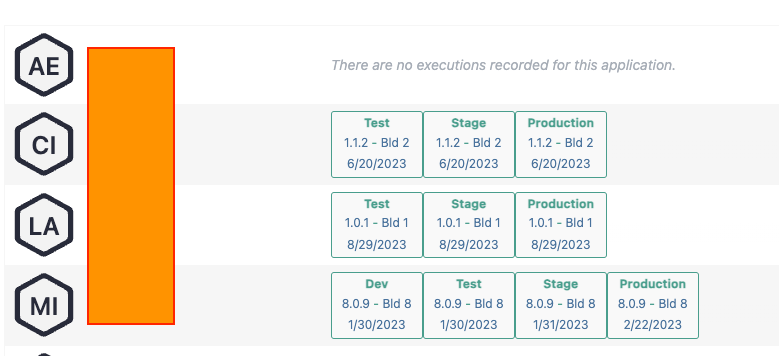
      Hi @atripp, So I associated the deployment targets with environments and that fixed both of my issues: $EnvironmentName is populated and now the environments are showing on that application screen: [image: 1707424775266-f2980f10-64c0-41a7-a082-7115d0d3b1ba-image.png] Thanks!
    • P

      Docker::Build-Image on Linux server

      Watching Ignoring Scheduled Pinned Locked Moved Support
      6
      0 Votes
      6 Posts
      23 Views
      atrippA
      Hi @PhilipWhite , You're correct, this is a regression in the validation code... if (!value.All(c => (char.IsLetterOrDigit(c) && char.IsLower(c)) || c == '.' || c == '_' || c == '-' || c == '/')) return new ValidationResults(false, $"Docker Repository names may only contain lowercase letters, digits, periods, underscores, slashes, or dashes."); I guess we recently added char.IsLower because UpperCase characters caused all sorts of problems.... easy fix, and easy work around. Just enter blah in the Repository name field, Click Save Click "view all" Click on the Docker repository in that view, edit We'll get this fixed for teh next maintenance release via BM-3932 Cheers, Alana
    • P

      [BM] Error checking out code on Linux server

      Watching Ignoring Scheduled Pinned Locked Moved Support
      11
      1
      0 Votes
      11 Posts
      40 Views
      P
      @atripp Thanks, I installed 23.0.10 this morning and the git checkout task succeeds on the RedHat server. Next step is getting the docker build task to succeed. I may open a separate post for that.
    • 1 / 1