Inedo Community Forums Forums
    • Recent
    • Tags
    • Popular
    • Login
    1. Home
    2. Ashley
    3. Posts

    Welcome to the Inedo Forums! Check out the Forums Guide for help getting started.

    If you are experiencing any issues with the forum software, please visit the Contact Form on our website and let us know!

    A Offline
    • Profile
    • Following 0
    • Followers 0
    • Topics 8
    • Posts 25
    • Groups 0

    Posts

    Recent
    • NPM Incorrect Handling of min-release-age

      Hi,

      There appears to be some disparity between the npm min-release-age and the ProGet Recently published rule on the feed.

      Setup

      ProGet 2025.25 (Build 11)

      .npmrc:

      registry=https://my-proget-server/npm/npm-public/
      min-release-age=7
      

      ProGet Use Connector Publish Date enabled.

      35af2849-f0b3-421b-8b64-bb2ffdfaaaeb-image.png

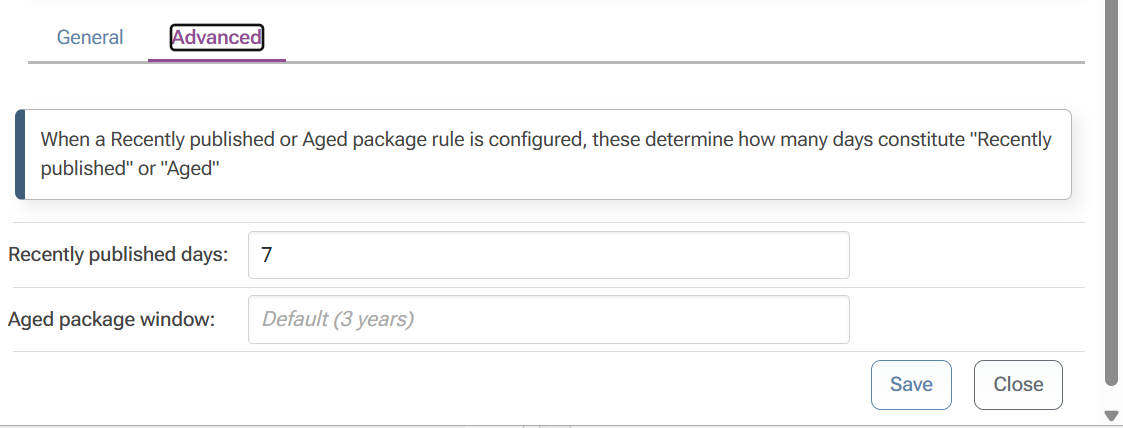
      ProGet npm feed has Recently published (7 days).
      e14efc66-c8fb-4588-ae79-86bfc3127199-image.png

      Install

      Run npm install for the latest applicable version of @hono/node-server

      > npm i @hono/node-server@latest
      npm error code E400
      npm error 400 Bad Request - GET https://my-proget-server/npm/npm-public/%40hono/node-server/-/node-server-1.19.14.tgz - Package is Recently Published
      

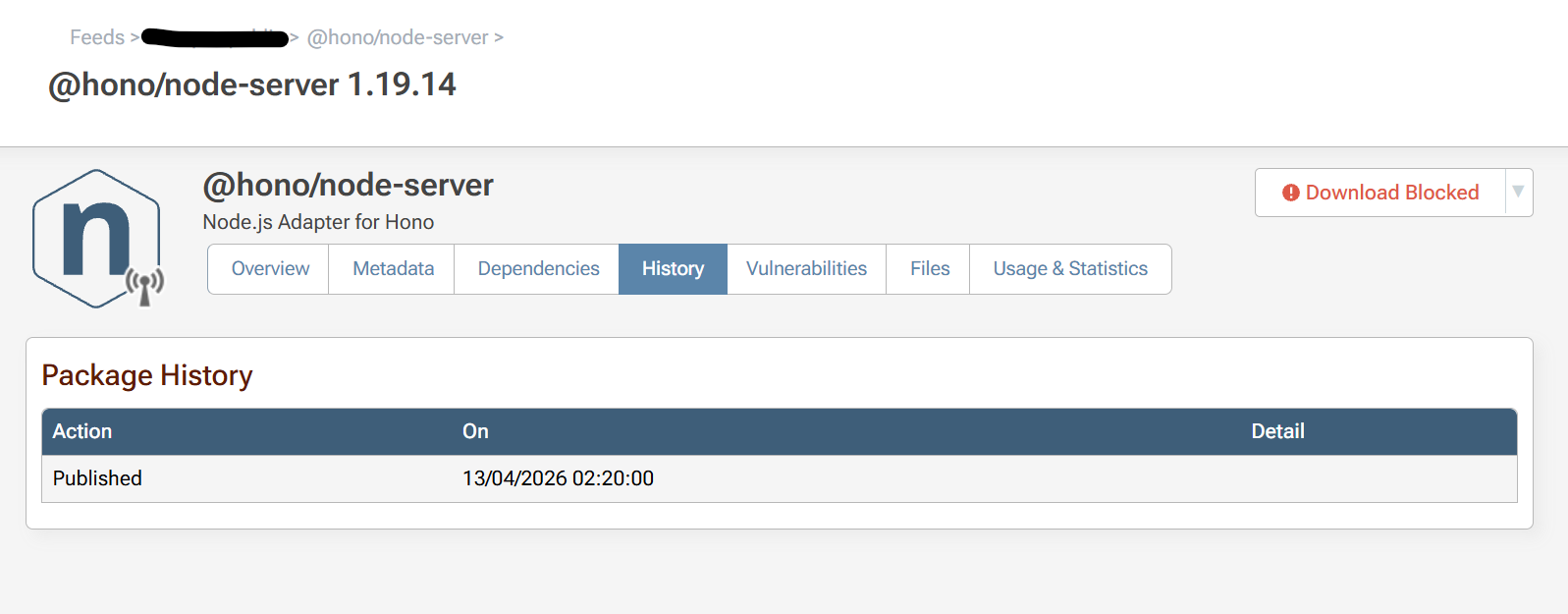
      In Proget @hono/node-server-1.19.14 has a publish date of the 2026-04-13 02:20:00:
      c4272b8d-ff08-4166-be0e-db40c9cf7b81-image.png

      I ran the npm install on 2026-04-20 15:12 BST, minus 7 days is 2026-04-13 15:12 BST. That's greater than the ProGet npm package date of 2026-04-13 02:20:00.

      If I change my npm config to have min-release-age=8, then the install works fine. Is this some issue with timezones?

      Thanks!

      posted in Support
      A
      Ashley
    • ProGet 2025.9 NuGet Package Name Casing

      Hi

      We updated to 2025.9 and NuGet packages are now being displayed with incorrect casing in the Visual Studio Package Manager.

      ProGet 2025.9:
      4e9e8d86-f307-469e-bdf4-26fc776053ed-image.png

      Nuget.Org:
      bdf4090a-3342-4e5f-a65f-684e9d8b17a7-image.png

      It only appears to be an issue on packages we had not downloaded before the update to 2025.9.
      This may or may not be related to this post: https://forums.inedo.com/topic/5477/packages-with-noncanonical-names-errors-on-internalized-packages?_=1757496394015

      posted in Support
      A
      Ashley
    • RE: ProGet Drop Paths broken after upgrading to 2025.7

      Hi,

      We upgraded to 2025.9 after testing in our dev environment and ProGet is now importing PyPi packages from the drop folder

      Thanks!

      posted in Support
      A
      Ashley
    • RE: ProGet Drop Paths broken after upgrading to 2025.7

      Hi @atripp,

      I really appreciate you looking into this and sorting a fix so quickly. I'll hold off until the patch this Friday - we can temporarily work around the issue by manually uploading individual packages.

      Thanks,
      Ashley

      posted in Support
      A
      Ashley
    • ProGet Drop Paths broken after upgrading to 2025.7

      Hi,

      We upgraded our Windows ProGet instance to 2025.7 and are now seeing issues with the ProGet feed drop paths not importing files. It detects files dropped into the folder but the warning path it outputs is a weird combination of the feed storage and the import path.

      Our configuration:
      Feed name: pypi-internal
      Feed type: PyPi
      Storage Path: E:\.pypi\F5
      Drop Path: C:\ProGetDrop\pypi-internal
      ProGet version: 2025.7 (Build 12)
      Windows Version: Windows Server 2019

      Local Service Output

      DEBUG: Found C:\ProGetDrop\pypi-internal\mypythonpackage-0.9.0-py3-none-any.whl
      WARN: Error installing package: The filename, directory name, or volume label syntax is incorrect. : 'E:\.pypi\F5\mypythonpackage\0.9.0\C:\ProGetDrop\pypi-internal'
      DEBUG: Deleting files...
      DEBUG: Indexed 0 packages in pypi-internal feed.
      

      Note that the Warning path is incorrect for a the file that is in: C:\ProgGetDrop\pypi-internal\mypythonpackage-0.9.0-py3-none-any.whl

      The service has access to the directory and this was working fine before the upgrade. Any help is much appreciated.

      posted in Support
      A
      Ashley
    • 1 / 1
