Welcome to the Inedo Forums! Check out the Forums Guide for help getting started.

If you are experiencing any issues with the forum software, please visit the Contact Form on our website and let us know!

  • 0 Votes
    4 Posts
    9 Views
    P
    I finally found how to handle properly (I guess) the variable The Dockerfile looks like: ARG SOME_VAR=default_var FROM some_image:some_version WORKDIR /usr/src/app RUN .... and the Deploy script like : Git::Checkout-Code(); Docker::Build-Image ( DockerfileVariables: %(SOME_VAR:myvar), Tag: $ReleaseNumber-pre.$BuildNumber, RemoveAfterPush: true ); bur I have signing problem to push container in proget. => I start a new thread
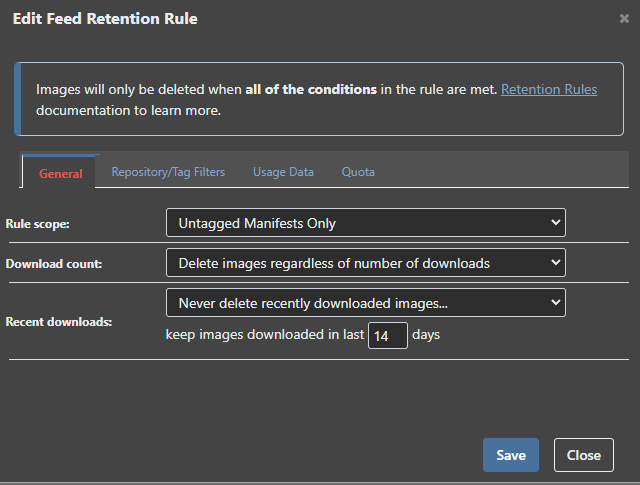
  • Retention rules not removing old docker images

    Support docker retention
    8
    1
    0 Votes
    8 Posts
    39 Views
    gdivisG
    Have you had any success deleting these after retagging? We haven't been able to reproduce this so far.
  • Solved: SQL containers on Mac M1

    Support sql macos mac-m1 docker proget
    1
    0 Votes
    1 Posts
    5 Views
    No one has replied
  • Delete docker image

    Support docker api
    2
    0 Votes
    2 Posts
    5 Views
    atrippA
    Hello, The Docker API is supposed to only support based bearer authentication, but in previous versions (v5) it also worked with Basic auth. There's a sample script on this page that shows how you can authenticate: https://docs.inedo.com/docs/proget-docker-semantic-versioning Cheers, Alana
  • 0 Votes
    3 Posts
    15 Views
    O
    @rhessinger said in buildmaster linux docker install: sa login failures: @mcascone slope game said in buildmaster linux docker install: sa login failures: docker exec -it inedo-sql /opt/mssql-tools/bin/sqlcmd -S localhost -U SA -P 'redacted' -Q 'CREATE DATABASE [ProGet] COLLATE SQL_Latin1_General_CP1_CI_AS' Hi @mcascone, This line has the issue. You created a database named [ProGet] instead of a database name [BuildMaster] as you stated in the connection string on the third command. Thanks, Rich Thank you very much for the explanation. It works now.
  • 0 Votes
    3 Posts
    14 Views
    G
    If you are using IIS for hosting your application, then the default upload file size is 4MB. To increase it, please use this below section in your asp.net web.config - <configuration> <system.web> <httpRuntime maxRequestLength="1048576" /> </system.web> </configuration> For IIS7 and above, you also need to add the lines below: <system.webServer> <security> <requestFiltering> <requestLimits maxAllowedContentLength="1073741824" /> </requestFiltering> </security> </system.webServer> Note: maxRequestLength is measured in kilobytes maxAllowedContentLength is measured in bytes
  • 0 Votes
    3 Posts
    14 Views
    S
    Hi, I'm sorry I don't seem to have got a notification email when you replied, so I only just saw this. I just tried 5.2.29 and it works perfectly. Many thanks!
  • Docker Container Error

    Support docker connectors
    2
    0 Votes
    2 Posts
    64 Views
    atrippA
    This is to be expected; unfortunately the Docker Hub does not support searching via API, thus ProGet can't possibly search containers. But you can still get to the container by entering in the name directly in the URL.
  • Support for DELETE BLOB docker HTTP API

    Support blob docker delete api proget
    5
    0 Votes
    5 Posts
    80 Views
    A
    Great news, Alana! Thanks.