Welcome to the Inedo Forums! Check out the Forums Guide for help getting started.

If you are experiencing any issues with the forum software, please visit the Contact Form on our website and let us know!

  • Looking for advice on Best Practice

    2
    0 Votes
    2 Posts
    10 Views
    atrippA
    Hi @sejhemming_5842 Is there an accepted Code of Practice for managing prerelease stuff? Yes, the general rules to follow are these: Packages are immutable; do not delete/republish packages as part of your normal workflow Use Prerelease Packages & Repackaging to take tested/validated prerelease packages to stable packages Use Package Promotion to move packages across feeds Use Retention Rules to automatically cleanup unused prerelease packages Do people publish prerelease stuff to a different feed and only post the released stuff to the more public feed? Or is it just expected that once the release is out that the prerelease builds are simply removed from the feed? Yes to both On our ProGet Instance, we use both patterns. Extensions (plugins) have two feeds: Extensions (Stable) and PrereleaseExtensions; the reason is that we use CI (build automation), and publish a new package on every commit, and these could be really unstable - we don't want anyone using a prerelease extension unless we explicitly point them to it Our NuGet libraries have one feed (NuGetLibraries) that has both prerelease and release packages; these are not intended for anyone other than Inedo Engineers, and we have policies, practices, and training in place to make prerelease packages are shipped appropriately My advice for deciding which pattern to follow would be looking at the consumers of your feeds/packages (i.e. who uses your packages vs who publishes your packages). Using a single feed that has release and prerelease packages requires more training for developers. If one of your developers accidently uses a prerelease package and commits that, then it's going to cause problems. Even if you catch it before production, it will waste time and resources.
  • 0 Votes
    9 Posts
    22 Views
    P
    @gdivis Thanks for the resolution
  • ProGet installation issue without any logs

    25
    0 Votes
    25 Posts
    129 Views
    C
    Hi @atripp and @rhessinger I gave up with the installer and decided to use the docker image. It works fine. I suggest you test the installer in the exact scenario I described above. It might cause trouble for other users. Thank you for your replies.
  • Show Groups from Universal Packages in UI

    proget
    4
    1 Votes
    4 Posts
    6 Views
    MaxCasconeM
    Add my plus-1 to sorting or searching or filtering by groupname in the UI. As best I can remember, groupname is required by the upload process; at least, i remember it being required by the Jenkins plugin. Maybe i'm wrong/misremembering. But it does make sense for our use case to be able to divide feednames by groups. So it'd be great to have that functionality in the UI.
  • PGSCAN Utility Questions

    6
    0 Votes
    6 Posts
    16 Views
    atrippA
    @arozanski_1087 no problem! And by the way, the pgscan tool is open source, so if you see opportunities to improve it, or want to devleop something on your own, please don't hesitate to use the sources - https://github.com/Inedo/pgscan
  • How to use PSEnsure Module and Custom PSRepository ?

    7
    0 Votes
    7 Posts
    29 Views
    rhessingerR
    Hi @philippe-camelio_3885, I have just built a new CI version of the [Scripting Extension 1.10.3-CI.3] (https://proget.inedo.com/feeds/PrereleaseExtensions/inedox/Scripting/1.10.3-CI.3). This version includes the Minimum Version on Ensure PS Module and adds a new Ensure-PsRepository operation. Please take a look and let me know if you have any issues. Thanks, Rich
  • OTTER 3 - Variable at environnement level not found

    7
    0 Votes
    7 Posts
    14 Views
    P
    @atripp Oups Sorry about that. I made other tests since I created the thread. The data I send you are not correct I will wait for the 3.0.6 to make a clean test case and update the thread.
  • ProGet Free license violations detected

    7
    0 Votes
    7 Posts
    42 Views
    B
    It cleared up on its own. Thank you very much for your help, Marko
  • SAML and Trial License?

    3
    0 Votes
    3 Posts
    15 Views
    K
    @rhessinger Thank you!
  • 0 Votes
    2 Posts
    5 Views
    atrippA
    Hello; Thanks for reporting this bug/layout issue! I just made a simple change (PG-1956) to fix this, and it will be available in the next maintenance release (5.3.29)
  • Buildmaster 7 with docker error at start

    4
    0 Votes
    4 Posts
    9 Views
    rhessingerR
    Hi @flavio-campana_0936, BuildMaster 7 currently supports SDK 1.12. When running in Docker, it supports a minimum SDK of 1.9. On Windows, it supports a minimum SDK of 1.0. Thanks, Rich
  • Otter 3 - Create an folder in Jobs Template for a Git Asset does not work

    3
    0 Votes
    3 Posts
    5 Views
    P
    @rhessinger Thanks
  • Large Chocolatey package upload is failing

    3
    0 Votes
    3 Posts
    10 Views
    atrippA
    @joshuagilman_1054 that's really large chocolatey file (nuget package), so you may want to rethink your approach. It'll cause some pain across the board, as you try to download and install that file as well. Instead, perhaps have your chocolatey package download an asset that you've stored in ProGet instead? In general, large files are tricky to publish over a single HTTP request reliably. This is across the board, even when uploading files to places like Amazon S3; those rely on a chunked uploading process... but the NuGet API doesn't support that. Otherwise, there's no limit imposed by ProGet itself, and you've found the settings that ASP.NET imposes. There could be some other limitation happening, but it's hard to say where; apparently it varies by operating system version, and it might even be middleware (like a proxy/firewall). The message "there must be exactly one package" is unexpected; I would instead expect 'request length exceed". In any case, that message just means that no valid files were attached to the request, which can happen if it was suddenly cut off. All told, when it comes to really large files (even asset directories), a Drop Path approach may be easiest to use.
  • 0 Votes
    2 Posts
    5 Views
    atrippA
    Hi @flavio-campana_0936, An ExecuteOperation is the most simple Operation class available. You just implement the ExecuteAsync method, and that code by the execution engine when the Operation is invoked in your OtterScript. This (and all operations) have a ExecuteCommandLineAsync helper method, which is sent to the server in context. To interact with the server in context, you need to use the Agent property on the executionContext that's passed into the ExecuteAsync method. Because there are a lot of agent types and versions (Inedo Agent, Inedo Agent on Linux, PowerShell Agent, SSH Agent, Local Agent, etc.), you can use the TryGetService method to see if the agent supports what you want to do. Not all agents support all services. I think you've already seen how this works. One of the agent services available is IRemoteJobExecuter. This essentially just performs a long-running task on the remote server, via the agent. For this service to be supported, the agent must support .NET; I think all agents do at this point (even SSH) thanks to .NET core. A RemoteJob is the class used to describe what this long-running task is. It contains information about what you want to do, has its own ExecuteAsync method that will run on the server, and can stream log messages back to BuildMaster/Otter. When defining a RemoteJob, you need to serialize/deserialize everything on your own. For example, if your job simply wanted to add two numbers together, you'd need to Serialize the two numbers, then Deserialize them, then serialize a response, and deserialize the response. It's a bit complex. This is where the RemoteExecutionOperation comes in. It has a "lifecycle"of three methods: BeforeRemoteExecuteAsync (optional, happens on BuildMaster/Otter server) RemoteExecuteAsync (required, executes on remote server) AfterRemoteExecuteAsync (optional, happens on BuildMaster/Otter server) Hope all this helps!
  • 0 Votes
    2 Posts
    4 Views
    atrippA
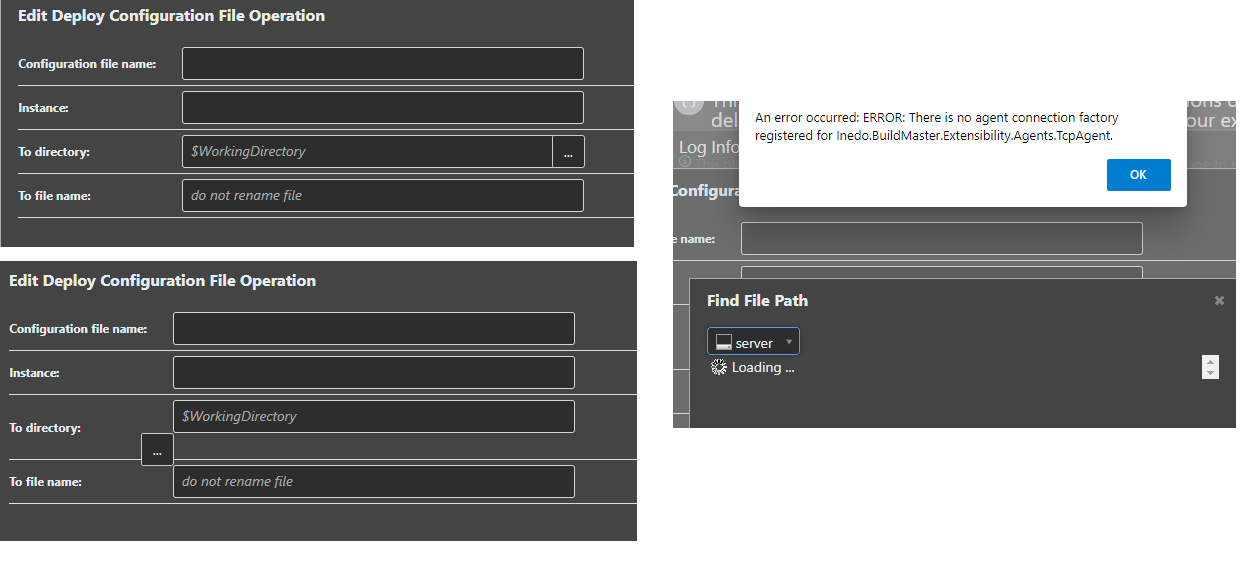
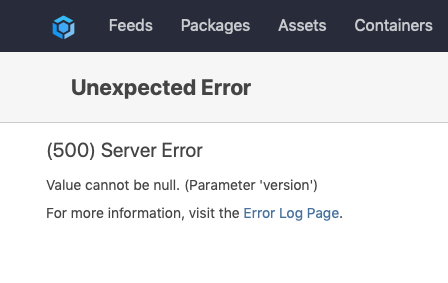
    That message is basically a result of a bug in error-handling logic; basically, an error is occurring while displaying the error. This can happen due to certain IIS or server settings, and in later version, you should see a more appropriate message. It's hard to say what the problem is, but if you didn't change anything, I would just reboot, and the problem might go away. Changing App Pool settings can also help (like Classic -> Integrated or viceversa). You can also try upgrading to see the underlying message. v4.6 is pretty old anyways.
  • How to create a ProGet user through the API

    api proget
    6
    0 Votes
    6 Posts
    37 Views
    L
    Hello, colleagues. Could you tell me: is something was changed in API in order to create a user with password? Regards, Roman
  • An error occurred in the web application: Invalid username or password.

    9
    1 Votes
    9 Posts
    21 Views
    J
    I created an account to +1 this issue. We recently upgraded to 5.3.24 and started seeing the same errors. Proget: 5.3.24 Category: Web Message: An error occurred in the web application: Invalid username or password. Details: URL: https://our-host/nuget/our-org/ Referrer: (not set) User: (unknown) User Agent: NuGet Command Line/5.8.1 (Microsoft Windows NT 10.0.19041.0) Stack trace: at Inedo.Web.InedoHttpModule.AuthenticateRequestAsync(HttpApplication app) at Inedo.Web.InedoHttpModule.ProcessBegin(Object sender, EventArgs e, AsyncCallback cb, Object extraData) at System.Web.HttpApplication.AsyncEventExecutionStep.System.Web.HttpApplication.IExecutionStep.Execute() at System.Web.HttpApplication.ExecuteStepImpl(IExecutionStep step) at System.Web.HttpApplication.ExecuteStep(IExecutionStep step, Boolean& completedSynchronously) The worst part is the errors are not actually 'logged'. They are written to proget's database which only retains the last 1000 entries per category. Extremely hard to debug on our end.
  • 500 Internal Server Error when pushing docker image

    8
    0 Votes
    8 Posts
    39 Views
    rhessingerR
    Hi @Stephen-Schaff, I was finally able to recreate this error and I believe I fixed it in PG-1948. This is set to be released on Friday in ProGet 5.3.28. If you would like to apply the fix now, I have attached a SQL script to PG-1948 and you can run it against your ProGet database. If you run this script, it will not affect future upgrades of ProGet. Thanks, Rich
  • 0 Votes
    8 Posts
    22 Views
    H
    At the very least, a bulk operation would help.
  • [Otter 3] Upgrade Inedo Agent failed

    11
    2
    0 Votes
    11 Posts
    26 Views
    P
    @atripp said in [Otter 3] Upgrade Inedo Agent failed: m here, I recommend to just reinstall v49 on the serve Reinstall the v49 directly is working but as the config file move and its format change I have to modify my autoregistration deployment script Thanks for the reply
Inedo Website HomeSupport HomeCode of ConductForums GuideDocumentation