Hi @daniel.mccoy_4395 ,
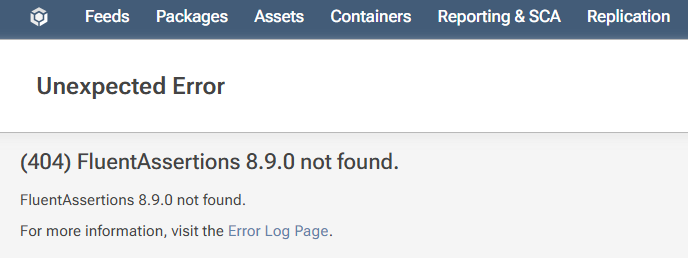
Actually, developer experience is a big reason we don't recommend using Download Blocking. A 400 error provides no real context. Developers can see something is wrong, but not how serious it is or what to do next.
First and foremost, an unlisted package should not be noncompliant. An author may decide to unlist their package for any number of reasons, including simply not wanting too many versions to show up in a list.
This would mean that, all of a sudden, a build deployed to production can suddenly be considered as noncompliant just because an open source author arbitrarily flipped a switch on NuGet.org. That's not to say you should ignore the unlisted flag, but you should definitely not put it at the same categorization as a GPL3 license or severe vulnerability.
"Compliant with Warning" could be a more appropriate status here, but keep in mind that developers swill naturally upgrade dependencies as they do platform updates, so it may not even be worth worrying about. Especially if it leads to constant warnings -- in that case, warnings become meaningless.
Noncompliant packages should be rare for the same reason. If noncompliant can be determined by an OSS author's whims, then it really caries no meaning and no one (especially your developers) will understand/appreciate what it means.
As for the workflow to use, we recommend running pgutil builds scan when that pull request is run. That will not only put the build in ProGet, but it will produce a text report with warnings or noncompliant packages. A ProGet login is not required.
If there are Noncomplaint packages or warnings, the developer can then comment on the PR why it's nothing to worry about. If it's always the same package/issue ("we cannot upgrade from this 5-year old library and replacing it would be a substantial effort"), then you can formalize that as an exemption.
The advantage to this workflow is that, if a deployed build later becomes noncomplaint (typically due to a vulnerability), then you can decide how and when to address it. The wrong time to address noncomplaint packages is "the next time a developer happens to open this project".
Overall, what you want to avoid is having developers load a project for what should be a trivial change and then have to upgrade dependencies because it produces pointless warnings/errors. That will just create a "constant upgrade" mentality. That leads to constant regressions and constant headaches for testers or end-users, who have to deal with strange and unexpected errors from library upgrades.
Hope that helps,
Alana