Navigation

    Inedo Community Forums

    Forums

    • Login
    • Search
    • Categories
    • Recent
    • Tags
    • Popular
    • Users
    • Groups
    1. Home
    2. brandon_owensby_2976
    3. Topics
    B
    • Profile
    • Following
    • Followers
    • Topics
    • Posts
    • Best
    • Groups

    Topics created by brandon_owensby_2976

    • B

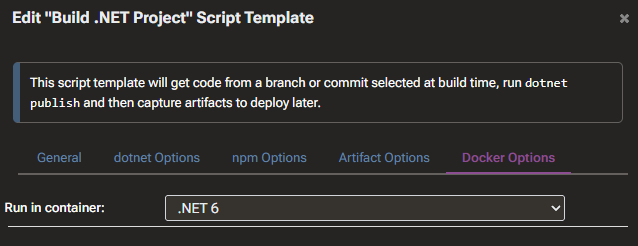
      Image-based Services (Containerized Builds) failing on "Build .NET Project"
      Support • • brandon_owensby_2976  

      2
      0
      Votes
      2
      Posts
      5
      Views

      stevedennis

      Hi @brandon_owensby_2976 , Based on the error message, it looks like you've got Docker Desktop configured to use Windows-based containers, not Linux. I'm not sure if this can work on Docker Desktop; it's just a not a stack anyone considers/supports for use cases like this. The underlying error appears to becoming from the dotnet tooling. Though it's hard to say without troubleshooting further. Basically, something in the stack is calling the Linux tool id , which isn't going to work on a Windows container. If you're evaluating/testing, I would just use a virtual machine and pretend it's a remote server or something to that effect. Thanks, Steve
    • B

      Running InedoAgent on a Docker image
      Support • • brandon_owensby_2976  

      2
      0
      Votes
      2
      Posts
      6
      Views

      stevedennis

      Hi @brandon_owensby_2976 , This isn't really something that makes sense in the Docker paradigm. Keep in mind that a Docker container is essentially a wrapper for a single executable and is designed to be disposed after the command runs. That's how the Image-based services work as well. If you want to get Linux builds working, I'd start with a Linux-based server (create a VM) and SSH into it. You later try out Image-based services as well, but that also requires a Linux-based host. Thanks, Steve
    • B

      Deploying a Docker Image via Kubernetes with a yaml file
      Support • • brandon_owensby_2976  

      4
      0
      Votes
      4
      Posts
      14
      Views

      atripp

      Hi @brandon_owensby_2976, Argo CD is free / open source and no license is required. You'd be better off learning that than trying to do Kubernetes another way. FYI there's also Kargo, which is a "wrapper" that sits on top of ArgoCD and has some kind of promotion workflow outside of typical GitOps (pull requests I guess?). To be honest, I really don't know if the Kubernetes extension even works; it was originally intended for Otter, to create a "Desired state" and offer an alternative to Git-based approaches. But there's just no demand and GitOps is just the Kubeernetes standard. We haven't tested it in years. We do not plan on migrating it to the next SDK version. It's just a light wrapper around kubectrl, which has probably changed over the years. If you really wanna mess with Kubernetes outside of Argo CD I would just run kubectrl apply/replace directly. Good luck!!
    • B

      Bitbucket authentication issues
      Support • • brandon_owensby_2976  

      4
      0
      Votes
      4
      Posts
      10
      Views

      stevedennis

      Hi @brandon_owensby_2976 , It sounds like you're on the right rack with troubleshooting; the issue is definitely on the server-side in this case, so I asked ChatGPT. Who knows if any of this is accurate, but... This is a very common situation with older versions of Bitbucket Server (especially pre-6.x / pre-7.x era, but even up to some 7.x versions in certain setups). The REST API (e.g. /rest/api/1.0/...) and the Git Smart HTTP protocol (/scm/.../info/refs, /git-upload-pack, etc.) are handled by different authentication filters in Bitbucket Server. Most likely you're using a Personal Access Token / HTTP Access Token (most frequent cause in older versions). In many Bitbucket Server versions (especially ≤ 7.17–7.21), HTTP access tokens were designed mainly for REST API and did not work reliably (or at all) for Git over HTTPS in many cases. As a workaround , you need to use a real username + password (or username + app password if 2FA is on) for Git operations We've seen similar in really old version of ADO, GitHub, etc, where API tokens wouldn't work for Git. Anyway, I would try that - at least from the curl side of things. And maybe upgrading will help as well. If it works, then you'll likely only be able to use a Generic Git repository with a real username/password -- and just create a special builds user which effectiveely acts like an APi key. Cheers, Steve
    • 1 / 1