Inedo Community Forums Forums
    • Recent
    • Tags
    • Popular
    • Login
    1. Home
    2. andy222
    3. Topics

    Welcome to the Inedo Forums! Check out the Forums Guide for help getting started.

    If you are experiencing any issues with the forum software, please visit the Contact Form on our website and let us know!

    A Offline
    • Profile
    • Following 0
    • Followers 0
    • Topics 4
    • Posts 7
    • Groups 0

    Topics

    • A

      Buildmaster - Get all build variables

      Watching Ignoring Scheduled Pinned Locked Moved Support
      2
      0 Votes
      2 Posts
      5 Views
      atrippA
      Hi @andy222 I'm afraid we don't have that capability in OtterScript, and it would require a new variable function to do that. You might be able to add that in an extension, or we could add it as well.. but we have a few things we want to finish first on our BuildMaster 2024 roadmap. Since you're creating build variables using the API, I wonder if you could just create a variable called @BuildVariables that is just a list of the variables you're creating. Then you can use $BuildVariable(name) to get the value. Hope that helps, Alana
    • A

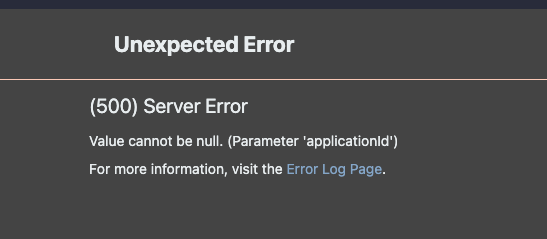
      [BM] Getting 500 Error when accessing Global Pipelines

      Watching Ignoring Scheduled Pinned Locked Moved Support
      2
      2
      0 Votes
      2 Posts
      6 Views
      stevedennisS
      Hi @andy222 , This was fixed in 2023.11 via BM-3933; as a work-around, you can see the global pipelines by clicking "Shared (Global)" under any application > settings > pipelines. Cheers, Steve
    • A

      [BM] Preventing Build from deploying into further stage based on variable

      Watching Ignoring Scheduled Pinned Locked Moved Support
      3
      0 Votes
      3 Posts
      13 Views
      rhessingerR
      Hi @andy222, To expand on this further. If you are looking for it to just skip the stage based on that variable and proceed to the next stage, then I would also suggests @philippe-camelio_3885 method of checking in OtterScript using the $PipelinStageName. If you are looking to block going further in the pipeline and stopping at a specific step, I would suggest using the Pipeline Stage Requirements and setting a Require Variable automated check. That can block deployment to a stage unless a variable is set to a specific value. Thanks, Rich
    • A

      [BM] Push Artifact to Buildmaster and start deployment

      Watching Ignoring Scheduled Pinned Locked Moved Support
      8
      0 Votes
      8 Posts
      33 Views
      apxltdA
      Hi @andy222 , The Git issue should be resolved; that was related to some authentication issues with newer versions of GitHub Enterprise. It broke a lot of tools across the board, apparently. Anyway, I see it just got fixed today. Check out BuildMaster 2023.10-rc.5 if you can How about pushing a NuGet package instead? That's a much more common scenario (folks migrating from Octopus), and it's one we're going to add some good first-class support for in BuildMaster 2024. Thanks, Alex
    • 1 / 1


