Welcome to the Inedo Forums! Check out the Forums Guide for help getting started.
If you are experiencing any issues with the forum software, please visit the Contact Form on our website and let us know!
Container image size calculation does not always work
-
Hey there,
i noticed on my instance that the container image size calculation does not always work. I pushed a ~20GB Windows container image and the layer sizes look good. But the size column on the overview (/containers) page just shows 0 bytes.
The problem is also visible on the ProGet 1000 instance. So maybe you can check / debug it there:

inedo/buildmaster:25 => 0 bytes
but on https://proget1000.inedo.com/containers/tags/ProductImages/inedo/buildmaster/25.0.12/layers the sizes look good
Is this intentional? Maybe somehow related to a :25 or :lastest tag which resolved to some other version?
-
Hi @pg_user_8607 ,
Nice find with that image; that makes it easier to demonstrate :)
This is unfortunately another "weird docker thing" that would requires a substantial amount of internal model changes to properly address. That's not on our roadmap at this time.
The image you found (
inedo/buildmaster:25.0.12) is a so-called "fat manifest" (i.e. a manifest that points to another manifest). As such, there are zero layers (blobs) and thus the sum of all blob sizes is zero.The
25.0.12manifest points toe84148156b3e, which is an untagged image. You can see this on the "Sub Images" page: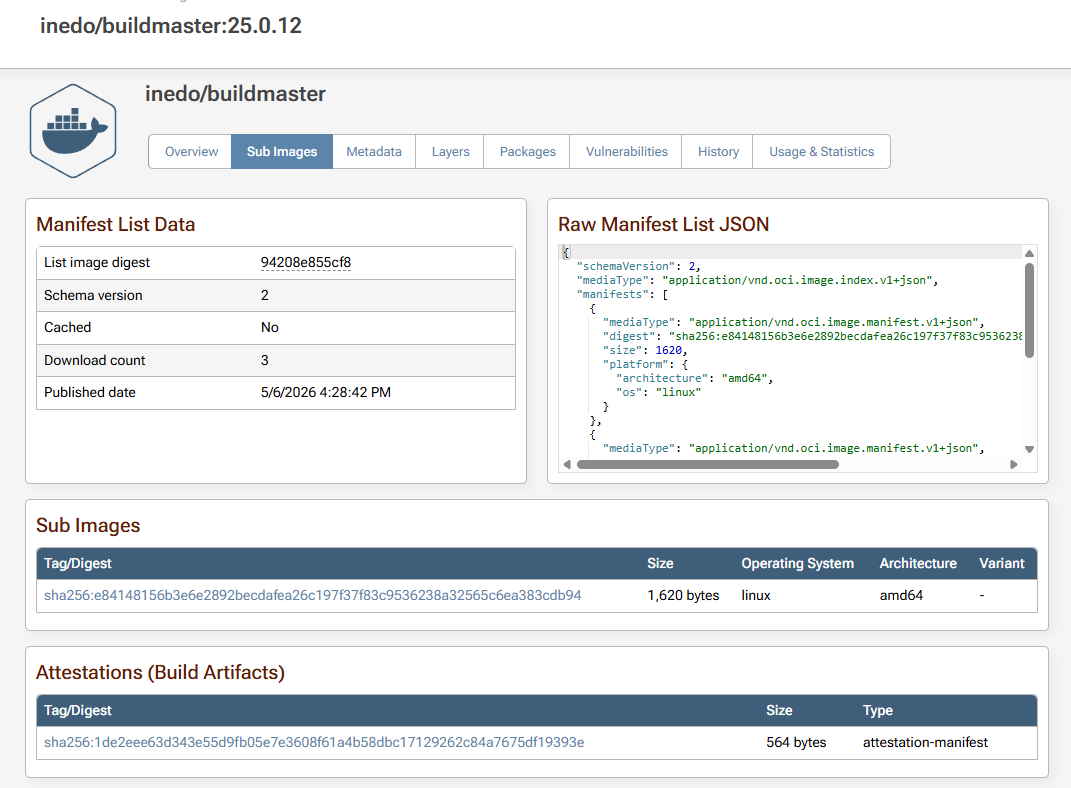
The
/containerspage does not show untagged images.In the past, "fat manifests" were rare - but the default Docker build tools default to create fat manifests, even if there's only one image. It's something we will likely address down the line, it's just not in the roadmap now.
Thanks,
Alana
-
Thank you very much for the detailed answer!