Welcome to the Inedo Forums! Check out the Forums Guide for help getting started.
If you are experiencing any issues with the forum software, please visit the Contact Form on our website and let us know!
2025 Offline Installer problems
-
@dean-houston hi,
i have noticed the the web service is not there in postgres but when checking the indo hub installer for services it is still there in unknowen status and since i remember from previous versions that it should be there, i thought it is a problem.
i have tried rebooting, running the installer as admin, tried it on different computers and non of it works.
i have encountered errors from .net about initialization of proget but the documention does not mention that i need to install a specific .net version, am i ? -
Hi @udi-moshe_0021 ,
I'm sorry I'm not really able to understand what the specific issue is based on your response. If you can share specific error messages or specific things you're seeing, we might be able to help.
Otherwise there are no known issues installing ProGet on Windows, and if you're having an issue it's almost always a security/antivirus tool that's interfering with modifying system configuration.
-- Dean
-
@dean-houston hi,
attached the event viewer screenshots of the errors i see. i had the same errors before i updated windows to the latest update.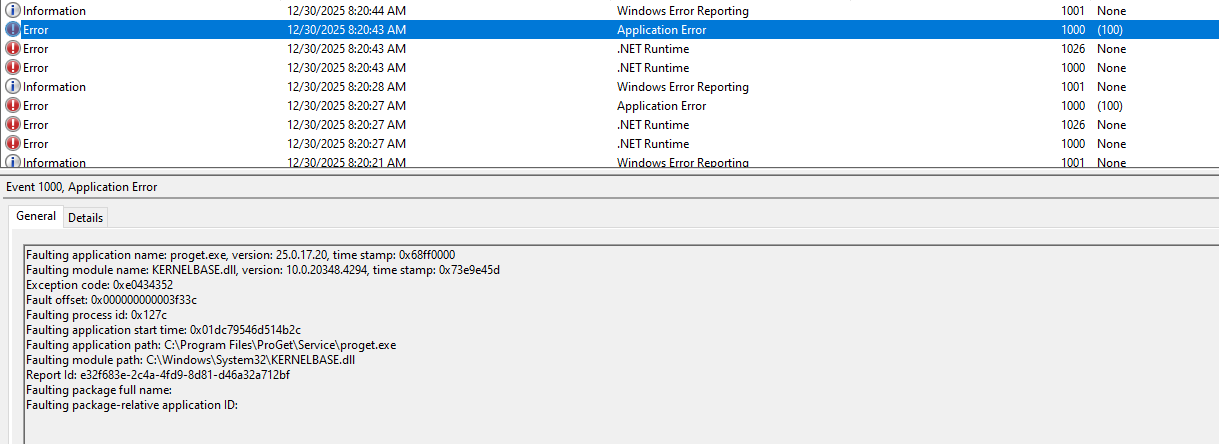
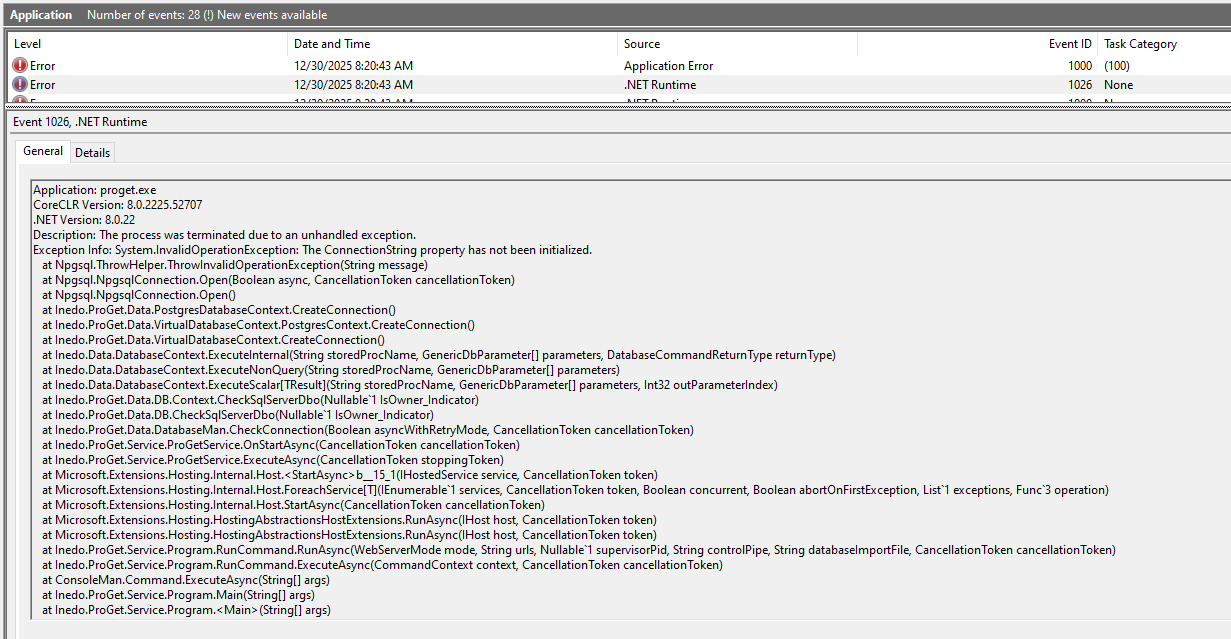
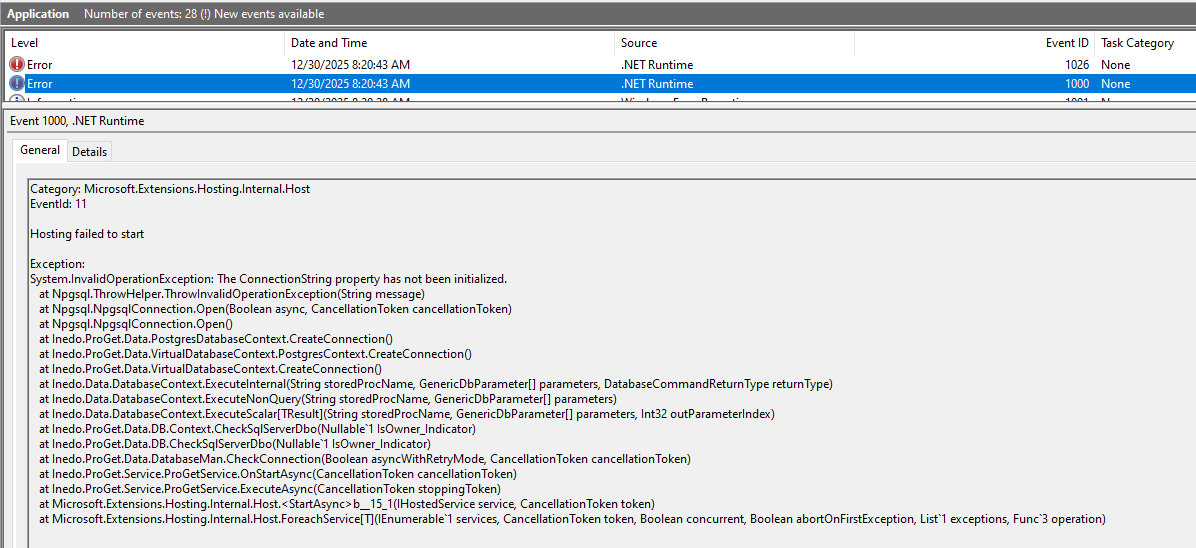
-
Hi @udi-moshe_0021 ,
It looks like there's something wrong with your configuration file:
https://docs.inedo.com/docs/installation/configuration-filesIt looks like there's a bad/missing PostgreSQL string in there. I don't know how that happened.
-- Dean
-
@dean-houston hi,
it is a clean install, no previous sql instance and it happened on 2 separate clean computers.
can you run it in your own lab to see if it is a bug ?
i have tried the "create offline installer" and that worked.Regards,
Udi -
Hi @udi-moshe_0021,
I just ran some tests with both 2025.16 and 2025.17 using the embedded database on a clean install of Windows Server 2022 and everything installed and ran as expected. The only other thing I could think of could be a permissions issue. What account did you have ProGet service running as?
Thanks,
Rich -
@rhessinger hi,
thank you very much. just used the defaults, "network service"
-
@udi-moshe_0021
tried to enter a different user, the local administrator and problem remains.
tried running the installer as administrator and problem remains.
i was wondering what is different between my and yours windows box. -
Hi @udi-moshe_0021,
Our Windows test servers are a vanilla install of Server Standard (we test against a few different versions) with nothing but the defaults configured and the latest Microsoft updates applied. It is possible that specifying a different user could cause it. Just make sure that the user you specified has read, write, and modify permissions to the Config File Directory (typically
C:\ProgramData\Inedo). Upon first start of the ProGet Service, it will create and setup the embedded database and update the ProGet.config file. Based on error, that looks to be where it is failing. I wonder if you are missing the modify permission on that directory and it is failing to update the ProGet.config file.Thanks,
RichThanks,
Rich -
@rhessinger hi,
as stated before, i am using a standalone windows and i am running the installer as local administrator and i configured the running user to be the local administrator and stated, it fails. -
Hi @udi-moshe_0021,
Would you be able to provide the Installation logs from a failed install? You can get them by rerunning the Offline installer and then clicking on the Logs tab.
The other ting I would try doing is try running ProGet from the command line and then sharing the output with us. That may tells us any startup issues the application has. To do that, open a command prompt, navigate to the install directory (
cd "C:\Program Files\ProGet\Service"), and then runproget.exe run. Could you share the output from that?Thanks,
Rich -
@rhessinger hi,
thank you very much. found the problem.
vc++ redist v14 (visual studio 2005) was missing. once installed proget came up.
i do not remember seeing it as a prerequisite.
will it be bundled in future offline installations ?Thanks
-
Hi @udi-moshe_0021,
It actually is already bundled with the installer and should have been run before ProGet's installation. I'm not sure why it would have failed, but we'll add more checking to at least provide a warning if this fails in the future.
Thanks for letting us know what the problem was!
-
@gdivis ,
thank you very much.
love this product so keep up the good work.



Hello! It looks like you're interested in this conversation, but you don't have an account yet.
Getting fed up of having to scroll through the same posts each visit? When you register for an account, you'll always come back to exactly where you were before, and choose to be notified of new replies (either via email, or push notification). You'll also be able to save bookmarks and upvote posts to show your appreciation to other community members.
With your input, this post could be even better 💗
Register Login