Welcome to the Inedo Forums! Check out the Forums Guide for help getting started.
If you are experiencing any issues with the forum software, please visit the Contact Form on our website and let us know!
Proget Installation as container with external Postgres
-
Hello,
I am looking to achieve the following:
Using ProGet image (container) via docker compose, connecting to external (org) Postgres database
Adding snippet of docker compose, I made referring documentation and AI's help. However, was not successful is getting this to work properly.Proget does start up but with its own internal database.
Requesting help to correctly setupnetworks: proget: driver: bridge volumes: postgres-data: external: true services: proget: image: proget.inedo.com/productimages/inedo/proget:latest container_name: proget restart: unless-stopped ports: - "8624:80" volumes: - ./proget-packages:/var/proget/packages - ./proget-database:/var/proget/database - ./proget-backups:/var/proget/backups - ./volumes/packages:/var/proget/packages - ./volumes/config:/var/proget/config - ./volumes/logs:/var/proget/logs - ./volumes/extensions:/var/proget/extensions - ./volumes/backups:/var/proget/backups - ./certs:/certs:ro depends_on: - db networks: - proget environment: # ASPNETCORE_HTTPS_PORT: "443" # ASPNETCORE_URLS: "https://*:443" # ASPNETCORE_Kestrel__Certificates__Default__Path: "/certs/proget.pfx" # ASPNETCORE_Kestrel__Certificates__Default__Password: "${SSL_CERT_PASSWORD}" PROGET_DB_TYPE: "PostgreSQL" # PROGET_POSTGRES_CONNECTION_STRING: Server=postgres;Port=5432;Database=proget;Password=Pass@123;Username=root; # PROGET_POSTGRES_CONNECTION_STRING: Host=${DB_SERVER_HOST};Port=${DB_SERVER_PORT};Database=${DB_NAME};Username=${DB_USERNAME};Password=${DB_PASSWORD}; TZ: "${TZ}" healthcheck: test: ["CMD","curl","-k","https://localhost:443/health"] interval: 30s timeout: 10s retries: 5 start_period: 60s db: image: postgres:16 container_name: postgres environment: POSTGRES_USER: ${DB_USERNAME} POSTGRES_PASSWORD: ${DB_PASSWORD} POSTGRES_DB: ${DB_NAME} networks: - proget volumes: - postgres-data:/var/lib/postgresql/data # Uncomment if you want to connect to DB ports: - "4001:5432"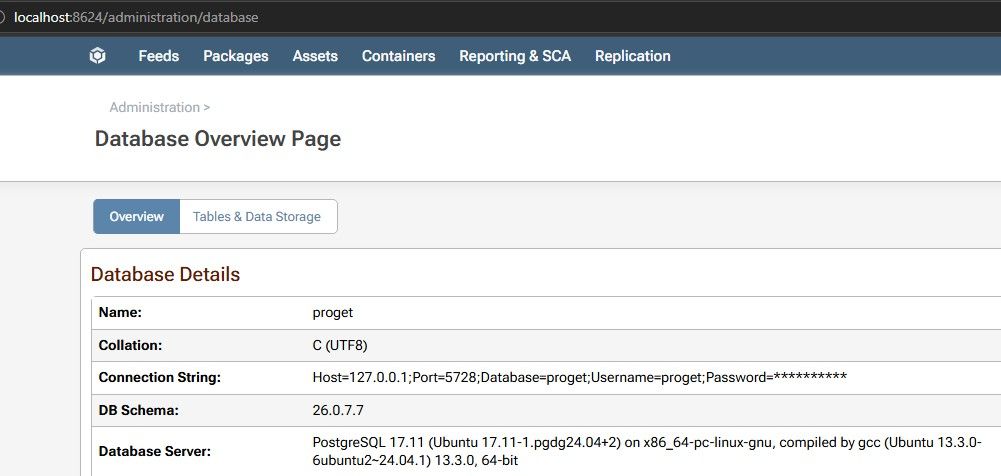
-
Hi @hardik.turakhia,
When you say external (org) PostgreSQL database, are you referring to a PostgreSQL database you are already hosting in your network and the one that is in the docker compose was for testing? Or are you just trying to host PostgreSQL in a separate container than ProGet, but both controlled by that single Docker compose file? If you are not using HA/Load Balancing, we recommend using the Embedded database. In a HA/Load Balancing environment, we recommend using InedoDB.
If you are still planning to use an external PostgreSQL database (InedoDB or PostgreSQL directly), here are some things to get you started. First, only InedoDB or ProstgreSQL 17 is supported. With that said, your ProGet service in your compose file is not quite right. You have duplicate volumes and your environment variables are using unsupported keys. A good starting point for you should be to review our Docker Compose guide and our Docker guide. Based on that, here is a better ProGet service node that can get you started.
  pg:
    image: proget.inedo.com/productimages/inedo/proget:26.0.9
    container_name: proget
    restart: unless-stopped
    ports:
      - "8624:80"
    volumes:
      - ./proget-packages:/var/proget/packages
    networks:
      - proget
    environment:
      - PROGET_POSTGRES_CONNECTION_STRING: Server=postgres;Port=5432;Database=proget;Password=Pass@123;Username=root;
      - PROGET_ENCRYPTION_KEY: ${ENC_KEY}
I removed the volumes for database and backups since you are planning to use an external database. I'm also using
./proget-packages/for the volume mount. You had duplicates specified in your volume mounts, so update that path if you want to store it elsewhere. Then you need to specify the connection string for your PostgreSQL database in thePROGET_POSTGRES_CONNECTION_STRINGenvironment variable. Lastly, I added the encryption key environment variable. You can generate this initially usinghead -c16 /dev/urandom | xxd -p -c32, then you will want to make sure you do not change it going forward. That should be enough to get you up and running.For other volumes you might want to use see our other volumes section in our Docker guide. For other supported environment variables, see our supported environment variables section in our Docker guide.
Thanks,
Rich -
@rhessinger,
Thanks Rich.The above snippet did solve the connection issue.
And one important point which I had missed was setting env for PROGET_ENCRYPTION_KEY
There are 2 challenges I faced.I while setting up to implement SSL and HTTPS only, I am facing a lot of confusion in type of certificate I should put in.
-
- I did try with putting a .crt & .key, however it seems ProGet expects in specific format.
-
- I was able to manage putting nginx in front of ProGet, but while connecting feeds it would resolve internal ports (like http://{IP-Address:80}/nuget/test-feed/v3/index.json)
I am keen to resolve it via, standalone with nginx.
Your help is truly appreciated.
Thanks. -
-
Hi @hardik.turakhia,
Using nginx as a reverse-proxy in front of ProGet is definitely the easiest way. I'm guessing you already took a look at our example nginx config file. When it comes to certificates, I find that it's easiest to use
.pemfiles on Linux. There are a lot of guides out there on how to convert certificates to.pemfiles and configure them in nginx. The best source is to check with your SSL provider on how to create a fullchain (includes the intermediate certificates).pemfile. We do have some notes in the HTTPS on Windows guide in the update config section that has some commands on how to convert a.pfxfile to.pem, which includes some crossover with converting.crtfiles to.pemfiles.If you are planning to use a dynamic SSL provider like Let's Encrypt,
certbothas an extension calledcertbot-nginxon most distros or via snap on ubuntu/debian distros. That will configure nginx for you.Thanks,
Rich

Hello! It looks like you're interested in this conversation, but you don't have an account yet.
Getting fed up of having to scroll through the same posts each visit? When you register for an account, you'll always come back to exactly where you were before, and choose to be notified of new replies (either via email, or push notification). You'll also be able to save bookmarks and upvote posts to show your appreciation to other community members.
With your input, this post could be even better 💗
Register Login