Welcome to the Inedo Forums! Check out the Forums Guide for help getting started.
If you are experiencing any issues with the forum software, please visit the Contact Form on our website and let us know!
After upgrade to 5.3.11, Extensions not loaded
-
I just upgraded from 5.2.30 (Build 4) Free Version to 5.3.11 (Build 37) Free Version. All the extensions, except for Inedo.SDK have not loaded.
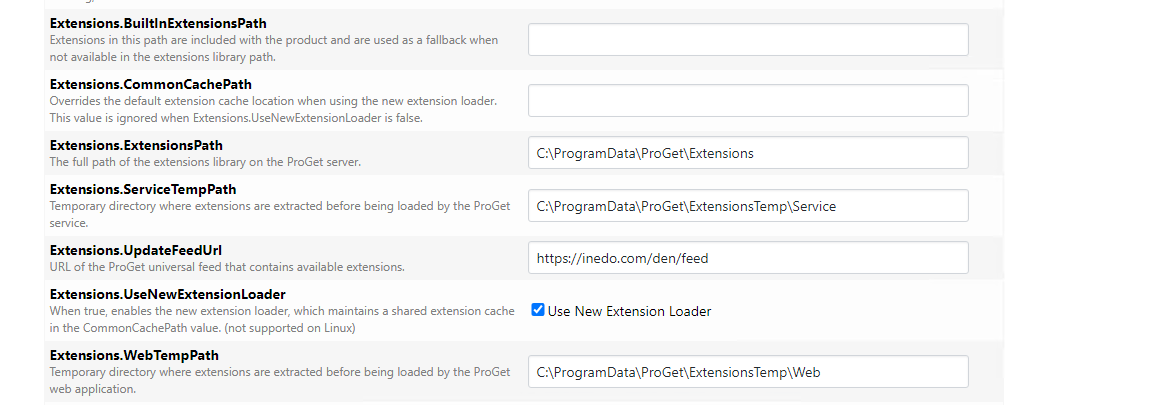
I have verified the following settings are configured for the correct folders:
Extensions.ExtensionsPath = C:\ProgramData\ProGet\Extensions
Extensions.ServiceTempPath = C:\ProgramData\ProGet\ExtensionsTemp\Service
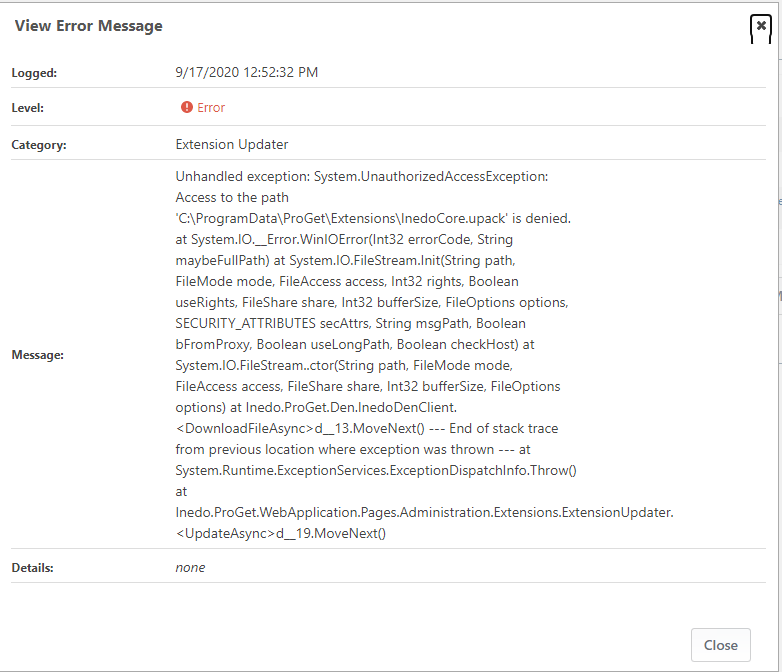
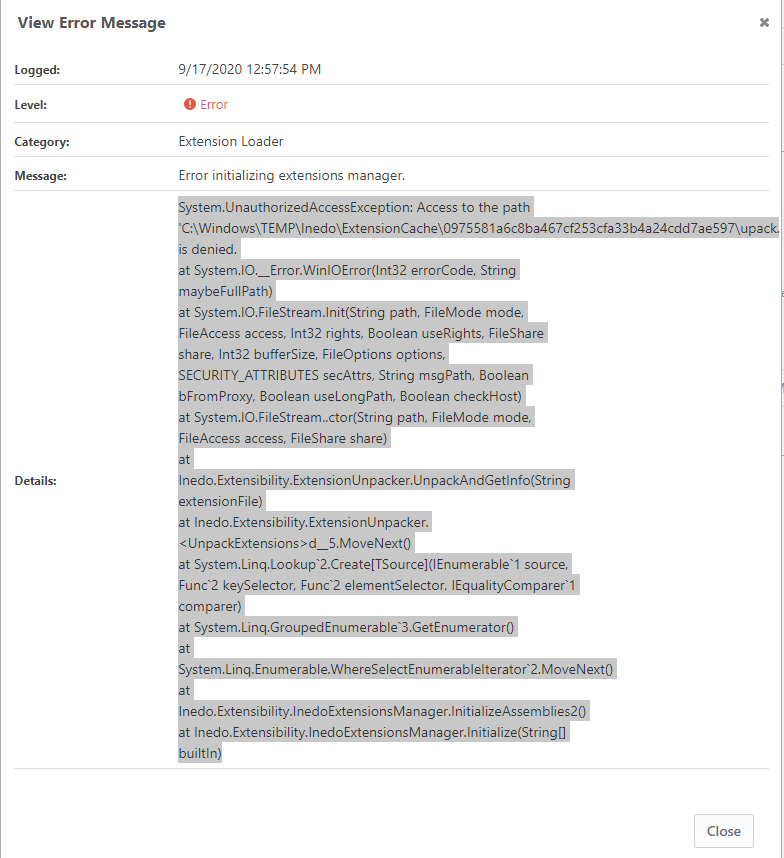
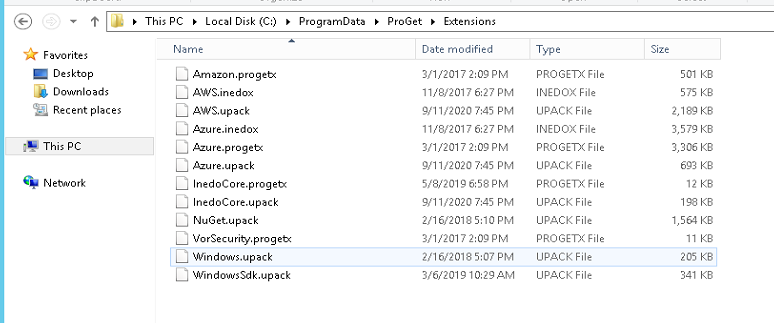
Extensions.WebTempPath = C:\ProgramData\ProGet\ExtensionsTemp\WebPlease see the attached images for the error messages found in the logs, the files in the folders, and the extensions settings.
How can I get all the extensions to load?
Thanks
-marc

-
Hi @msimkin_1572,
It looks like your application pool user does not have read/write access to
C:\ProgramData\ProGet. Could you please verify access to that folder and its child folders?Thanks,
Rich -
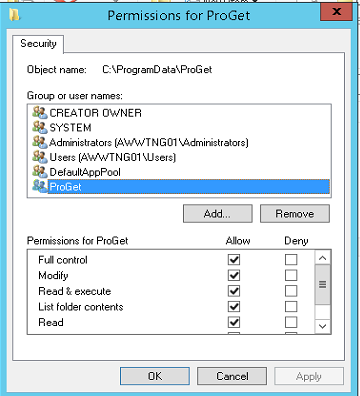
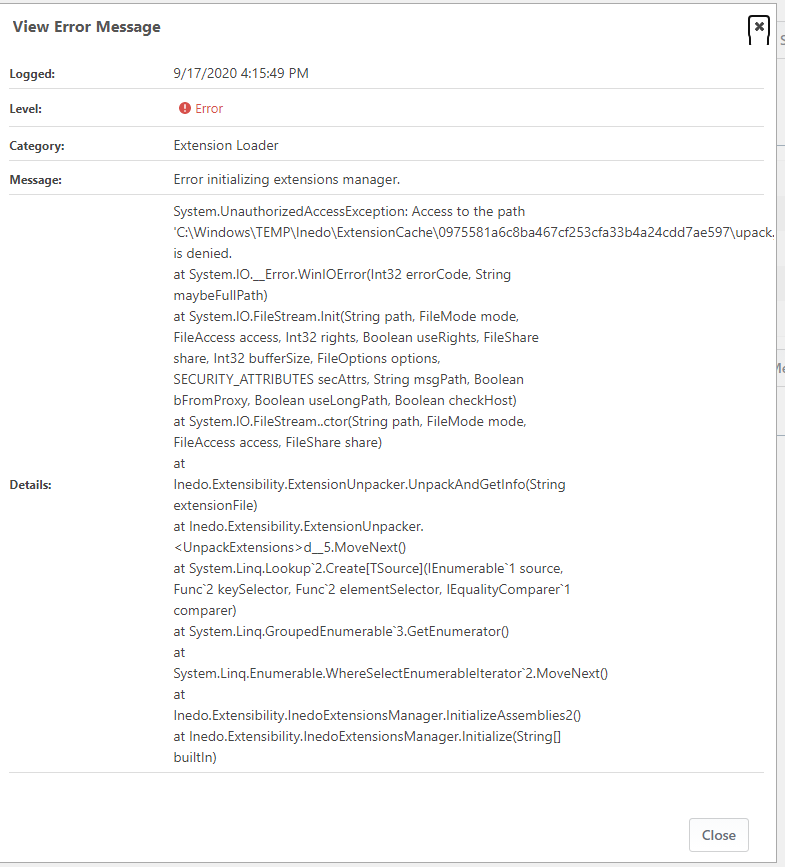
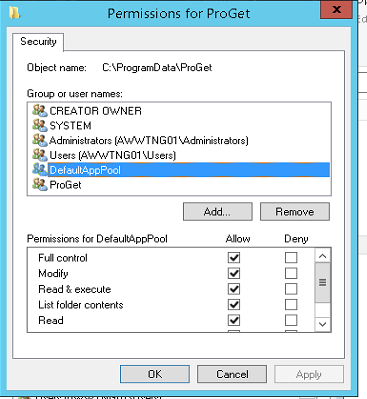
The uploaded images show the permissions for both the DefaultAppPool Account and the ProGet account.
I'm less concerned about the UI not being able to download and install the extensions. I just want to be able to install the extensions manually.
What are the steps I need to follow?
Thanks
-marc
-
As an aside, I'm willing to switch back to the ProGet Integrated Web Server, provided that I can have it bound to two ports at the same time. For example: 80 and 81.
-
This has been resolved. The documentation (https://docs.inedo.com/docs/proget/installation/installation-guide/manual) doesn't mention setting permissions on the C:\Windows\TEMP\Inedo\ExtensionCache folder.
Once the DefaultAppPool user was granted access to that folder, everything worked as expected.
-
Ah ha, thanks! I updated the docs to include
CommonCachePathinstructions.


Hello! It looks like you're interested in this conversation, but you don't have an account yet.
Getting fed up of having to scroll through the same posts each visit? When you register for an account, you'll always come back to exactly where you were before, and choose to be notified of new replies (either via email, or push notification). You'll also be able to save bookmarks and upvote posts to show your appreciation to other community members.
With your input, this post could be even better 💗
Register Login