Welcome to the Inedo Forums! Check out the Forums Guide for help getting started.

If you are experiencing any issues with the forum software, please visit the Contact Form on our website and let us know!

  • Proget: Gradle connector?

    6
    0 Votes
    6 Posts
    22 Views
    atrippA
    Hi @mcascone, We don't have that functionality in ProGet, but it should be pretty easy to do with a pair of Invoke-WebRequest PowerShell commands :) You could probably parse/scrape the HTML and download / upload in bulk as well. Please share the script if you end up doing that, it might be useful for other usecases as well! Cheers, Alana
  • 0 Votes
    3 Posts
    5 Views
    gdivisG
    Hi, Thanks for reporting this. We've now fixed this internally as PG-2105 - it will be included in this week's 6.0.9 release, scheduled for Friday. -Greg
  • 0 Votes
    2 Posts
    14 Views
    atrippA
    Hi @mail_6495 , Looks like this was a regression with API Key Authentication; the uploader control improperly required an API key. This will be fixed in PG-2104 on this Friday's maintenance key update. Cheers, Alana
  • Docker Connectors

    proget connectors
    5
    0 Votes
    5 Posts
    52 Views
    MaxCasconeM
    Hi, i'm reopening this thread as the public docker connector has been available for a while now, but I can't figure out how to use it. I have the connector set up to point at https://registry.hub.docker.com The setting Do not attempt to search the container registry was automatically enabled. I have a feed public-docker set up to use the connector. The connector shows Active and Healthy, although it shows no known package count (I believe this is expected). Overall, I'm not sure how to use it. The documentation reads as self-conflicting, although I don't know enough about it to say that for sure. That's why I'm asking. From https://docs.inedo.com/docs/proget-docker-connectors: You can also create a connector to an external (non-ProGet) registry such as Docker Hub. This could be useful to whitelist certain base images, or to cache them on your local infrastructure. but then... Many external registries such as Docker Hub do not expose an API for searching and discovery of images, so the ProGet web UI cannot be used to search or browse for images stored in one of these registries via connector. So, i see that I can't search in the UI for images. That's alright, but how can i make sure my docker pull or docker run commands go through the ProGet feed, so the images can be cached, instead of directly out to the Docker Hub? Thanks!
  • Can the Jenkins ProGet plugin upload to an Asset dir?

    3
    0 Votes
    3 Posts
    13 Views
    MaxCasconeM
    It is pretty easy; I just wanted to know. Thanks for the reply!
  • Access prereleases? Proget 6.0.9

    26
    0 Votes
    26 Posts
    49 Views
    J
    Then we have something to look forward to, could be that we by then switched to API Keys, but the decision ain't mine. Thanks for the help and for all the RC that we got to test.
  • BuildMaster Release Status

    2
    3
    0 Votes
    2 Posts
    11 Views
    stevedennisS
    Hi @paul_6112 , The general philosophy that BuildMaster was designed around is this: A "Release" is an intended set of changes to production A "Build" is an attempt at implementing those changes When a "Build" makes it to production (i.e. the final stage in the pipeline), then the changes were applied to production, thus the "Release" has occurred If you want to change production again, then you create a new "Release" This means that, after build of 1.1 is successfully deployed to production (and no rollbacks are needed, etc.), it cannot be released again. You'd need to do 1.2, or so on. However, in practice users want to deploy 1.1 build 1234 to production, and then 1.1 build 5678 to production. So with this, we have a few options: Create the releases 1.1.1234 and 1.1.5678, and then have build 1 (sounds like you're doing this) Create Release 1.1.0 Build 1234, Release 1.1.1 Build 5678, and use a Release Name of 1.1 (this overrides the display in nearly all places) Edit the pipeline, and uncheck "Mark the release and build as deployed once it reaches the final stage."; this will give you more control over changing release status Don't use releases at all (set Release Usage to None on advanced settings), and have the build number be 1.1.1234, 1.1.5678 Definitely open to some other ideas as well. A few users have had to "workaround" this design philsophy, and we'd rather just support it!
  • upack version ranges issues

    2
    0 Votes
    2 Posts
    12 Views
    gdivisG
    Hi, Thanks for the bug report! We've logged and fixed these as PG-2098 and PG-2099. Note that due to limitations in how that dependency table is built, it's nontrivial to have it take you to the latest package that satisfies the given range if it has an exclusive upper bound - but we have changed it to prefer linking to the upper version number if one is present. -Greg
  • 500 Error after upgrading to 6.0.8

    2
    0 Votes
    2 Posts
    15 Views
    atrippA
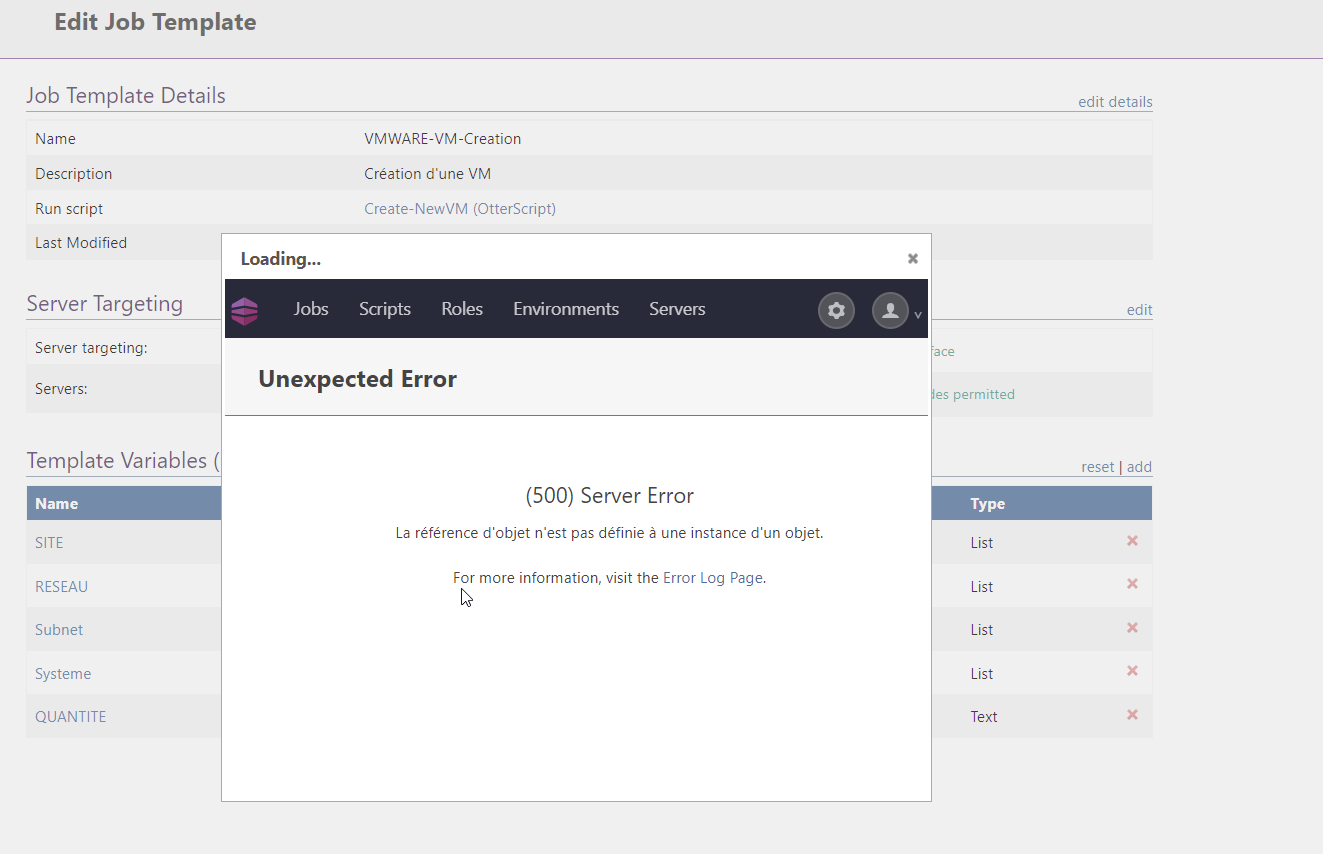
    Hi @albert-pender_6390 , This is an internal Windows Error, and happens when another process (usually a UI window) has an open session to hive within the Windows Registry. It's a long-standing bug/issue with COM+ services (which Active Directory uses), and is not really ProGet specific. It's a side-effect of the ProGet upgrade process, which often stops/starts Windows Services and IIS Application pools. Ultimately restarting will fix it (as you've notcied), but changing the "Load User Profile" to "true" on the application pool is also known to fix it as well. Best, Alana
  • BuildMaster Artifacts Overview Filtering

    4
    1
    0 Votes
    4 Posts
    16 Views
    atrippA
    @paul_6112 well, as it turns out... this was actually trivial to fix It will make it in 7.0.19, scheduled for Feb-25th
  • Error: HttpException Server Too Busy

    5
    0 Votes
    5 Posts
    25 Views
    atrippA
    Hi @galaxyunfold , The "Timeout expired" errors are indeed a result of database or network connectivity issues. It's possible to create connector loops (A ->B -> C -> A) that will yield this behavior as well. The "server too busy" is an internal IIS error, and it can be much more complicated. It's rarely related to load, and is more related to performing an operation during an application pool recycle. Frequently crashing application pools will see this error frequently. There are a lot of factors that determine load, and how you configure ProGet (especially with connectors and metadata caching) makes a big difference. But in general, it starts to make sense at around 50 engineers. At 250+ engineers, it makes sense not to go load-balanced / high-availability. Here is some more information: https://blog.inedo.com/proget-free-to-proget-enterprise Cheers, Alana
  • Proget feed Nuget Package unavailable

    9
    3
    1 Votes
    9 Posts
    40 Views
    N
    Hey @stevedennis , That's my bad I blurred too much. The "/feeds/" part was there too. I poked our IT team to see if there could be any weird settings on our IIS server or the network itself. Sometimes our Proget page gets super slow too and we even get 502 errors so there might be something wrong in our setup. I'll keep you updated if I find anything. Thanks again
  • Null reference exception on nuget package from connector

    11
    0 Votes
    11 Posts
    32 Views
    Dan_WoolfD
    Hi @claudio_9251, I'm not too surprised by this. NuGet has deprecated many of it's ODATA( v2) endpoints which has caused some issue within ProGet, we have documented this in our NuGet v2 troubleshooting guide. It is very possible that Telerik (Progress) has not made these changes on their end which may be causing this. This is especially true when it comes to connectors because ProGet will pass through a lot of the V2 queries the client makes to the remote endpoint. Either way, the NuGet v3 API is the proper API to use going forward and we highly suggest using that. Thanks, Dan
  • How to provide ProGet feed name in Azure DevOps Docker-Compose task?

    2
    0 Votes
    2 Posts
    9 Views
    atrippA
    Hi @dustin-davis_2758 , I'm not really sure - I'm not familiar enough with ADO Docker Compose to help :/ The error is coming because the container repository (image) name is incorrect; it should be like proget.initech.com/feedName/initech/repositoryName Generally you put this in your docker-compose.yml file, like this: https://docs.inedo.com/docs/docker-compose-installation-guide#example-docker-compose-configuration-file So that would be the first place I would look. If you have the proper image name in there, tehn I guess, ADO might be doing something different? Let us know what you find! Cheers, Alana
  • Running Proget on Preprd environment

    2
    0 Votes
    2 Posts
    5 Views
    Dan_WoolfD
    Hi @sbindra_9387, You should create a new free license for your preprod environment. Creating that new license will not affect your production activation. Just to verify, your preprod environment is pointing to a different database and different file storage than your production instance, is that correct? I know you are running an older version of ProGet, but our guide on how to migrate a server should still work for ProGet 5.1. That guide will show you what you need to do to migrate your production instance to a test server. Hope this helps! Thanks, Dan
  • 0 Votes
    5 Posts
    21 Views
    atrippA
    @araxnid_6067 thanks, gload it worked! I'll work to update the documentation about this topic :)
  • kubernetes scanner not showing results

    28
    0 Votes
    28 Posts
    70 Views
    C
    @atripp Wunderfull... Glad I could help.. Looking forward to test when it arrives :)
  • Upgrading from 5 to 6 causes API Key to stop working

    6
    0 Votes
    6 Posts
    30 Views
    NanciCaloN
    @Stephen-Schaff thanks so much Stephen, that's great! It's not so hard for us to add this api key back, but your code works just the same mostly i think! let us know... Anyway I've updated the documentation :)
  • 0 Votes
    2 Posts
    14 Views
    NanciCaloN
    Hello; Does your server have Internet access? That is an ancient version of the Inedo Hub... I would uninstall the Inedo Hub, and then download it again. Hopefully the error will be resolved then. Cheers, Nanci
  • API to apply an Alternate Tag to Docker Container Image

    4
    0 Votes
    4 Posts
    21 Views
    S
    Version 6 of ProGet removes the ability to make calls to the docker API via a ProGet API Key. As such the code posted above no longer works. I updated it to work using the Docker Token based Authentication system. I am posting it here in case someone comes along this post and wanted to use this code: function RepackageContainerImage() { param ( [string] $packageName = $(throw "-packageName is required. This is the namespace/image-name"), [string] $fromFeed = $(throw "-fromFeed is required"), [string] $toFeed = $(throw "-toFeed is required"), [string] $fromVersion = $(throw "-fromVersion is required. This is the current tag on the image in the fromFeed."), [string] $toVersion = $(throw "-toVersion is required. This is the tag to be applied after the image is promoted."), [string] $comments = "Promoted by automation", [string] $apiKey = $(throw "-apiKey is required"), [string] $progetBaseUrl = $(throw "-progetBaseUrl is required") ) # Promote the Container Image $postBody = @{ packageName="$packageName"; groupName=""; version="$fromVersion"; fromFeed="$fromFeed"; toFeed="$toFeed"; comments="$comments" } $promoteResponse = Invoke-WebRequest -Uri "$progetBaseUrl/api/promotions/promote" -Method POST -Body $postBody -Headers @{"X-ApiKey"="$apiKey"} # Retag the container image by downloading the manifest and then re-uploading it as the new version $pullToken = GetDockerToken -feed $toFeed -packageName $packageName -actionToAuthorize "pull" -apiKey $apiKey -progetBaseUrl $progetBaseUrl $manifest = Invoke-WebRequest -Uri "$progetBaseUrl/v2/$fromFeed/$packageName/manifests/$fromVersion" -Method GET -Headers @{Authorization=("Bearer {0}" -f $pullToken)} $pushToken = GetDockerToken -feed $toFeed -packageName $packageName -actionToAuthorize "push" -apiKey $apiKey -progetBaseUrl $progetBaseUrl Invoke-WebRequest -Uri "$progetBaseUrl/v2/$toFeed/$packageName/manifests/$toVersion" -Method PUT -Body $manifest.ToString() -Headers @{Authorization=("Bearer {0}" -f $pushToken)} } function GetDockerToken() { param ( [string] $packageName = $(throw "-packageName is required. This is the namespace and image name. For example: library/my-container-image"), [string] $feed = $(throw "-feed is required"), [string] $actionToAuthorize = $(throw "-action is required. This is the docker action to be authorized (pull, push, delete, etc)"), [string] $apiKey = $(throw "-apiKey is required"), [string] $progetBaseUrl = $(throw "-progetBaseUrl is required"), [string] $service ) if ($service -eq "") { $service = $progetBaseUrl.SubString(8,$progetBaseUrl.Length-8) } $base64AuthInfo = [Convert]::ToBase64String([Text.Encoding]::ASCII.GetBytes(("{0}:{1}" -f "api","$apiKey"))) $response = Invoke-WebRequest -Uri "$progetBaseUrl/v2/_auth?service=$service&scope=repository`:$feed/$packageName`:$actionToAuthorize" -Headers @{Authorization=("Basic {0}" -f $base64AuthInfo)} if ($response.StatusDescription -eq "OK") { $token = ($response.Content | ConvertFrom-Json).token $token } }
Inedo Website HomeSupport HomeCode of ConductForums GuideDocumentation