Navigation

    Inedo Community Forums

    Forums

    • Login
    • Search
    • Categories
    • Recent
    • Tags
    • Popular
    • Users
    • Groups
    1. Home
    2. ybaskar.temp_3339
    3. Posts
    Y
    • Profile
    • Following
    • Followers
    • Topics
    • Posts
    • Best
    • Groups

    Posts made by ybaskar.temp_3339

    • RE: Can't able to upgrade Buildmaster 5.7 version through inedohub

      Hi @stevedennis,
      Thank you for the suggestion. I understand that starting fresh with BuildMaster 2025 and maintaining BuildMaster 5.7 as a separate read-only instance would be the lowest-risk approach.

      However, in our case, we may not be able to proceed with that approach due to migration and environment constraints. Instead, we are currently validating an in-place upgrade path in our QA environment.

      The approach we are testing is:

      BuildMaster 5.7 → 6.1.28 → 6.2 → 2025

      Could you please confirm whether it is recommended to proceed using the Traditional Installer (Offline Installer) for this upgrade path, particularly for a production-safe migration?

      Since I am validating this approach for a Production environment, I would like to confirm the most reliable and recommended installation method.

      posted in Support
      Y
      ybaskar.temp_3339
    • Can't able to upgrade Buildmaster 5.7 version through inedohub

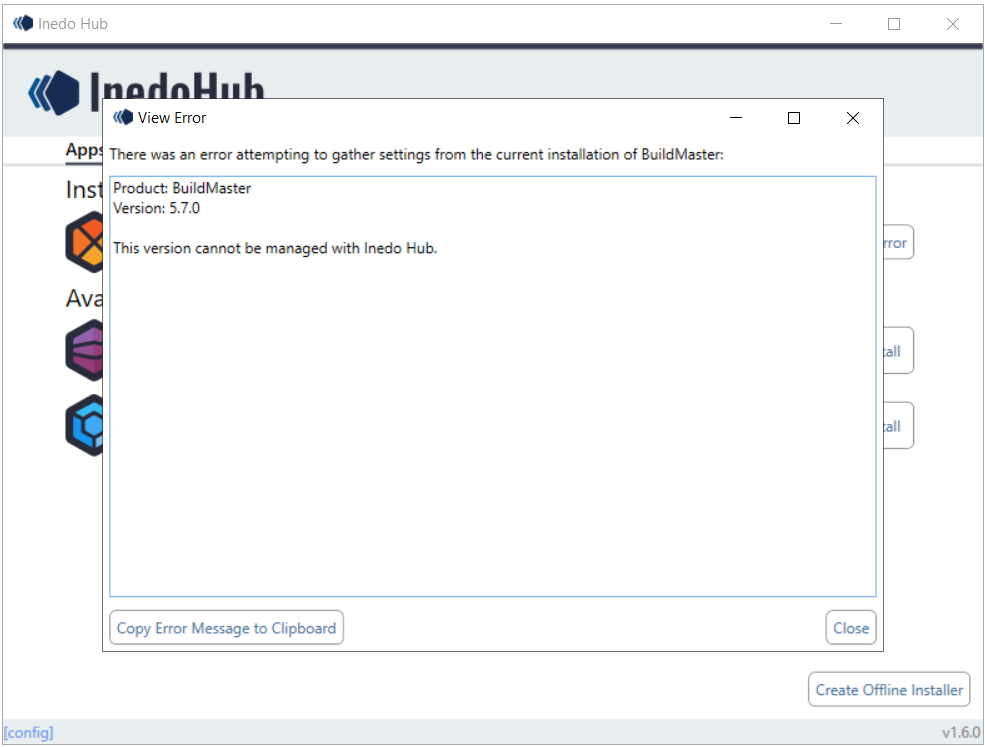
      6e0d9a23-bd0e-4f77-ad5d-f25117c0dddf-image.png

      I am currently testing a BuildMaster upgrade from version 5.7 to 2025 in my QA environment to identify a reliable and risk-free upgrade approach before proceeding in Production.

      Until last week, I was able to successfully upgrade BuildMaster 5.7 to 2025 using Inedo Hub. However, starting last week, I am no longer able to perform the upgrade through Inedo Hub and am encountering the attached error during the process.

      For context:

      This is a QA/testing environment where I am validating multiple upgrade approaches.
      I am testing with various sample applications, including built-in functions and commonly used operations, to ensure broad compatibility.
      The Production environment contains 100+ applications, so I am trying to establish a fully validated, low-risk upgrade strategy before proceeding.

      Could you please help clarify the following:

      Is this a known issue or bug with upgrading BuildMaster 5.7 through Inedo Hub?
      Has upgrading directly from BuildMaster 5.7 via Inedo Hub been restricted or changed recently?
      For a production upgrade from 5.7 → 2025, would you recommend proceeding using:
      Inedo Hub
      Traditional Installer
      Offline Installer

      I would appreciate any guidance on the recommended and safest upgrade approach for this scenario.

      posted in Support
      Y
      ybaskar.temp_3339
    • Missing of Creating Legacy plans

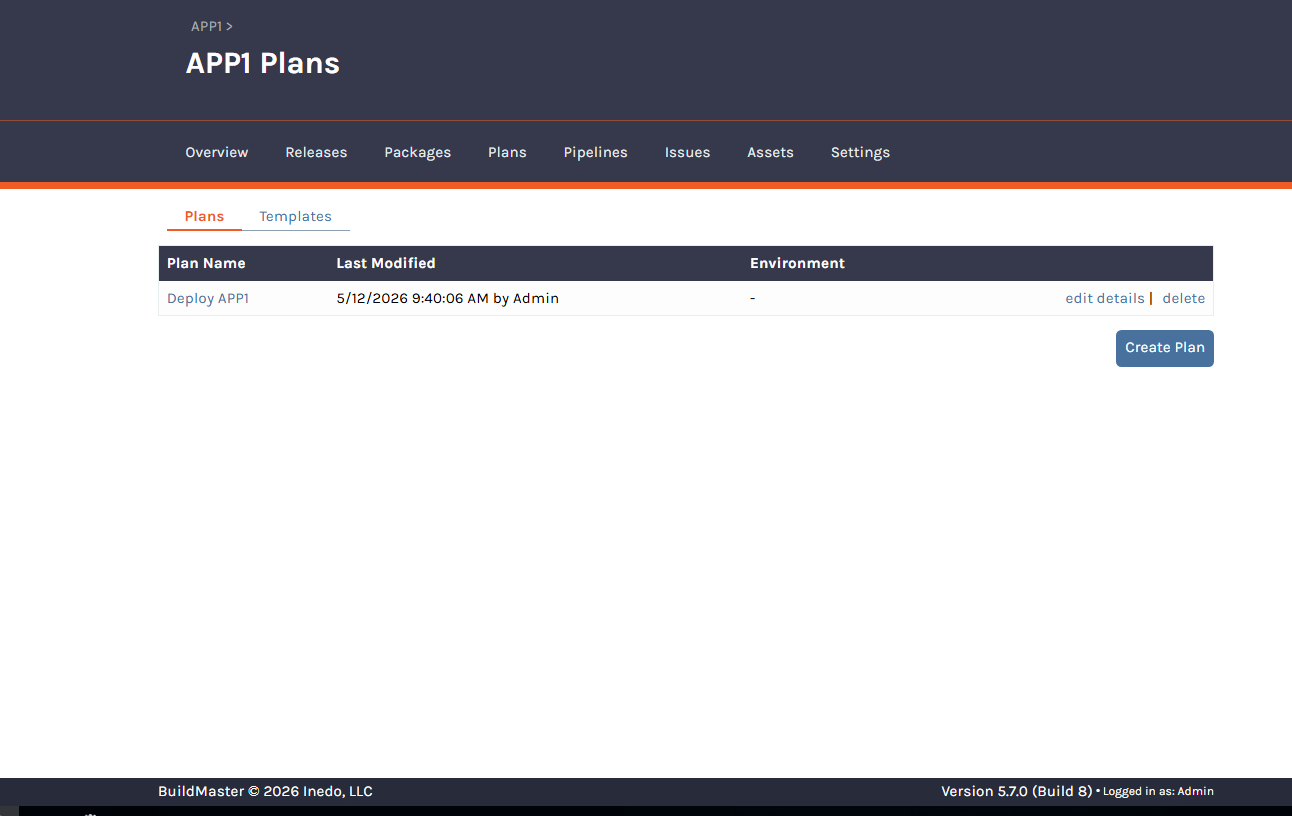
      e4839ca0-bd1c-42a7-a0ba-80923b3180f3-image.png

      I am currently using BuildMaster 5.7, and under the Plans section, I am unable to see the “Create Legacy Plan” option.

      I would like to understand:
      What could be causing the Legacy Plan creation option to be unavailable?
      Are there any specific configurations, extensions, feature settings, or application types that need to be enabled or modified to restore this functionality?

      For reference:

      The installation is a fresh BuildMaster 5.7 setup
      An Enterprise license is being used
      Standard extensions such as InedoCore, Windows, Windows SDK, Linux, and SQL Server are already installed

      Please advise on what changes or validations are required to enable Legacy Plan creation.

      posted in Support
      Y
      ybaskar.temp_3339
    • Direct upgrade to BuildMaster 6.2 is not supported at this time.

      Hi Everyone,

      I am currently upgrading BuildMaster from version 5.7 to 2025 using the following upgrade path:

      5.7 → 6.1.28 → 6.2 → 2025

      During the upgrade process, I encountered a SQL error while upgrading from version 6.1.28. Prior to initiating the upgrade, I verified that the Legacy Feature Detector reported zero legacy features, confirming that all prerequisites were met.

      ** Write SQL Connection String to $DbConnectionString **
        ** Update Database Schema **
         ** Execute inedosql.exe update . --connection-string="$DbConnectionString" in $WorkingDirectory **
          DEBUG: Process: C:\BuildMaster\SqlScripts\inedosql.exe
          DEBUG: Arguments: update . --connection-string="Data Source=VUSQASQLDB04;Initial Catalog=BuildMasterQA;Integrated Security=True"
          DEBUG: Working directory: C:\BuildMaster\SqlScripts
          DEBUG: Ensuring that C:\BuildMaster\SqlScripts exists...
           INFO: Executing C:\BuildMaster\SqlScripts\inedosql.exe...
           INFO: Database uses v2 change script schema; upgrading...
           INFO: Executing untracked script DDL-DML\0000. Untracked\10. Block 6.2 Upgrades.sql...
          ERROR:    at [System.Data](http://System.Data).SqlClient.SqlConnection.OnError(SqlException exception, Boolean breakConnection, Action1 wrapCloseInAction)
          ERROR:    at [System.Data](http://System.Data).SqlClient.TdsParser.ThrowExceptionAndWarning(TdsParserStateObject stateObj, Boolean callerHasConnectionLock, Boolean asyncClose)
          ERROR:    at [System.Data](http://System.Data).SqlClient.TdsParser.TryRun(RunBehavior runBehavior, SqlCommand cmdHandler, SqlDataReader dataStream, BulkCopySimpleResultSet bulkCopyHandler, TdsParserStateObject stateObj, Boolean& dataReady)
          ERROR:    at [System.Data](http://System.Data).SqlClient.SqlCommand.RunExecuteNonQueryTds(String methodName, Boolean async, Int32 timeout, Boolean asyncWrite)
          ERROR:    at [System.Data](http://System.Data).SqlClient.SqlCommand.InternalExecuteNonQuery(TaskCompletionSource1 completion, String methodName, Boolean sendToPipe, Int32 timeout, Boolean& usedCache, Boolean asyncWrite, Boolean inRetry)
          ERROR:    at [System.Data](http://System.Data).SqlClient.SqlCommand.ExecuteNonQuery()
          ERROR:    at Inedo.DbUpdater.SqlServer.SqlServerDatabaseConnection.ExecuteQueryWithSplitter(String query)
          ERROR:    at Inedo.DbUpdater.SqlServer.SqlServerDatabaseConnection.ExecuteScripts(IEnumerable`1 scripts, ChangeScriptState state)
          ERROR:    at Inedo.DbUpdater.Program.Update(String scriptPath, String connectionString, Boolean force)
          ERROR:    at [Inedo.DbUpdater.Program.Run](http://Inedo.DbUpdater.Program.Run)(ArgList args)
          ERROR:    at Inedo.DbUpdater.Program.Main(String[] args)
          ERROR: Unhandled Exception: [System.Data](http://System.Data).SqlClient.SqlException: Direct upgrade to BuildMaster 6.2 is not supported at this time.
          ERROR: Process exited with code: -532462766 (failure)
      

      To proceed, I executed the upgrade using the command prompt and forced the inedosql script, which allowed the upgrade to complete successfully.

      However, I would like to understand the root cause of this issue:

      What could be the reason for encountering a SQL error despite having no legacy features detected?
      Are there any underlying database inconsistencies or known limitations associated with this upgrade path that could lead to such behavior?
      posted in Support
      Y
      ybaskar.temp_3339
    • 1 / 1