Navigation

    Inedo Community Forums

    Forums

    • Login
    • Search
    • Categories
    • Recent
    • Tags
    • Popular
    • Users
    • Groups
    1. Home
    2. Sigve.opedal_6476
    S
    • Profile
    • Following
    • Followers
    • Topics
    • Posts
    • Best
    • Groups

    Sigve.opedal_6476

    @Sigve.opedal_6476

    0
    Reputation
    13
    Posts
    1
    Profile views
    0
    Followers
    0
    Following
    Joined Last Online

    Sigve.opedal_6476 Follow

    Best posts made by Sigve.opedal_6476

    This user hasn't posted anything yet.

    Latest posts made by Sigve.opedal_6476

    • RE: Proget: Move data to another folder

      So I succeeded this time, I changed the montpoint to /data and created the subdirectories:

      mkdir -p /data/proget/proget-backups
      mkdir -p /data/proget/proget-database
      mkdir -p /data/proget/proget-packages
      

      Set correct permissions on the folders (same permissions as on the./proget-* folders)

      chmod 700 /data/proget/proget-database/
      chmod 755 /data/proget/proget-backups/
      chmod 755 /data/proget/proget-packages/
      

      Set ownership

      chown 101:root /data/proget/proget-database/
      chown root:root /data/proget/proget-backups/
      chown root:root /data/proget/proget-packages/
      

      Set correct SELinux context

      semanage fcontext -a -t svirt_sandbox_file_t "/data/proget(/.*)?"
      restorecon -Rv /data/proget
      

      Stop- and remove proget (I had a sapshot of the server as backup)

      docker stop proget
      docker rm proget
      

      rsync data to new directory

      rsync -avh ./proget-packages/ /data/proget/proget-packages/
      rsync -avh ./proget-database/ /data/proget/proget-database/
      rsync -avh ./proget-backups/ /data/proget/proget-backups/
      

      Then install with (:z added for SELInux)

      docker run -d --name=proget --restart=unless-stopped \
        -v /data/proget/proget-packages:/var/proget/packages:z \
        -v /data/proget/proget-database:/var/proget/database:z \
        -v /data/proget/proget-backups:/var/proget/backups:z \
        -p 8624:80 \
        proget.inedo.com/productimages/inedo/proget:25.0.18
      

      last, remove the old directories in root home folder after ensuring everything is OK.

      cd ~
      rm -rf ./proget-packages ./proget-database ./proget-backups
      

      Now it works as expected. i don't know what I did wrong last time, but now proget isn't filling up the root directory anymore. probably obvious for everyone used to docker, but wasn't for me :)
      posted in Support
      S
      Sigve.opedal_6476
    • RE: Proget: Move data to another folder

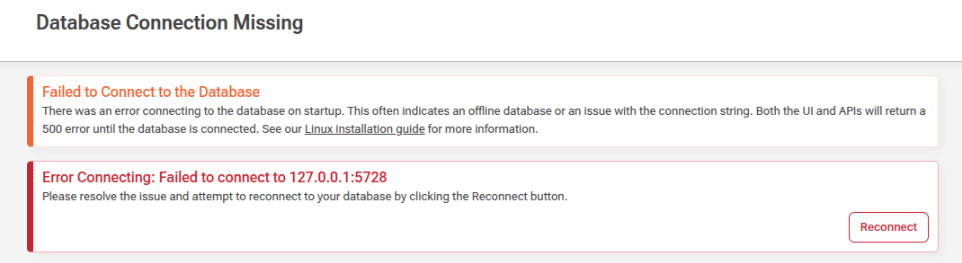
      The error I got was this. I tried my best to set correct permissions and SELinux label, but I guess there could be something there. Bu my suspicion is that the database is referenced somewhere pointing the old location? But I can try again with selinux disabled
      92265303-b585-4fd7-83f8-6fd71ed159e2-image.png

      posted in Support
      S
      Sigve.opedal_6476
    • Proget: Move data to another folder

      Hello

      So first I'd like to say that I'm not very experienced with Docker. But getting Proget up and running using docker was a breeze. Proget is very useful for us, and our use is expanding. And that's kind of my issue. When I installed Proget, I just followed the installation instructions which resulted in the Proget-database/packages/backup folders being placed in the root user home folder on the root volume. So my root partition is now filling up.

      I've added a second volume and mounted it to /var/proget. But how do I migrate the contents of my database/packages and backup folder to the new folders? I've tried just to rsync the files to the new destination and then run installation with

      docker run -d --name=proget --restart=unless-stopped \
        -v /var/proget/proget-packages:/var/proget/packages \
        -v /var/proget/proget-database:/var/proget/database  \
        -v /var/proget/proget-backups:/var/proget/backups \
        -p 8624:80  \
        proget.inedo.com/productimages/inedo/proget:25.0.18
      

      but I get a database error. So I tried to find a way to backup and restore, but honestly the documentations seem somewhat wanting for how to backup and restore using docker? Same goes for migrating to another server, I cannot find a guide for this?

      I had a snapshot of the installation from before i tried to move the data, so I just reverted to that to get it up and running again. But I still need a way to move data to the other volume.

      posted in Support
      S
      Sigve.opedal_6476
    • RE: Not able to upload .iso file to asset directory on Proget

      @Dan_Woolf yes, there is a firewall, but I’m able to upload other files from the same workstation, just not isos. My workaround was to zip the iso and then upload.

      posted in Support
      S
      Sigve.opedal_6476
    • Not able to upload .iso file to asset directory on Proget

      Hi all.

      I'm trying to make a ISO file available through a asset directory, but when trying to upload (using browser), it always fails after 3% upload. The file is 1.3 GB in size. Uploading other files (300 MB .exe file) seems to work OK.

      I was able to work around this by compressing the .iso tile to a .zip file and then using the "Import from zip file" function. But uploading the .iso file directly does not work for me.

      We are on version 2025.18 running in docker on Linux. Here is the error from the log

      Failed to upload Standard_Edtn_2025_64Bit.ISO: Connection reset by peer
      
      Microsoft.AspNetCore.Connections.ConnectionResetException: Connection reset by peer
       ---> System.Net.Sockets.SocketException (104): Connection reset by peer
         --- End of inner exception stack trace ---
         at System.IO.Pipelines.Pipe.GetReadResult(ReadResult& result)
         at System.IO.Pipelines.Pipe.ReadAsync(CancellationToken token)
         at Microsoft.AspNetCore.Server.Kestrel.Core.Internal.Http.Http1ContentLengthMessageBody.ReadAsyncInternal(CancellationToken cancellationToken)
         at System.Runtime.CompilerServices.PoolingAsyncValueTaskMethodBuilder`1.StateMachineBox`1.System.Threading.Tasks.Sources.IValueTaskSource<TResult>.GetResult(Int16 token)
         at System.IO.Pipelines.PipeReader.CopyToAsyncCore[TStream](TStream destination, Func`4 writeAsync, CancellationToken cancellationToken)
         at Inedo.ProGet.WebApplication.FeedEndpoints.Assets.AssetContentHandler.UploadPartAsync(AhHttpContext context, WebApiContext apiContext, AssetFeed feed, String url) in C:\Users\builds\AppData\Local\Temp\InedoAgent\BuildMaster\192.168.44.60\Temp\_E627829\Src\src\ProGet\WebApplication\FeedEndpoints\Assets\AssetContentHandler.cs:line 276
         at Inedo.ProGet.WebApplication.FeedEndpoints.Assets.AssetContentHandler.UploadPartAsync(AhHttpContext context, WebApiContext apiContext, AssetFeed feed, String url) in C:\Users\builds\AppData\Local\Temp\InedoAgent\BuildMaster\192.168.44.60\Temp\_E627829\Src\src\ProGet\WebApplication\FeedEndpoints\Assets\AssetContentHandler.cs:line 291
         at Inedo.ProGet.WebApplication.FeedEndpoints.Assets.AssetContentHandler.UploadFileAsync(AhHttpContext context, WebApiContext apiContext, AssetFeed feed, String url, PutMode mode, Boolean ignoreContentType) in C:\Users\builds\AppData\Local\Temp\InedoAgent\BuildMaster\192.168.44.60\Temp\_E627829\Src\src\ProGet\WebApplication\FeedEndpoints\Assets\AssetContentHandler.cs:line 168
         at Inedo.ProGet.WebApplication.FeedEndpoints.Assets.AssetFineUploadHandler.TryProcessRequestAsync(AhHttpContext context, WebApiContext apiContext, AssetFeed feed, String relativeUrl) in C:\Users\builds\AppData\Local\Temp\InedoAgent\BuildMaster\192.168.44.60\Temp\_E627829\Src\src\ProGet\WebApplication\FeedEndpoints\Assets\AssetFineUploaderHandler.cs:line 29
      
      ::Asset Upload Error on 01/14/2026 11:24:44::
      
      posted in Support
      S
      Sigve.opedal_6476
    • RE: Rocky Linux rpm feed not working

      Upgraded to version 25.0.15, and it's working. Thanks.

      posted in Support
      S
      Sigve.opedal_6476
    • RE: Rocky Linux rpm feed not working

      Hi @stevedennis

      Today I upgraded proget to v 25.0.14, and unfortunately the problem is the same. I can only find packages that are cached

      posted in Support
      S
      Sigve.opedal_6476
    • RE: Rocky Linux rpm feed not working

      Edit: This seems to be the case for other feeds as well, for example rpm feed for epel

      posted in Support
      S
      Sigve.opedal_6476
    • Rocky Linux rpm feed not working

      Hello.

      I have multiple rpm feeds set up (postgres, docker-ce, zabbix), and it seems to be working fine. But the rpm feeds for Rocky Linux BaseOS, Appsteam and Extras does not seem to work.

      As an example, my feed for BaseOS looks like this:
      12b1d132-8631-430b-b338-b7fb0a16e8f3-image.png

      (I've tried multiple urls as connector and same result)
      e766fb42-f94d-410f-b496-fd4108e8222d-image.png

      My repo file looks like this:
      bb01a175-2b93-439b-9858-a33a616925ed-image.png

      I can search- and find for example nano directly in Proget:
      7aabf289-880f-43e1-a4a0-dcdf7e175c23-image.png

      However, on a client I cannot find the nano package:
      e1143b89-5081-41ff-a679-a86b0c5f545c-image.png

      However, if I download the nano package to my PC through the proget web interface so that it is cached on the proget server, I also find it on the clients:
      9f1840fb-70f9-4932-9e6e-0c35ce03769d-image.png

      cf2363e4-425e-491b-900d-3286736744bd-image.png

      posted in Support
      S
      Sigve.opedal_6476
    • RE: Support for gpg in rpm feed

      Hello again @atripp
      Just wanted to let you know that I figured out why the gpg key didn't work. It was just a case of me not being to familiar with proget, so I used the wrong url.

      I right-clicked the file in the asset, and just copied the url instead of cliking on the file and copy the url from the "Usage instructions" portion. After fixing the url's, the gpg verification now works and I can hav gpgcheck = 1 in my repos and pointing the gpg url to the key in an asset.

      It is some manual work to be done downloading and uploading gpg keys, but it works

      posted in Support
      S
      Sigve.opedal_6476