Welcome to the Inedo Forums! Check out the Forums Guide for help getting started.
If you are experiencing any issues with the forum software, please visit the Contact Form on our website and let us know!
Scheduled Task is failing due to invalid script identifier
-
I created a scheduled task that points to an OtterScript. I created the script it is pointing to as a global script via the Administration screen. Even though I can clearly see the script and the name I keep getting the error
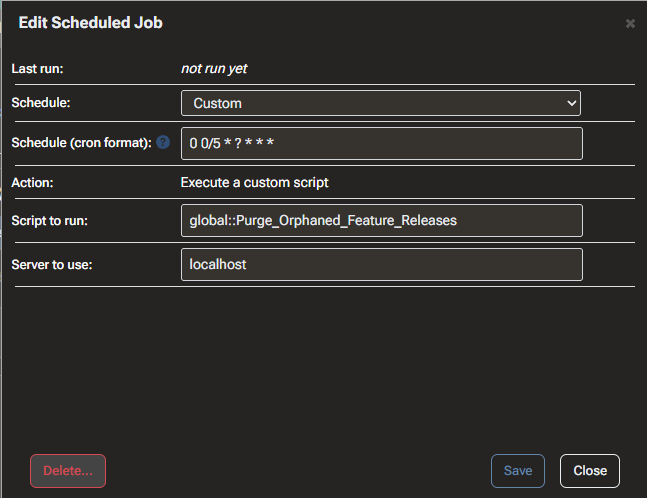
System.FormatException: "Purge_Orphaned_Feature_Releases" is not a valid DeploymentScript identifier for the "global" scope.when it attempts to fire the scheduled task.
The original name was Purge Orphaned Feature Releases but I changed it to use underscores thinking the spaces had something to do with it. I even tried prefixing it with global::. I'm hoping someone can tell me what is going on so I can get this working.
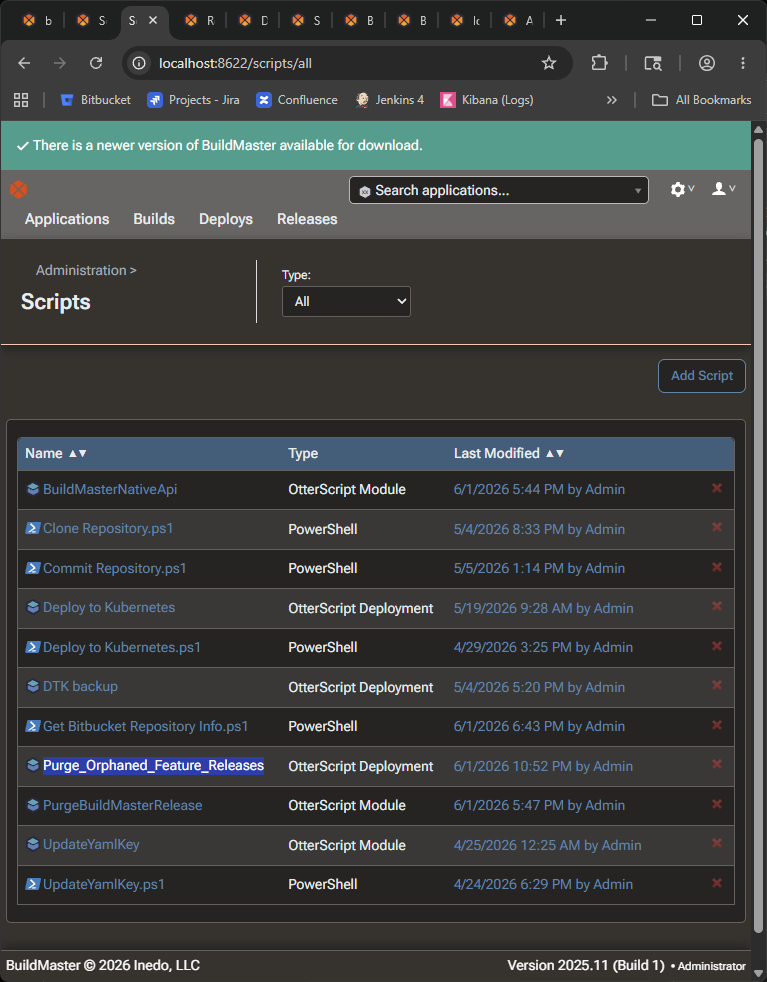
Here is a screenshot showing the script is defined globally
Here is a screenshot showing the current configuration for the scheduled task
Thank you,
Brandon