Welcome to the Inedo Forums! Check out the Forums Guide for help getting started.
If you are experiencing any issues with the forum software, please visit the Contact Form on our website and let us know!
BuildMaster fails to return TeamCity build configs
-
We're attempting to setup Buildmaster to have it serve as a deployment and test arm of our builds based on build artifacts.
The connection to TC seems to work. We do get the list of projects from the server.
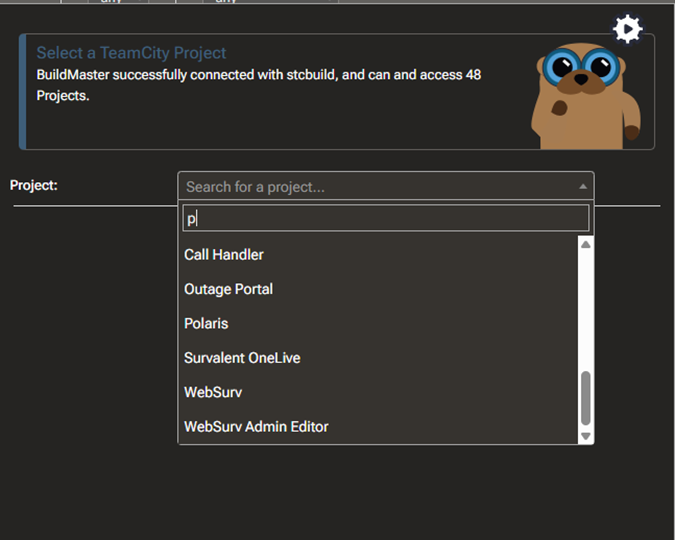
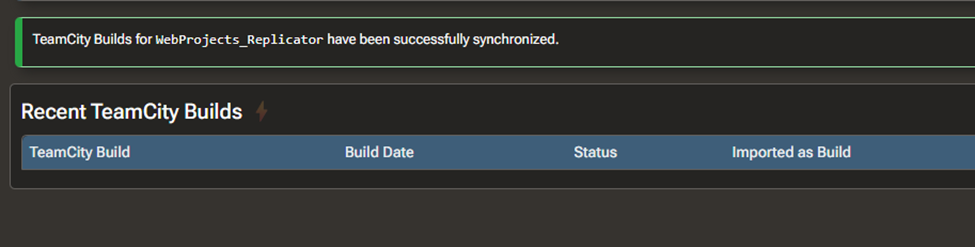
BM also says that TC has been synchronized.
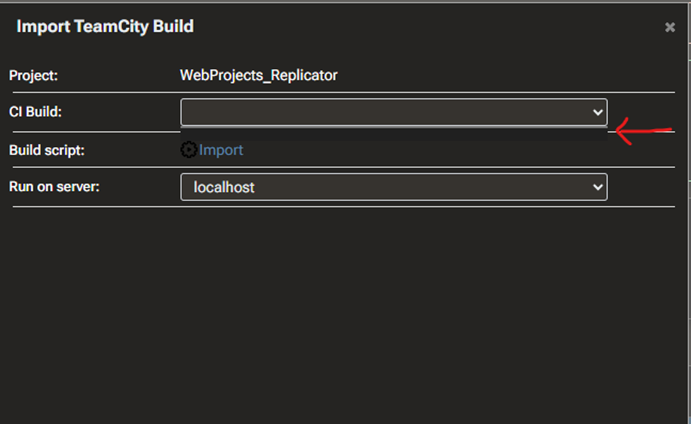
But when we go to import builds so we can see the artifacts, the dropdown never populates.
What API calls are you using that is supposed to return that info?
TeamCity version is TeamCity Professional 2025.11 Build 207946
and BuildMaster is version Version 2025.5 (Build 14).We're kind of at a standstill until we can get the artifacts list.
-
Hi @kquinn_2909 ,
The "Recent TeamCity Builds" page should show a list of builds in the selected TeamCity project; it's a bit tricky to troubleshoot, but BuildMaster is essentially querying for builds using this locator string:
defaultFilter:false,project:{Uri.EscapeDataString(project)}&fields=build(id,number,status,state,webUrl,startDate,buildTypeId)Might be easier to see in the source code:
https://github.com/Inedo/inedox-teamcity/blob/master/TeamCity/InedoExtension/TeamCityClient.cs#L63I believe the Project ID is being used, which in your case would be
WebProjects_Replicator. I think the name would be "WebProjects Replicator". Though I'm not totally sure.What builds do you see on the TeamCity side of things?
Thanks,
Alana -
@atripp Thanks for the reply. Let me try a few things and get back to you.
-
@atripp OK.
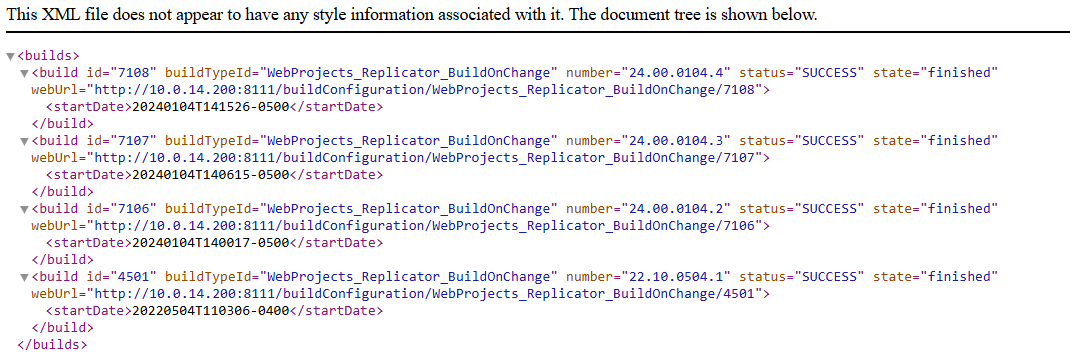
Using the url - /app/rest/builds?locator=defaultFilter:false,project:WebProjects_Replicator&fields=build(id,number,status,state,webUrl,startDate,buildTypeId)I get this when calling the API:
and this when looking at the TC UI:
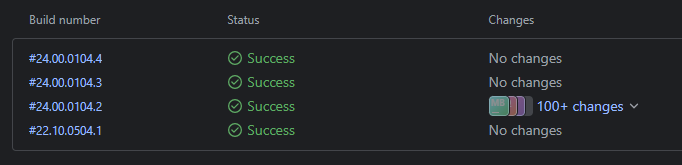
So, that lines up.
Not quite sure why I dont get a build list in BuildMaster. -
Hi @kquinn_2909 ,
We haven't forgotten about this; the issue is trying to figure out steps to reproduce it based on the information we have... considering it works on our test instance and all. We may consider putting some more debugging code in, though figuring out how to expose that in this context is a little challenging.
Just as a sanity check though, do you have a project that doesn't have a "space" in the name? I want to make sure this isn't something really simple as
WebProjects%20ReplicatorvsWebProjects_Replicator.The other idea is authentication/authorization, though I would imagine you would get an error accessing the project instead of no builds.
Thanks,
Steve -
@stevedennis no worries.
We have most of our builds in sub-projects.
In this case, 'WebProjects' is a top-level project and 'Replicator' is a sub-project of that. In that sub-project, we could have any number of different build configs.
I moved the WebProjects_Replicator project to the root level and renamed it to just 'Replicator'. I then recreated the TC connection and attempted to import builds. I get the same result. The CI Build dropdown does not populate.
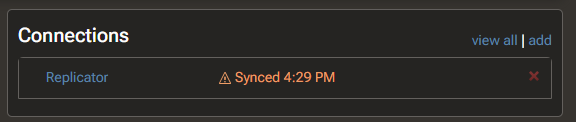
I even removed an other build config in that project so it ends up being 1 top-level project with 1 build config in it. No dice.As for credentials, if they were wrong, the connection would probably show me Error instead of Synced
-
Hi @kquinn_2909,
I'm working to recreate this issue, but I'm struggling to recreate it. Would you be able to send us the results of the following API?
app/rest/projects/WebProjects_Replicator?fields=buildTypes(buildType)The thought I currently have is that the Build Type list is returning something different that is filtering out those builds (https://github.com/Inedo/inedox-teamcity/blob/7d447a5f4f3c3e38c98012c65e9db40afec224b6/TeamCity/InedoExtension/TeamCityClient.cs#L84)
Thanks,
Rich -
@rhessinger. Hi. Here's the result:
<project> <buildTypes> <buildType id="WebProjectsReplicatorBuildOnChange" name="BuildOnChange" description="Now Building 22.1" projectName="Web Projects / Replicator" projectId="Replicator" href="/app/rest/buildTypes/id:WebProjectsReplicatorBuildOnChange" webUrl="http://10.0.14.200:8111/buildConfiguration/WebProjectsReplicatorBuildOnChange?mode=builds"/> </buildTypes> </project> -
Hi @kquinn_2909
That is why you are not seeing the builds. That build types API is returning the Id as
WebProjectsReplicatorBuildOnChange, where the builds API is returningWebProjects_Replicator_BuildOnChangeas the Id. Are you using any sort of shared build type?Thanks,
Rich -
@rhessinger While that kind of makes sense, I dont think that is the issue.
In the past, I've imported projects from production TC servers to the test server. Thinking this may have been part of the problem, I instead created a brand new project on the test server called "WebProjects_SessionManagement". After creating the project, I created the build config "WebProjects_SessionManagement_BuildChanges". I created 3 dummy steps and then ran those builds 3 times.
After that was done, I created a new Application in BuildMaster. When I went to import the 3 builds I created, it resulted in the same behavior that I saw before.
When I check the API (/app/rest/projects/WebProjects_SessionManagement?fields=buildTypes(buildType)), I get this for projects:<project> <buildTypes> <buildType id="WebProjects_SessionManagement_BuildChanges" name="BuildChanges" projectName="Web Projects / Session Management" projectId="WebProjects_SessionManagement" href="/app/rest/buildTypes/id:WebProjects_SessionManagement_BuildChanges" webUrl="http://10.0.14.200:8111/buildConfiguration/WebProjects_SessionManagement_BuildChanges?mode=builds"/> </buildTypes> </project>And then when I check the builds for this project (/app/rest/builds?locator=defaultFilter:false,project:WebProjects_SessionManagement&fields=build(id,number,status,state,webUrl,startDate,buildTypeId)), I get this:
<builds>
   <build id="10342" buildTypeId="WebProjects_SessionManagement_BuildChanges" number="26.20.0117.3" status="SUCCESS" state="finished" webUrl="http://10.0.14.200:8111/buildConfiguration/WebProjects_SessionManagement_BuildChanges/10342">
      <startDate>20260117T214753-0500</startDate>
   </build>
   <build id="10341" buildTypeId="WebProjects_SessionManagement_BuildChanges" number="25.20.1317.2" status="SUCCESS" state="finished" webUrl="http://10.0.14.200:8111/buildConfiguration/WebProjects_SessionManagement_BuildChanges/10341">
      <startDate>20260117T214729-0500</startDate>
   </build>
   <build id="10340" buildTypeId="WebProjects_SessionManagement_BuildChanges" number="25.20.1317.1" status="SUCCESS" state="finished" webUrl="http://10.0.14.200:8111/buildConfiguration/WebProjects_SessionManagement_BuildChanges/10340">
      <startDate>20260117T214719-0500</startDate>
   </build>
</builds>
and yet, no builds in the dropdown in BuildMaster



Hello! It looks like you're interested in this conversation, but you don't have an account yet.
Getting fed up of having to scroll through the same posts each visit? When you register for an account, you'll always come back to exactly where you were before, and choose to be notified of new replies (either via email, or push notification). You'll also be able to save bookmarks and upvote posts to show your appreciation to other community members.
With your input, this post could be even better 💗
Register Login