Welcome to the Inedo Forums! Check out the Forums Guide for help getting started.
If you are experiencing any issues with the forum software, please visit the Contact Form on our website and let us know!
Published timestamp resets after pulling remote npm packages
-
I'm using ProGet with caching from the npm registry. When a package is not yet pulled to the ProGet instance, the Published timestamp correlates with the publish date in the npm registry, which is correct:
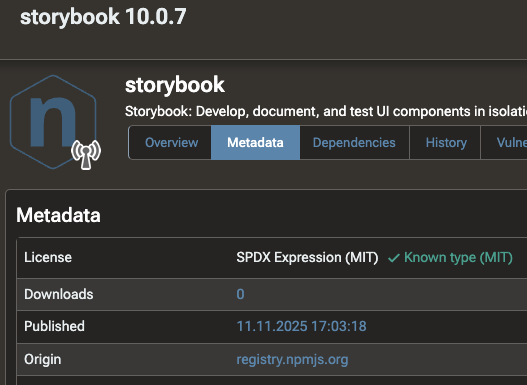
However, after pulling the package, the Published timestamp is reset to the date of the pull operation:
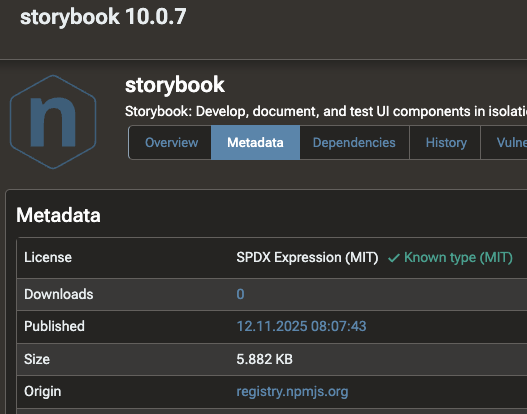
I would have expected the Published date to correlate with the publish date in the upstream npm registry. This is a problem for me, because I am using pnpm with the
minimumReleaseAgeoption which requires the Published timestamp to be accurate. -
Hi @d-kimmich_0782 ,
This behavior is by design; the "publish date" in ProGet 2025 and earlier is whenever a package is added to a feed. This means that, even if a package was published to NuGet.org 3 years ago, the "publish date" will be whenever it was first cached.
However, in ProGet 2025.14 and later, you can change this behavior under "Admin > Advanced Settings > Use Connector Publish Date". This will be the default behavior in ProGet 2026.
This is being done for a similar set of rules you should investigate, which we call Recently Published & Aged Rules :
https://docs.inedo.com/docs/proget/sca/policies#recently-published-aged-rules-proget-2026-preview-- Dean
-
@dean-houston said in Published timestamp resets after pulling remote npm packages:
"Admin > Advanced Settings > Use Connector Publish Date"
Thanks a lot for your fast reply, changing that setting works like a charm.


Hello! It looks like you're interested in this conversation, but you don't have an account yet.
Getting fed up of having to scroll through the same posts each visit? When you register for an account, you'll always come back to exactly where you were before, and choose to be notified of new replies (either via email, or push notification). You'll also be able to save bookmarks and upvote posts to show your appreciation to other community members.
With your input, this post could be even better 💗
Register Login