Welcome to the Inedo Forums! Check out the Forums Guide for help getting started.
If you are experiencing any issues with the forum software, please visit the Contact Form on our website and let us know!
How to Force Vulnerability Scan on “Not Scanned” Artifacts?

-
Hello,
I am currently using ProGet version 2024.22 (Build 5) and have encountered an issue with the Vulnerabilities Scan feature.
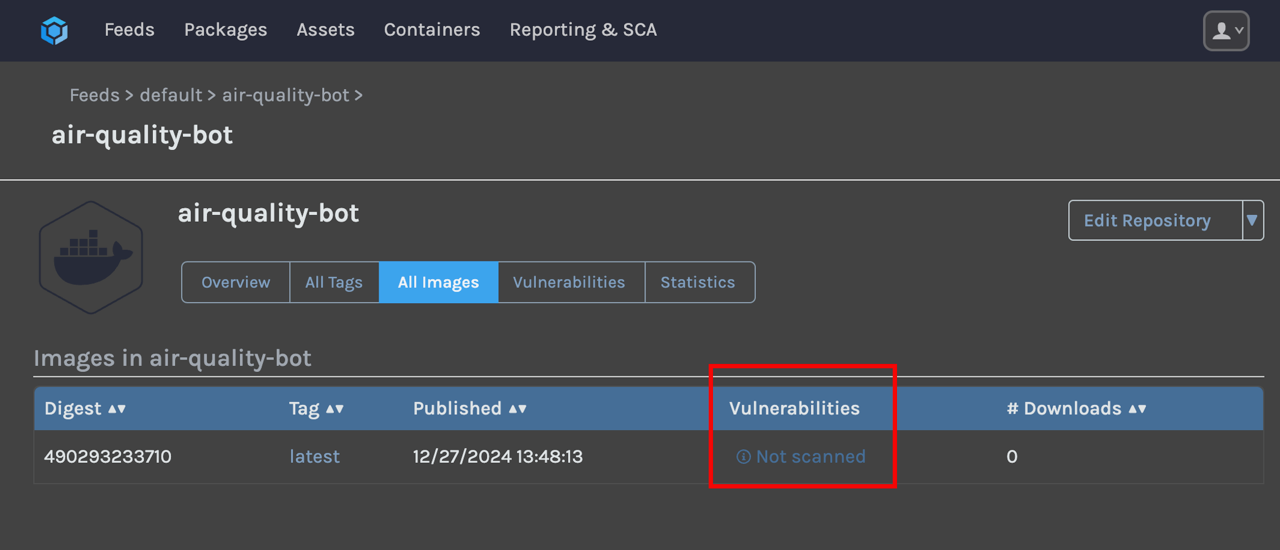
Some artifacts in the UI are marked as “Not scanned,” as shown in the attached image. I would like to know if there is a way to manually or forcefully trigger a scan for these artifacts.
Any guidance or suggestions would be greatly appreciated!
Thank you in advance for your help.
-
hi @jaehyung-shin_8059 ,
If you click on the
latesttag, do you see any information about the packages in the container?Container images are scanned on upload if they are small or queued to be scanned in the background if they are large. There are sometimes errors scanning containers, and if so, these errors will be logged... typically under Admin > Executions.
-- Dean

Hello! It looks like you're interested in this conversation, but you don't have an account yet.
Getting fed up of having to scroll through the same posts each visit? When you register for an account, you'll always come back to exactly where you were before, and choose to be notified of new replies (either via email, or push notification). You'll also be able to save bookmarks and upvote posts to show your appreciation to other community members.
With your input, this post could be even better 💗
Register Login