Welcome to the Inedo Forums! Check out the Forums Guide for help getting started.
If you are experiencing any issues with the forum software, please visit the Contact Form on our website and let us know!
ProGet Asset: downloaded installer is no longer executable
-
I am uploading an installer (.exe) to an asset directory (via the API using Postman at the moment).
Uploading the file works fine, I get a 201.
However, when I download the file, it is no longer a valid win32 executable. Here is the diff of the uploaded and the downloaded file:
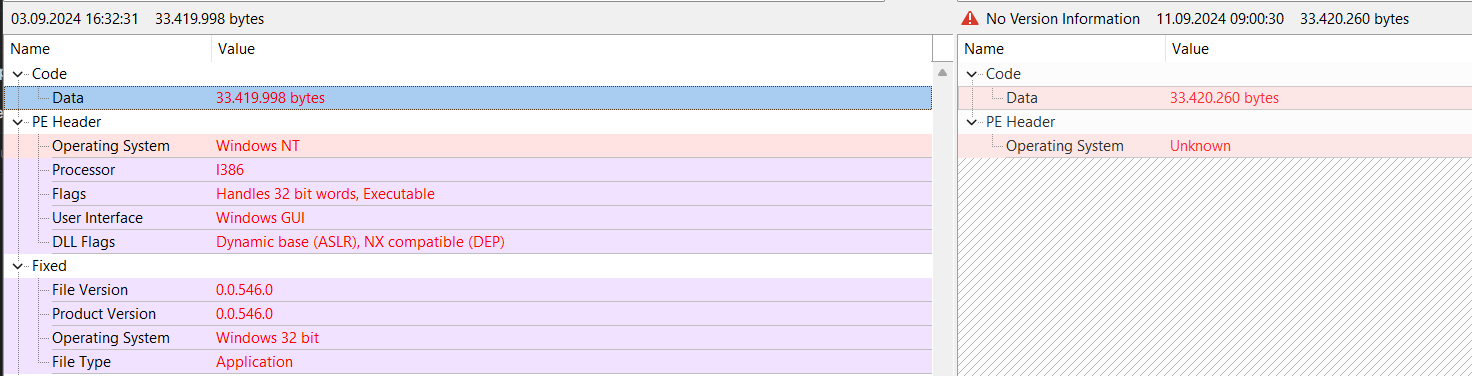
It looks like the file header is broken and a few extra bytes were added.
What am I doing wrong?
Here is the generated C# code from Postman:
var client = new HttpClient();
var request = new HttpRequestMessage(HttpMethod.Post, "https://my-server/endpoints/modular-installers/content/Workstation_setup_latest.exe");
request.Headers.Add("X-ApiKey", "my-api-key");
request.Content = new StreamContent(File.OpenRead("/C:/Temp/Workstation_setup_v0.0.546.exe"));
var response = await client.SendAsync(request);
response.EnsureSuccessStatusCode();
Console.WriteLine(await response.Content.ReadAsStringAsync());
And here is a screenshot from file in ProGet:
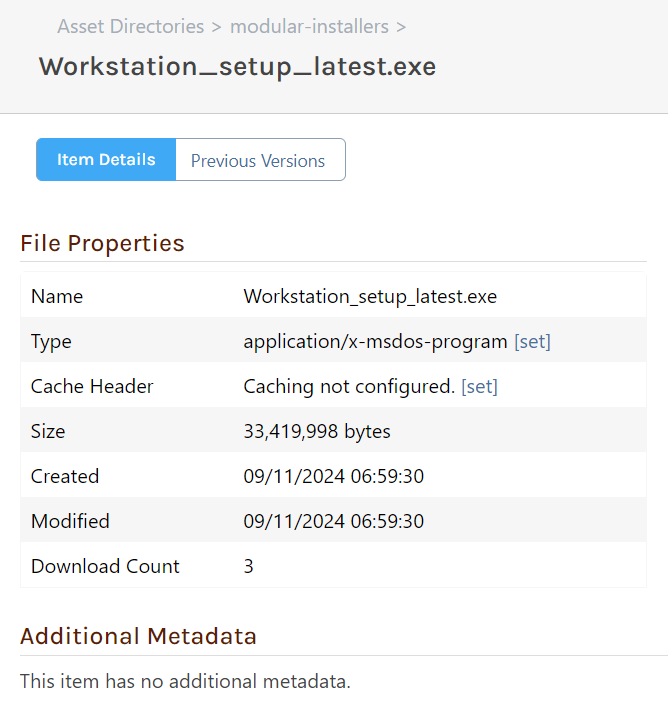
Update: If I upload the file via the Web UI, this issue does not happen. It seems to be tied to how I upload the file via API.
Update 2: It seems like Chrome is adding bytes during / after download. The file size in ProGet is correct, but after the download the file size increases by 262 bytes. I tried it in Edge and this does not happen.
When I download the file from the original source (GitHub), this behavior does not occur.
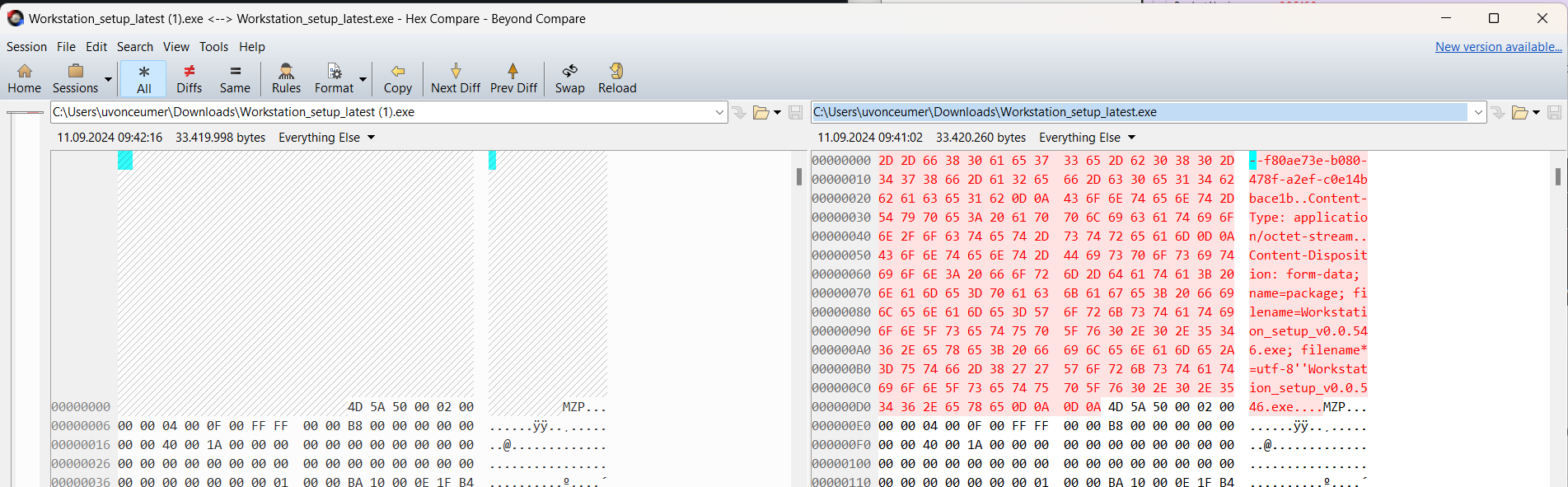
Update 3: Chrome seems to add some form of header to the downloaded file:
-
Hi @uvonceumern_6611 ,
Thanks for providing all of the additional information; based on what you shared, it looks like the file is actually being uploaded incorrectly... using a "multi-party / form upload encoding" instead of a basic
PUTofPOSTof the body contents.Please see the Upload Asset File documentation for more information.
Thanks,
Steve

Hello! It looks like you're interested in this conversation, but you don't have an account yet.
Getting fed up of having to scroll through the same posts each visit? When you register for an account, you'll always come back to exactly where you were before, and choose to be notified of new replies (either via email, or push notification). You'll also be able to save bookmarks and upvote posts to show your appreciation to other community members.
With your input, this post could be even better 💗
Register Login