Welcome to the Inedo Forums! Check out the Forums Guide for help getting started.
If you are experiencing any issues with the forum software, please visit the Contact Form on our website and let us know!
Many timeouts in ProGet log when restoring packages
-
Hi,
when running package restores (npm and NuGet packages) we're seeing many timouts being logged on ProGet Version 2023.27 (Build 5):
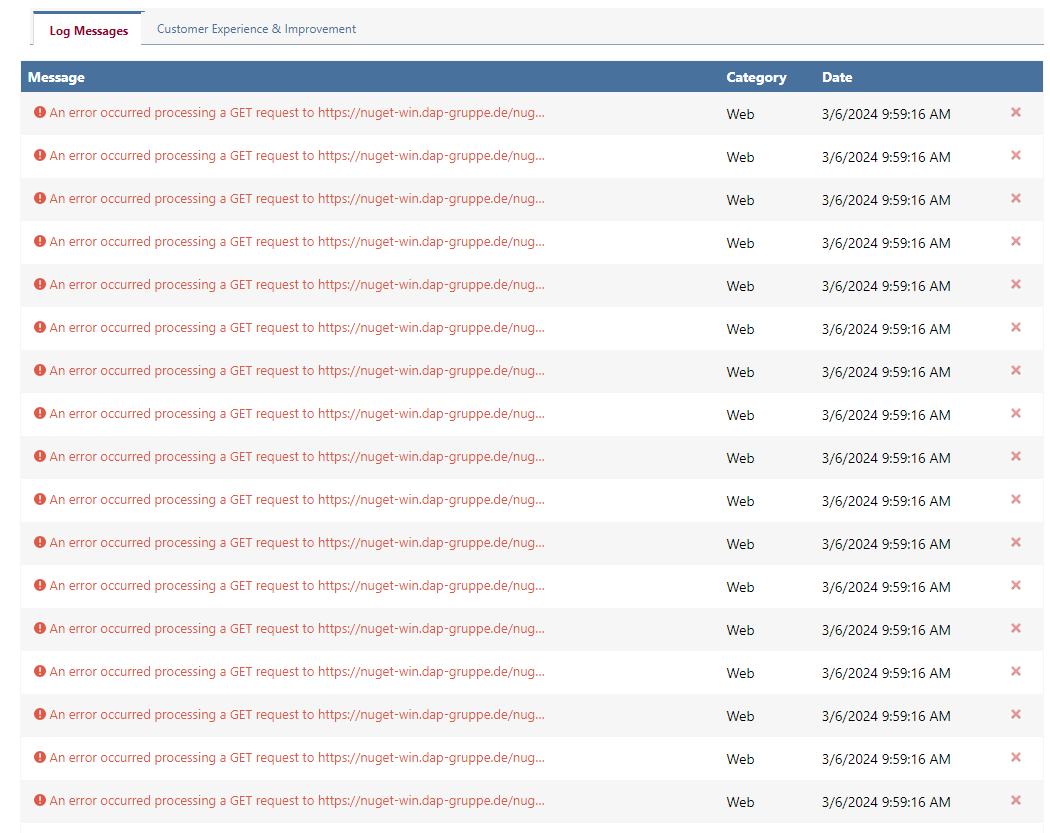
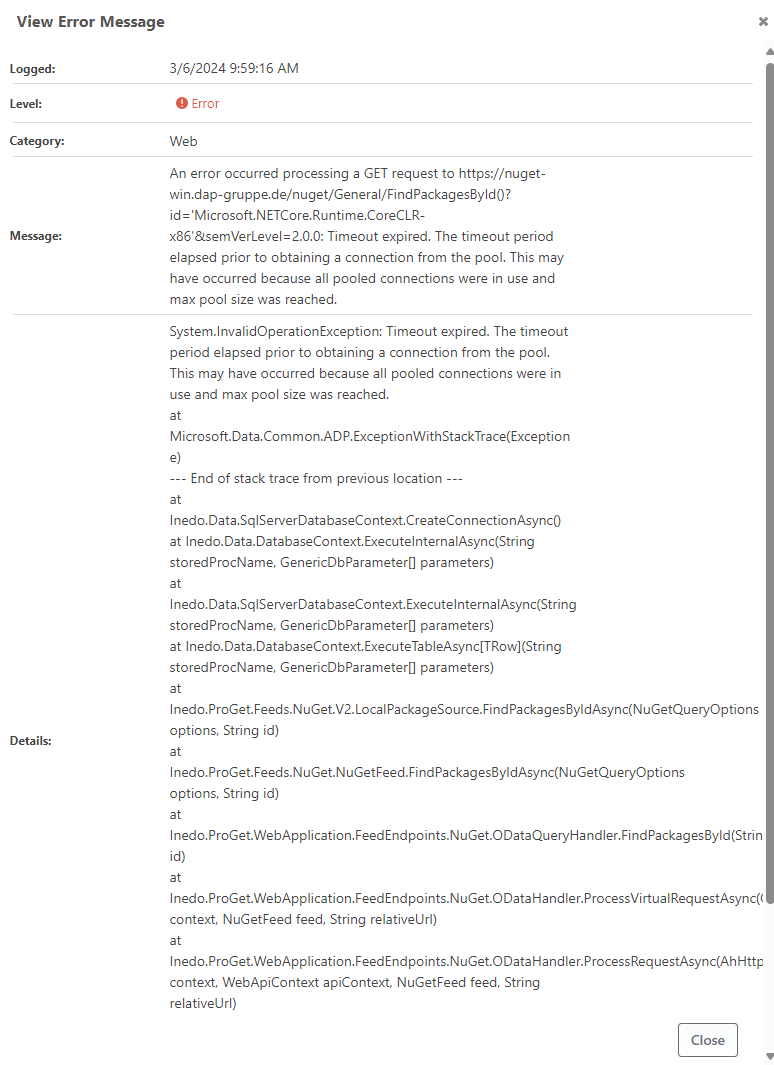
What's possibly going wrong here? Is there anything we can do to avoid these?
Thanks in advance!
Andreas -
Hi @andreas-unverdorben_1551 ,
What's happening here is your server is being overloaded due to lots and lots of traffic -- effectively you are doing a Denial of Service attack on you server. As I mentioned in npm install slow on proxy feed, ProGet is not a static file server and there is a lot of processing required for each request.
The best way to handle this is to run a load-balanced ProGet server cluster.
Alternatively, you will need to reduce or throttle traffic.
- ProGet has a built-in traffic throttle under Advanced Settings (concurrent web request limit)
- Stop using the NuGet v2 API, that's very inefficient
- Stop or reduce connector usage, so ProGet doesn't have to contact nuget.org etc.
- Do not use multiple sources in your nuget configuration, since NuGet will issue all of those requests simultaneously
- Disable parallel restore on NuGet and npm
See How to Prevent Server Overload in ProGet to learn more.
Best,
Steve -
@dean-houston Thank you for your insights.
The logged exceptions all occurred when I was doing an "npm install" with a small sample project while being the sole user of the ProGet instance in question. The "npm install" resulted in 727 packages being installed. As far as I can tell, that's a pretty normal scenario and one should not expect this to be overly demanding for a package server.
That being said, I'm fully aware of the fact that ProGet has a lot of things to do in this scenario. We've stopped using the NuGet v2 API some time ago but we won't be able to reduce connector usage as this feature is one of the primary reasons for us to use ProGet in the first place. ProGet being able to act as a "filtering proxy" for public package registries that allows us to block access to packages based on license type or vulnerabilies is the reason why all of our developers must install the packages from our ProGet instance instead of public registries.
So for now I think we need to have a look at setting up a server cluster.
Thanks again!
-
hi @andreas-unverdorben_1551 ,
The timeout message you shared is for a NuGet feed - so the issue isn't the 727 packages that you're installing (which often results in 1400-2100 requests being fired off simultaneously) , but the NuGet build(s) that are also going on at the same time and hammering the server.
The server cluster will definitely help with this peak load.
FYI --- that error message you shared is is from NuGet v2 API, so something is still calling it.
Cheers,
Dean -
Hi Dean,
we noticed that when performing an "npm install" against ProGet it will successively open ~1000 sessions and shortly after that a number of the aforementioned timeout errors will be logged.
We tried a couple of values for Web.ConcurrentRequestLimit under "Administration --> Advanced Setting" (20, 50, 100, 200) and found out, that when using 100 we get the same (or even better) performance for an "npm install" compared to registry.npmjs.org. We're not exactly sure how Web.ConcurrentRequestLimit works but we assume that it has some relation to the default pool size for the SQL Server connection used by ProGet, which also seems to be 100.
I just wanted to let you know, that by setting Web.ConcurrentRequestLimit to 100 we're no longer seeing these kind of errors being logged and also the performance of "npm install" is back to normal.
Best,
Andreas -
hello
i am facing the same issue
using Web.ConcurrentRequestLimit does not work as i dont find the setting
using nginx rate limiting which is in front of proget
http { limit_req_zone $server_name zone=perServer:10m rate=100r/s; ... upstream proget { server 127.0.0.1:8081; } server { location / { # npm needs some rate limiting limit_req zone=perServer burst=10; ... proxy_pass http://proget; ... } } } -
Hi @enrico-proget_8830 ,
Using ngnix is probably a better solution anyway if you don't mind setting that...
but the setting is now under Admin > HTTP Settings > Web Server " Edit"Thanks,
Alana


Hello! It looks like you're interested in this conversation, but you don't have an account yet.
Getting fed up of having to scroll through the same posts each visit? When you register for an account, you'll always come back to exactly where you were before, and choose to be notified of new replies (either via email, or push notification). You'll also be able to save bookmarks and upvote posts to show your appreciation to other community members.
With your input, this post could be even better 💗
Register Login