Welcome to the Inedo Forums! Check out the Forums Guide for help getting started.
If you are experiencing any issues with the forum software, please visit the Contact Form on our website and let us know!
The remote certificate was rejected by the provided RemoteCertificateValidationCallback
-
Hi there!
We're trying to setup LDAPS configuration towards Azure AD so that we can put the right permission on people when they login with SAML to Proget :) but we get some wierd error messages right now which we cannot figure out, anyone here have any idea? See the picture below.
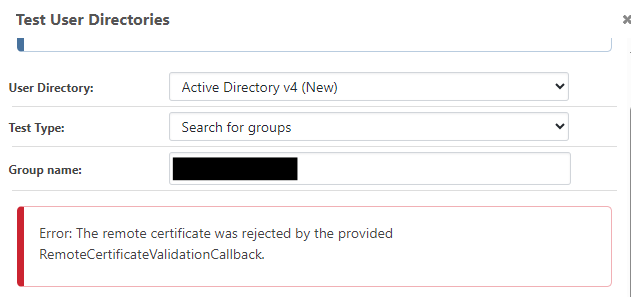
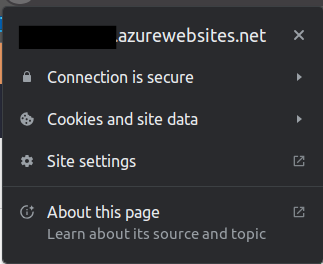
Fyi, we are hosting our Proget as a web app in Azure with the Docker container and a functioning certificate.
Kind regards
Carl -
Hi @carl-westman_8110,
The rejected certificate was from your Active Directory provider, not the Azure Web App itself. This is normally due to Active Directory generating its own certificates. I'm not exactly sure how to trust them in Azure, but it looks like you can register CA certificates on an Azure Web App using Microsoft's documentation: https://learn.microsoft.com/en-us/azure/app-service/configure-ssl-certificate-in-code
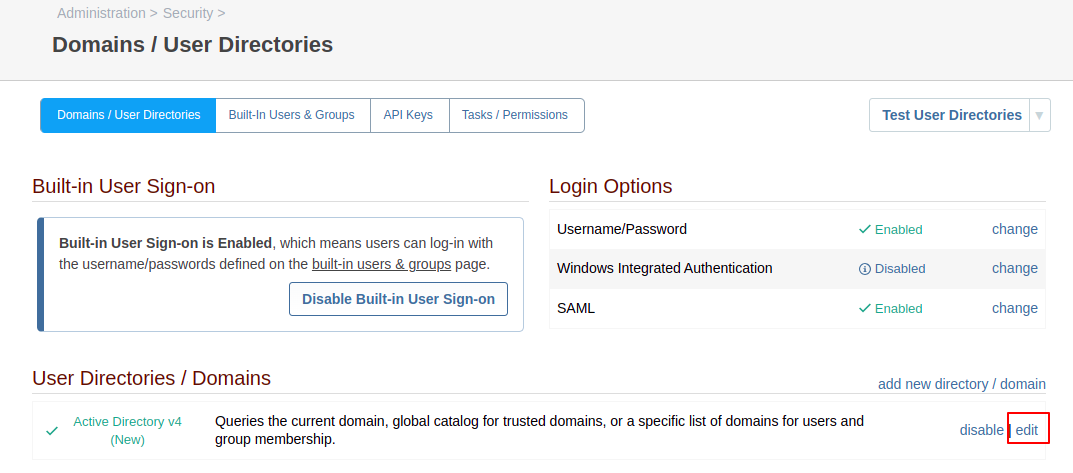
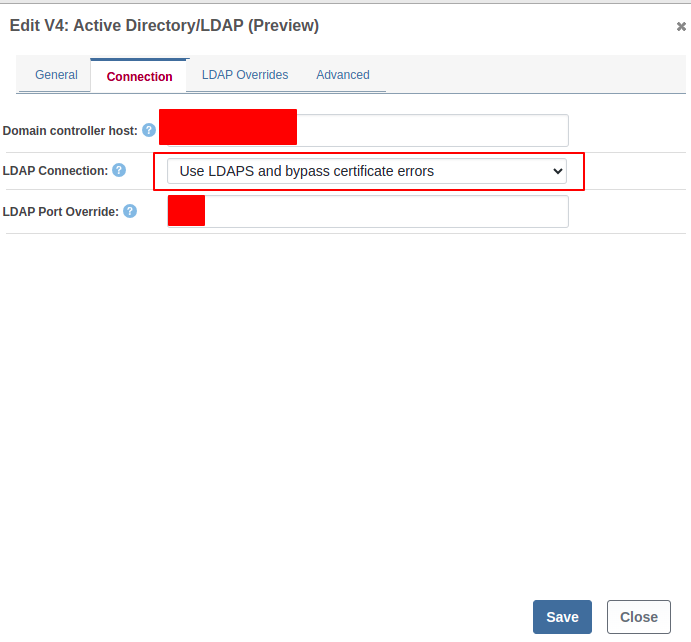
As an alternative, you can edit your User Directory in ProGet and on the Connection tab, you can change to "Use LDAPS and bypass the certificate errors". That will allow ProGet to bypass the certificate validation process.
Thanks,
Dan -
Thanks @Dan_Woolf!
Will try to add the certificate according to the guide :) do I need to follow this guide after I have the certificate available in the web app env?
-
Hi @carl-westman_8110,
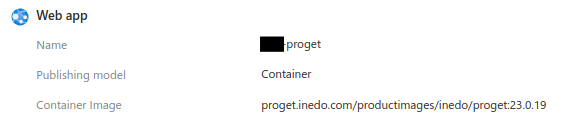
I didn't realize how you were running ProGet. Are you currently running the ProGet Docker Image using an Azure App Service?
Thanks,
Dan -
Ahh sorry, should have mentioned that, I'm running Proget as an Azure App Service yes :)

-
Hi @carl-westman_8110,
Thanks for clarifying that for me. So that changes things a bit. When it comes to the LDAPS issue, the original suggestion for adding the certificate will not work. The LDAPS certificate needs to be added directly to the trusted certificates in the Container, not the app service. We don't have much advice on this as of yet, but let me talk internally on this and see what my colleagues say.
As for the actual SSL certificate in ProGet, you will need to follow the Configuring HTTPS without a Reverse Proxy guide in the Linux HTTPS Support. That will show you how to configure the SSL certificate within the container itself and not the app service. We also have more guidance on converting certificate files to different formats at the bottom of our HTTPS support on Windows documentation.
Thanks,
Dan -
Hi Dan!
My IT department solved the issue for now by ignoring certificate errors for LDAPS as per your suggestion above
 while it would be nice to get it to work "correctly" i'll wait until there is a guide available on how to set it up to not have to ignore the errors Many thanks for all your help!
For future reference and people

Hello! It looks like you're interested in this conversation, but you don't have an account yet.
Getting fed up of having to scroll through the same posts each visit? When you register for an account, you'll always come back to exactly where you were before, and choose to be notified of new replies (either via email, or push notification). You'll also be able to save bookmarks and upvote posts to show your appreciation to other community members.
With your input, this post could be even better 💗
Register Login