Welcome to the Inedo Forums! Check out the Forums Guide for help getting started.
If you are experiencing any issues with the forum software, please visit the Contact Form on our website and let us know!
OTTER / List variable not working correctly
-
Hello
List variable seems to be buggy
Create a test otter script : test-hello.otter
Log-Debug Hello $ServerName;Create a job template :
- script : test-hello.otter
- template variables:
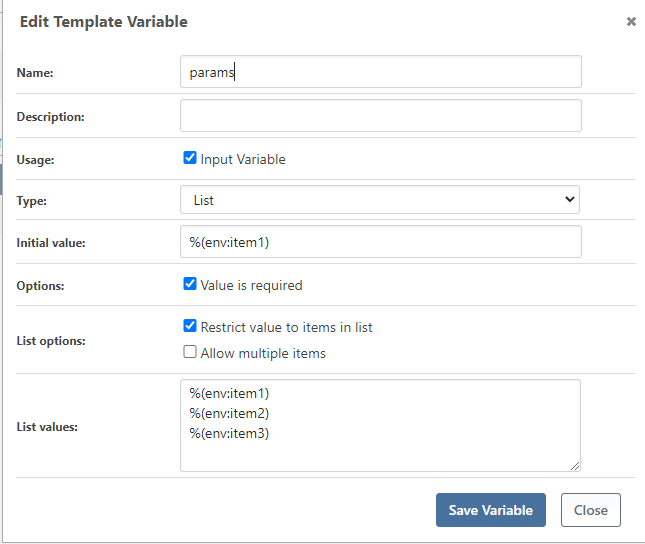
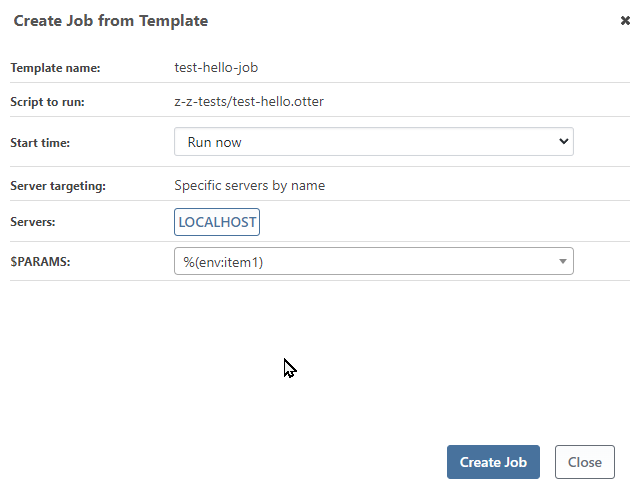
Create the job with default value ==> Job failed
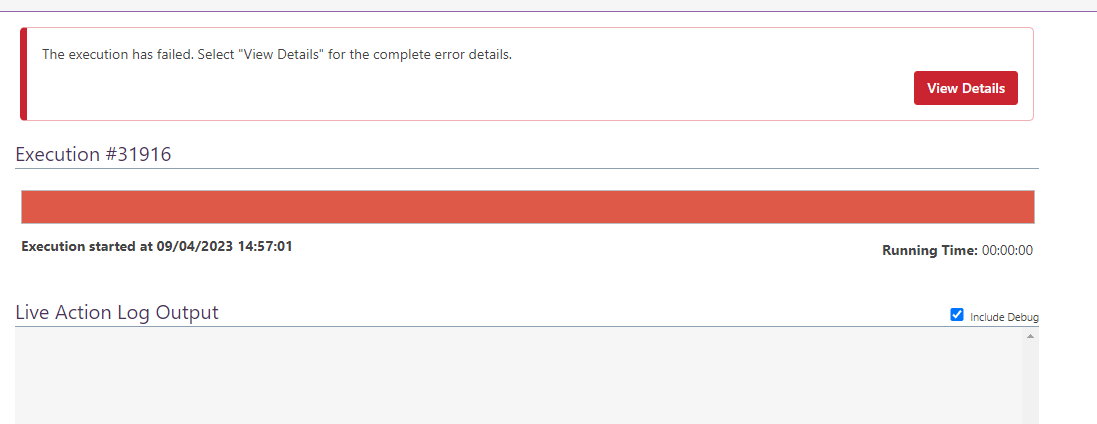
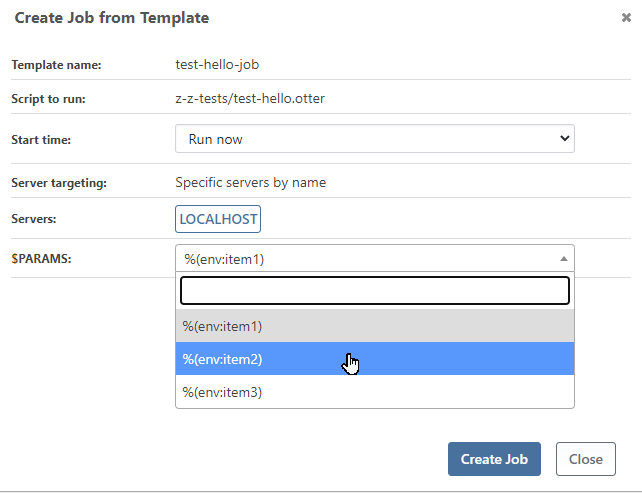
Create the job and select item2 value ==> Job failed
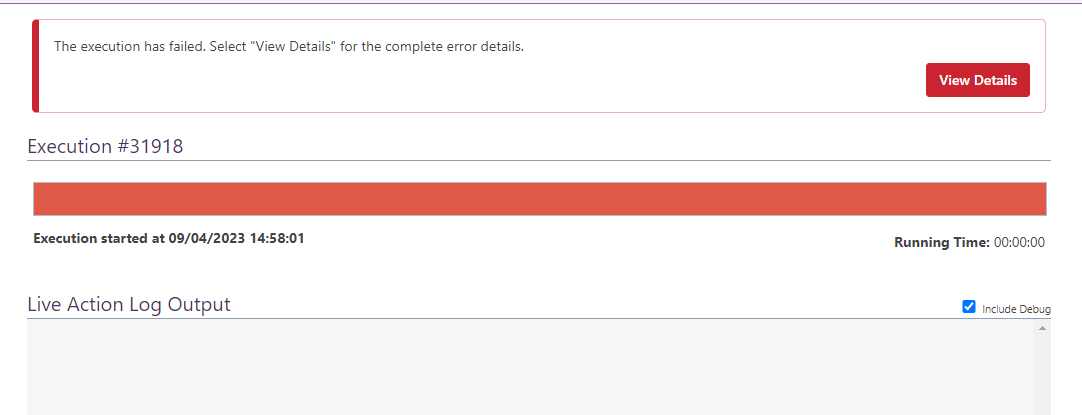
Create the job and select the last item value ==> Job completed
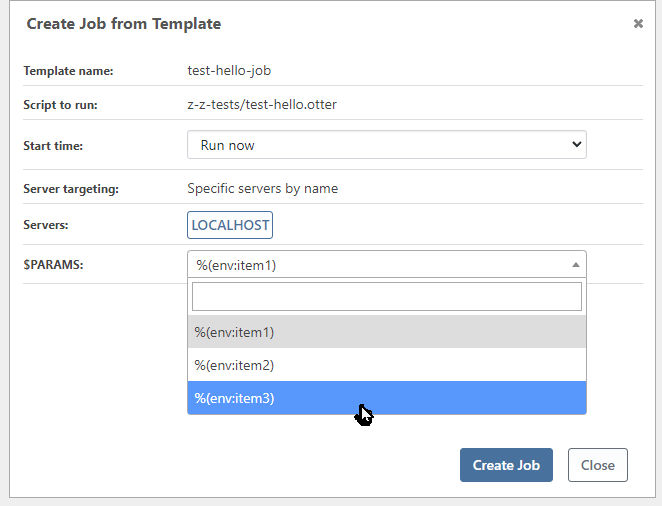

Whatever the number of items in the list, only the last item is working

Cordially
Philippe -
Hi @philippe-camelio_3885 ,
I didn't try to reproduce this or investigate, but there is clearly some kind of problem parsing that variable value because it's a map expression, and that's crashing the job processor (i.e. script isn't even being run).
I don't think we considered this would be used for maps, but just user-friendly variables instead. Are you intending to use this as a user-selectable map??
Just as an idea, does prefixing it with the grave apostrophe escape symbol work? Like
`%(env:item1)
`%(env:item2)
`%(env:item3)
With that we can explore/consider how to fix.
Thanks,
Alana -
@atripp
This was working in Otter 3. For me, this is a regression
I am using map expression because I have to pass a group of variable which are interdependant
So I am sure the others sysadmin and dev people will use the right set of parameters.Example
I have a script for creating VM and I need to pass 3 variables (Modele, OS and Template)%(Modele: Ubuntu 20.04, OS:Linux, Template:GI-DCS-UBUNTU-20.04.1-20210121) %(Modele: W2019 GUI FR 2010, OS:Windows, Template:GI-DCS-W2019-FR-GUI-20201026) %(Modele: W2019 CORE FR 2010, OS:Windows, Template:GI-DCS-W2019-FR-CORE-20201026) %(Modele: W2019 GUI FR 2006, OS:Windows, Template:GI-DCS-W2019-FR-GUI-20200624) %(Modele: W2022 CORE FR 2202, OS:Windows, Template:GI-W2022-FR-CORE-21H2) %(Modele: W2022 GUI FR 2202 21H2, OS:Windows, Template:GI-W2022-FR-GUI-21H2)I made a test with the apostrophe escape symbol and I have this error
Beginning execution run... **Indexer is only valid on list or map values.** Execution run succeeded. Cleaning up temporary files on Linux/SSH (10.100.4.70:2666)... -
Thanks for clarifying @philippe-camelio_3885
There was a big change to Job Templates in 2022, so it's not surprising it's a regression.
We'll get this via OT-496, hopefully in the same next maintenance release as well.
-
@atripp
OK
Thanks -
Hi @philippe-camelio_3885 ,
We tried to reproduce this in the latest version of Otter, but are not having any luck :(
Here is my Job Template; note that you can get the JSON for job template under Admin > Raft Repositories > Browse.
{
  "Description": "",
  "JobConfiguration": {
    "ScriptId": "Default::Script::z-z-test/test-hello.otter",
    "ServerTargeting": 1,
    "ServerNames": [
      "LOCALHOST"
    ],
    "ServerRoleNames": [],
    "EnvironmentNames": [],
    "Variables": {},
    "Arguments": ""
  },
  "TemplateUsage": 1,
  "JobVariables": [
    {
      "Name": "params",
      "Description": "",
      "InitialValue": "%(env:item1)",
      "Type": "List",
      "Usage": "Input",
      "ListValues": [
        "%(env:item1)",
        "%(env:item2)",
        "%(env:item3)"
      ],
      "ListRestrict": true
    }
  ]
}
Here is my OtterScript. I wanted to verfify that
envwould be written, which it was.foreach $i in @MapKeys(%params) { Log-Debug Hello $i; }It's possible it was fixed by something else since the version you used, but I don't know.
Might be worth upgrading; if you still have the issue, can you send your JSON of the Job TEmplate?
Thanks,
Alana -
Hi @atripp
I may have found the pb:
The list contains an extra character \r
 "ListValues": [
    "%(env:INT,site:www1,serveur:VMXXXXXX)\r",
    "%(env:DEV,site:www2,serveur:VMXXXXXX)\r",
    "%(env:PRD,site:www3r,serveur:VMXXXXXX)\r",
    "%(env:CLO,site:www4,serveur:VMXXXXXX)\r",
    "%(env:SEC,site:www5,serveur:VMXXXXXX)"
  ],
I removed it, and now it is working fine.
      "ListValues": [
         "%(env:INT,site:www1,serveur:VMXXXXXX)",
         "%(env:DEV,site:www2,serveur:VMXXXXXX)",
         "%(env:PRD,site:www3r,serveur:VMXXXXXX)",
         "%(env:CLO,site:www4,serveur:VMXXXXXX)",
         "%(env:SEC,site:www5,serveur:VMXXXXXX)"
       ],
Problem comes from the editor of the job.
I made few tests, add a new value, remove one and the extra character is always added when I save the job
At least, the pb can be overcome.
Having access to the raw content of the Raft is very usefull,Thanks for your time
Best regards
-
@philippe-camelio_3885 oh wow, great find.
Hmmm..... so I guess that must be some kind of UI bug with not trimming the newlines
variable.ListValues = variable.Type == VariableTemplateType.List ? txtListValues.Value?.Split(new[] { Environment.NewLine }, StringSplitOptions.RemoveEmptyEntries) : null;I'm sure this should be fixed eleswhere too, but for now I'll just add
| StringSplitOptions.TrimEntriesand I guess that will at least fix the UI bug

Hello! It looks like you're interested in this conversation, but you don't have an account yet.
Getting fed up of having to scroll through the same posts each visit? When you register for an account, you'll always come back to exactly where you were before, and choose to be notified of new replies (either via email, or push notification). You'll also be able to save bookmarks and upvote posts to show your appreciation to other community members.
With your input, this post could be even better 💗
Register Login