Welcome to the Inedo Forums! Check out the Forums Guide for help getting started.
If you are experiencing any issues with the forum software, please visit the Contact Form on our website and let us know!
ProGet push and install package 403 forbidden
-
ProGet server is running in my docker with version V23.0.9!
Successfully uploaded the package using the web server
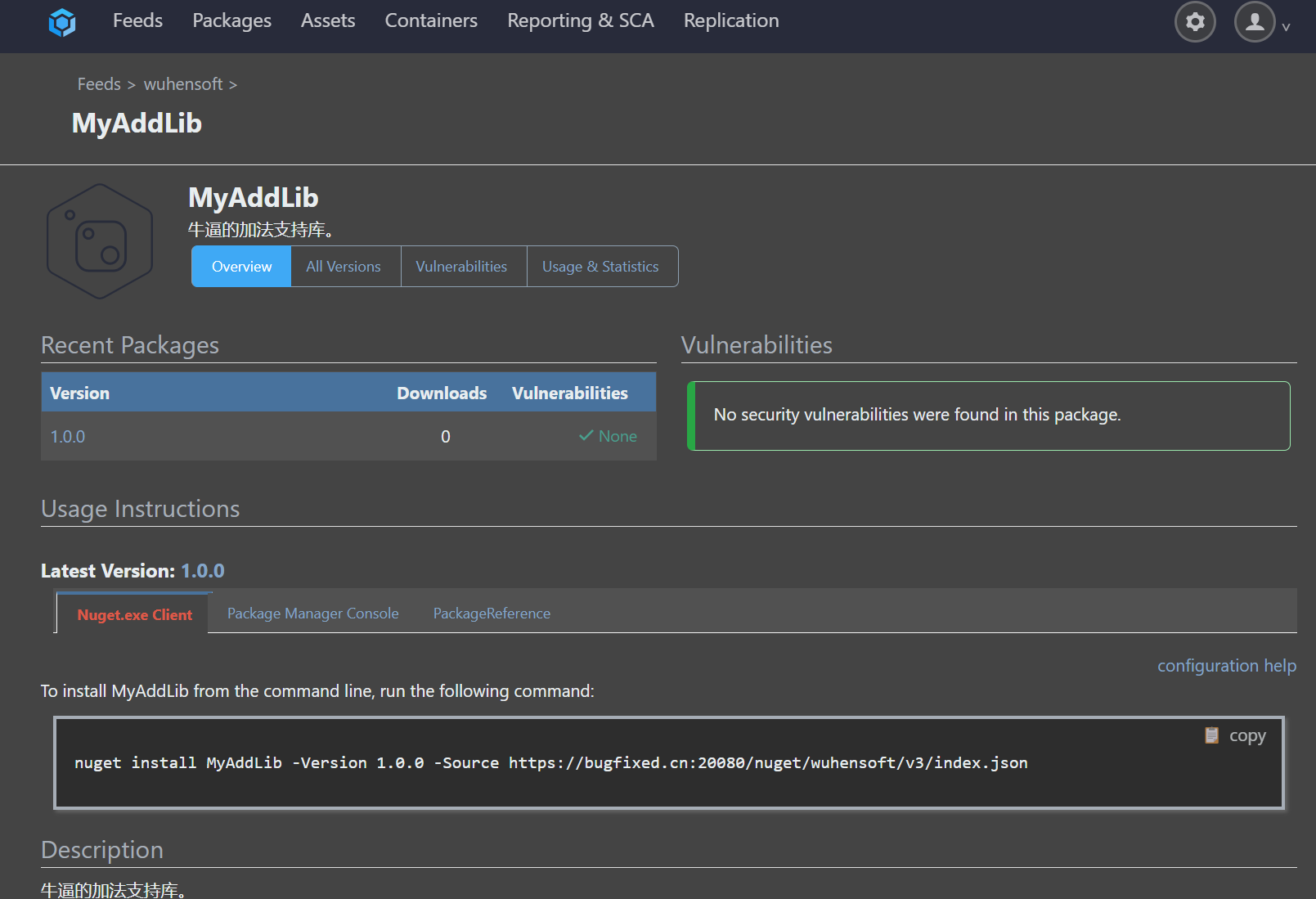
Also, I can use my api key:
dotnet nuget push MyAddLib.1.0.0.nupkg --api-key 4a4f07a709a28855011a2xxxxxxxx --source https://bugfixed.cn:20080/nuget/wuhensoft/v3/index.jsonbut i failed with the 403 response:
error: 无法加载源 https://bugfixed.cn:20080/nuget/wuhensoft/v3/index.json 的服务索引。
error: Response status code does not indicate success: 403 (Forbidden).Similarly, I also failed to install using VS:
nuget install MyAddLib -Version 1.0.0 -Source https://bugfixed.cn:20080/nuget/wuhensoft/v3/index.json
[wuhensoft] 无法加载源 https://bugfixed.cn:20080/nuget/wuhensoft/v3/index.json 的服务索引。
响应状态代码不指示成功: 403 (Forbidden)。The user name and password are both correct,and the api key is also valid。

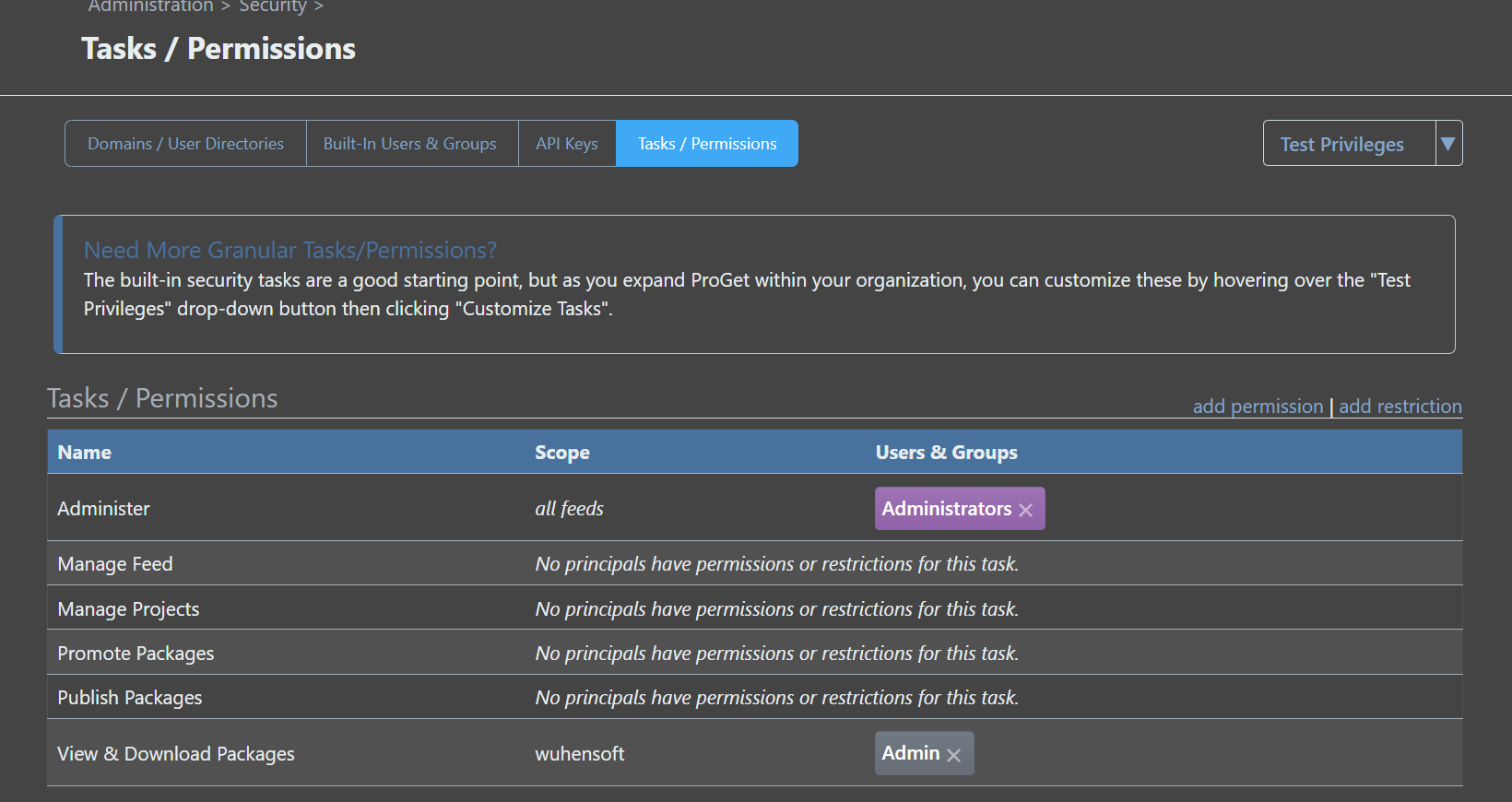
How to solve it ? Thanks very much!
-
Hi @4391728_4499 ,
Since you've disabled "Anonymous" access to "View & Download Packages", then NuGet will also need to authenticate to the feed using Basic authentication (username/password) to view and push packages.
You can do this with the username
apiand the password of your API Key.You'll need to use
nuget add sourceto configure the username/password:
https://learn.microsoft.com/en-us/dotnet/core/tools/dotnet-nuget-add-sourceBest,
Alana -
@atripp
Thanks for your reply , following your instructions, the problem has been resolved in vs2022 , cmd like this:dotnet nuget add source https://someServer/myTeam -n myTeam -u myUsername -p myPassword --store-password-in-clear-textAnd, another way to solve (tested in VS2017 and VS2022) can add a
nuget.configin solution root directory:<configuration> <packageSources> <add key="mynuget" value="my source url" protocolVersion="3"/> </packageSources> <packageSourceCredentials> <mynuget> <add key="Username" value="myuser" /> <add key="ClearTextPassword" value="mypwd" /> </mynuget> </packageSourceCredentials> </configuration>So kind of you,thanks again.

Hello! It looks like you're interested in this conversation, but you don't have an account yet.
Getting fed up of having to scroll through the same posts each visit? When you register for an account, you'll always come back to exactly where you were before, and choose to be notified of new replies (either via email, or push notification). You'll also be able to save bookmarks and upvote posts to show your appreciation to other community members.
With your input, this post could be even better 💗
Register Login