Welcome to the Inedo Forums! Check out the Forums Guide for help getting started.
If you are experiencing any issues with the forum software, please visit the Contact Form on our website and let us know!
ProGet 2023 - Timeouts / Unresponsive
-
After we have upgraded from ProGet 22.0.26 to ProGet 23.0.2 (first updating to 22.0.29 and then updating to 23.0.2 has the same effect) ProGet does no longer respond (open the WebUI of ProGet does not work, and also querying the feeds does not work, this happens as soon as we are start a few requests like these:
In the log or ProGet (WebUI) or in the Windows Event Log we got a lot of this errors:
"....... connections were in use and max pool size was reached" or "An error occurred in the web application: The operation was canceled."Details:
URL: https://sv-int-tfs-02:8282/containers
Referrer: https://sv-int-tfs-02:8282/feeds
User: Admin
User Agent: Mozilla/5.0 (Windows NT 10.0; Win64; x64) AppleWebKit/537.36 (KHTML, like Gecko) Chrome/113.0.0.0 Safari/537.36
Stack trace: at System.Threading.CancellationToken.ThrowOperationCanceledException()
at Microsoft.AspNetCore.Server.IIS.Core.HttpResponseStream.ValidateState(CancellationToken cancellationToken)
at Microsoft.AspNetCore.Server.IIS.Core.HttpResponseStream.WriteAsync(ReadOnlyMemory1 source, CancellationToken cancellationToken) at Microsoft.AspNetCore.Server.IIS.Core.WrappingStream.WriteAsync(ReadOnlyMemory1 source, CancellationToken cancellationToken)
at Inedo.IO.SlimmerMemoryStream.CopyToAsync(Stream destination, Int32 bufferSize, CancellationToken cancellationToken)
at Inedo.Web.AhHttpResponse.CompleteAsync()
at Inedo.Web.AhWebMiddleware.InvokeAsync(HttpContext context)Another error from the windows event log:
Category: Microsoft.AspNetCore.Server.IIS.Core.IISHttpServer
EventId: 2
SpanId: 560596301a29f962
TraceId: cf5b812f5bb0035c790c0cee730537b0
ParentId: 0000000000000000
RequestId: 800cb4f2-0003-f400-b63f-84710c7967bb
RequestPath: /replicationConnection ID "17582052959750763761", Request ID "800cb4f2-0003-f400-b63f-84710c7967bb": An unhandled exception was thrown by the application.
Exception:
System.OperationCanceledException: The operation was canceled.
at System.Threading.CancellationToken.ThrowOperationCanceledException()
at Microsoft.AspNetCore.Server.IIS.Core.HttpResponseStream.ValidateState(CancellationToken cancellationToken)
at Microsoft.AspNetCore.Server.IIS.Core.HttpResponseStream.WriteAsync(ReadOnlyMemory1 source, CancellationToken cancellationToken) at Microsoft.AspNetCore.Server.IIS.Core.WrappingStream.WriteAsync(ReadOnlyMemory1 source, CancellationToken cancellationToken)
at Inedo.IO.SlimmerMemoryStream.CopyToAsync(Stream destination, Int32 bufferSize, CancellationToken cancellationToken)
at Inedo.Web.AhHttpResponse.CompleteAsync()
at Inedo.Web.AhWebMiddleware.InvokeAsync(HttpContext context)
at Inedo.Web.AhWebMiddleware.InvokeAsync(HttpContext context)
at Inedo.Web.AhWebHost.<>c.<<Configure>b__17_0>d.MoveNext()
--- End of stack trace from previous location ---
at Microsoft.AspNetCore.Server.IIS.Core.IISHttpContextOfT`1.ProcessRequestAsync()So ProGet is completely unresponsive for minutes, often we even have to recycle the AppPool of ProGet and restart the ProGet Service.
After going back to 22.0.26 or 22.0.29 everything is working fine again.
In 22.0.0 we added the following to the shared config (C:\ProgramData\Inedo\SharedConfig\ProGet.config)
<ConnectionString>Data Source=localhost;Initial Catalog=ProGet;Integrated Security=True;Max Pool Size=1000</ConnectionString> because we had similar issues with "...connections were in use and max pool size was reached" errors, after we added Max Pool Size=1000 everything was working fine again.
I also removed Max Pool Size=1000 from the connection string in 23.0.2 but this also does not help.
Any help would highly be appreciated!
Br
-
Hi @rie_6529 ,
Did you allow the data migration to complete?
That can take a significant amount of time if you have a lot of packages (which you likely do).
That's the only thing that would cause an issue like that which I can think of. Here's the full upgrade notes:
https://docs.inedo.com/docs/proget-upgrade-2023Steve
-
@stevedennis yep, I waited until the upgrade completed, it took about 10-15min, after that I started testing.
I followed the upgrade guide, any other ideas?
Br
-
Hi @rie_6529 ,
It's hard to say; one possibility is that your server is overloaded. If you have multiple build servers, multiple connectors, etc., then it's like a denial of service attack. Under Admin > Advanced Settings, there is a setting called
Web.ConcurrentRequestLimit; I would configure that to 500.Next, I would investigate SQL Server, and see where/what queries are taking a ton of time.
With the new indexing system in ProGet 2023, it's possible we missed a SQL index or something. We tested with absolutely massive datasets, but it's hard to say.
Cheers,
Steve -
@stevedennis I will try your suggestions and let you know if I can provide more details.
Br
-
@stevedennis
I set the Web.ConcurrentRequestLimit to 500, but that does not seem to help.I found out the the memory of the ProGet AppPool grows to more than 11GB when we do about 200-300 request from one client, no other requests are involved, can I upload the memory dump somewhere?
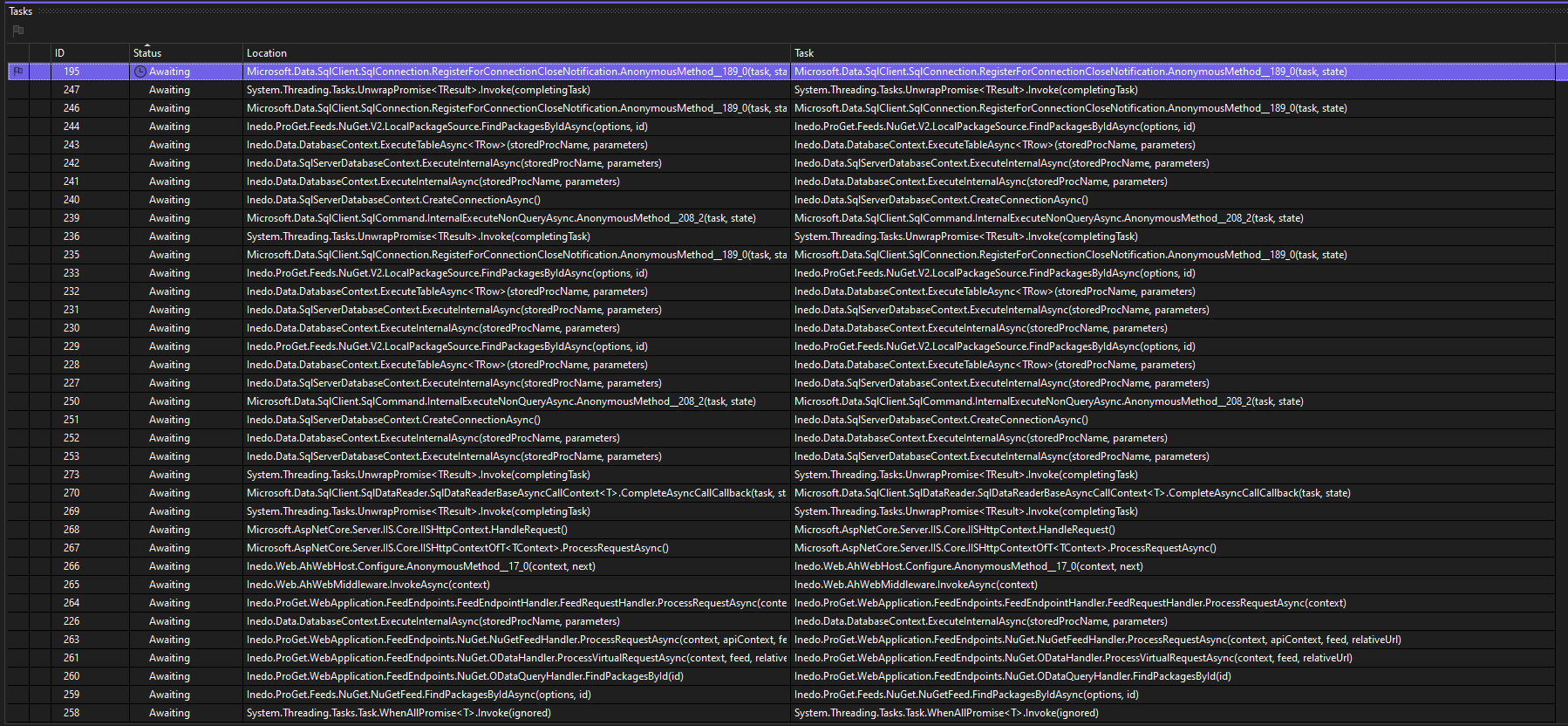
There seems to be about 400 tasks waiting for execution (have a look at the screenshot), maybe some kind of thread pool starvation?
br -
-
-
@gdivis thank you!

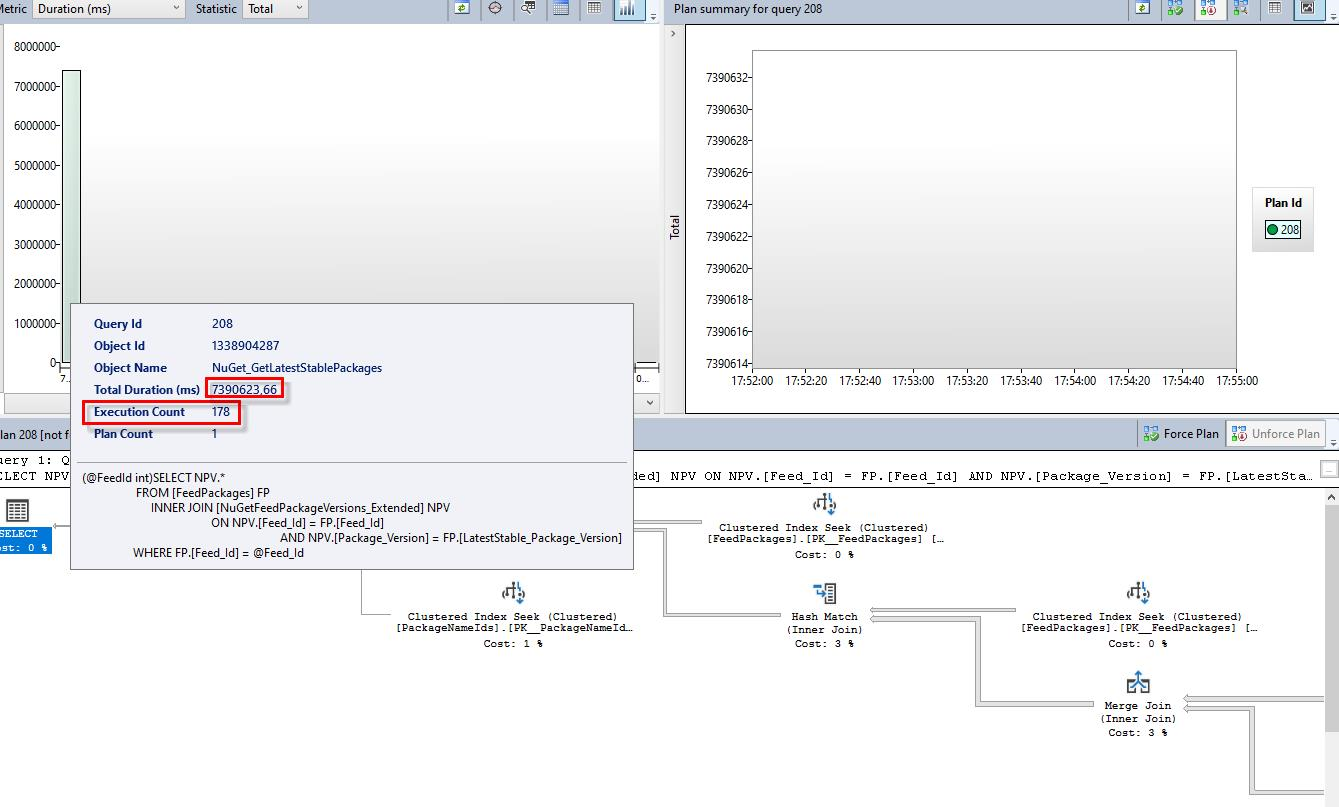
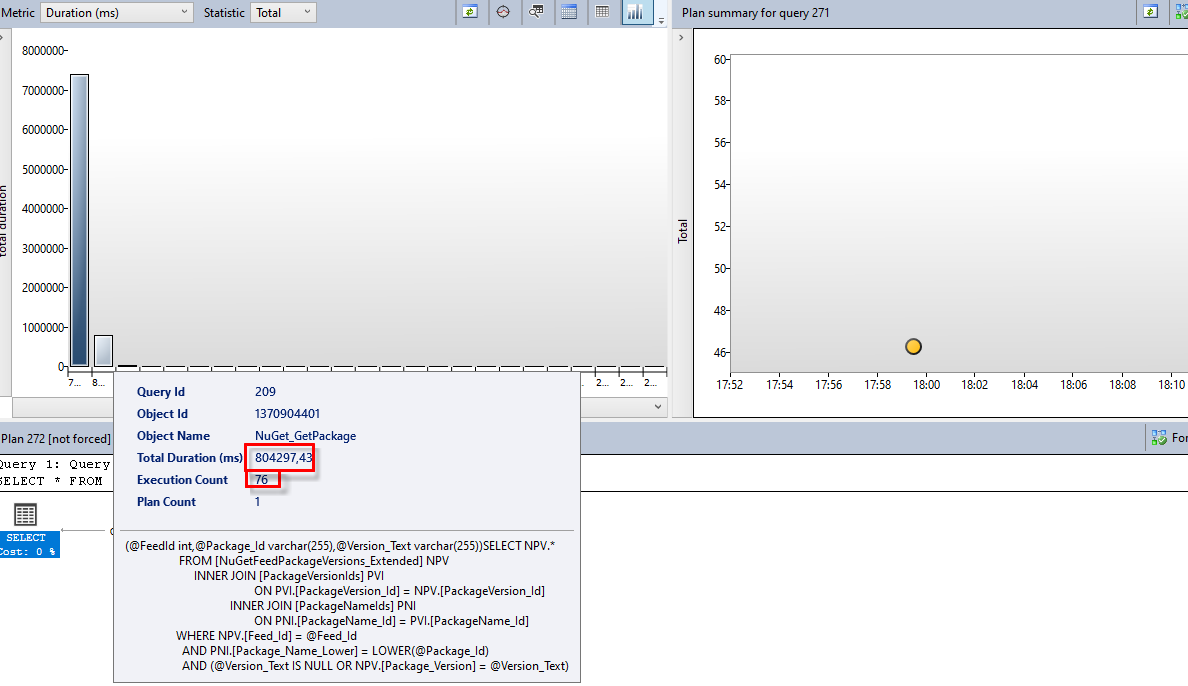

Hello! It looks like you're interested in this conversation, but you don't have an account yet.
Getting fed up of having to scroll through the same posts each visit? When you register for an account, you'll always come back to exactly where you were before, and choose to be notified of new replies (either via email, or push notification). You'll also be able to save bookmarks and upvote posts to show your appreciation to other community members.
With your input, this post could be even better 💗
Register Login