Welcome to the Inedo Forums! Check out the Forums Guide for help getting started.
If you are experiencing any issues with the forum software, please visit the Contact Form on our website and let us know!
Inedo Agent does not connect to Inedo Otter Host (Outbound Connection)
-
Hello,
i set up an Instance of Inedo Otter and now i would like to connect an Inedo Agent via Outbound Connection to the Listener of the Otter Host.
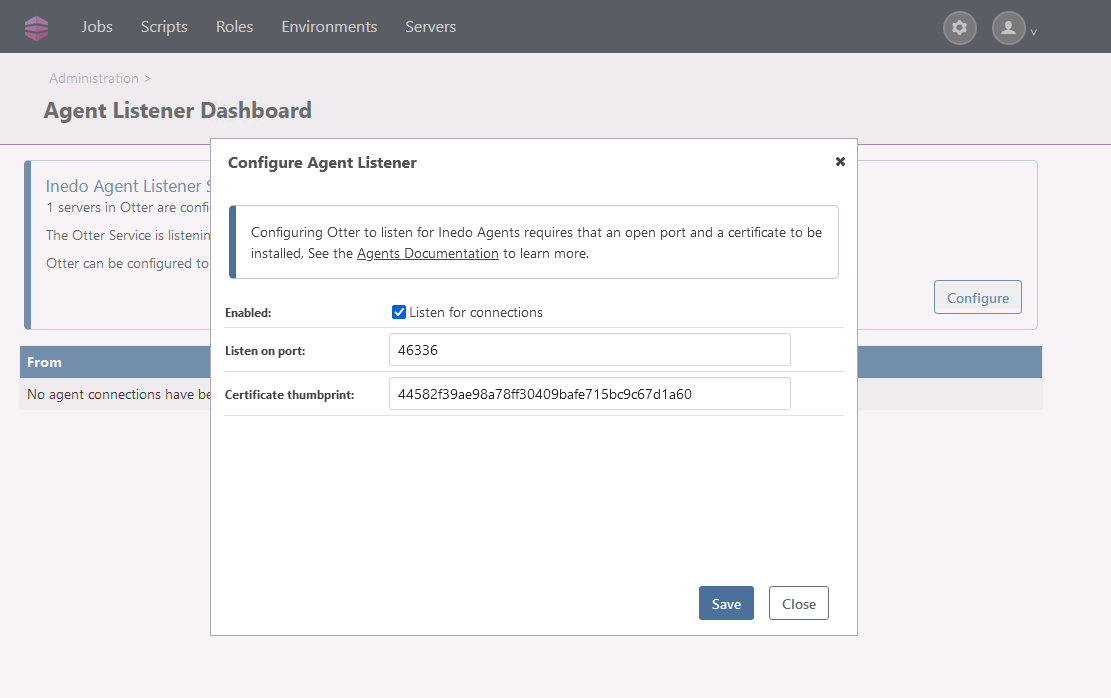
I set the Agent Listener Dashboard on my Otter Host to listen for incoming connections and configured the thumbprint for the certificate. I used the exact same certificate for that like for the otter Dashboard Webside in IIS. The Port tcp46336 ingoing is open and i receive a Test-NetConnection true from my Inedo Agent on that port.
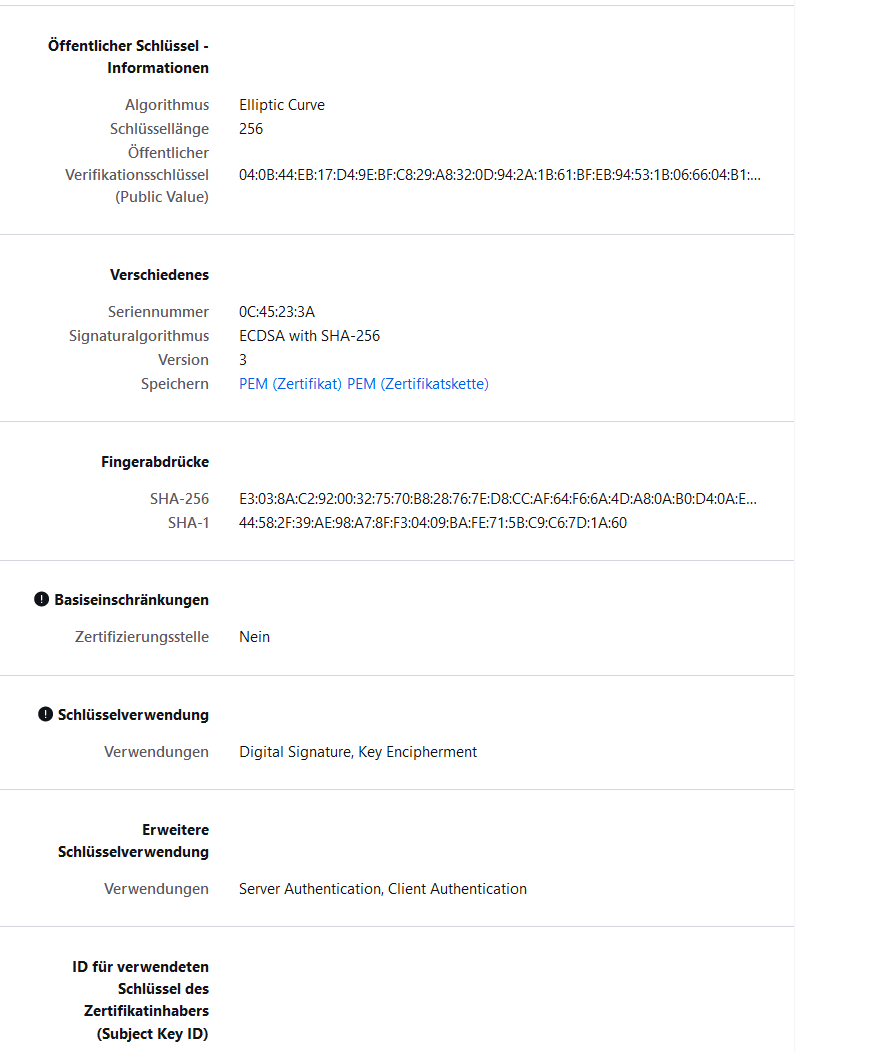
What kind of certificate is needed to be set up for the Listener on my otter Host? I have Usage Digital Signature and Key Encipherment. Extended usage is Server Authentication. What else is needed? I cannot connect. The InedoAgent.config is set up to connect to the Subject Alternative Name within the certificate and Port tcp46336 to the Otter Host.
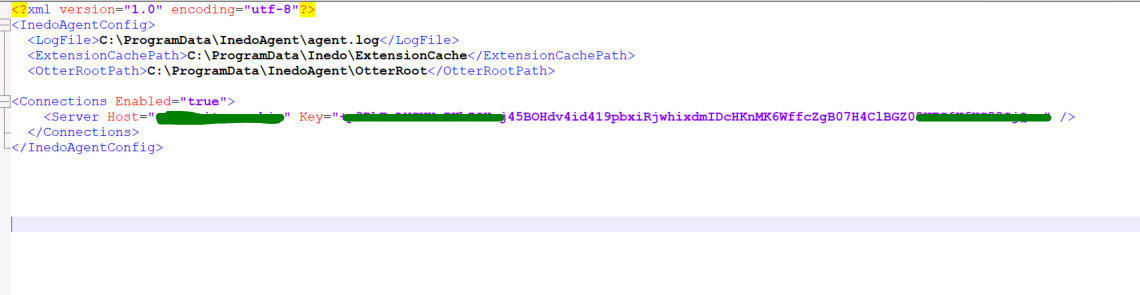
I am looking forward for answers
-
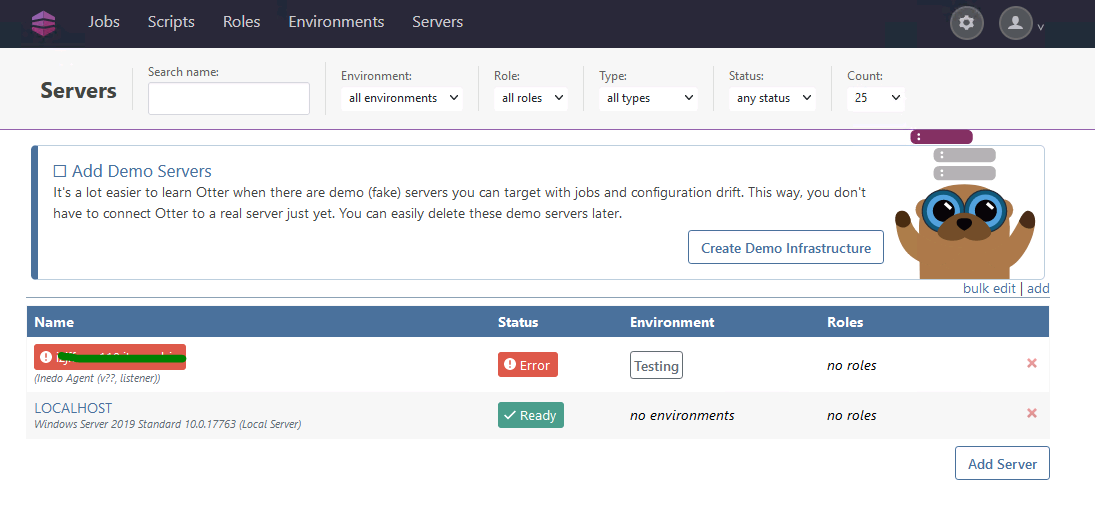
That is what happens on my Otter Dashboard.
I configured the Otter Host to listen on port 46336:
Certificate on the Otter host is configured as following. The Inedo Agent trusts the certificate and connects via dns-entry (Subject Alternative Name that is provided within the certificate):
-
Hi @philipp-cender_3322 ,
The "inbound connection" is complex and a relatively new feature, and I don't have a ton of experiencing troubleshooting - so I'll do my best :)
So far, everything looks okay to me.
On the Otter Server, are you seeing any errors related to the server under Admin > Diagnostic Center? I see the server is in an "Error" state.
On the remote server, does the service stay running? If so, that's indicating it's able to establish a connection. But one thing you can try is to stop the service, and run in interactive mode (i.e. run
InedoAgentService.exe runon the commandline). That will show you information about the connection.Cheers,
Alana -
Hi atripp,
thank you for your answer. (:
I changed the Port at Listener Configuration. I changed it from 46336 to 8630. Now i am receiving connections at my agent listener dashboard :)
But i could not solve everything.
I ran the command .\inedoagentservice.exe run but the command only stated that it does: "Starting agent connector to the otter-host-fqdn on port 8630"At AgentListenerDashboard connections are being established as you can see:
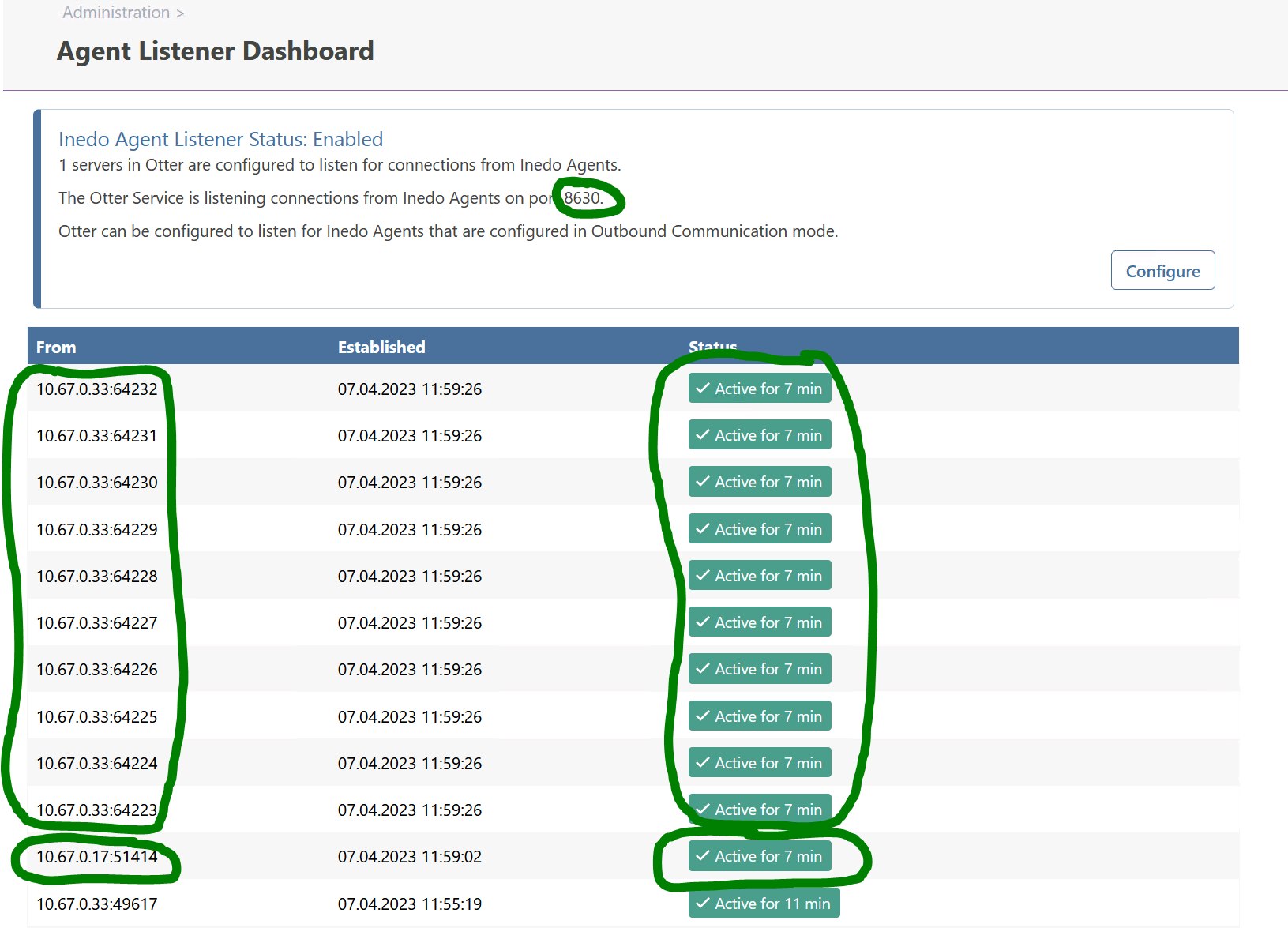
But for Source 10.67.0.17 something like a token exception is stated :(
Message for 10.67.0.17:
Bad handshake from 10.67.0.17:51738: System.Security.Authentication.AuthenticationException: Authentication failed, see inner exception. ---> System.ComponentModel.Win32Exception (0x8009030D): Die Anmeldeinformationen, die dem Paket übergeben wurden, wurden nicht erkannt. at System.Net.SSPIWrapper.AcquireCredentialsHandle(ISSPIInterface secModule, String package, CredentialUse intent, SCHANNEL_CRED* scc) at System.Net.Security.SslStreamPal.AcquireCredentialsHandle(CredentialUse credUsage, SCHANNEL_CRED* secureCredential) at System.Net.Security.SslStreamPal.AcquireCredentialsHandleSchannelCred(SslStreamCertificateContext certificateContext, SslProtocols protocols, EncryptionPolicy policy, Boolean isServer) at System.Net.Security.SslStreamPal.AcquireCredentialsHandle(SslStreamCertificateContext certificateContext, SslProtocols protocols, EncryptionPolicy policy, Boolean isServer) --- End of inner exception stack trace --- at System.Net.Security.SslStreamPal.AcquireCredentialsHandle(SslStreamCertificateContext certificateContext, SslProtocols protocols, EncryptionPolicy policy, Boolean isServer) at System.Net.Security.SecureChannel.AcquireServerCredentials(Byte[]& thumbPrint) at System.Net.Security.SecureChannel.GenerateToken(ReadOnlySpan
1 inputBuffer, Byte[]& output) at System.Net.Security.SecureChannel.NextMessage(ReadOnlySpan1 incomingBuffer) at System.Net.Security.SslStream.ProcessBlob(Int32 frameSize) at System.Net.Security.SslStream.ReceiveBlobAsync[TIOAdapter](TIOAdapter adapter) at System.Net.Security.SslStream.ForceAuthenticationAsync[TIOAdapter](TIOAdapter adapter, Boolean receiveFirst, Byte[] reAuthenticationData, Boolean isApm) at Inedo.Agents.Connections.PullServerConnection.ReceiveHandshakeAsync(CancellationToken cancellationToken) at Inedo.Agents.AgentListener`1.ProcessIncomingConnection(TConnection channel)If i open otter at Port 8630 (Agent Listener) on Firefox webbrowser i get something like that:
PR_CONNECT_RESET_ERRORFehlercode: PR_CONNECT_RESET_ERROR
Is this normal or should this be different? I something wrong with the certificate??
Cheers
Philipp -
Hi @philipp-cender_3322 ,
Looks like you're making good progress :)
I ran the command .\inedoagentservice.exe run but the command only stated that it does: "Starting agent connector to the otter-host-fqdn on port 8630"
That's okay to see; it means that its working as expected. I there was an error, you would see it.
But for Source 10.67.0.17 something like a token exception is stated
In the screenshot, it seems okay and doesn't report an error. So I think it's okay?
The exception message is some kind of OS-level error, and I'm not sure what it means exactly. But it's a SSL/TLS issue. In this case, if you search for the text of the error ("Die Anmeldeinformationen, die dem Paket übergeben wurden, wurden nicht erkannt" -- but perhaps English is better), you can probably get some details on how to fix it. It could be some obscure operating system configuration.
If i open otter at Port 8630 (Agent Listener) on Firefox webbrowser i get something like that: PR_CONNECT_RESET_ERROR
It's not possible to "browse" such a connection; the Inedo Agent uses a proprietary, TCP-based binary protocol. So you will always get errors if you try to browse, telnet, etc.
Cheers,
Alana

Hello! It looks like you're interested in this conversation, but you don't have an account yet.
Getting fed up of having to scroll through the same posts each visit? When you register for an account, you'll always come back to exactly where you were before, and choose to be notified of new replies (either via email, or push notification). You'll also be able to save bookmarks and upvote posts to show your appreciation to other community members.
With your input, this post could be even better 💗
Register Login