Welcome to the Inedo Forums! Check out the Forums Guide for help getting started.
If you are experiencing any issues with the forum software, please visit the Contact Form on our website and let us know!
Proget feed Nuget Package unavailable
-
Hey there,
We have a weird issue with 1 NuGet package on our feed : Puma.Security.Rules
It comes from https://www.nuget.org/packages/Puma.Security.Rules/ and we have a connector to this public feed that usually works flawlessly.
We see the package listed on the feed :
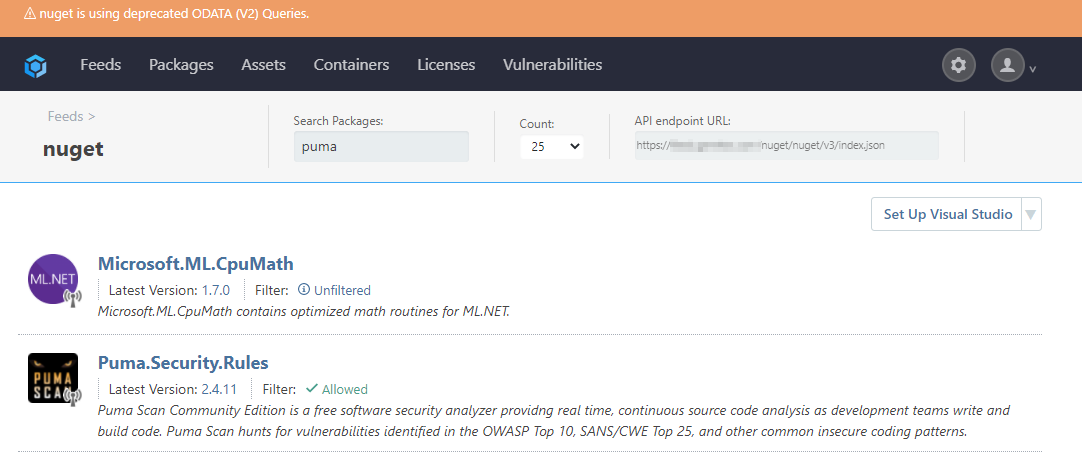
But if we try to go on this package page we hit a 404 not found page:

I tried to add a version manually to the feed so it's in the local cache and even that didn't work.
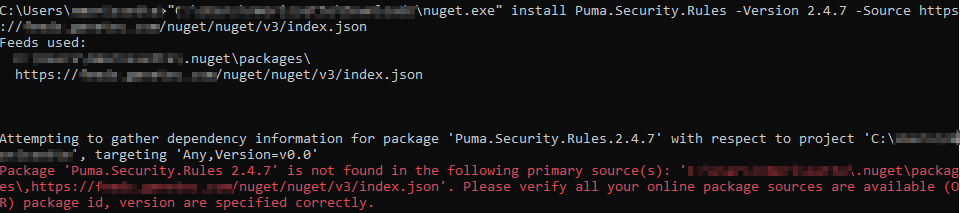
I never had this issue before and I don't want to break it even more
Thanks,
Nicolas
-
Hi @nmorissette_3673 ,
That's odd, but I wonder if the package file is deleted from disk, and it's a cached package?
If that's the case, you should see a very specific message about it, like "Could not find a part of the path 'c:\LocalDev\ProGet\PackageStore.nugetv2\F1\Puma.Security.Rules\Puma.Security.Rules.2.4.7.0.nupkg'.".
Otherwise, here's what I did to reproduce:
- Create NuGet Feed (
nuuget), add connector to NuGet.org - Navigate to
/feeds/nuuget/Puma.Security.Rules/2.4.7 - Try to download package file
/nuget/nuuget/package/Puma.Security.Rules/2.4.7
Of course, it's no problem. If i delete package on disk, then i'll get a 404 error.
If I "delete cached package" from the Web UI, and then download again it's fine.
Hope this helps...
Cheers,
Alana - Create NuGet Feed (
-
Hey Alana,
Thanks for your answer.
Unfortunately, for this kind of issue I've been able to fix it by myself but now is a different case. Now my problem is that I can't even access the Puma.Security.Rules package page where I can see the versions and try to use the "delete cached package". As soon as I click on the Puma.Security.Rules in the NuGet lists from the UI I get that 404 error page.
Seems to be a level higher than that.
-
Hello @nmorissette_3673,
Can you please tell us what version of ProGet you are running?
Also, when you navigate to the package in the UI and get the 404 error, do you see any error messages show up in the diagnostics center?
Thanks,
Rich -
Hey @rhessinger,
I'm using Version 6.0.7 (Build 5). I updated Proget when I faced this problem so it should be the latest right?
When I click on the Puma.Security.Rules package in the list :
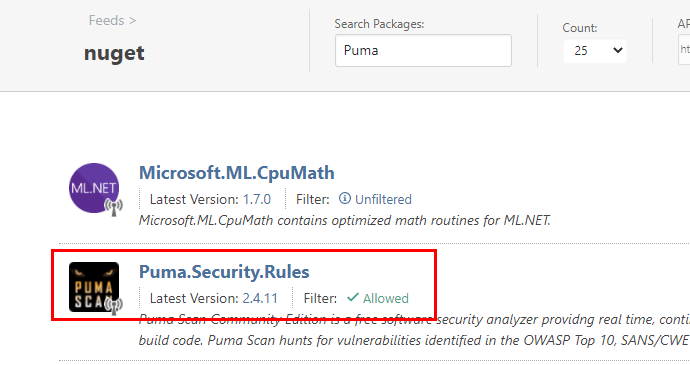
That's when I'm sent to the 404 - File or directory not found. page.
I checked the Diagnostic Center while doing that and nothing showed up. Well there's something but it's about one of our connectors that needs to be fixed so no link with that.
-
hello @nmorissette_3673 ,
I can't think of anything in ProGet that could yield this behavior (most especially for a particular package), and I can't reproduce it with the package. So this is tricky to debug.
Please try reproducing with a fresh new feed.
- Create NuGet Feed (
nuuget), add connector to NuGet.org - Navigate to
/feeds/nuuget/Puma.Security.Rules/2.4.7 - Try to download package file
/nuget/nuuget/package/Puma.Security.Rules/2.4.7
IF that works, then there's some difference between the two feeds.
If it doesn't work, it's likely something between ProGet (which would be weird, but maybe a content filter/proxy).
Let us know what you find!
cheers,
Aana - Create NuGet Feed (
-
Hello @atripp
I did a test an tried to go on the page being on the server where proget is hosted and it worked :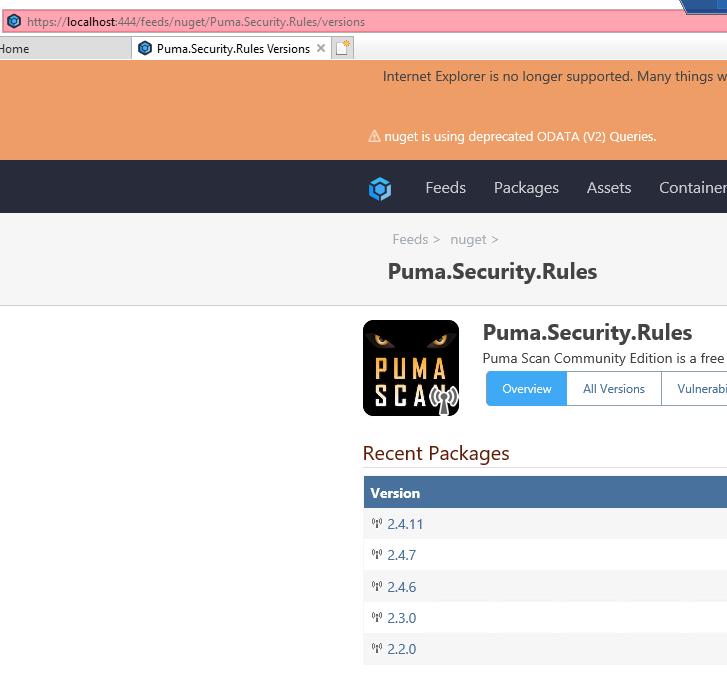
If I try from my workstation I get the error message :
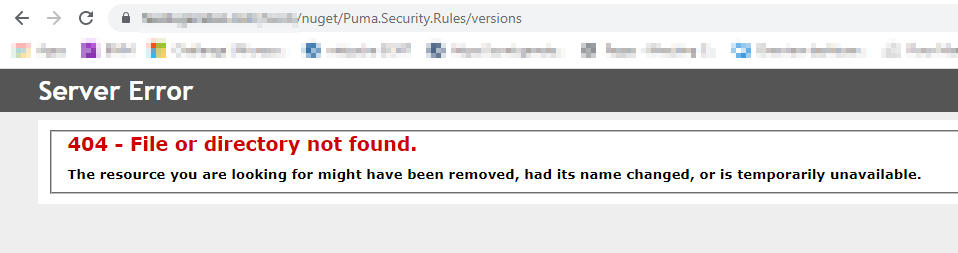
It's really weird since it happens only with this package. Others from the public Nuget feeds works just fine.
I guess we'll have to dig a bit deeper on our end if we can find and explanation. If you have any ideas let us know :)
Thanks again for your support,
Nicolas
-
Unless you blurred out
/feedsin your screenshot, the URLS are different:- Server:
/feeds/nuget/Puma.Security.Rules/versions - Workstation:
/nuget/Puma.Security.Rules/versions
Otherwise, I can't help but wonder if there's some rewrite rule, proxy server, or something that's interfering between your workstation and the server

Cheers,
Steve - Server:
-
Hey @stevedennis ,
That's my bad I blurred too much. The "/feeds/" part was there too. I poked our IT team to see if there could be any weird settings on our IIS server or the network itself.Sometimes our Proget page gets super slow too and we even get 502 errors so there might be something wrong in our setup.
I'll keep you updated if I find anything.
Thanks again



Hello! It looks like you're interested in this conversation, but you don't have an account yet.
Getting fed up of having to scroll through the same posts each visit? When you register for an account, you'll always come back to exactly where you were before, and choose to be notified of new replies (either via email, or push notification). You'll also be able to save bookmarks and upvote posts to show your appreciation to other community members.
With your input, this post could be even better 💗
Register Login