Welcome to the Inedo Forums! Check out the Forums Guide for help getting started.
If you are experiencing any issues with the forum software, please visit the Contact Form on our website and let us know!
Get Docker Alternate Tags for a Docker Image
-
Kubernetes has an issue where if you use the
latesttag, it sometimes will not pull the image, even when it has changed. So I am trying to write a script that will get a different, more unique tag, for use in my helm charts.The standard Docker REST API does not have anything that can do in in a reasonable number of calls. (You have to get a list of ALL the tags, and then iterate through them one at a time looking to see which ones have a digest that matches the "latest" tag.)
I am wondering if ProGet has something better built into it. Does ProGet have a way to get the other tags on a Docker Image?
Basically, I am looking for the list of tags found on this page:
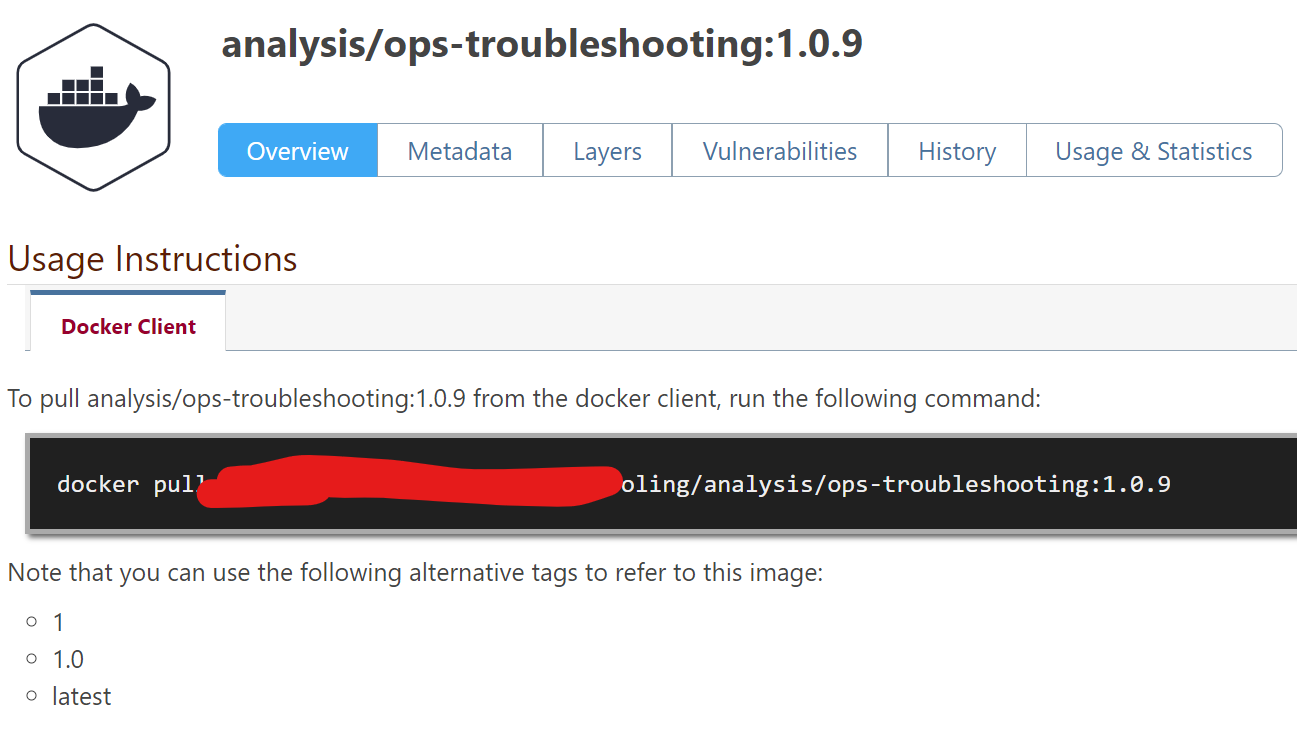
Except that I would start with the
latesttag and end up with the1.0.9tag as the result. -
Hi @Stephen-Schaff,
The latest tag is a bit odd. Each client handles it differently and I have found most clients will not repull a newer version if latest has already been pulled once. According to Docker's API (and Kubernetes), a client is supposed to pull the manifest from the server and compare it with the currently downloaded image and update if there is any difference, but I have found that does not always work. You can configure Kubernetes to always pull an image, but I cannot confirm how well it works.
As for getting a list of tags, we basically have two ways.
What it sounds like you are looking for is to just get a list of alternative tags. The only way to do this is to use our native API and using the
DockerImages_GetTagsmethod and grouping by DockerImage_Id.The other way to get a list of tags would be to use the docker API itself. This way will get all tags associated with a repository, not just the alternative tags. To do this:
- Make a get request to
http://<your proget server>/v2/_authwith anAuthorizationheader with the value ofBasic <BASE 64 encoded username:password> - The response will be a JSON object. Take the value in the
tokenproperty - Make a GET request to list all tags to
http://<your proget server>/v2/<feed name>/<image>/tags/list(ex: `http://proget.localhost/v2/defaultdocker6/dotnet/core/aspnet/tags/list)- In the header include an
Authorizationheader with a valueBearer <token from step 1>
- In the header include an
- This will return a JSON object that has an array property called
tags
That will get you a list of tags using the Docker API.
Hope this helps!
Thanks,
Rich - Make a get request to

Hello! It looks like you're interested in this conversation, but you don't have an account yet.
Getting fed up of having to scroll through the same posts each visit? When you register for an account, you'll always come back to exactly where you were before, and choose to be notified of new replies (either via email, or push notification). You'll also be able to save bookmarks and upvote posts to show your appreciation to other community members.
With your input, this post could be even better 💗
Register Login