Welcome to the Inedo Forums! Check out the Forums Guide for help getting started.
If you are experiencing any issues with the forum software, please visit the Contact Form on our website and let us know!
User with permissions Publish permissions is denied
-
I am getting an error when I try to push a Docker container image to one of my repositories. It says:
denied: my-user@mydomain.net is not permitted to perform the Feeds_AddPackage task for the current scope.
Here is a screenshot incase it is needed:

When I go to test privileges for that user, at first it says "No privileges for the specified context". Then it adds the permissions (though it still shows the "No privileges for the specified context" message as well. Here is a screenshot:
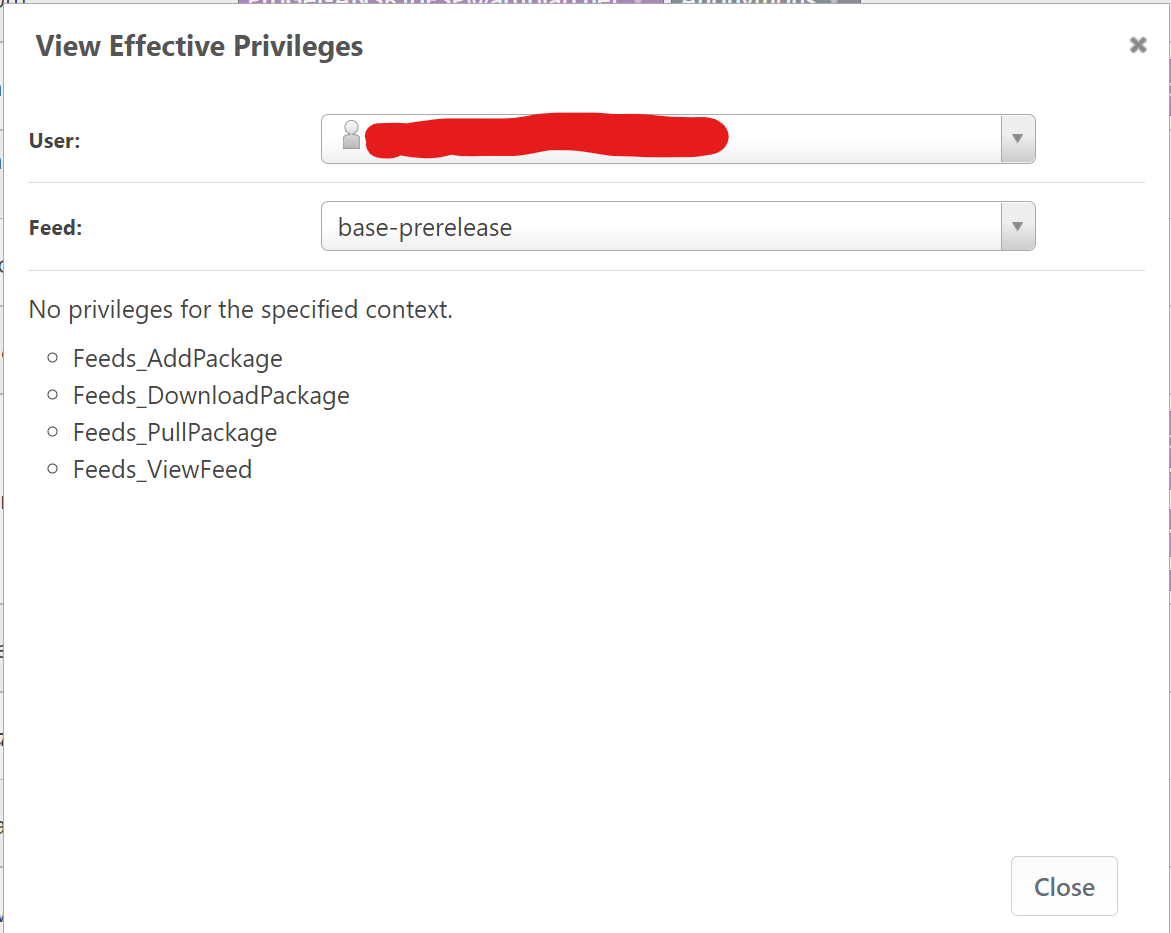
If I load it again, then the "No privileges for the specified context" is not there the second time.
I am not sure what to do to get my user to have the needed permissions. It is already setup with the "Publish Packages" permission (as the above test shows).
What can I do to get this user to be able to push docker images?
-
It is weird, but after some time, it just started working... While concerning, I am no longer blocked in my work.
-
Hi @Stephen-Schaff,
In newer versions of ProGet, we improved our performance by caching our user's privileges. This was especially necessary when using Active Directory based user directories. This can cause issues similar to this one where it can take some time before the privilege is updated. This is especially noticeable in ProGet HA clusters. The caching timeout is configurable in the Administration -> Advanced Settings by altering the
Web.PrivilegeCacheExpirationvalue. By default, we set it to 30 minutes. There are areas that should refresh the cache on save, but those will only work in single instances of ProGet and I'm guessing it did not get triggered in this case.Hope this helps!
Thanks,
Rich -
I hit this again today. While waiting 30 minutes does work, it is a bit frustrating.
If not not a lot of work, I would suggest adding a button somewhere to force the update for a given user.
-
Hi @Stephen-Schaff,
Did you have to wait 30 minutes after adding the publish permission to a user or is it a user that already has the publish permission and it randomly stops working?
Also, what version of ProGet are you currently running?
Thanks,
Rich -
I created a new feed and then I added the publish permission for that feed to an existing user. Then I had to wait 30 minutes for it to take effect.
I am running 5.3.39 (Build 2). I only run a single ProGet server instance (no HA cluster).
Again, this is not a really big issue. Waiting does cause it to start working, but I would suggest firing an update to your cache when a user's permissions are changed.
-
Hi @Stephen-Schaff,
One thing you could do is go to Admin > Service > Restart Web Application. There's really no downtime with that.
Otherwise, we are planning to rebuild all the users/groups/permissions pages in the coming weeks, so I'll add an "Invalidate Cache button" as something for us to try to get in :)
Cheers,
Nanci -
@NanciCalo said in User with permissions Publish permissions is denied:
"Invalidate Cache button" as something for us to try to get in :)
Hi,
We recently started getting this and the "Clear Cache" option does not seem to resolve our issue. Any other options (other than setting Web.PrivilegeCacheExpiration)?Thanks,
Scott -
@scusson_9923 in the case of load-balancing, you'd need to do that on each of the nodes, since the "Clear Cache" button only works on the current node
Note: this is meant to be a "once a rare while thing" or for diagnostic purposes so if let us know if that's not the case, and we can try to think up a better solution
-
Hi,
Thank for you for the quick reply! I'll try that.
Scott
-
Hi,
I reset the cache on all nodes and updated to 2022.8 (planned update). I have a user that continues to exhibit this behavior. Is there something he can try on his end?
Thanks,
Scott -
@scusson_9923 I'd definitely open a ticket, since it could be unrelated and may require a different back-and-forth w/ screenshots and other sensitive info
But the "View Effective Privileges" tool is the best way way to see what ProGet is using for permissions. There are some other tools available as well we can use to troubleshoot.
-
Thank you. I will do that.



Hello! It looks like you're interested in this conversation, but you don't have an account yet.
Getting fed up of having to scroll through the same posts each visit? When you register for an account, you'll always come back to exactly where you were before, and choose to be notified of new replies (either via email, or push notification). You'll also be able to save bookmarks and upvote posts to show your appreciation to other community members.
With your input, this post could be even better 💗
Register Login