Welcome to the Inedo Forums! Check out the Forums Guide for help getting started.
If you are experiencing any issues with the forum software, please visit the Contact Form on our website and let us know!
User seen as a Group

-
I went to that page and found:
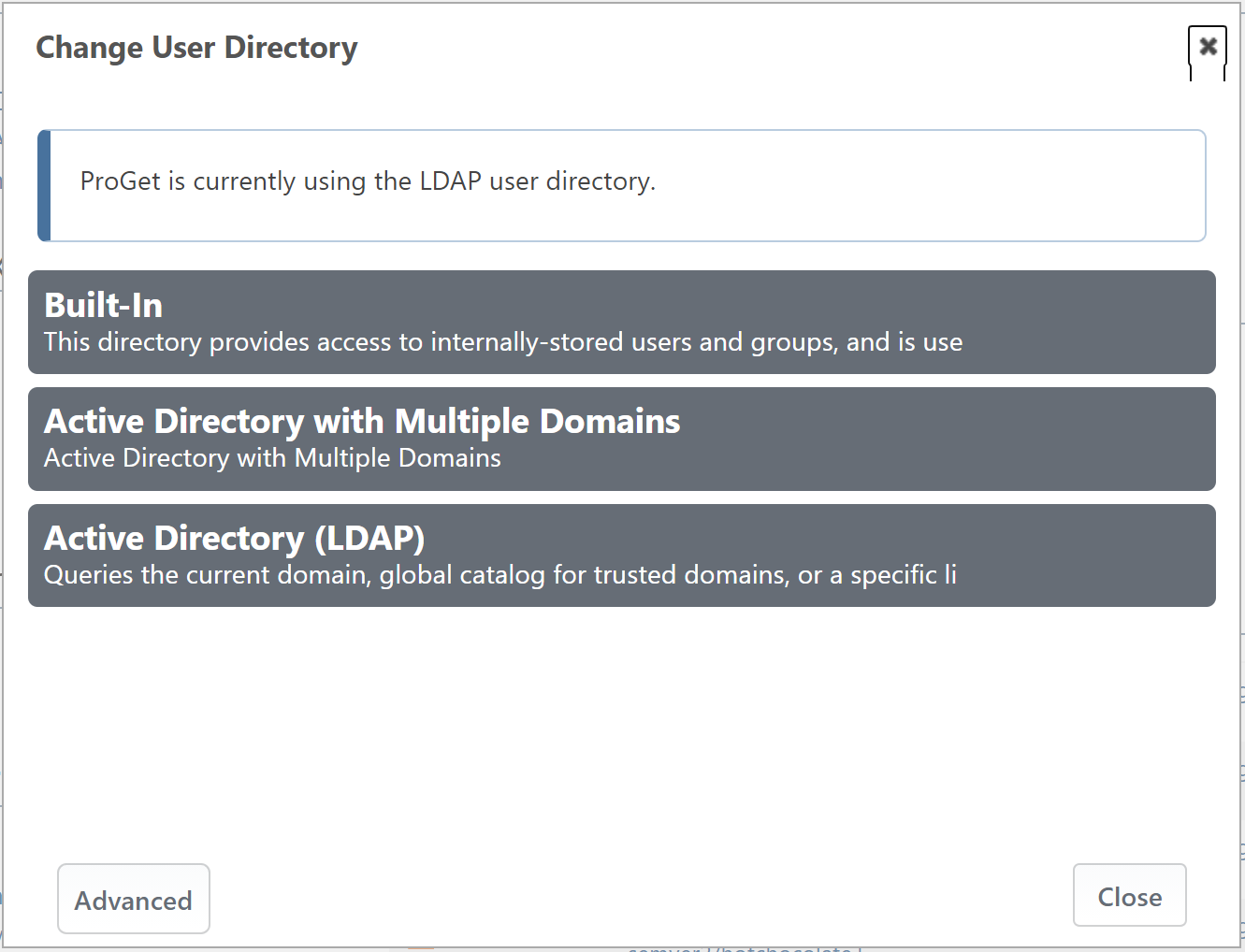
I clicked the "Advanced" option and found the Active Directory Settings. (Wahoo!)
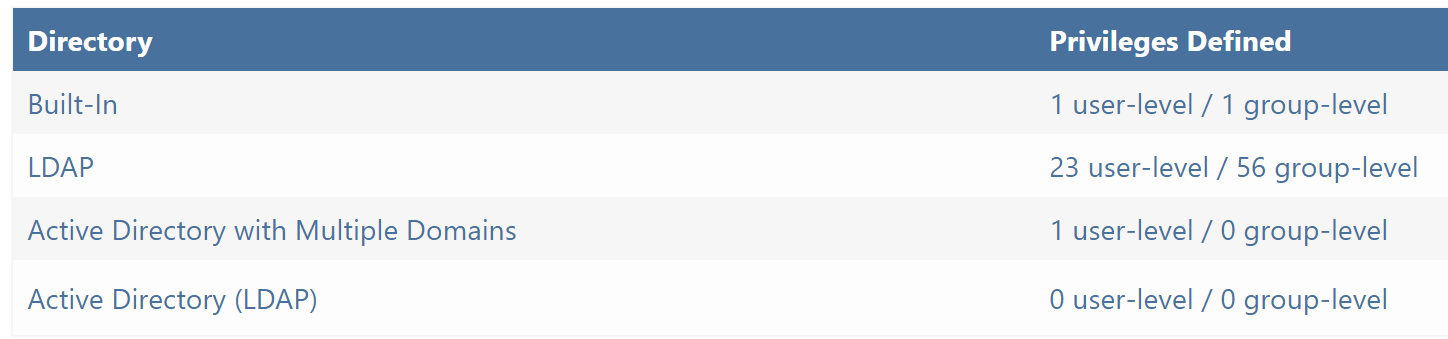
When I click on LDAP (what it says I am using in the first screen shot), I appears that I am indeed using
LDAP or Single Domain Active Directory (Legacy).Looking around in there I found some test options. The test options all seemed to indicate that my user was found as a valid user:
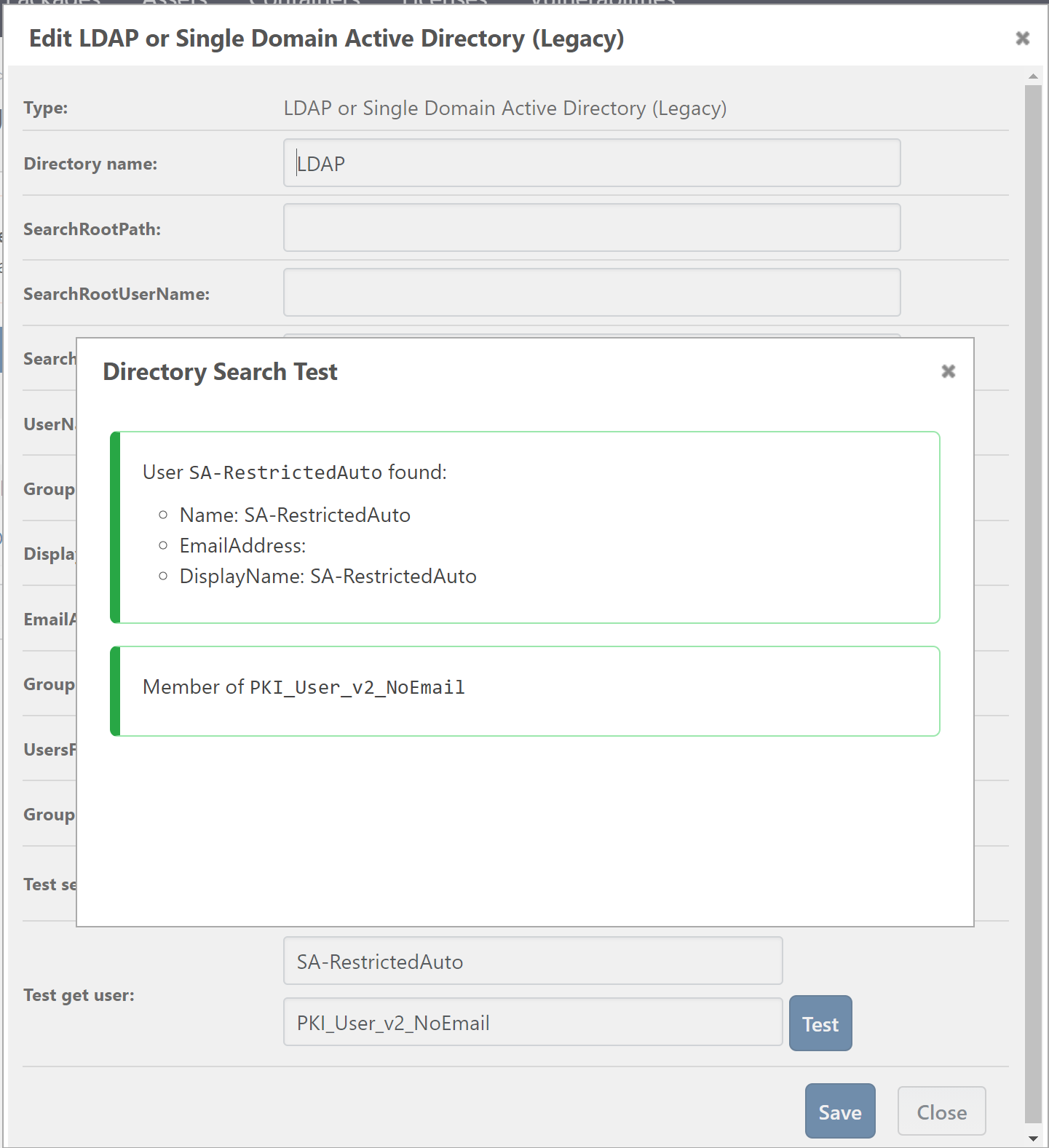
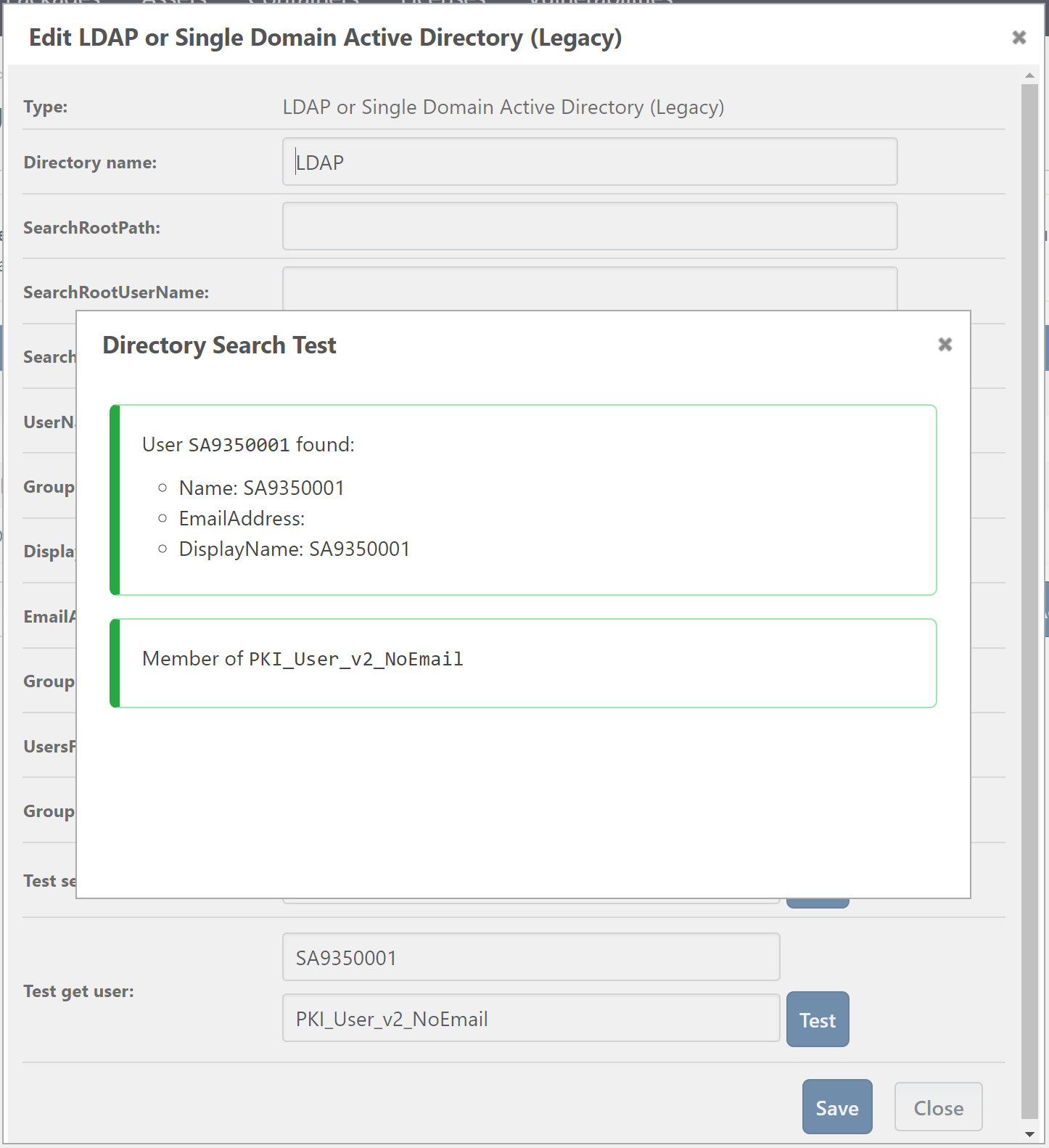
To test it a bit more, I looked up a user that does not show up as a group (i.e. it works fine), and it seemed to be similar to my broken one (SA-RestrictedAuto):
The person who setup ProGet at my company told me that it was a lot of work needed to get ProGet to work with both integrated windows security (IWA) and basic authentication (when needed). We actually run two instances of the site, one that uses IWA and one that uses basic authentication. (Though they share the same backing database.)
This is fairly complicated and as such I am hesitant to change any of these settings. (Though I can do so with a good plan and a scheduled downtime.)
-
This reply is in addition to my previous reply from today.
I have noticed that users that were once working as users are now being added as groups. For example, user SA9350001 is now be added as a group. (I had not noticed this before because it is an active user and I could not remove it from the permissions it was already setup with.)
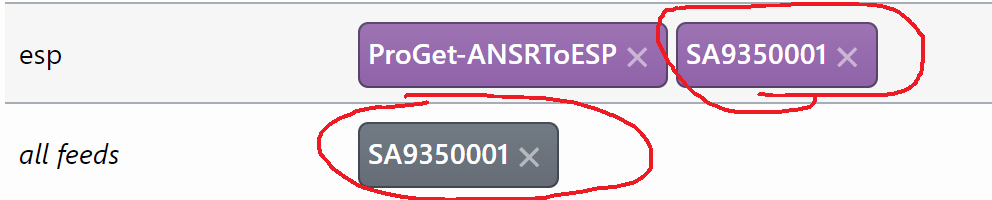
In this screen shot, "all feeds" has had SA9350001 setup for a while and is listed as a user. But today I added SA9350001 and it was added as a group.
We recently upgraded ProGet to Version 5.3.21 (Build 24). This issue started occurring right around that time. We were a few versions behind when we made the upgrade. Have there been changes to Active Directory integration in the last few versions of ProGet?
Note, as I said before, we use the Legacy active directory integration. Though I looked at the "non legacy" one and I cannot see how to make it work. It seems to not have the needed settings (to map user names and email addresses).
-
Is
SA9350001also a group?The change that @rhessinger mentioned only impacted the "new" active directory, though there may have been a change in ProGet that happened. Do you remember what you upgraded from? It'd be easier to find on this long list ... https://my.inedo.com/proget/versions
Otherwise, can you elaborate on this?
I looked at the "non legacy" one and I cannot see how to make it work. It seems to not have the needed settings (to map user names and email addresses).
We hadn't found anyone using custom field mappings, and only a small handful of other products even support the ability to use custom fields (Windows doesn't), so we didn't add it...
So I wonder if it would "just work" after all

-
There may have been a change in ProGet that happened. Do you remember what you upgraded from?
I think my previous version was 5.3.12. Were there changes made to the Active Directory integration between 5.3.12 and 5.3.21?
So I wonder if it would "just work" after all:
I did try to setup the Active Directory style of integration and it did "just work" as far as finding users. (I don't understand how, but I am impressed).
However, I did notice that it displays users with my domain on the end:

While the one I use now does not:

Is that going to cause issues when logging in from command line tools like docker and nuget? (We have not purchased additional licenses for sandbox testing of ProGet, so I have no way to test it out besides switching over to the new style and hoping that it does not bring down all of ProGet for my company.)
-
Edit to my previous response: The previous version I had installed was 5.3.15 (not 5.3.12 as I had indicated).
-
Hi @Stephen-Schaff,
This should not affect anything. If you are using a single domain (did not use multiple domains in the domains to search input), the domain does not need to be appended to the username. So your existing command-line tools should not be affected.
If you also need to be able to prepend your domain (ex: domain\user), I can send you some documentation on how to configure it. The previous login formats of
usernameandusername@domain.localwill still work, but it adds the ability fordomain\username. A small disclaimer though, thedomain\userfunctionality is still in testing.Thanks,
Rich -
I tried to swap out the user directory this morning and it failed horribly. We could not get ProGet back to a working status and had to restore from backup.
Is it possible that we could explore the cause of this user account bug a bit more?
-
Where there changes between 5.3.15 and 5.3.21 that could have caused my users to show up as groups?
-
Not all of my users show up as groups. Just the ones that are not normal users (Service Accounts and Test Accounts). They are in a different spot in my Active Directory tree from the normal users. Could something have changed to expect users to be in a specific spot in Active Directory?
-
-
@Stephen-Schaff if you're using the legacy directory (i.e. not the one
Active Directory (LDAP)one), then there were no changes to that, or anything that uses that code, that would yield behavior like thisThere were a lot of non-functional changes to the
Active Directory (LDAP), namely that we made a upgrade to which version of the Microsoft libraries we are using. A few users of these libraries with legacy features from ancient (i.e. Windows 2000) domains have reported some problems. Maybe you're describing a such problem?Because it's obviously impossible for us to reproduce these oddities, we have a debugging tool available, but it requires Visual Studio to compile/run at this time: https://github.com/Inedo/inedox-inedocore/tree/master/InedoCore/AD.Tester
Not sure if that's helpful though.
-
Is there a process for us to get back to version 5.3.15? While I want the features of the later versions, we need permissions working again.
Is there a way we could rollback to version 5.3.15 from 5.3.21?
-
@Stephen-Schaff
I think cc/ @rhessinger can correct me if I'm wrong, but you should be able to just rollback only the the
InedoCoreextension to 1.7, where we used the older version of the AD libraries.You can do this by downloading and manualy installing from here: https://proget.inedo.com/feeds/Extensions/inedox/InedoCore/1.7.12



Hello! It looks like you're interested in this conversation, but you don't have an account yet.
Getting fed up of having to scroll through the same posts each visit? When you register for an account, you'll always come back to exactly where you were before, and choose to be notified of new replies (either via email, or push notification). You'll also be able to save bookmarks and upvote posts to show your appreciation to other community members.
With your input, this post could be even better 💗
Register Login