Welcome to the Inedo Forums! Check out the Forums Guide for help getting started.
If you are experiencing any issues with the forum software, please visit the Contact Form on our website and let us know!
Execption when running VulnerabilityDownloader Scheduled Task - using Clair
-
Hi There,
I've installed the Clair extension into my ProGet 5.2.3 docker container and configured a Vulerablity Source as follows:
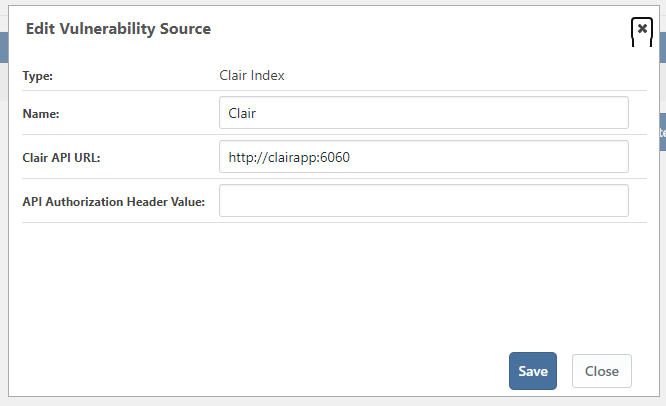
I can run the following command from the ProGet container commandline:
curl http://clairapp:6060/v1/namespacesAnd get the following result, so I know Clair is running correctly and that the ProGet container can communicate successfully with the Clair API endpoint.
{"Namespaces":[{"Name":"alpine:v3.7","VersionFormat":"dpkg"},{"Name":"alpine:v3.8","VersionFormat":"dpkg"},{"Name":"alpine:v3.10","VersionFormat":"dpkg"},{"Name":"alpine:v3.11","VersionFormat":"dpkg"},{"Name":"alpine:v3.3","VersionFormat":"dpkg"},{"Name":"alpine:v3.5","VersionFormat":"dpkg"},{"Name":"alpine:v3.6","VersionFormat":"dpkg"},{"Name":"alpine:v3.9","VersionFormat":"dpkg"},{"Name":"alpine:v3.4","VersionFormat":"dpkg"},{"Name":"amzn:2","VersionFormat":"rpm"},{"Name":"amzn:2018.03","VersionFormat":"rpm"},{"Name":"debian:unstable","VersionFormat":"dpkg"},{"Name":"debian:8","VersionFormat":"dpkg"},{"Name":"debian:9","VersionFormat":"dpkg"},{"Name":"debian:11","VersionFormat":"dpkg"},{"Name":"debian:10","VersionFormat":"dpkg"},{"Name":"ubuntu:12.10","VersionFormat":"dpkg"},{"Name":"ubuntu:16.04","VersionFormat":"dpkg"},{"Name":"ubuntu:15.10","VersionFormat":"dpkg"},{"Name":"ubuntu:19.04","VersionFormat":"dpkg"},{"Name":"ubuntu:17.10","VersionFormat":"dpkg"},{"Name":"ubuntu:18.04","VersionFormat":"dpkg"},{"Name":"ubuntu:14.04","VersionFormat":"dpkg"},{"Name":"ubuntu:17.04","VersionFormat":"dpkg"},{"Name":"ubuntu:16.10","VersionFormat":"dpkg"},{"Name":"ubuntu:12.04","VersionFormat":"dpkg"},{"Name":"ubuntu:14.10","VersionFormat":"dpkg"},{"Name":"ubuntu:15.04","VersionFormat":"dpkg"},{"Name":"ubuntu:18.10","VersionFormat":"dpkg"},{"Name":"ubuntu:13.04","VersionFormat":"dpkg"},{"Name":"oracle:6","VersionFormat":"rpm"},{"Name":"oracle:7","VersionFormat":"rpm"},{"Name":"oracle:5","VersionFormat":"rpm"},{"Name":"oracle:8","VersionFormat":"rpm"}]}However when I run the VulnerabilityDownloader Scheduled Task manually by pressing this:

I get the following error:
ERROR: 2020-06-18 19:25:52Z - Unhandled exception: System.InvalidCastException: Specified cast is not valid.
  at Inedo.ProGet.ScheduledTasks.General.VulnerabilityDownloaderScheduledTask.ExecuteAsync (Inedo.ProGet.ScheduledTasks.ScheduledTaskContext context) [0x00133] in <5c992ee154394e758c7258b17e1dbffb>:0
  at Inedo.ProGet.Service.Executions.ActiveScheduledTaskExecution.ExecuteAsync () [0x00182] in <a7f73bf1cfd3422e88d7232a4ec2eaf3>:0
Ultimately I don't believe the ProGet to Clair connection is really working, is there any way I can verify this?
One of the main reasons I believe this is because when I issue the CURL Command above I get a Clair log that reads:
{"Event":"Handled HTTP request","Level":"info","Location":"router.go:57","Time":"2020-06-18 19:35:53.616609","elapsed time":1216718,"method":"GET","remote addr":"10.0.5.4:42524","request uri":"/v1/namespaces","status":"200"}However I don't get any such logs from ProGet attempting to use the Clair API.
Thanks in advance
Simon
-
Hi @scroak_6473,
Could you please verify what version of ProGet you are currently running? Is it 5.2.3 or 5.3.2? I also think that there is a bug with Clair in 5.3.2, would you be able to upgrade to 5.3.4 and test it again? You can find the 5.3.4 Docker image on our public ProGet: https://proget.inedo.com/containers/repositories/tags/overview?feedId=22&repositoryName=inedo%2Fproget&tag=5.3.4.
Can you also tell me which Clair image you have installed on your Docker host?
Also, you will need to make sure that the Clair image has access to ProGet. The flow of Clair is a bit weird. First ProGet will make a request to Clair to start the process. Clair will then make a request to ProGet (with a temporary auth key) to download each image layer to scan. Then ProGet will make one final call to Clair to download the found vulnerability data.
Once, you send me this information we can figure out where to go from there. I do have a way to manually test the calls to Clair leveraging a PowerShell script, but the information gathering to run it is a bit tedious.
Thanks,
Rich -
Hi @rhessinger
I have upgraded Proget to 5.3.4 (Build 4) but the problem still persists.
I am running Clair v2.1.2 and postgres v9.6 as suggested here: https://docs.inedo.com/docs/proget/compliance/clair
From the clair command line i can ping the public hostname of the ProGet instance:
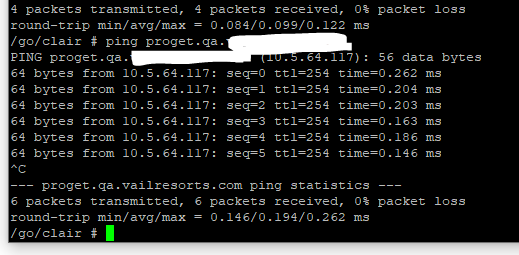
For a bit of additional background Clair and the Postgres DB is running on it own separate overlay network, ProGet is a member of both this network and a public network. So for ProGet to communicate with Clair it can use a "service discovery" hostname of "ClairApp", Clair can then communicate with ProGet using either its service discovery name of "server" or using the public hostname that is specified in the "Web.BaseUrl" advance setting "proget.qa.xxxx.xxxx". This is what the above ping is communicating with.
Let me know what I can do next.
Thanks
Simon
-
Hi @scroak_6473,
I think i see your issue. Can you please change your URL to
http://proget.qa.xxxx.xxxx(or https:// if you are using SSL). The Base URL requires thehttp://orhttps://in the value. This might be causing your issue.Thanks,
Rich -
-
-
-
Hi @scroak_6473 ,
Everything looks to be correct. Can you try removing your vulnerability source from your Docker feed, then delete the vulnerability source then re-add it again and reassociate it to your feed? The only thing I can assume from that error stack trace is it is failing to parse the Configuration for your vulnerability source.
Thanks,
Rich -
Hi @rhessinger
Removed and re-added but the same problem persists. Even updated to v5.3.5 and issue is the same.
Is there any other logging I can get for you? Any way I can see what calls are being made to Clair?
Thanks
Simon
-
Hi @scroak_6473,
I was hoping recreating the source would fix it. Based on your error, it looks like the error happens before it even attempts to call Clair. If it made at least one call to Clair, your output would look similar to this:
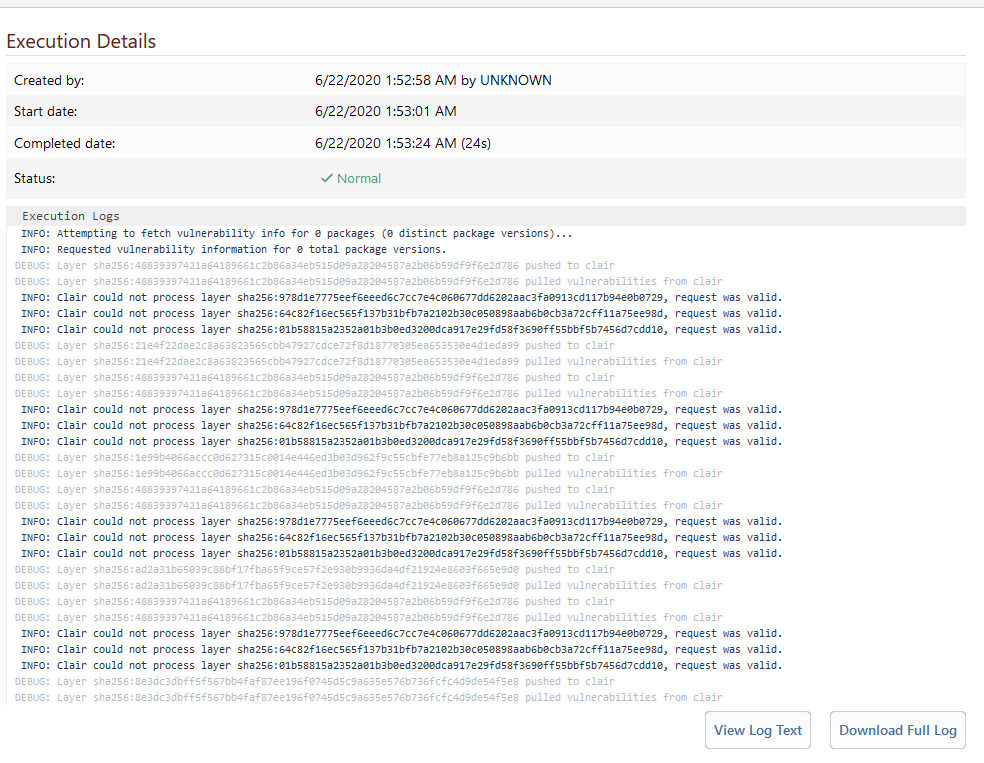
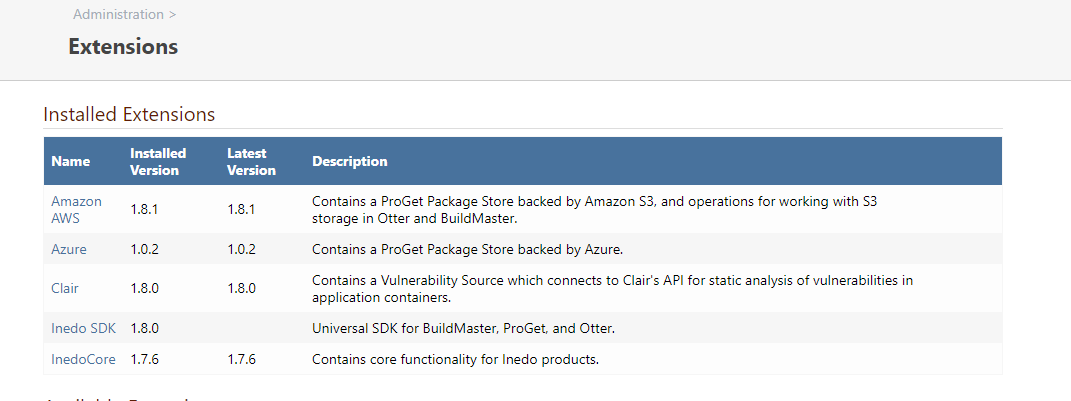
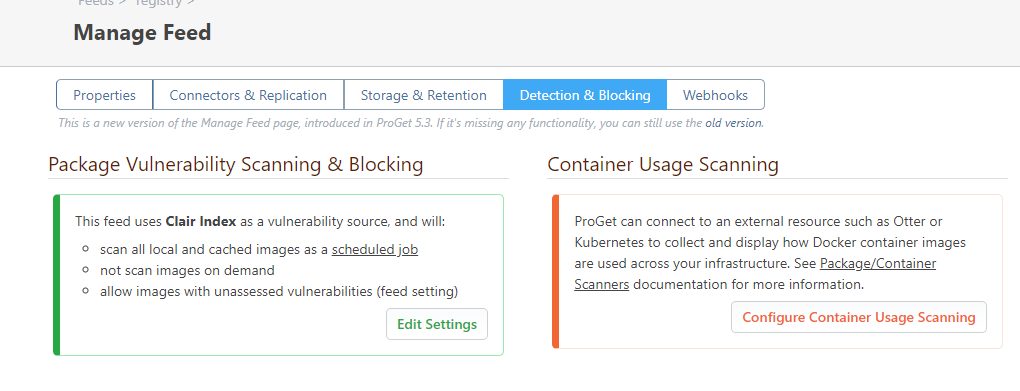
Can you provide a screenshot of your extensions page? I would like to verify the extension versions. Also, could you screenshot your
Manage Feed -> Detection & Blockingtab?Thanks,
Rich -
-
Hi @scroak_6473 ,
I working on reproducing this locally, but I'm running into some issues with my local Docker installation. I'll reply once I run some local tests. The majority of my testing for Clair has been done using the windows IIS or integrated web service installs.
Thanks,
Rich -
-
Hi @scroak_6473,
We are still working on the issue. It looks to be only an issue with the ProGet docker image, but I don't have a lead on why yet. If you have the ability to install this on windows, I can confirm it is working there. I know you are running a free trial of ProGet. If you need to extend the trial because of this issue, please contact us through https://inedo.com/contact.
Thanks,
Rich -
Hi @scroak_6473.
I have been able to recreate the error and I can confirm that this is only an issue with running ProGet in docker. I'm currently working to fix this issue.
Thanks,
Rich -
-
Hi @scroak_6473,
So I finally figured it out. Our ProGet docker image actually runs mono to run ProGet. Apparently this is an issue with the new way we load extensions in mono. I have put a fix in the next version of ProGet (5.3.6), but if you would like to leverage it now, you will just need to change a config value. Just navigate to Administration -> Advanced Settings and locate the value
Extensions.UseNewExtensionLoaderand uncheck it and save. Then you will need to restart your docker image, i.e.sudo docker restart proget. Then the vulnerability source should start working, or at least show you any real issues you have.Thanks,
Rich -
-


Hello! It looks like you're interested in this conversation, but you don't have an account yet.
Getting fed up of having to scroll through the same posts each visit? When you register for an account, you'll always come back to exactly where you were before, and choose to be notified of new replies (either via email, or push notification). You'll also be able to save bookmarks and upvote posts to show your appreciation to other community members.
With your input, this post could be even better 💗
Register Login