Welcome to the Inedo Forums! Check out the Forums Guide for help getting started.
If you are experiencing any issues with the forum software, please visit the Contact Form on our website and let us know!
On production BM server when we try to deploy the build is failing
-
When we try to deploy a new build we get an error message:
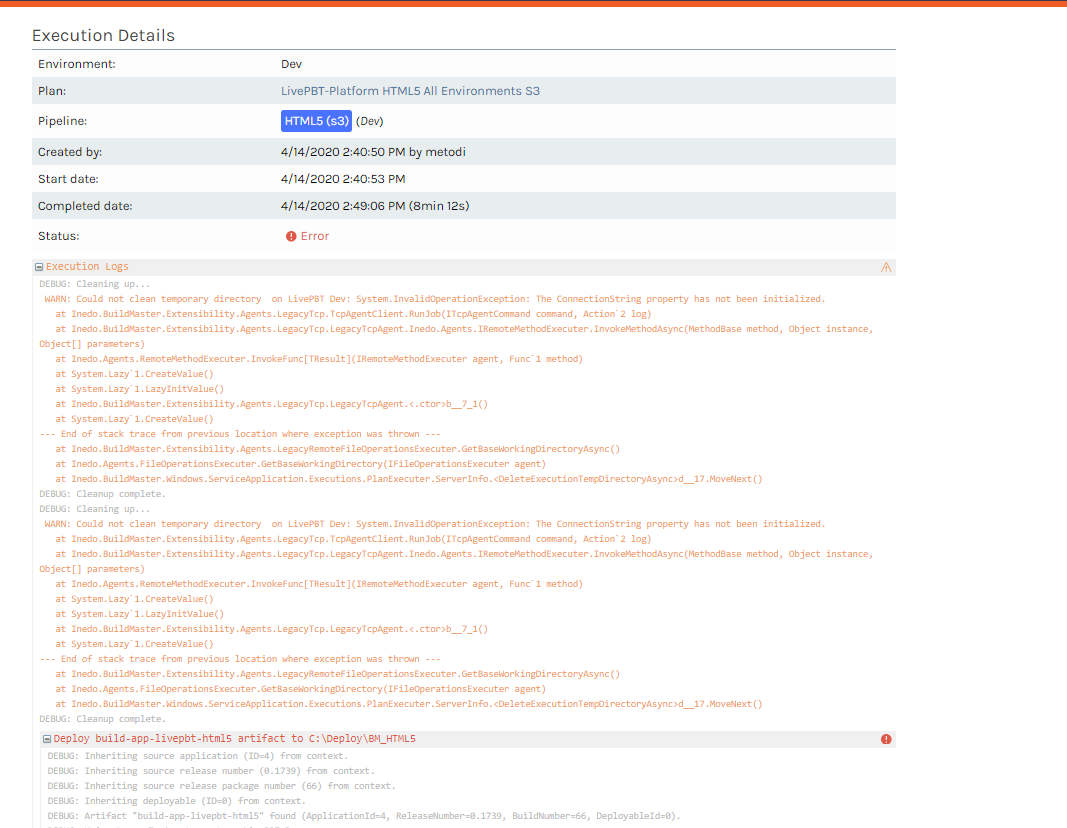
Please check the whole error message below.
Unhandled exception: System.InvalidOperationException: The ConnectionString property has not been initialized.
at Inedo.BuildMaster.Extensibility.Agents.LegacyTcp.TcpAgentClient.RunJob(ITcpAgentCommand command, Action2 log) at Inedo.BuildMaster.Extensibility.Agents.LegacyTcp.LegacyTcpAgent.Inedo.Agents.IRemoteMethodExecuter.InvokeMethodAsync(MethodBase method, Object instance, Object[] parameters) at Inedo.Agents.RemoteMethodExecuter.InvokeFunc[TResult](IRemoteMethodExecuter agent, Func1 method)
at System.Lazy1.CreateValue() at System.Lazy1.LazyInitValue()
at Inedo.BuildMaster.Extensibility.Agents.LegacyTcp.LegacyTcpAgent.<.ctor>b__7_1()
at System.Lazy1.CreateValue() --- End of stack trace from previous location where exception was thrown --- at Inedo.BuildMaster.Extensibility.Agents.LegacyRemoteFileOperationsExecuter.GetBaseWorkingDirectoryAsync() at Inedo.Agents.FileOperationsExecuter.GetBaseWorkingDirectory(IFileOperationsExecuter agent) at Inedo.BuildMaster.Extensibility.Agents.AgentExtensions.GetExecutionBaseDirectory(IFileOperationsExecuter agent, IGenericBuildMasterContext context) at Inedo.BuildMaster.Windows.ServiceApplication.Executions.PlanExecuter.BuildMasterExecutionContext.DetermineWorkingDirectory() at System.Lazy1.CreateValue()
at System.Lazy`1.LazyInitValue()
at Inedo.BuildMaster.Windows.ServiceApplication.Executions.PlanExecuter.BuildMasterExecutionContext.ResolvePath(String path)
at Inedo.BuildMaster.Extensibility.Operations.Artifacts.DeployArtifactOperation.<ExecuteAsync>d__42.MoveNext()
--- End of stack trace from previous location where exception was thrown ---
at System.Runtime.CompilerServices.TaskAwaiter.ThrowForNonSuccess(Task task)
at System.Runtime.CompilerServices.TaskAwaiter.HandleNonSuccessAndDebuggerNotification(Task task)
at Inedo.BuildMaster.Windows.ServiceApplication.Executions.PlanExecuter.DeploymentPlanExecuter.<Inedo-ExecutionEngine-Executer-IExecutionHostEnvironment-ExecuteActionAsync>d__25.MoveNext() -
Hmm... that's odd. I don't know. Could be a regression in the Legacy BuildMaster agent, or an unrelated problem.
Can you just upgrade it to the Inedo Agent?
https://inedo.com/support/kb/1039/comparison-of-buildmaster-agents
-
We have tried to downgrade the agent on one server in order to check whether that will resolve the issue.
We have the old agent installation on the server so we have uninstalled the agent which we think that is upgraded and installed the agent with the version from the BM server but we get new error message.
Can you please check the error message and advise.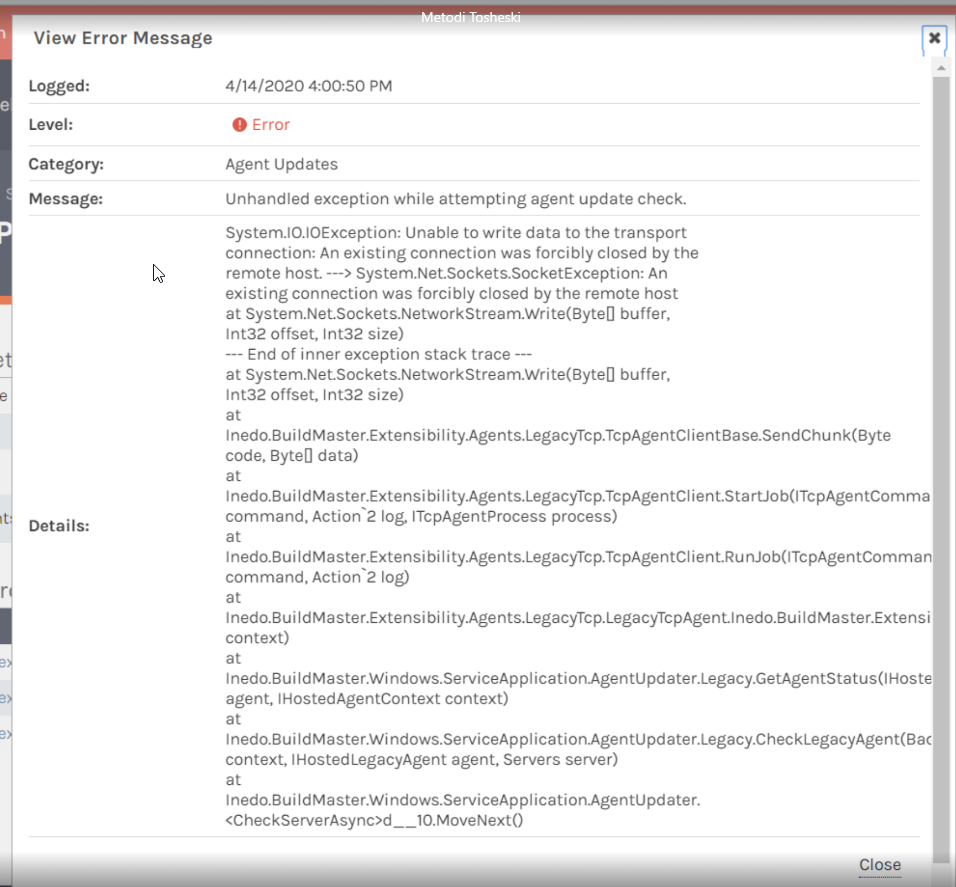
-
I just want to let you know that our BM and the re-installed agent from the server got the communication and the build passed successfully. So we can close this issue. Thanks a lot for the fast answers.

Hello! It looks like you're interested in this conversation, but you don't have an account yet.
Getting fed up of having to scroll through the same posts each visit? When you register for an account, you'll always come back to exactly where you were before, and choose to be notified of new replies (either via email, or push notification). You'll also be able to save bookmarks and upvote posts to show your appreciation to other community members.
With your input, this post could be even better 💗
Register Login