Welcome to the Inedo Forums! Check out the Forums Guide for help getting started.
If you are experiencing any issues with the forum software, please visit the Contact Form on our website and let us know!
How to upgrade BuildMaster from 5.8.3 to latest version 6.2
-
Hello, I just want to let you know that I have successfully made the update of the SQL.
When I log in to web I got new error message now, can you please tell me now what can be this issue?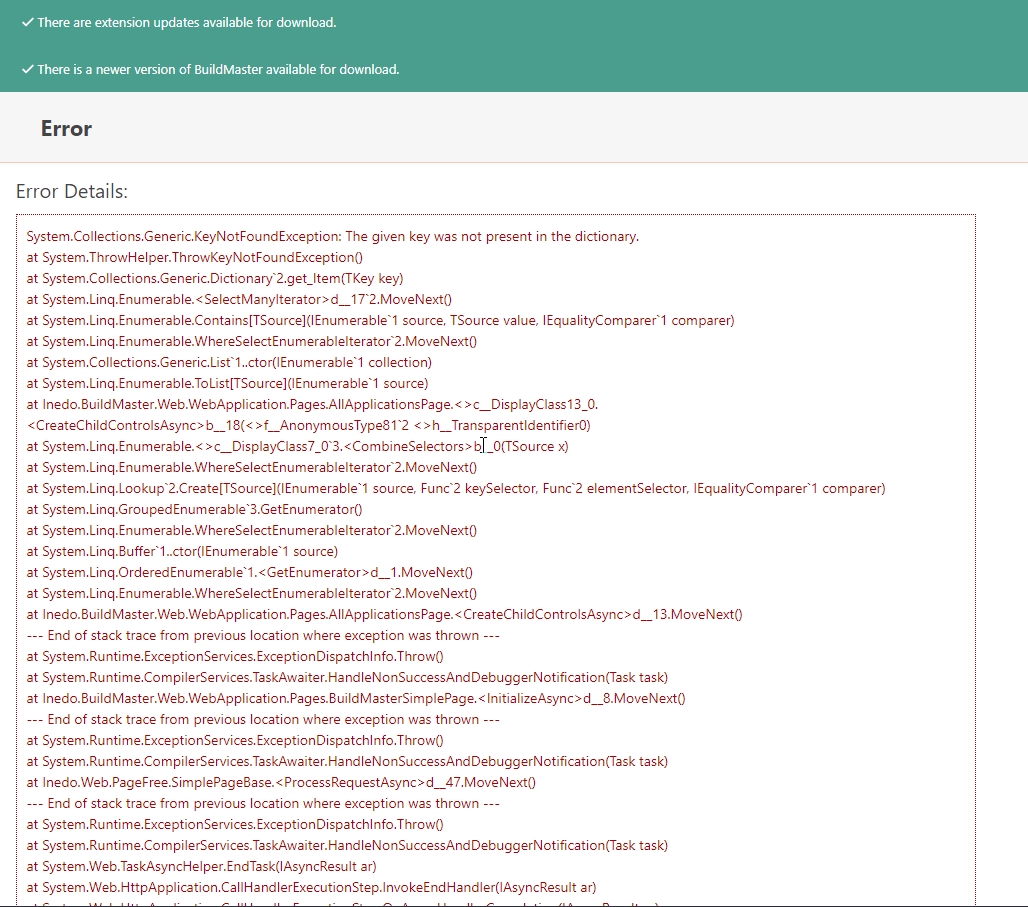
Also when I run the query in the db I still get the same message: Invalid object name '__InedoDb_DbSchemaChanges'.
select top 10 executed_date, Script_Guid, Script_Name from __InedoDb_DbSchemaChanges order by Executed_Date DESC
Can someone help me with this?
-
Can you try this instead?
select top 10 executed_date, Script_Guid, Script_Name from __BuildMaster__DbSchemaChanges2 order by Executed_Date DESCCan you try to restart the web application (in IIS, or restart the Integrated Web Server), then visit the home page? I think something might be cached... that error doesnt' make much sense.
How about browsing to
/applications/4/(since I saw Application with ID = 4 in the database screenshot). -
@atripp Hey, I have executed the query, so please find the screenshot below.
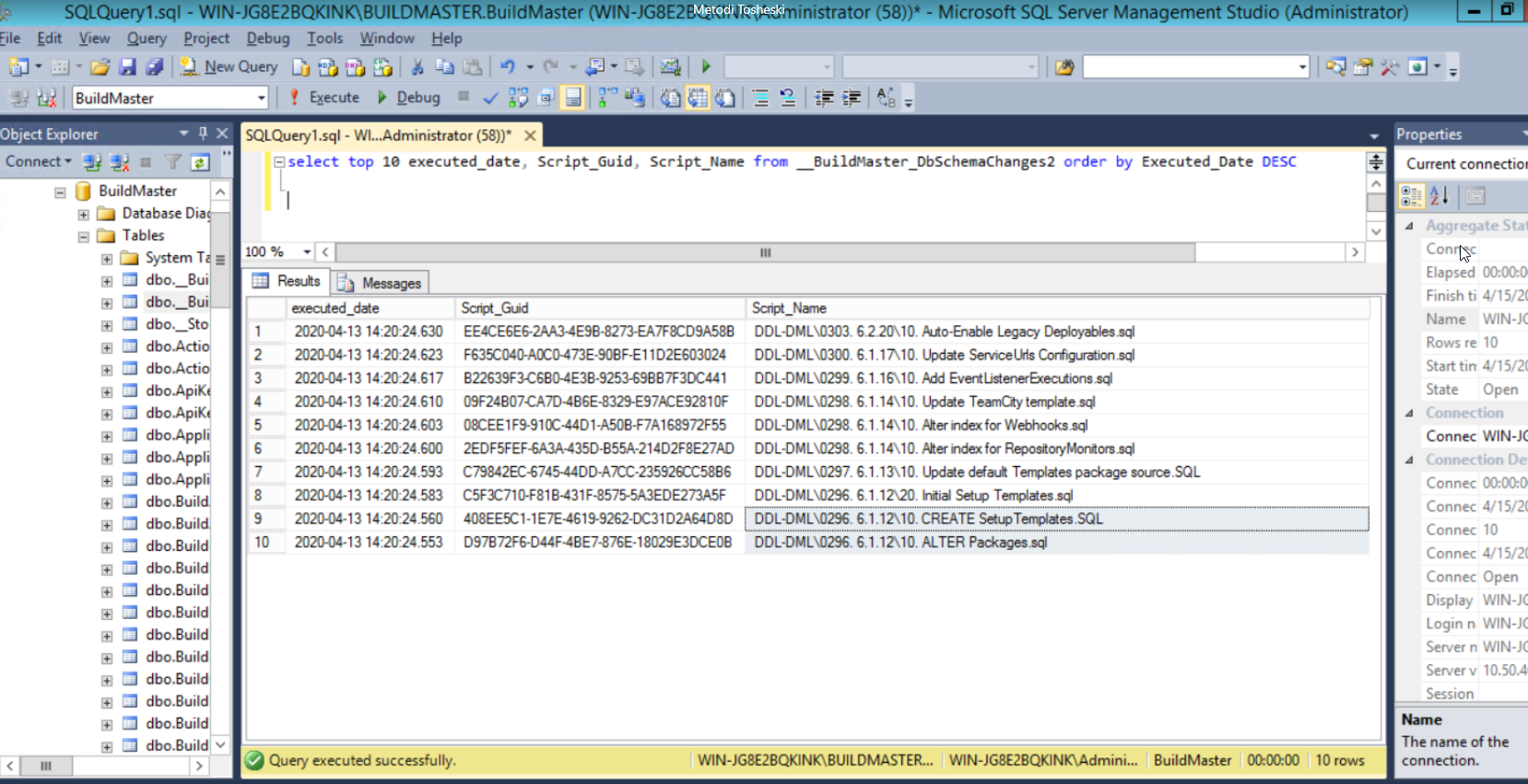
I have restarted the services and the server but I got the same issue.
-
Any idea how to resolve this error message which is only under application link.
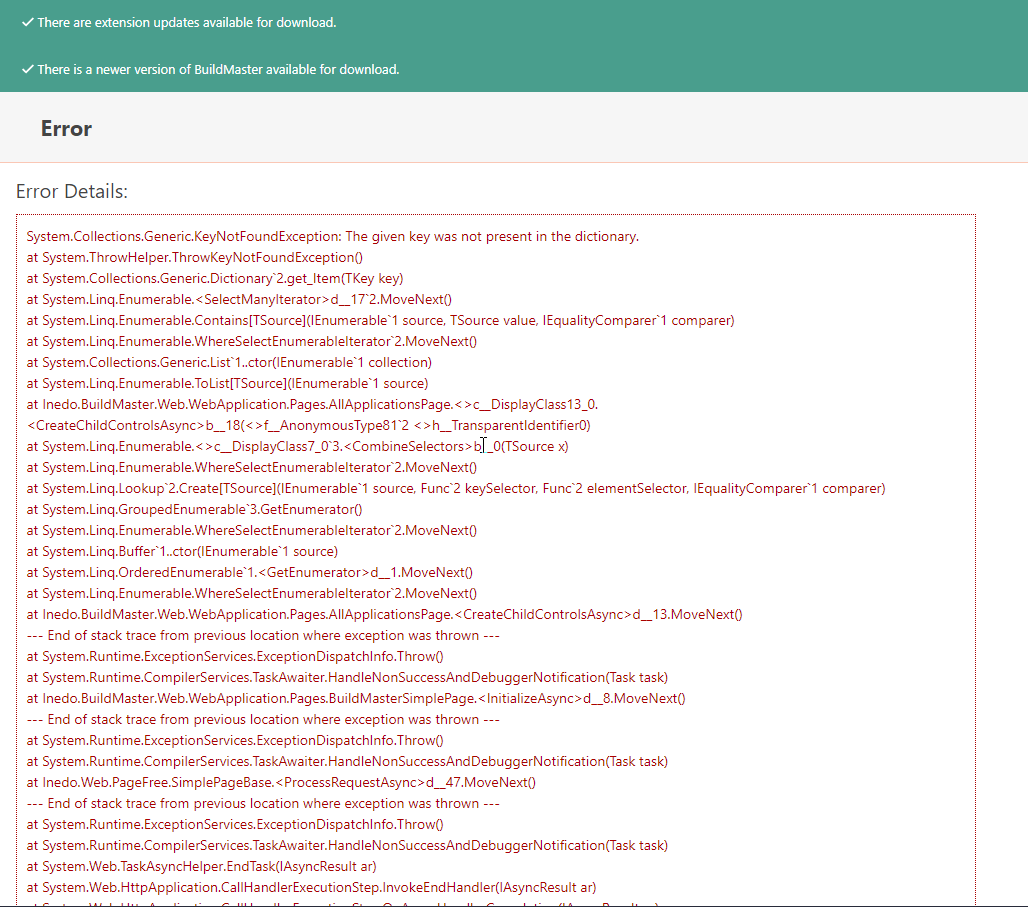
-
What version of BuildMaster did you upgrade to (i.e., 6.2.10)? It looks like it did not run the scripts for 6.2 on your database. I just wanted to confirm that the Manual Install zip you downloaded matches the version of BuildMaster that you installed.
Also, could you run the following query? I would like to see if any script errors happened during the SQL upgrade.
select top 10 * from __BuildMaster__DbSchemaChanges2 where Success_Indicator = 'N' order by Executed_Date DESCThanks,
Rich -
I have upgraded to 6.1.27 and this is the latest version that I can upgrade to.
If I want to upgrade to 6.2 it is failing with a message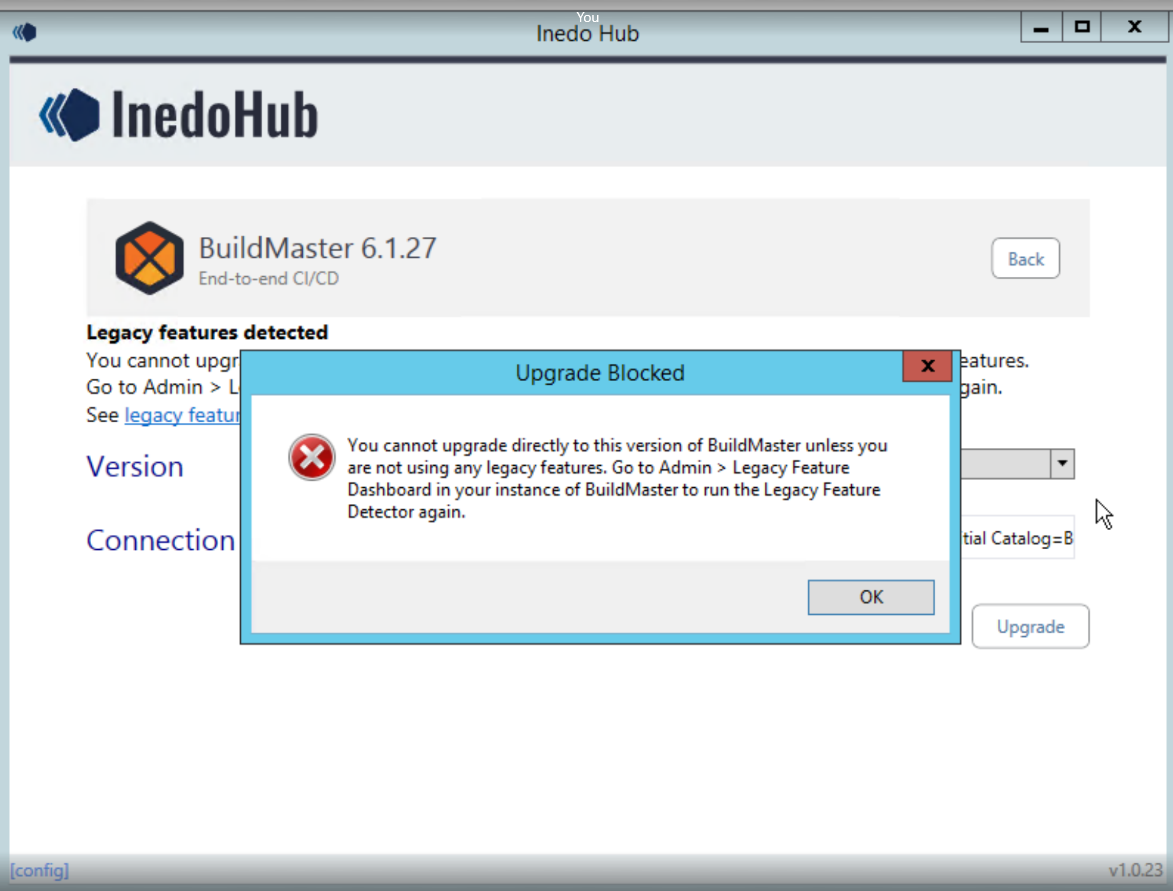
I have downloaded the BM Setup 6.1.27.

We are using legacy features, so is there any way to upgrade to 6.2 and still using it?
Also please find the executed query which you have provided to me.
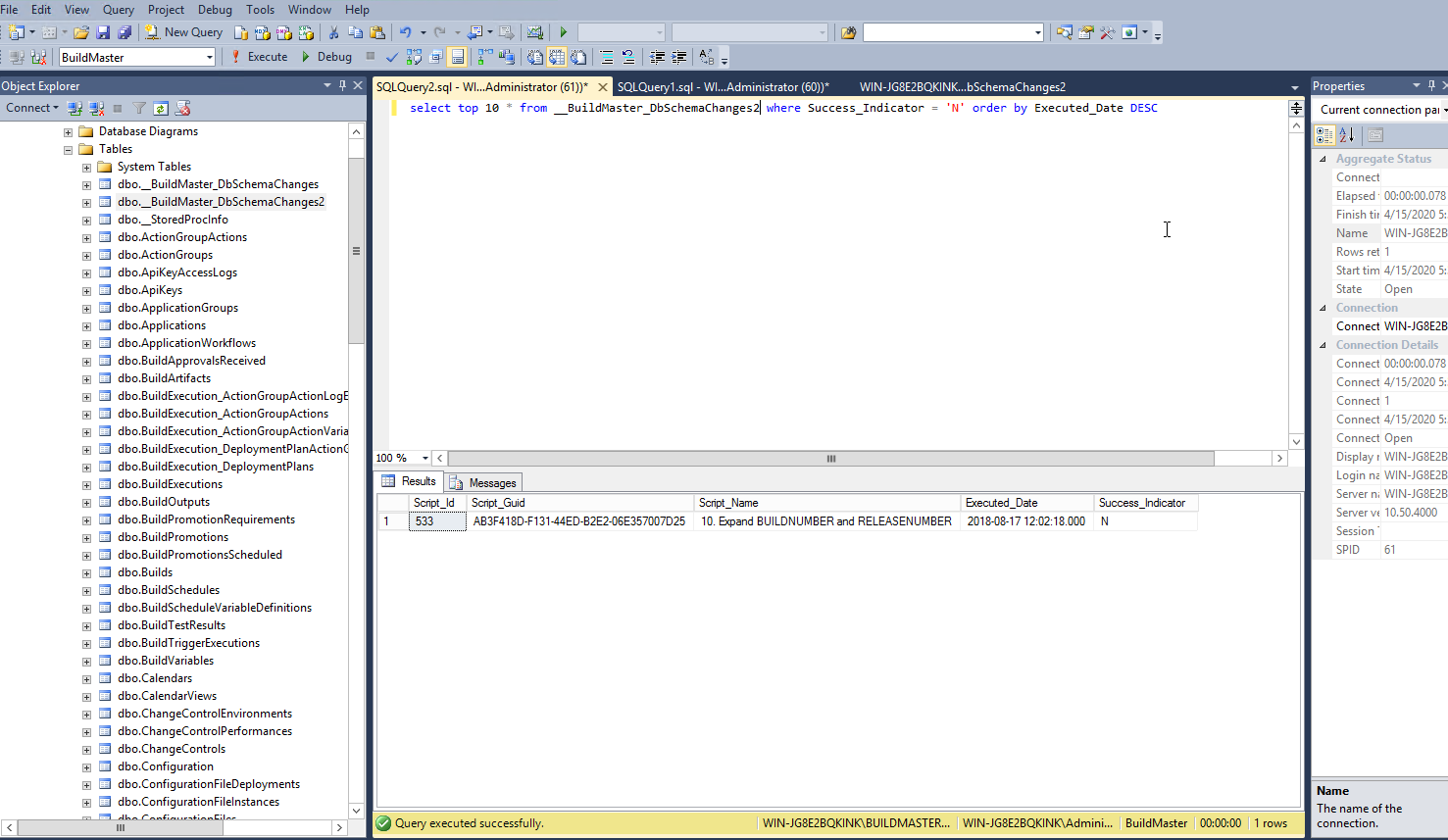
-
Great, you've got 6.1 running.
So, BuildMaster v6.2 removes all legacy features, and the upgrade is blocked until you run the legacy feature detector and it says no features are detected. See the BuildMaster 6.2 Upgrade Notes.
I'm concerned about the state of your server. How about making a new server for BuildMaster 6.2, and then migrating your applications as per the guidance in the kb article? Then, you won't have more server problems in the future.
As for that script, I'm a little concerned with it. If it failed to run, then it means the BUILDNUMBER and RELEASENUMBER columns in the database may be too short (new length is 50 characters, old length was ... I forgot... but shorter). It's not a huge problem and would likely go undetected. Just woudl give an error if you made a build number that was between the old length and 50 characters.
Anyways, if you follow the plan of making a new BuildMaster 6.2 server, then migrating your applications per that article, then you won't have to worry about it.
-
@atripp Your recommendation is confusing me. As I can see from the documentation which you have in order to migrate your BM project to 6.2 we should have v6.1. But we do not have BMv6.1 in working state, the upgrade fail. What we should do? We are stuck now and we don't know how to go further.
For < v5.0 - first upgrade to v4.9.10, then v6.1.[latest], then migrate to 6.2
For >= v5.0 - first upgrade to v6.1.[latest], then migrate to 6.2 -
I'm sorry, I misunderstood, I thought your instance was working. Now that I see older messages, I see not.
OK ...
What happens when you visit
/applications/4? The error message you've shared appears to be from/all-applications. -
@atripp Yes, Application page is not available and I receive the error:
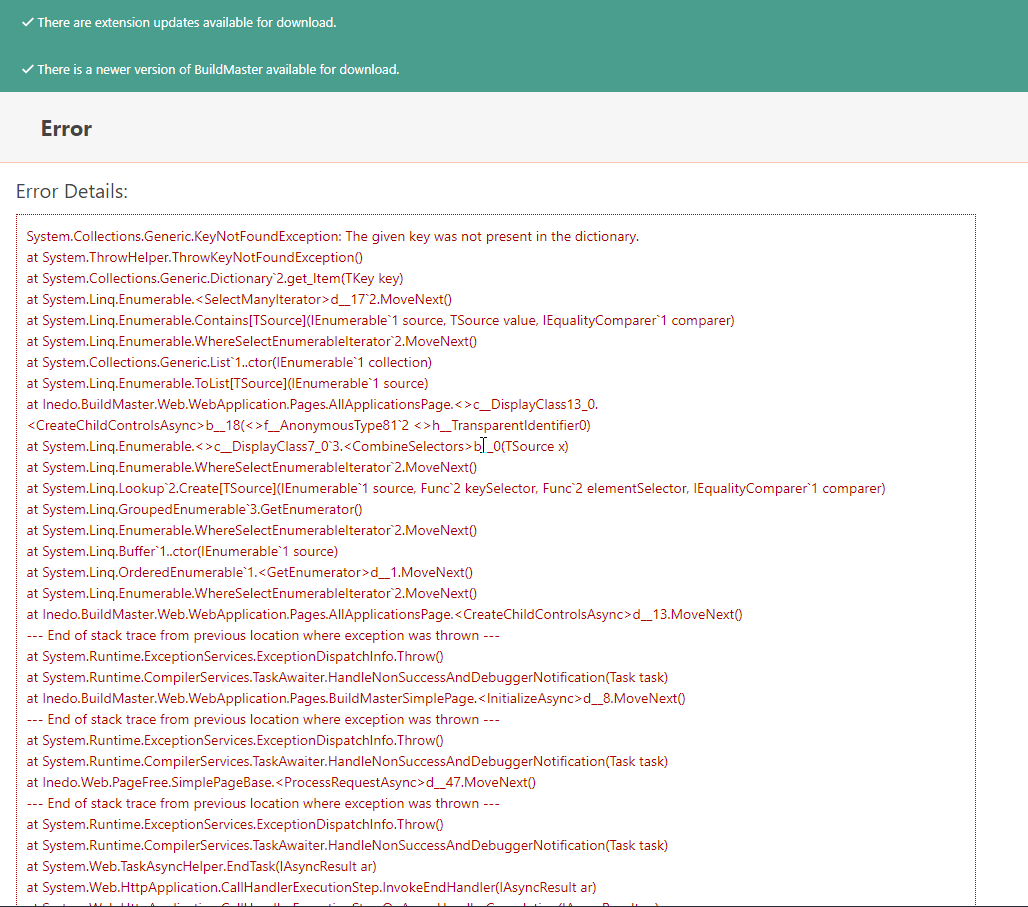
But we would like to try to install the latest 6.2 version on a new server and to try to migrate all data from this issued one 6.1.27 in order to check if we can successfully bring up the BM.
Can you please share with me the migration toll which I will need to use?
And if there is documentation with details, what I will need to take(make backup and transfer) from the 6.1.27 version to the latest version 6.2. -
@atripp said in How to upgrade BuildMaster from 5.8.3 to latest version 6.2:
/applications/4
Sorry I have provided to you again the same error message from /all-applications.
Please find the error message from /applications/4
System.TypeLoadException: Could not load type 'Inedo.BuildMaster.Web.CustomEditorAttribute' from assembly 'BuildMasterCore, Version=6.1.27.1, Culture=neutral, PublicKeyToken=112cfb71329714a6'.
at System.ModuleHandle.ResolveType(RuntimeModule module, Int32 typeToken, IntPtr* typeInstArgs, Int32 typeInstCount, IntPtr* methodInstArgs, Int32 methodInstCount, ObjectHandleOnStack type)
at System.ModuleHandle.ResolveTypeHandleInternal(RuntimeModule module, Int32 typeToken, RuntimeTypeHandle[] typeInstantiationContext, RuntimeTypeHandle[] methodInstantiationContext)
at System.Reflection.RuntimeModule.ResolveType(Int32 metadataToken, Type[] genericTypeArguments, Type[] genericMethodArguments)
at System.Reflection.CustomAttribute.FilterCustomAttributeRecord(CustomAttributeRecord caRecord, MetadataImport scope, Assembly& lastAptcaOkAssembly, RuntimeModule decoratedModule, MetadataToken decoratedToken, RuntimeType attributeFilterType, Boolean mustBeInheritable, Object[] attributes, IList derivedAttributes, RuntimeType& attributeType, IRuntimeMethodInfo& ctor, Boolean& ctorHasParameters, Boolean& isVarArg)
at System.Reflection.CustomAttribute.GetCustomAttributes(RuntimeModule decoratedModule, Int32 decoratedMetadataToken, Int32 pcaCount, RuntimeType attributeFilterType, Boolean mustBeInheritable, IList derivedAttributes, Boolean isDecoratedTargetSecurityTransparent)
at System.Reflection.CustomAttribute.GetCustomAttributes(RuntimeType type, RuntimeType caType, Boolean inherit)
at Inedo.ReflectionExtensions.GetCustomAttributes[T](ICustomAttributeProvider member)
at Inedo.Serialization.Persistence.<FindAlternateType>g__findType|20_0(IEnumerable1 types, <>c__DisplayClass20_0& ) at Inedo.Serialization.Persistence.FindAlternateType(String typeName, String assemblyName) at Inedo.Serialization.Persistence.CreateInstance(String assemblyName, String typeName) at Inedo.Serialization.Persistence.DeserializeFromXElement(XElement objElement, Type expectedType) at Inedo.Serialization.Persistence.DeserializeFromXElement(XElement objElement, Type expectedType) at Inedo.Serialization.Persistence.DeserializeFromXElement(XElement objElement, Type expectedType) at Inedo.Serialization.Persistence.DeserializeFromXElement(XElement objElement, Type expectedType) at Inedo.BuildMaster.Pipelines.Pipeline.CreateFromTable(Pipelines pipelineInfo) at Inedo.BuildMaster.Web.WebApplication.Controls.ReleaseStagesTimeline..ctor(Int32 applicationId, String releaseNumber, Nullable1 pipelineId)
at Inedo.BuildMaster.Web.WebApplication.Controls.ReleaseOverview..ctor(Releases_Slim release)
at Inedo.BuildMaster.Web.WebApplication.Pages.Applications.ApplicationOverviewPage.<>c.<CreateChildControls>b__6_0(Releases_Slim r)
at System.Linq.Enumerable.WhereSelectListIterator`2.MoveNext()
at Inedo.Web.Controls.Element.<GetControlsFromArgument>d__41.MoveNext()
at Inedo.Web.Controls.Element..ctor(String elementType, Object[] content)
at Inedo.Web.Controls.Layout.TitledContainer..ctor(TitledContainerHeading heading, Object[] content)
at Inedo.BuildMaster.Web.WebApplication.Pages.Applications.ApplicationOverviewPage.CreateChildControls()
at Inedo.BuildMaster.Web.WebApplication.Pages.BuildMasterSimplePage.<InitializeAsync>d__8.MoveNext()
--- End of stack trace from previous location where exception was thrown ---
at System.Runtime.ExceptionServices.ExceptionDispatchInfo.Throw()
at System.Runtime.CompilerServices.TaskAwaiter.HandleNonSuccessAndDebuggerNotification(Task task)
at Inedo.BuildMaster.Web.WebApplication.Pages.Applications.ApplicationOverviewPage.<InitializeAsync>d__5.MoveNext()
--- End of stack trace from previous location where exception was thrown ---
at System.Runtime.ExceptionServices.ExceptionDispatchInfo.Throw()
at System.Runtime.CompilerServices.TaskAwaiter.HandleNonSuccessAndDebuggerNotification(Task task)
at Inedo.Web.PageFree.SimplePageBase.<ProcessRequestAsync>d__47.MoveNext()
--- End of stack trace from previous location where exception was thrown ---
at System.Runtime.ExceptionServices.ExceptionDispatchInfo.Throw()
at System.Runtime.CompilerServices.TaskAwaiter.HandleNonSuccessAndDebuggerNotification(Task task)
at System.Web.TaskAsyncHelper.EndTask(IAsyncResult ar)
at System.Web.HttpApplication.CallHandlerExecutionStep.InvokeEndHandler(IAsyncResult ar)
at System.Web.HttpApplication.CallHandlerExecutionStep.OnAsyncHandlerCompletion(IAsyncResult ar).Also is there any toll to make a backup on my BM server (to collect all data) so I can transfer that on the new server where I will have 6.2 toll to take all that data?
-
Also before installing the new 6.2 version, should I take a backup of BM db 6.1 and restore on the new server and then to run the installer of 6.2?
-
Hi @aleksandarsh_4585 ,
Would you be able to send over a screenshot of your extensions page?
I think the best way to migrate this application is to install a fresh install of BuidMaster 6.2 and use option 3 from the release notes which is to export your application and reimport it into 6.2.
Export a single application from BuildMaster at a time into a universal package, and import that package into your new BuildMaster 6.2 instance. This will give you a good opportunity to discover any issues and to gradually migrate your applications to the new instance as you are able.
Generally, this approach will work best if you have a large number of applications, and some of them rely on legacy features that have been removed in BuildMaster 6.2. This way, you can bring over applications as the legacy dependencies are removed to take advantage of new features and capabilities, while still retaining the original instance for risk mitigation.
You can view the documentation for backing up and restoring applications here.
Thanks,
Rich -
Hi@rhessinger
I have tried to make a backup but with no success.
I have Opened Backup Applications and under Package Source, I don't understand what exactly I need to write, because from the documentation it says file://{PACKAGE PATH}, this Package path means where the backup to be stored or I need first to have already generated package?
I have tried with adding into Feed URL: file://C:/Backup - (Backup is the folder name which I have created in C). Also, I have tried to create with writing directly the path without file: I have just written C:/Backup but again I got the same error.
Display name: BM
Package type: Universal
Credential: I have left this part as anonymous.
After I click Save Package Source and I click on Backup Applications it is giving me the following error:
Is there something that I miss or writing wrong?Unhandled exception: System.TypeLoadException: Could not load type 'Inedo.BuildMaster.Web.CustomEditorAttribute' from assembly 'BuildMasterCore, Version=6.1.27.1, Culture=neutral, PublicKeyToken=112cfb71329714a6'.
at System.ModuleHandle.ResolveType(RuntimeModule module, Int32 typeToken, IntPtr* typeInstArgs, Int32 typeInstCount, IntPtr* methodInstArgs, Int32 methodInstCount, ObjectHandleOnStack type)
at System.ModuleHandle.ResolveTypeHandleInternal(RuntimeModule module, Int32 typeToken, RuntimeTypeHandle[] typeInstantiationContext, RuntimeTypeHandle[] methodInstantiationContext)
at System.Reflection.RuntimeModule.ResolveType(Int32 metadataToken, Type[] genericTypeArguments, Type[] genericMethodArguments)
at System.Reflection.CustomAttribute.FilterCustomAttributeRecord(CustomAttributeRecord caRecord, MetadataImport scope, Assembly& lastAptcaOkAssembly, RuntimeModule decoratedModule, MetadataToken decoratedToken, RuntimeType attributeFilterType, Boolean mustBeInheritable, Object[] attributes, IList derivedAttributes, RuntimeType& attributeType, IRuntimeMethodInfo& ctor, Boolean& ctorHasParameters, Boolean& isVarArg)
at System.Reflection.CustomAttribute.GetCustomAttributes(RuntimeModule decoratedModule, Int32 decoratedMetadataToken, Int32 pcaCount, RuntimeType attributeFilterType, Boolean mustBeInheritable, IList derivedAttributes, Boolean isDecoratedTargetSecurityTransparent)
at System.Reflection.CustomAttribute.GetCustomAttributes(RuntimeType type, RuntimeType caType, Boolean inherit)
at Inedo.ReflectionExtensions.GetCustomAttributes[T](ICustomAttributeProvider member)
at Inedo.Serialization.Persistence.<FindAlternateType>g__findType|20_0(IEnumerable1 types, <>c__DisplayClass20_0& ) at Inedo.Serialization.Persistence.FindAlternateType(String typeName, String assemblyName) at Inedo.Serialization.Persistence.CreateInstance(String assemblyName, String typeName) at Inedo.Serialization.Persistence.DeserializeFromXElement(XElement objElement, Type expectedType) at Inedo.Serialization.Persistence.DeserializeFromXElement(XElement objElement, Type expectedType) at Inedo.Serialization.Persistence.DeserializeFromXElement(XElement objElement, Type expectedType) at Inedo.Serialization.Persistence.DeserializeFromXElement(XElement objElement, Type expectedType) at Inedo.BuildMaster.Pipelines.Pipeline.CreateFromTable(Pipelines pipelineInfo) at Inedo.BuildMaster.Applications.ImportExport.ExportedPipeline..ctor(Pipelines p) at Inedo.BuildMaster.Applications.ImportExport.ExportApplicationExecution.<>c__DisplayClass60_2.<ExportApplicationAsync>g__selectAndStorePipeline|8(Pipelines p) at System.Linq.Enumerable.WhereSelectEnumerableIterator2.MoveNext()
at Inedo.BuildMaster.Applications.ImportExport.ExportApplicationExecution.WriteJson[T](ZipArchive zip, String entryName, IEnumerable`1 jsonArray)
at Inedo.BuildMaster.Applications.ImportExport.ExportApplicationExecution.<ExportApplicationAsync>d__60.MoveNext()
--- End of stack trace from previous location where exception was thrown ---
at System.Runtime.ExceptionServices.ExceptionDispatchInfo.Throw()
at Inedo.BuildMaster.Applications.ImportExport.ExportApplicationExecution.<ExecuteAsync>d__59.MoveNext()
--- End of stack trace from previous location where exception was thrown ---
at System.Runtime.ExceptionServices.ExceptionDispatchInfo.Throw()
at System.Runtime.CompilerServices.TaskAwaiter.HandleNonSuccessAndDebuggerNotification(Task task)
at Inedo.BuildMaster.Windows.ServiceApplication.Executions.ManualExecution.<ExecuteAsync>d__8.MoveNext() -
Is there any tool to make a full backup? or some commands which I can use in order to make a backup and restore on the new server?
Regarding the reported issue for backup error, If I'm writing the fields correctly and it is all good it can be an issue because the application page is not working on my side.
Because of that, I'm looking for some other type of backup.
Also is there any way to use backup made from 5.8.3 BM version to be transferred on BM 6.2 version?
I have a backup from 5.8.3 with all features working inside.
My point is whether we can use this backup and restore it on 6.2? -
Hi @aleksandarsh_4585 ,
I'm currently looking into if you can back up from a version older than 6.1.
I did want to verify that you have the latest extensions installed in your 6.1 instance. I would also recommend restarting IIS (or the independent web server if you are using that) and the BuildMaster service. Would you be able to take screenshot of your extensions page? The error you sent out is typically an error caused by a missing extension. In these cases, it will also cause your build pipeline page to error on load. That could explain why you can't load your application when you click on it.
You might be able to see what extension is failing by going to
/pipelines/edit-json?pipelineId=464. Could you also try that?Thanks,
Rich -
Hi @rhessinger,
I have taken a screenshot from the extensions, please check and let me know if you need more details.
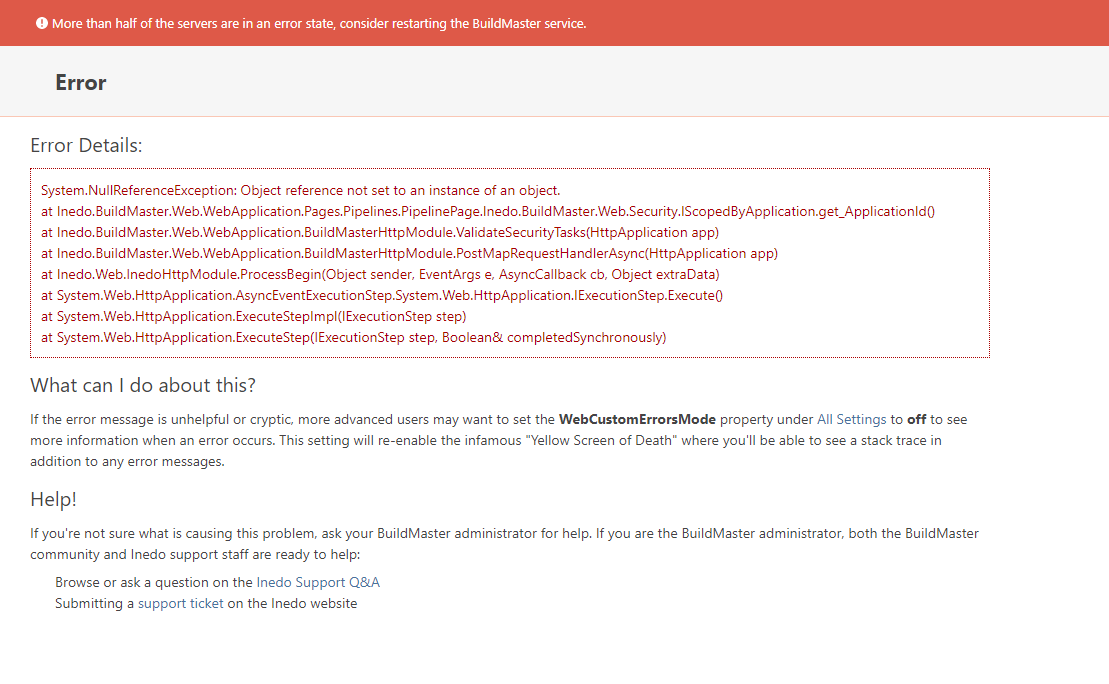
-
That error message looks like it's the
PipelinePage, not the Extensions page...I think you've got a severe configuration problem on the server still. Between multiple databases, and "impossible" errors, I think you should try this...
Start with a totally new server.
Install BuildMaster 6.1, fresh installation
ensure it works (run the tutorial application)
Restore your database to that server.From there, go to Admin > Extensions, and install what extensions you need.
-
Hi @atripp, let's try your recommendation but please give me direct steps.
- How to make a backup on BM5.8?
- How to restore the backup on BM 6.1?
- After I install BM 6.1 fresh installation can I only take SQL backup from BM 5.8 and import to SQL BM 6.1 and everything will work properly?
- I need to guide me what first to do so I can make all the process properly.
-
Hello;
Given the problems with the existing server, here is my recommend:
- Install BuildMaster 6.1 on a new server.
- Verify it works
- Stop WebApp and Service
- Restore 5.8 Database on BuildMaster 6.1 server
- Manually upgrade newly-restored 5.8 database using the 6.1 version of manual package (use the
dbupdatercommand from the manual install)
Manual install guide for the database: https://docs.inedo.com/docs/buildmaster/installation-and-maintenance/installation-guide/manual
Backup and Restore instructions are here: https://docs.inedo.com/docs/buildmaster/installation-and-maintenance/backing-up


Hello! It looks like you're interested in this conversation, but you don't have an account yet.
Getting fed up of having to scroll through the same posts each visit? When you register for an account, you'll always come back to exactly where you were before, and choose to be notified of new replies (either via email, or push notification). You'll also be able to save bookmarks and upvote posts to show your appreciation to other community members.
With your input, this post could be even better 💗
Register Login