Welcome to the Inedo Forums! Check out the Forums Guide for help getting started.
If you are experiencing any issues with the forum software, please visit the Contact Form on our website and let us know!
How to upgrade BuildMaster from 5.8.3 to latest version 6.2
-
@atripp Hey Atripp, thanks for providing me the details. I have downloaded the Hub and started with upgrading but when I have clicked on upgrade it provided me an error message to upgrade the SQL to 2008 or newer but I have 2014v installed. Is there any workaround? Is there something else that I need to upgrade first? Thanks
-
My guess is that you also have SQL Server 2005 installed? It's possible to have multiple instances of SQL Server installed, and an instance named
INEDOis installed by default w/ the installer. you'll want to upgrade that instance. -
@atripp Hey, thanks for getting back, yes there was SQL Server 2005 DB. I have upgraded to 2008 and I was able to start the upgrade from Inedo Hub.
After I have upgraded to v6.1.27 and I log in to BM web I saw that my BM version is still the older one v5.8.3 and now I have an issue with the services.
I get an error message "Unhandled exception while attempting agent update check." and from the menu, I get the error message "More than half of the servers are in an error state, consider restarting the BuildMaster service.".
I have tried by restarting the service from the web and also from the server but I receive the same error message.
Any help on how to resolve this now? Is there something that I need to change?
-
Something's definitely not right. I'm guessing, some manual adjustments were done on the server, perhaps moving around some files or something, at some point. It's probably not in a good state, and it's a bit strange to see two sQL servers installed, anyways.
From here, your best bet is to figure out what state your BuildMaster server is actually in: BuildMaster is a standard ASP.NET application and Windows Service, and you can ensure it's configuration is correct here:
The Agents installed on the remote servers are probably Inedo Agents, and if not, they should be:
Your best bet might be to rollback your server at this point.
-
@atripp It was the DB issue, in BM config I have updated the DB name and it passed.
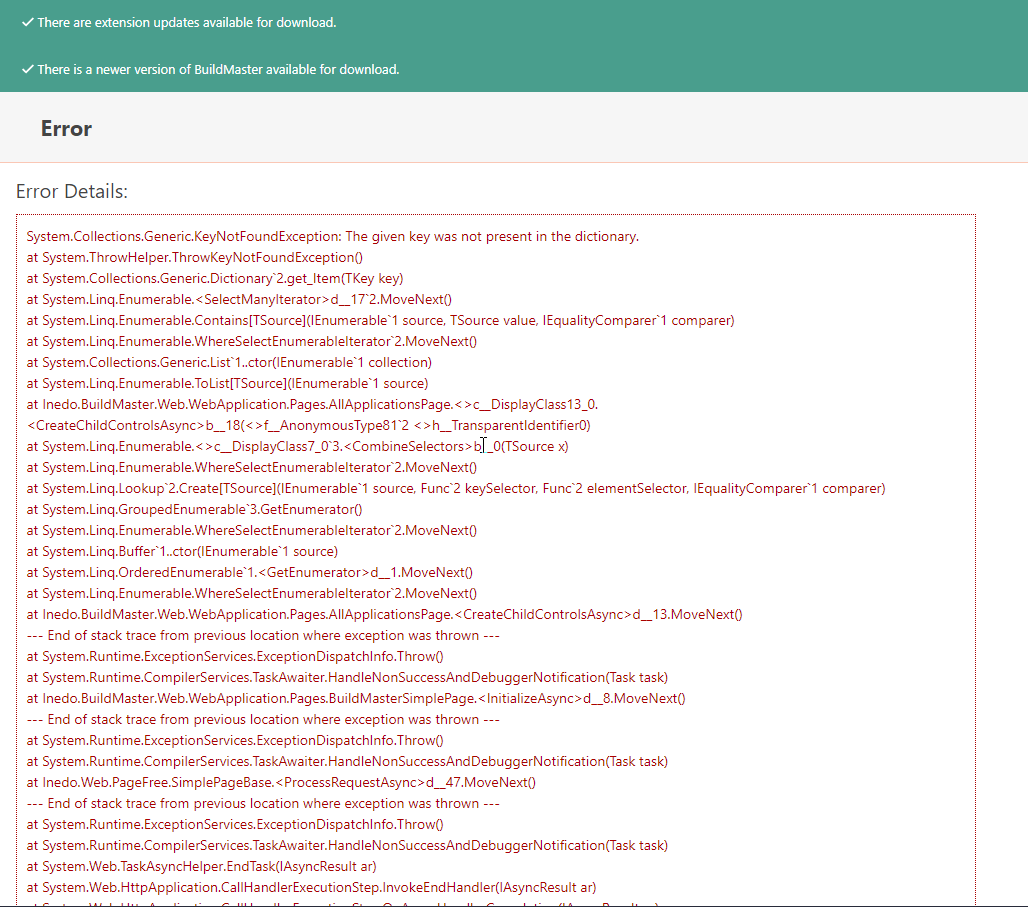
Now I can access BM from web but when I try to open application page I get the following error:System.Collections.Generic.KeyNotFoundException: The given key was not present in the dictionary.
at System.ThrowHelper.ThrowKeyNotFoundException()
at System.Collections.Generic.Dictionary2.get_Item(TKey key) at System.Linq.Enumerable.<SelectManyIterator>d__172.MoveNext()
at System.Linq.Enumerable.Contains[TSource](IEnumerable1 source, TSource value, IEqualityComparer1 comparer)
at System.Linq.Enumerable.WhereSelectEnumerableIterator2.MoveNext() at System.Collections.Generic.List1..ctor(IEnumerable1 collection) at System.Linq.Enumerable.ToList[TSource](IEnumerable1 source)
at Inedo.BuildMaster.Web.WebApplication.Pages.AllApplicationsPage.<>c__DisplayClass13_0.<CreateChildControlsAsync>b__18(<>f__AnonymousType812 <>h__TransparentIdentifier0) at System.Linq.Enumerable.<>c__DisplayClass7_03.<CombineSelectors>b__0(TSource x)
at System.Linq.Enumerable.WhereSelectEnumerableIterator2.MoveNext() at System.Linq.Lookup2.Create[TSource](IEnumerable1 source, Func2 keySelector, Func2 elementSelector, IEqualityComparer1 comparer)
at System.Linq.GroupedEnumerable3.GetEnumerator() at System.Linq.Enumerable.WhereSelectEnumerableIterator2.MoveNext()
at System.Linq.Buffer1..ctor(IEnumerable1 source)
at System.Linq.OrderedEnumerable1.<GetEnumerator>d__1.MoveNext() at System.Linq.Enumerable.WhereSelectEnumerableIterator2.MoveNext()
at Inedo.BuildMaster.Web.WebApplication.Pages.AllApplicationsPage.<CreateChildControlsAsync>d__13.MoveNext()Is there something I need to change or update? As I can see the service is running ok
-
It sounds like either the database or the application didn't actually update. Would you be able to make a direct SQL query against the ProGet database that is in the config? I would like you to run two different queries:
select * from Applications_Extendedand
select top 10 executed_date, Script_Guid, Script_Name from __InedoDb_DbSchemaChanges order by Executed_Date DESCThanks,
Rich -
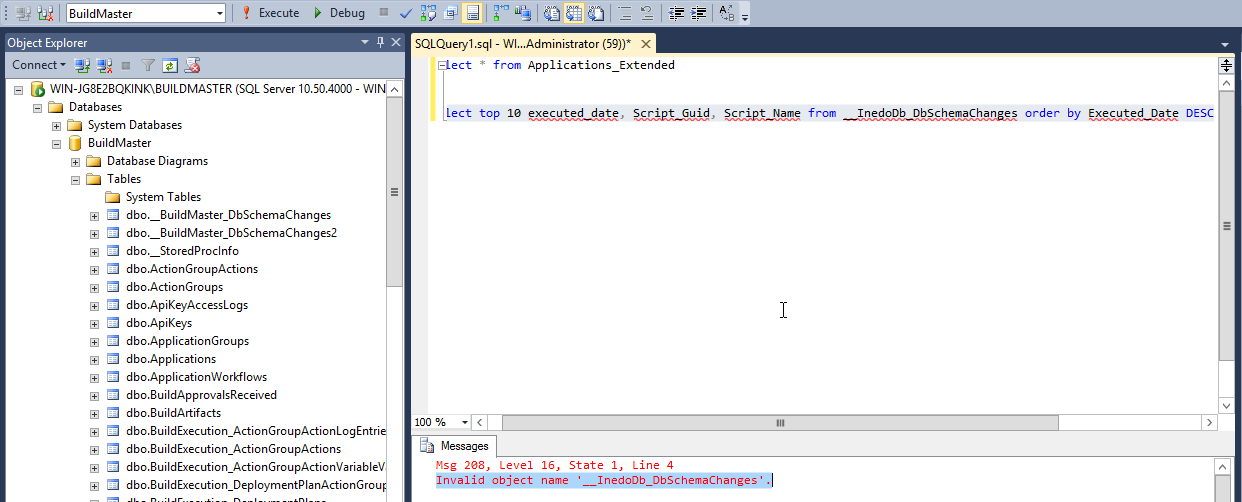
@rhessinger Second query is failing, the table " __InedoDb_DbSchemaChanges" is missing.
- select * from Applications_Extended
http://prntscr.com/ryyy68
2.select top 10 executed_date, Script_Guid, Script_Name from __InedoDb_DbSchemaChanges order by Executed_Date DESC
http://prntscr.com/ryyz20Please let me know whether you need more details. Also if I need to do any new update or to change something please let me know.
Also the error message which I receive from web:
- select * from Applications_Extended
-
Thanks; based on this, there's only one application? Is that correct? Seems like it might be off...
Anyways the database definitely wasn't upgraded. I'm guessing, during upgrade, it was pointed to a different database? Hard to guess...
You can manually upgrade the database:
https://docs.inedo.com/docs/buildmaster/installation-and-maintenance/installation-guide/manualThere may have been an error as well (look in the __BuildMAster__DbSchema2 table).
-
@atripp Hi, the issue it can be with the DB not get the update.
The link for download is down, as I can understand from the docs I need "BuildMaster-DbChangeScripts.zip".
If there is another way to download this file? -
Seems, an old link; here it is https://my.inedo.com/buildmaster/versions
-
@atripp Hey, thanks for the link.
The first question is whether you have an update for the docs also? As I can see the db update name is not the same.
I have tried with the name from the zip file but maybe I'm wrong with setting the connection string.
Can you help me with that?From the screenshot, you can see my Web_appSetting details:
I have tried by running it like this:
C:\Users\Administrator\Downloads\BuildMasterSetup6.1.27_Manual\SqlScripts>dbupdater.exe Update /conn="Data Source=WIN-JG
8E2BQKINK\BUILDMASTER;Initial Catalog=BuildMaster;Integrated Security=SSPI;" /init=yesbut I get the following message:
Script path "/conn=Data Source=WIN-JG8E2BQKINK\BUILDMASTER;Initial Catalog=BuildMaster;Integrated Security=SSPI;" not fo
und. -
Can you try running
inedosqlinstead ofdbupdate? -
@atripp Hey, the name of the exe file is dbupdate and because of that, I'm naming like that.
-
So from the extracted zip file for db update I have the following data.
Web app Settings config is the following.
I'm trying to update using the query which is in your docs
and I'm unable to make the connection in order the exe file to update the SQL db.
-
Can you try...
dbupdater.exe Update . /conn="Data Source=WIN-JG
8E2BQKINK\BUILDMASTER;Initial Catalog=BuildMaster;Integrated Security=SSPI;" /init=yes
Looking at
dbupdater, the arguments aredbupdater update <script-path> <connection-string>, so I think the "." will include the current path. -
@atripp Hey, the provided query didn't pass so we have updated it and it passed with no error.

But as your colleague advised me to check in the db with the provided query I can see that still the Inedo db is missing:
- Invalid object name '__InedoDb_DbSchemaChanges'.
And I still have the same error message on web when I enter in the application.
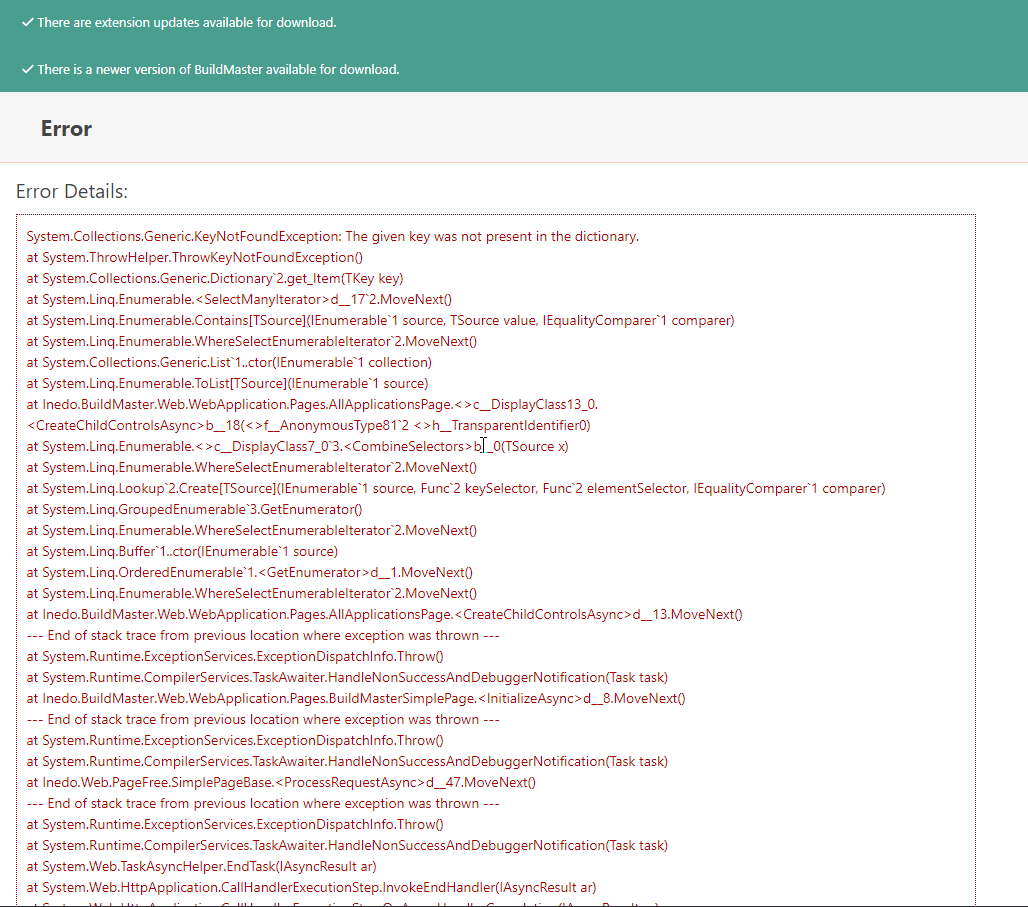
Please advise how to resolve this? Or if there is a way to downgrade and to try to upgrade BM again it will be better.
If you have some other SQL update patch please provide to me. -
Hello, I just want to let you know that I have successfully made the update of the SQL.
When I log in to web I got new error message now, can you please tell me now what can be this issue?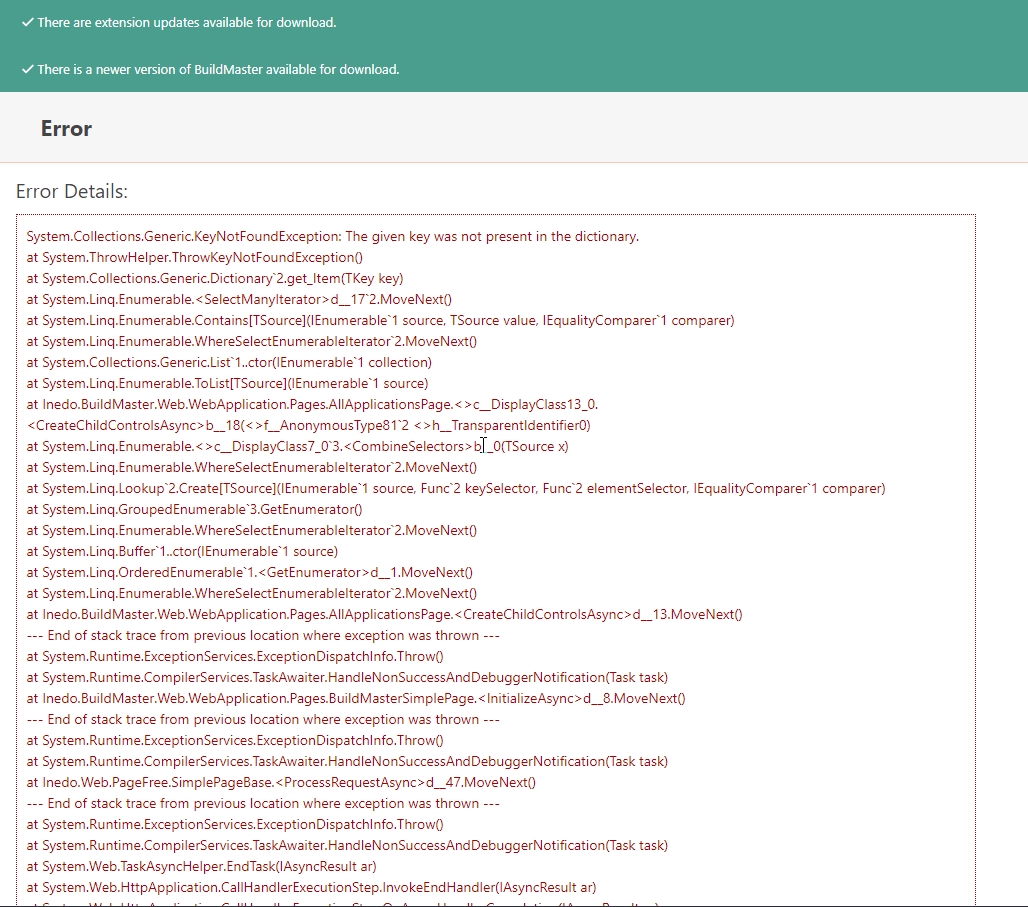
Also when I run the query in the db I still get the same message: Invalid object name '__InedoDb_DbSchemaChanges'.
select top 10 executed_date, Script_Guid, Script_Name from __InedoDb_DbSchemaChanges order by Executed_Date DESC
Can someone help me with this?
-
Can you try this instead?
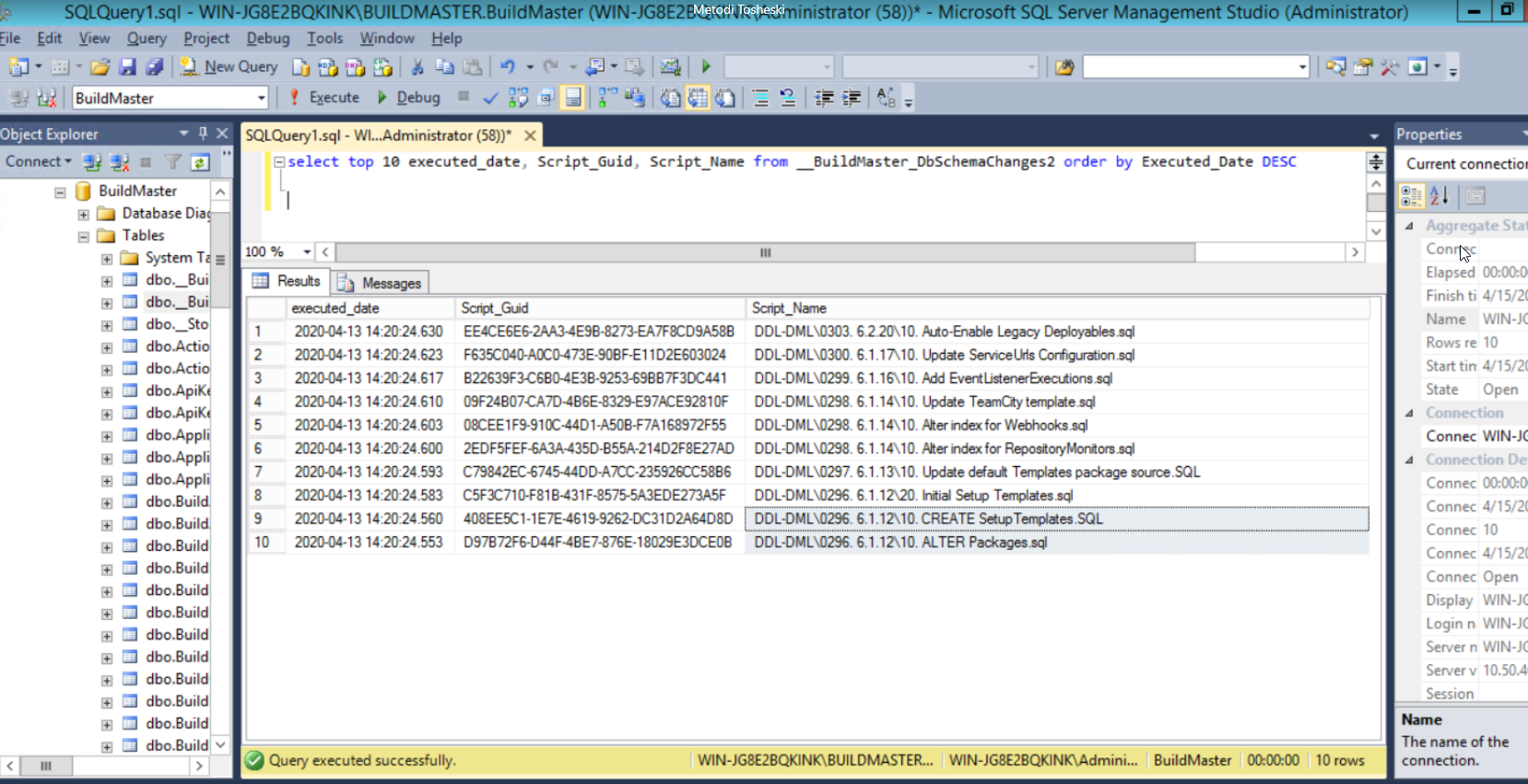
select top 10 executed_date, Script_Guid, Script_Name from __BuildMaster__DbSchemaChanges2 order by Executed_Date DESCCan you try to restart the web application (in IIS, or restart the Integrated Web Server), then visit the home page? I think something might be cached... that error doesnt' make much sense.
How about browsing to
/applications/4/(since I saw Application with ID = 4 in the database screenshot). -
@atripp Hey, I have executed the query, so please find the screenshot below.
I have restarted the services and the server but I got the same issue.
-
Any idea how to resolve this error message which is only under application link.


Hello! It looks like you're interested in this conversation, but you don't have an account yet.
Getting fed up of having to scroll through the same posts each visit? When you register for an account, you'll always come back to exactly where you were before, and choose to be notified of new replies (either via email, or push notification). You'll also be able to save bookmarks and upvote posts to show your appreciation to other community members.
With your input, this post could be even better 💗
Register Login